Eight gigabytes of memory has long been the awkward middle ground for a Windows PC: enough to open a browser, a few apps and a game launcher, but often not enough to do all of that without the machine beginning to bargain for patience. Microsoft says Windows 11 is making a more focused effort to improve that experience, with changes aimed at keeping active work in memory, reducing background pressure and making everyday interface actions feel quicker.
The company’s headline claims are substantial: 8GB Windows 11 machines can be up to 20% more responsive and see multitasking workflows improve by up to 40%. Those figures should be read as vendor performance claims measured in particular scenarios, rather than a promise that every older laptop will abruptly feel 40% faster. Still, the details give a useful picture of where the changes are intended to matter: Start, File Explorer, Settings, search, right-click menus, Microsoft 365 apps, Teams, Edge and a browser-heavy desktop.
The improvements require Windows 11 version 26H2, build 26300.9818 or later. Microsoft also notes that some changes may arrive through app updates, so operating-system updates alone may not deliver every improvement immediately.
Why 8GB can feel tight in modern Windows
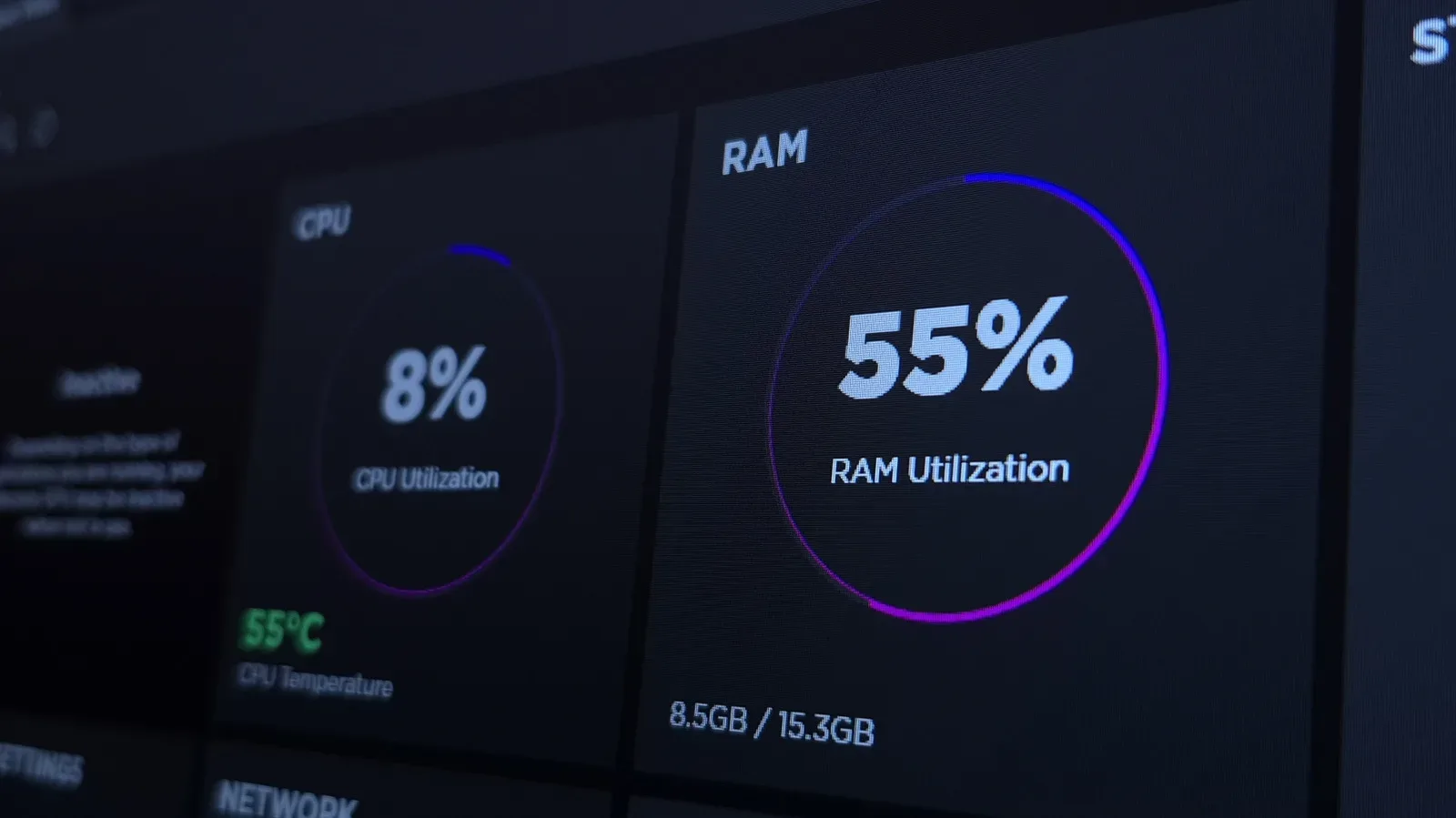
RAM, short for random-access memory, is the fast working space a PC uses to keep applications and their active data ready. A browser tab, a document, a chat client and the operating system each consume a share. When memory becomes constrained, Windows may shift less immediately needed data out to slower storage. That process helps prevent apps from simply closing, but returning to something that has been pushed out of memory can mean noticeable pauses.
Microsoft says Windows can now keep as much as 2GB more active data in memory on these 8GB systems rather than moving it to storage. The practical aim is straightforward: the more of a user’s current workload that remains close at hand, the less likely a switch back to a crowded browser or document will be interrupted by a wait.
This is an efficiency story, not a claim that 8GB has somehow become 16GB. Total capacity remains total capacity. A PC with 8GB still has less room for large projects, complicated creative applications or many simultaneous heavy programs than a 16GB configuration. Microsoft itself continues to recommend 16GB or more for processor-intensive creative work when the buyer can afford it.
Where Windows 11 is meant to respond faster
Microsoft says common operating-system interactions are up to 20% more responsive. That covers opening Start, File Explorer and Settings, along with search and right-clicking. These are small actions, but they are also actions repeated throughout a workday. Improving them is less about a single dramatic benchmark than reducing the accumulation of tiny delays.
One of the mechanisms described is the deferral of work such as search indexing while someone is actively using the PC. Search indexing is the background process that organizes information so Windows can retrieve results quickly. It is useful, but it can compete for system resources at an inconvenient moment. Reserving that sort of task for quieter periods is an example of prioritization: foreground work gets preference over maintenance work that does not need a person’s attention right this second.
Microsoft also says Edge can open up to 33% faster on 8GB PCs. Because browser workloads frequently dominate everyday memory use, that focus makes sense. A dozen tabs can represent a mixture of page content, video, scripts, ads, extensions and cached resources. The value of keeping more active browser information in RAM becomes most obvious when moving among tabs, applications and desktop tasks.
Teams, Widgets and sleeping tabs are part of the memory plan
The changes are not limited to the core Windows interface. Microsoft says Efficiency Mode is now enabled by default in Teams on 8GB PCs and can improve launch performance by up to 20%. In broad terms, efficiency features reduce an app’s demand on available system resources when full-speed behavior is not necessary. That can benefit the entire desktop, not just the app using the mode, since a constrained PC has fewer resources to distribute.
Microsoft 365 apps are also part of the effort. Word, PowerPoint, Excel and Outlook now use up to 360MB less RAM, Microsoft says. That number may sound modest beside an 8GB total, but memory savings compound. Reducing the footprint of several always-open productivity apps can leave more room for a browser, a video call or Windows itself.
The company says third-party applications including WhatsApp are also using less memory than before, though it does not provide a separate figure for that app. Widgets have been adjusted to load only when opened, another attempt to avoid spending resources on information a person is not currently viewing.
Meanwhile, inactive browser tabs on 8GB configurations are set to sleep after 15 minutes by default. A sleeping tab remains available but uses fewer active resources. The trade-off is that returning to it may involve a reload or brief wake-up period, depending on what the page is doing. For someone who routinely keeps a large number of tabs open, though, this kind of policy can be more useful than simply asking them to become a different kind of person.
What Microsoft’s multitasking test actually covered
The company’s up-to-40% multitasking claim came from a demanding mixed workload: 20 Edge tabs, a 4K video, Outlook, File Explorer, and large files open in Word, PowerPoint and Excel. The applications remained open after launch.
That setup is useful context for interpreting the number. It measures a specific kind of office-and-browser pressure rather than, for example, performance in a demanding game, a complex 3D project or every conceivable workload. It does, however, resemble the pile-up that makes a modest-memory laptop feel strained: communications, files, video, documents and a browser all competing at once.
For PC gamers, these changes may be most relevant to what happens around the game rather than to game frame rates themselves. Game launchers, voice or chat software, browsers, guide pages, recording utilities and background widgets can all share an 8GB system with the game. Better memory management may make that overall desktop less brittle, but it does not replace the additional capacity that a modern, memory-hungry game can require. Hardware balance still matters; display choices are another part of that equation, as explained in this guide to choosing a gaming monitor without paying for performance you cannot use.
Newer chips matter too, not just Windows changes
Microsoft’s broader argument is not solely about software. It points to newer processors as another reason current 8GB systems can compare more favorably with older machines. One example offered is a 2026 Dell XPS 13 with 8GB of memory, which Microsoft says achieves more than 90% faster multi-core CPU performance than its 2021 predecessor.
Microsoft further says that this newer 8GB model largely matched a 2021 configuration carrying twice as much memory in general CPU work, web browsing, 4K video export and some AI tasks. That comparison is a reminder that memory capacity is important but not the only determinant of how a computer feels. Processor generation, software efficiency and storage behavior all influence results.
It should not be stretched into a blanket rule that an 8GB PC equals every older 16GB PC. The stated comparison concerns particular systems and selected workloads. Memory-heavy jobs can still favor the machine with more RAM, especially when users open large assets or several demanding programs concurrently. But it does show why capacity labels alone are incomplete shorthand for performance.
Who benefits most, and what to check
These optimizations are most likely to help people using an 8GB Windows 11 machine for everyday mixed work: browsing, messaging, online meetings, school or office documents, file management and video playback. They may be especially welcome on laptops where memory cannot be upgraded after purchase.
Users hoping to see the changes should first verify that their PC is on Windows 11 26H2 build 26300.9818 or later, then keep their apps current. Since Microsoft says some improvements are deployed through applications, a fully updated system is the clearest route to receiving the work described here.
- Best fit: browser-heavy, document-heavy and communication-focused everyday use on an 8GB PC.
- Likely benefit: less friction when switching among tabs, files and productivity apps, plus snappier core Windows interactions.
- Not a substitute for more RAM: demanding creative workloads and other sustained heavy multitasking still have a stronger case for 16GB or more.
- Key requirement: Windows 11 version 26H2, build 26300.9818 or later, with updated apps.
There is a useful distinction in Microsoft’s message. The company is not arguing that entry-level memory has become limitless. It is arguing that an 8GB PC should waste less of what it has. If the promised changes hold across ordinary use, that could make lower-memory Windows 11 systems more tolerable precisely in the moments where they have traditionally felt least forgiving: when several ordinary tasks become one crowded desktop.