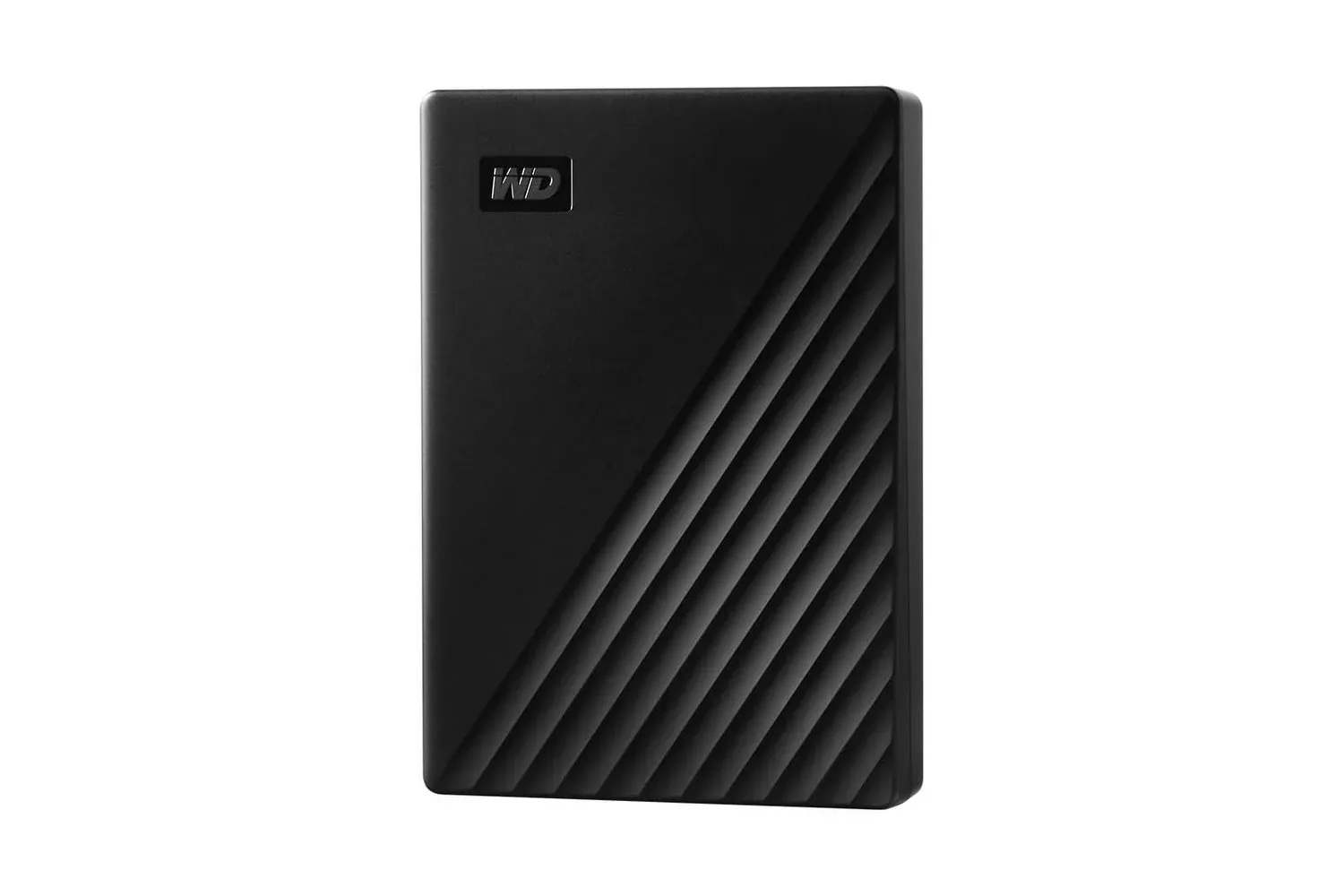
Players who have hit the familiar wall of “where did all my storage go?” may want to look at the 5TB WD My Passport Portable External Hard Drive. The compact external drive is listed for $227, down from $285—a reduction of $58, or 20%.
That price is the immediate hook, but the useful part is what the drive is designed to do: hold a substantial number of files away from a computer’s internal storage while remaining easy to carry. The black My Passport model connects over USB, takes its power from that connection rather than a separate wall adapter, and includes password protection, 256-bit AES hardware encryption, backup software, and a three-year limited warranty.
For a gaming setup, an external hard drive can be less glamorous than a new controller or display, but it solves a very practical problem. Game captures, installers, media libraries, save backups, and games not currently being played can all compete for room. A portable 5TB drive creates a separate place for those files—and makes transporting them between compatible computers or consoles more manageable.
What the $227 WD My Passport offer includes
The My Passport is a portable hard disk drive with 5TB of stated capacity. It uses USB 3.2 Gen 1, a connection also commonly called USB 3.0. The interface supports transfers of up to 5Gbps. That number describes the connection’s maximum signaling rate, not a promise that every copied file will move at that exact speed; real transfer performance can vary with the computer, port, file types, and other parts of a setup.
It is also backward compatible with USB 2.0 ports. That can be helpful for an older computer, though a USB 2.0 connection should not be expected to provide the higher transfer capability associated with USB 3.2 Gen 1.
The drive’s USB-powered design matters for portability. It does not require its own external power source, so the user does not need to pack a separate power cable just to access the drive. Its compact, lightweight chassis has a textured finish intended to improve grip, and it is sized for a laptop bag, backpack, or camera bag.
- Capacity: 5TB
- Connection: USB 3.2 Gen 1 / USB 3.0, up to 5Gbps
- Older-device support: backward compatible with USB 2.0
- Security: password protection and 256-bit AES hardware encryption
- Backup: included scheduling software; Mac users can also use Time Machine
- Power: supplied through the USB connection
- Warranty: three-year limited warranty
Why capacity can matter to a game library
Not every file has to live on the primary drive inside a gaming PC or laptop. A portable external drive can provide a home for games that are not in active rotation, installation files, screenshots, video clips, music, and documents. That does not mean storage location is identical to play location: the important consideration is whether a particular platform and game setup supports running games from external storage, or whether the drive is better used to store and move files back when needed.
The latter use is still valuable. Keeping a large collection in one place can reduce clutter on a laptop, and transferring games or other large files can be preferable to finding them again elsewhere. For people with multiple systems, portability is the defining feature: the drive can go where the files need to go without permanently occupying desk space.
Related coverage includes WD 5TB My Passport Portable Drive Drops to $227 at Amazon.
There is a separate role for the My Passport beyond games. The 5TB capacity is positioned for photos, video, music, and documents as well as game collections. That breadth makes sense for a player who also records footage, edits clips, studies, works remotely, or keeps a personal media archive. Rather than treating game storage and personal backup as entirely different jobs, a buyer can evaluate whether one portable unit fits the wider file-management routine.
Mac users who already rely on Apple’s Time Machine can incorporate the drive into that existing backup approach. For a broader Mac workflow, it may also be relevant alongside evolving creator-focused tools on Apple hardware, such as the recent Apple Creator Studio update. More creative work can mean more projects and exports worth organizing and protecting.
Backup is a process, not just extra space
The My Passport includes backup software that can schedule automated copies of pictures, movies, and documents. Scheduling is meaningful because the difficult part of backup is often remembering to do it consistently. A drive with plenty of unused capacity offers little protection if the important files are never copied to it.
In simple terms, a backup is an additional copy of data intended to help if the original is deleted, lost, or otherwise unavailable. An external drive can be a sensible component of that plan, especially for files stored on a laptop that travels regularly. It should not be confused with a magic shield against every possible problem, however. The practical benefit comes from deciding what needs protection and ensuring the copies are current.
For gaming-related files, it is worth thinking in categories rather than assuming every item needs the same treatment:
- Personal captures and edited videos: These may be difficult or impossible to recreate, making them natural candidates for a backup routine.
- Documents and creative projects: Schoolwork, work files, thumbnails, overlays, and project files can share the same backup drive.
- Game installs: External storage can help preserve a larger local library or make it easier to move files, subject to the rules and compatibility of the platform being used.
- Save data: Save handling varies by game and platform, so users should check their own system’s backup and synchronization options instead of assuming an external drive captures every save automatically.
This is also why the product’s included software and Time Machine compatibility are more than bullet points. They are tools that can turn “I should back that up sometime” into a recurring task.
What 256-bit AES hardware encryption means
Security is another major part of the drive’s pitch. It supports password protection and 256-bit AES hardware encryption. AES is a widely used encryption standard. Encryption converts stored information into a form that requires the correct credentials to access it. In this case, the feature is implemented in the drive hardware and works with the manufacturer’s software to set a password.
The practical implication is clearest when the drive leaves the house. A portable device can move between home, school, work, events, or a friend’s setup. Password protection and encryption can help protect the contents if someone else gets hold of it. That is especially relevant if the drive contains personal photos, documents, recorded video, or other sensitive material alongside a game library.
There is also a responsibility attached to password-based protection: a user should choose and retain a password carefully. Security is useful only when the owner can still access their own data. The supplied information identifies password protection and encryption as product features, but it does not establish a particular recovery process, so buyers should review the setup details before committing irreplaceable files to the drive.
Who this portable drive fits best
The WD My Passport is aimed broadly at photographers, students, gamers, and anyone carrying a large collection of files. That wide audience is credible because its basic benefits are broadly applicable: substantial capacity, a small USB-powered format, scheduled backup support, and protected storage.
For a PC gamer, the strongest case is likely someone whose internal storage is crowded and who wants a simple place for a sizeable collection, whether that means archives, captures, older installs, or files moved between systems. For a student or creator, the same drive can act as a compact repository for videos, documents, and project materials. For someone who travels, the absence of a separate power adapter and the hardware security features may be particularly attractive.
Potential buyers should still frame it around their specific use rather than the capacity figure alone. Check the ports on the device that will connect to it, understand whether files are being backed up or merely moved, and verify how a chosen gaming platform handles external storage. Those small checks determine whether a portable hard drive becomes useful everyday infrastructure or just another device in a drawer.
At its listed $227 price, the 5TB My Passport brings a notably large amount of portable storage together with automated-backup options and password-protected hardware encryption. It is an unshowy purchase, perhaps, but one that can make an expanding digital library far easier to manage.
Shop the products
Check current price, model and availability at the retailer.