A laptop with one USB-C port can quickly become a cable-management puzzle: a display needs HDMI, a desk setup needs USB-A connections, and a flaky wireless network can make a wired connection look very appealing. UGREEN’s Revodok 6-in-1 USB-C Hub is intended to consolidate those needs into one compact accessory, and it is listed at $19, reduced from $30. That is an $11 difference, or 37% off the stated regular price.
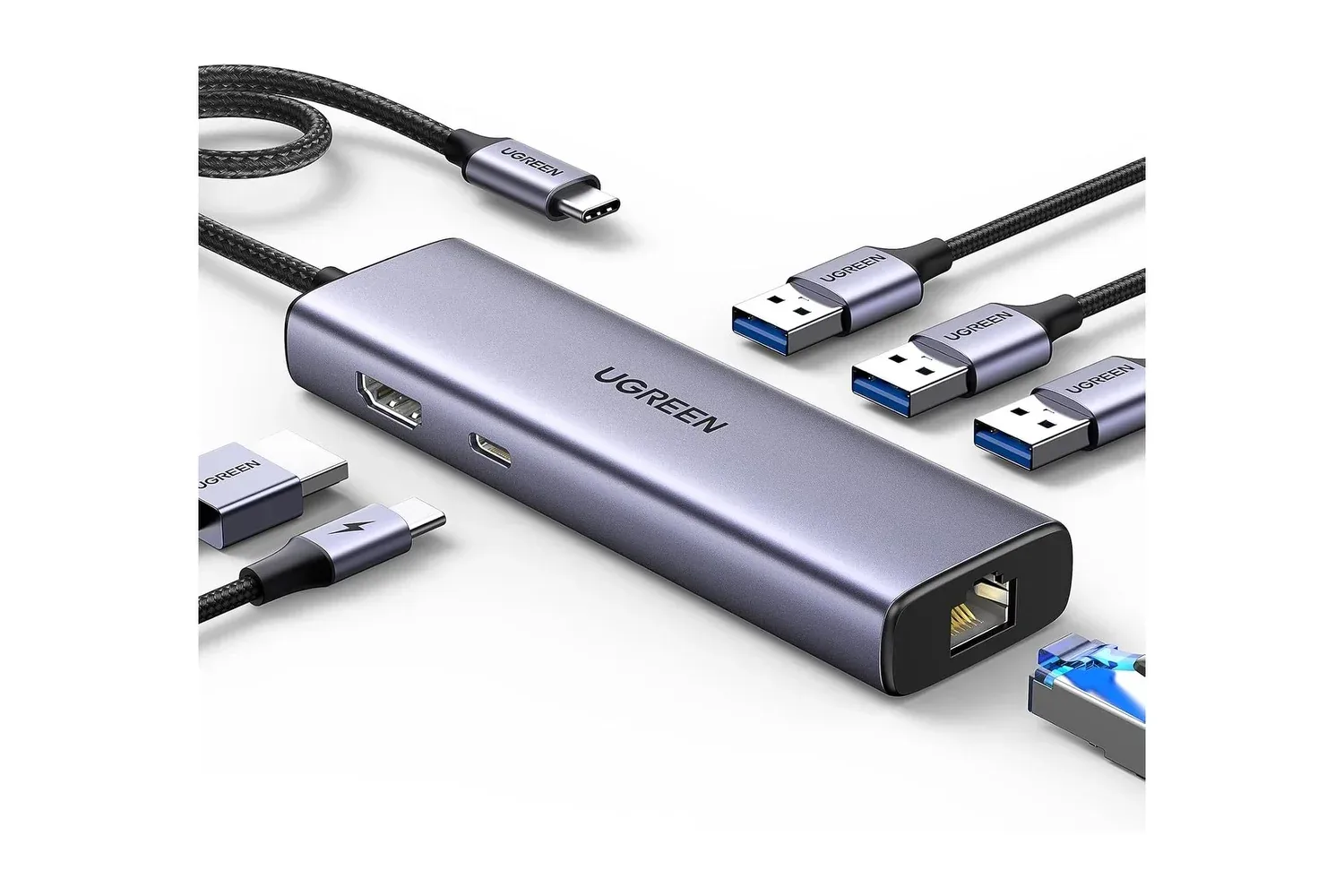
The hub connects to a host device through its attached braided USB-C cable and provides six connections: one HDMI port, Gigabit Ethernet, three USB-A data ports, and one USB-C Power Delivery port for charging pass-through. Its aluminum body is designed to be lightweight and travel-friendly, making the same small adapter potentially useful at a desk, in a meeting room, or alongside a handheld PC setup.
For players and general laptop users alike, the appeal is straightforward. Modern thin laptops, tablets and handhelds often exchange legacy ports for a smaller chassis. A hub does not add computing power, but it can make the existing device easier to use with the displays, storage and wired peripherals already on hand.
What the six ports are for
The Revodok’s HDMI output supports resolutions up to 4K at 30Hz. HDMI is the display connection used by many monitors and televisions, so this port can enable a second screen for work, video playback, presentations, or a larger living-room display. A 4K resolution contains a great deal of visual detail, but the 30Hz specification is equally important: it means the display can refresh up to 30 times per second through this output.
That makes the hub’s display connection best understood as a productivity and media feature rather than an all-purpose answer for every high-refresh gaming setup. A 30Hz output can be suitable for spreadsheets, browser windows, video calls, presentations and streamed shows. Players who prioritize rapid on-screen motion should check the requirements of their display and device before assuming that a 4K label alone covers their preferred refresh rate.
The Ethernet port supports Gigabit networking, or transfer rates up to 1,000Mbps. Ethernet is a wired networking standard: instead of relying on radio signals between a device and router, the connection runs over a network cable. That can be particularly useful where Wi-Fi is congested or unreliable. It may help with bandwidth-heavy tasks such as large downloads, video conferences and online games, although real-world network performance still depends on the service connection, router, cable and the wider network.
Three USB-A 3.0 ports round out the hub’s physical connectivity. Each is rated for data transfers up to 5Gbps. USB-A is the familiar rectangular port still used by a wide range of keyboards, mice, webcams, flash drives and external storage devices. With three ports available, a laptop can keep a keyboard and mouse connected while still leaving a connection for a drive, or use a keyboard, mouse and webcam at the same time.
The final connection is a USB-C Power Delivery input rated at 100W. Power Delivery, often shortened to PD, is a USB-C charging specification. In this arrangement, a compatible laptop charger connects to the hub, allowing the host device to receive power while the hub remains in use for its other ports. This is commonly called pass-through charging. It is a practical distinction because a single USB-C port does not have to be devoted solely to charging or solely to accessories.
A small dock, rather than a performance upgrade
The most useful way to assess a hub is to focus on the bottleneck it removes. If a laptop already has ample USB-A ports, a full-size HDMI output and Ethernet, this particular accessory has less to solve. If it has only USB-C, however, the Revodok can serve as a compact dock: one cable into the computer can support charging, a display, a wired network connection and several conventional peripherals.
That arrangement can reduce daily setup friction. At a desk, a user could leave Ethernet, an HDMI monitor, a keyboard and a mouse connected to the hub, then attach the hub’s cable to the laptop when it is time to work. When leaving, the same hub can go into a bag without separately packing a display adapter, network adapter and extra USB adapter.
The attached braided USB-C cable is a meaningful practical detail. A permanently attached cable means there is no separate host cable to misplace. Conversely, users should consider the fixed-cable design as part of the package: it is intended as a one-piece adapter rather than a hub with a swappable host lead.
UGREEN describes the unit as plug-and-play, meaning it does not require driver installation for its stated functions. The company positions it for Apple MacBooks and iPads, Microsoft Windows laptops, Google Chromebooks and the Steam Deck. Compatibility is still not a substitute for checking a specific device’s capabilities. The host device needs to support the intended external-display and USB-C functions, while the charger, monitor, cable and accessories all remain part of the eventual setup.
What 100W Power Delivery does—and does not—tell you
The 100W figure describes the hub’s Power Delivery capability, not a promise that every connected device will receive 100W in every configuration. A laptop’s charging behavior is governed by the charger connected to the hub and by what the laptop itself supports. Anyone shopping for pass-through charging should compare their existing charger and device requirements with the hub’s stated rating.
There is a similar distinction with data and networking numbers. The USB-A ports are specified at up to 5Gbps, while Ethernet is specified at up to 1,000Mbps. “Up to” identifies a maximum capability under compatible conditions, not an automatic everyday result. The speed of an external drive, the type of files being copied, the network service and other connected hardware can all limit the outcome.
These are not drawbacks unique to the Revodok; they are the basic reality of adapters. A hub is a bridge between a computer and other equipment. Its listed specifications explain what the bridge can carry, while the devices on either side determine what a given setup can actually use.
Useful scenarios for a laptop, iPad or Steam Deck
For a laptop work area, the clearest use case is a more traditional desktop layout. HDMI can feed an external monitor, Ethernet can provide a wired network path, and the three USB-A ports can accommodate input devices and storage. The USB-C charging port means the laptop’s charger can remain part of that arrangement instead of competing for the only host connection.
For travel, the combination of HDMI and Ethernet is notable. A hotel television or meeting-room display may be usable through HDMI, while Ethernet can be an alternative in locations where Wi-Fi quality is inconsistent. The compact aluminum construction and fixed braided cable aim to keep that flexibility in one item rather than a loose collection of adapters.
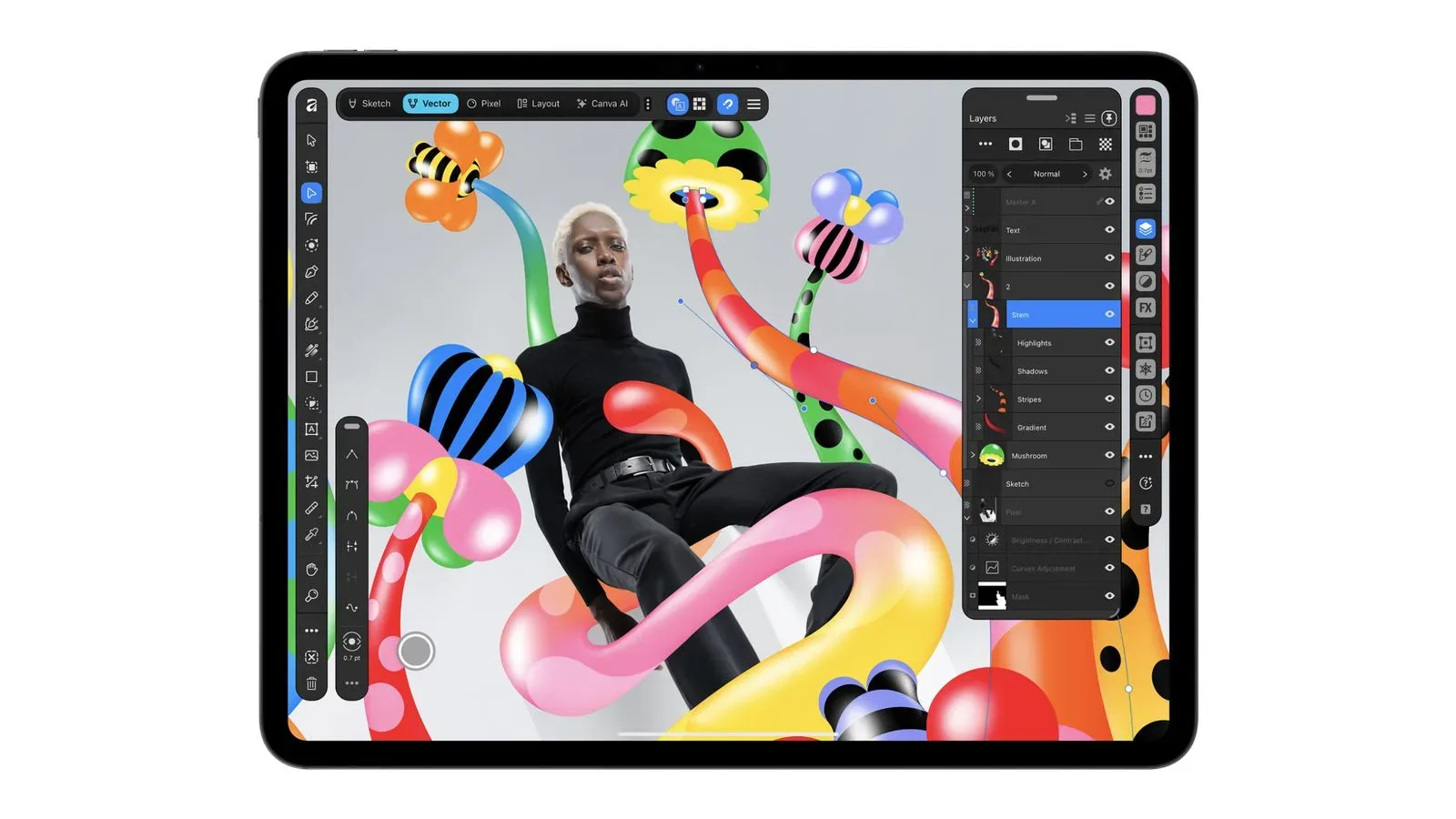
For an iPad used as a more serious portable workstation, added connectivity can be especially useful alongside software built for drawing, documents, images and layouts. Affinity’s iPad workflow, for example, illustrates why a larger external display, physical input devices or removable storage may matter to some tablet users. The hub itself does not change an app’s capabilities, but it can widen the set of physical connections available to a compatible tablet.
The Steam Deck is also among the supported devices listed for the Revodok. In that context, a hub can help connect a handheld to a television or monitor over HDMI while opening up access to wired networking and USB-A accessories. The 4K-at-30Hz display specification remains worth keeping in mind for anyone planning a screen-based Deck setup, as does the fact that a user’s display and host-device support determine the final result.
Who should consider the $19 listing
At the listed $19 price, the Revodok is most compelling for someone who has a concrete shortage of ports rather than a vague desire for more accessories. A USB-C laptop owner who needs HDMI for an existing monitor, Ethernet for a wired desk connection and USB-A for a mouse or storage drive is getting several commonly needed functions in one piece of hardware.
It is also suited to users who value a simple, portable setup. The aluminum housing is intended to help with heat management, and the hub’s thin, lightweight form is designed for carrying between a home desk, office and trips. Plug-and-play operation further supports that uncomplicated use case.
Before buying, prospective users should identify the essentials: whether their device supports video output through USB-C, whether 4K at 30Hz meets their display needs, whether their charger and laptop make suitable use of 100W Power Delivery, and which USB-A accessories they plan to attach. Those checks matter more than the port count alone.
For compatible systems, the Revodok’s feature list is unusually practical: display output, wired networking, three legacy USB connections and charging pass-through address distinct everyday problems. The $19 listing turns that collection into a relatively low-cost way to make a single USB-C port feel considerably less limiting.
Shop the products
Check current price, model and availability at the retailer.