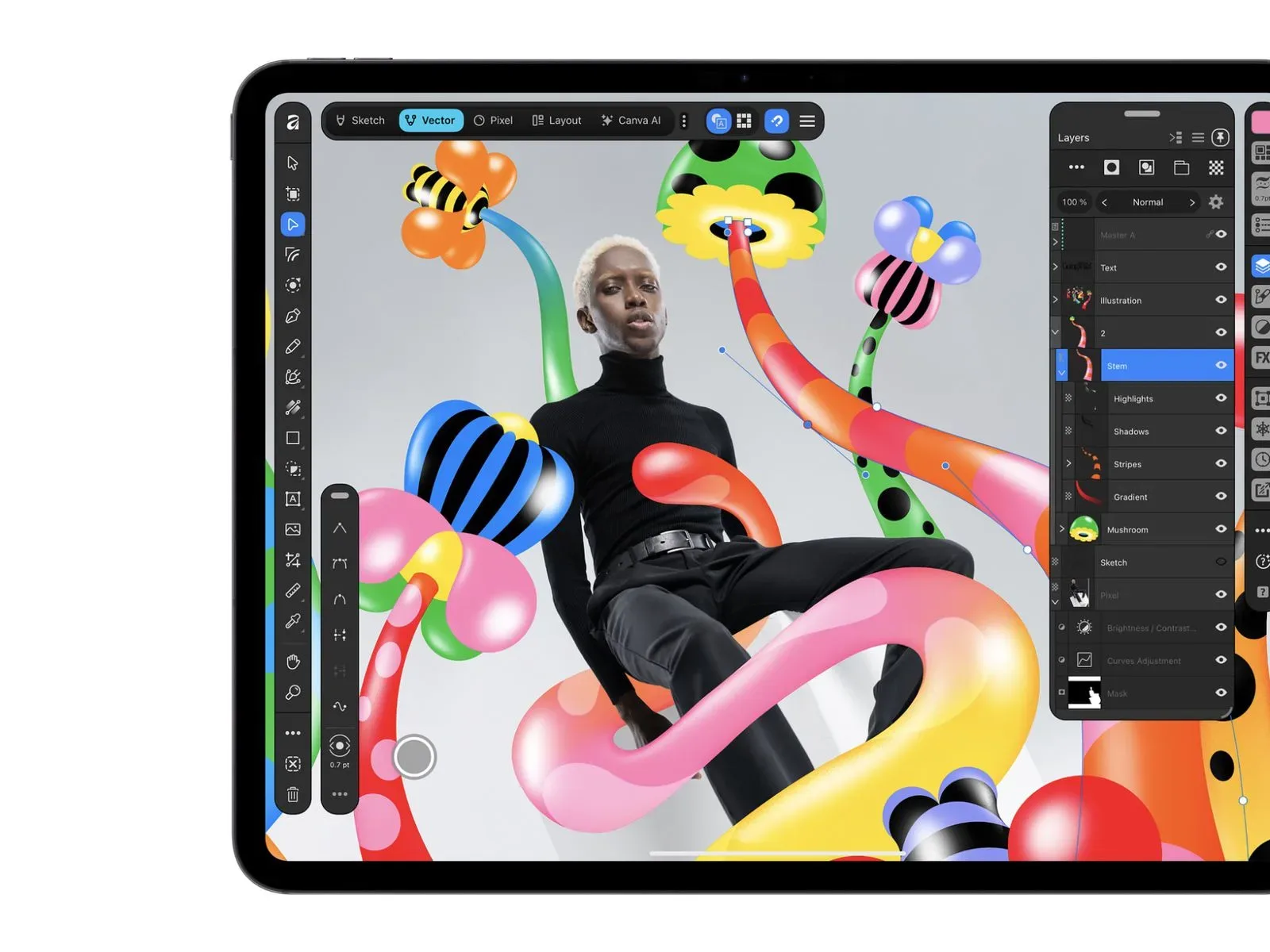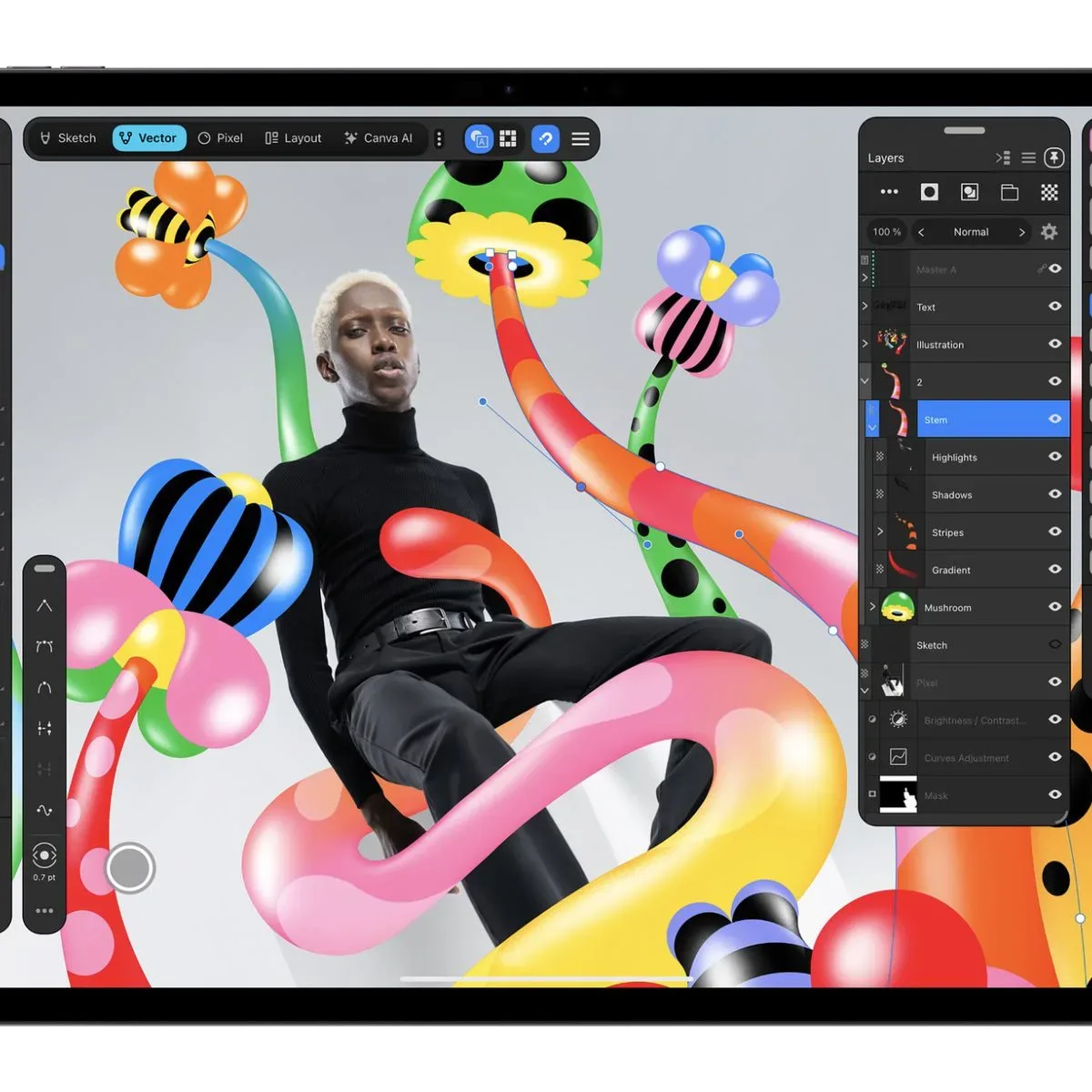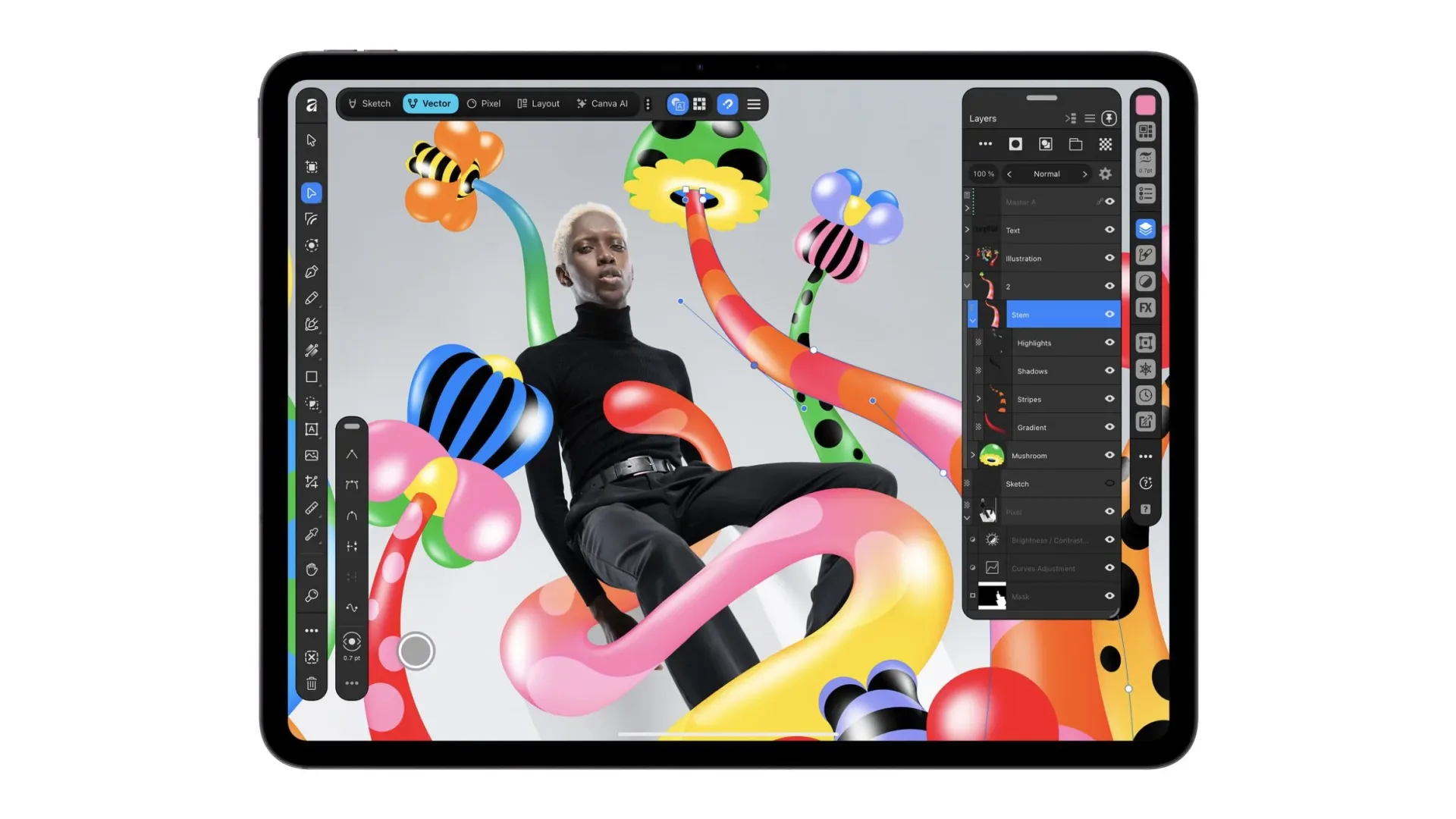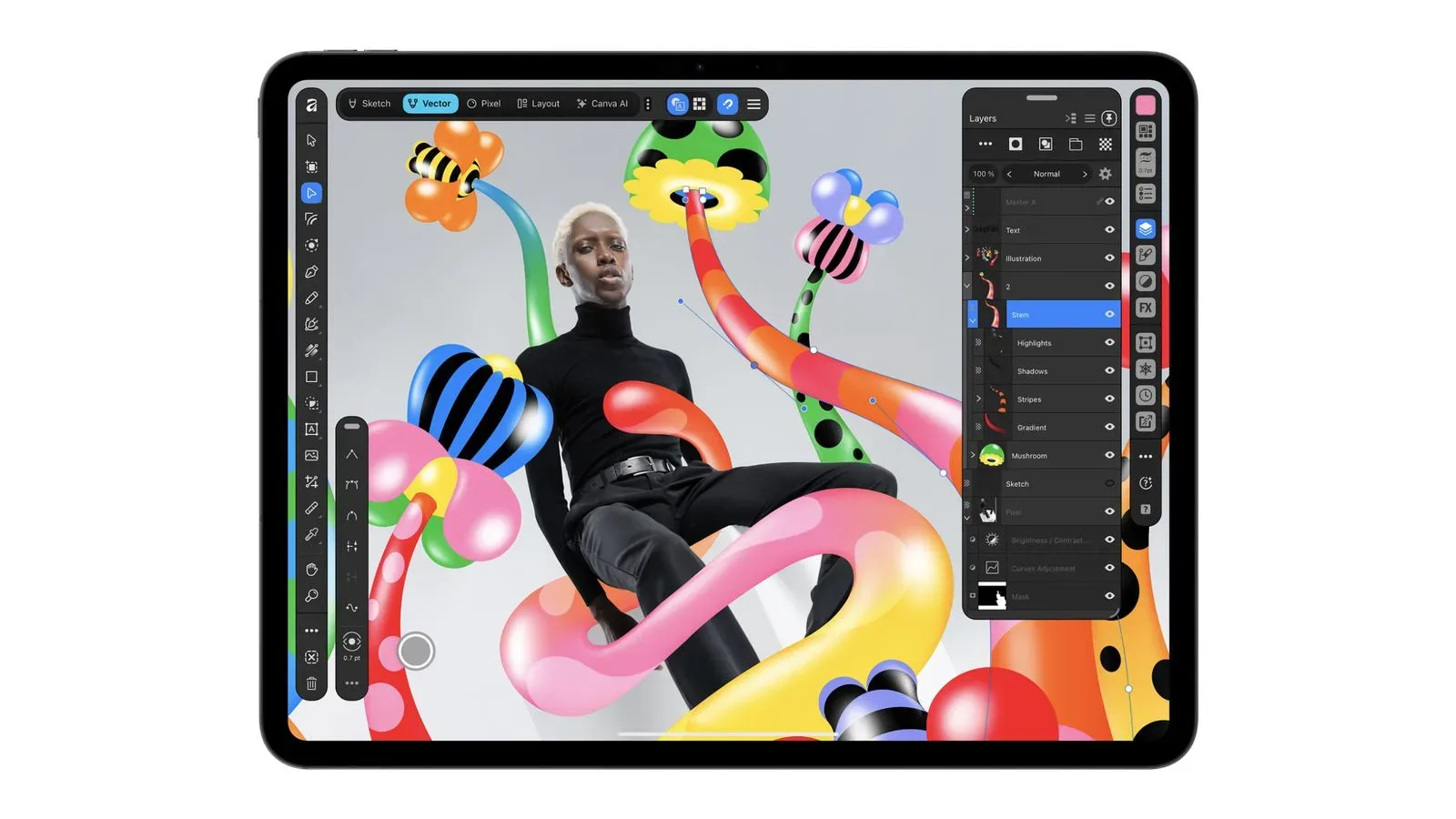
Affinity is now available on iPad as a free download, bringing Canva’s consolidated creative application to Apple’s tablet. The new version puts sketching, vector illustration, pixel-based photo work and document layout into a single iPad interface, rather than asking users to move among separate apps for each job.
That proposition matters for artists and creators who want to begin with a loose Pencil sketch, turn selected marks into clean scalable artwork, touch up an image, and place the result in a multi-page document without exporting and rebuilding the work at every stage. The app works in Affinity’s .af file format, and those files can also be opened on desktop.
The release follows the prior consolidation of the separate Affinity Designer, Photo and Publisher desktop applications into one Mac and Windows app. Canva says that desktop release has surpassed seven million sign-ups. On iPad, however, the company is pitching more than a straight port: it says the interface was designed for the tablet and touch input specifically.
Four studios, one document
Affinity for iPad organizes its toolset into four spaces: Sketch, Vector, Pixel and Layout. The labels are a useful guide to what each mode is intended to do, though the key idea is continuity. A creator can switch studios while remaining in the same document.
- Sketch is for freehand drawing and concept work.
- Vector handles artwork built from editable paths and shapes, which can be resized without the image itself becoming soft or blocky.
- Pixel is the photo-editing side, dealing with raster images made from individual pixels.
- Layout is for arranging content into documents, including multi-page pieces intended for print.
For creative projects, this removes one common friction point: the handoff between software categories. A poster, guide, zine, character sheet or printable project may need illustration, image adjustment and page arrangement at once. Affinity’s iPad approach is to keep those related tasks inside a shared workspace and file.
Cross-device file compatibility does not mean full feature parity. The shared .af format provides a route to take work from iPad to desktop, but the tablet release starts without several desktop capabilities. That distinction will be important for anyone planning a complete desktop-to-tablet workflow rather than simply using the iPad app for drawing or smaller edits.
Sketch Studio makes the tablet’s input central
The headline addition is Sketch Studio, a touch- and Apple Pencil-focused workspace for freehand art. It includes a customizable brush library, allowing users to alter their drawing tools rather than being locked to a fixed group of brushes.
Its more unusual feature is Sketch to Shapes. In practical terms, it is designed to convert hand-drawn forms into editable vector shapes. A rough drawn form can therefore become something a user can refine after the initial gesture: adjust its shape, reposition points and use it in a vector-based composition. That is different from merely preserving a sketch as a static image.
Apple Pencil Pro support includes barrel roll, squeeze and hover, along with pressure and tilt controls. These terms describe different forms of stylus input. Pressure and tilt let the app react to how firmly the Pencil is pressed and the angle at which it is held. Hover refers to Pencil detection before the tip contacts the display. Barrel roll detects rotation of the Pencil. Squeeze is an input gesture on the Pencil Pro. Their usefulness depends on a user’s preferred tools and habits, but their inclusion signals that the studio is built around more than finger taps and menu selection.
For a creator, the broader benefit is potential continuity between spontaneous ideas and editable design work. A sketch can remain a sketch when that is the desired look, or become part of a more precise vector workflow where clean edges and later revisions matter.
Photo editing and precise masking
On the Pixel side, Affinity for iPad includes RAW editing, non-destructive adjustments and a Mask Tool tailored to tracing complicated edges such as hair and fur with Apple Pencil.
RAW is the image data format associated with a camera capture before it is fully processed into a conventional finished image. Support for RAW editing gives photographers and image makers more room to control the treatment of that original capture. Non-destructive adjustments are edits made without permanently replacing the underlying image information; the adjustment can be changed or removed later. That flexibility is especially helpful when the creator is still deciding on the final look.
Masking is the process of defining which regions of a layer remain visible and which are concealed. It is central to isolating a subject, combining images or applying an adjustment to one selected area. Hair and fur are difficult masking subjects because their edges are detailed and irregular. A Pencil-oriented masking tool does not guarantee instant perfect selections, but it gives users a direct method to trace and refine those hard boundaries.
The paid AI tools sit separately in Canva AI Studio. They include Generative Expand, image upscaling, noise reduction and Decompose Layer. Generative Expand is intended to extend an image beyond its current boundaries. Upscaling enlarges an image, while noise reduction aims to diminish unwanted visual grain or artifacts. Decompose Layer splits a flattened image into editable layers. These are paid capabilities, a significant distinction from the core app’s free download.
Anyone considering Affinity on the basis of its no-cost entry should separate the foundational creative tools from these AI Studio additions. The App Store listing includes in-app purchases, so “free” describes access to the app, not necessarily every available operation.
Page design remains part of the package
Affinity’s Layout studio supports multi-page documents, master pages and print-ready output. Multi-page support is self-explanatory, but master pages are particularly useful in recurring layouts: they let a designer establish elements intended to repeat across pages, rather than placing the same structure manually again and again.
That makes the iPad app relevant beyond individual illustrations or photo edits. It is designed to accommodate documents that have repeated structure and need to be prepared for print, alongside the drawing and editing tools used to create their visual material.
The combination is particularly notable because Affinity’s earlier desktop lineup divided comparable work among individual apps. Consolidation on iPad now means a project can be drawn, edited and laid out under one roof, at least for the tools included in the initial tablet release.
What is not on iPad yet
Several desktop features are absent at launch: Books, Batch, Data Merge, Quick Adjustments, the Info and Scope panels, macro recording and Astrophotography Studio. More features are planned over time, but there is no reason to treat the iPad version as a complete match today.
Some omissions are especially relevant to workflows built around repetition or specialized data. Batch functionality concerns processing multiple items as a group. Data Merge is used to place changing data into a designed document. Macro recording relates to saving repeatable sequences of actions. The Info and Scope panels, meanwhile, are tools for inspecting image information. Astrophotography Studio is a specialized photographic mode. Their absence may not affect someone using Affinity chiefly for drawing, isolated image edits or basic document work, but it can affect users whose desktop process relies on automation, data-driven documents or specialty image work.
This is why the common file format is best understood as a bridge, not a promise that every desktop operation can begin and end on the iPad. The tablet can share work with desktop Affinity, while its own feature set continues to develop.
Availability and the practical checklist
Affinity by Canva is available through the App Store as a free download with in-app purchases. It requires iPadOS 18.0 or later. Before moving an established project entirely to the tablet, it is sensible to identify whether it depends on any of the missing launch features, particularly batch work, macros or Data Merge.
For users with compatible iPads and workflows centered on illustration, vector shapes, photo changes and page design, the value proposition is more straightforward: one application, one document format and direct Apple Pencil-oriented input. For a wider view of productivity software adapting to Apple’s changing hardware, see our coverage of apps gaining optimization for iPhone Duo.
The larger takeaway is not that every creative desktop workflow has suddenly become tablet-complete. It has not. Instead, Affinity’s iPad debut establishes a broad core toolset that treats sketching, vectors, pixels and layouts as adjacent parts of the same project. The missing desktop functions set clear boundaries at launch, while the shared .af format makes it possible to continue work on Mac or Windows when a project needs them.