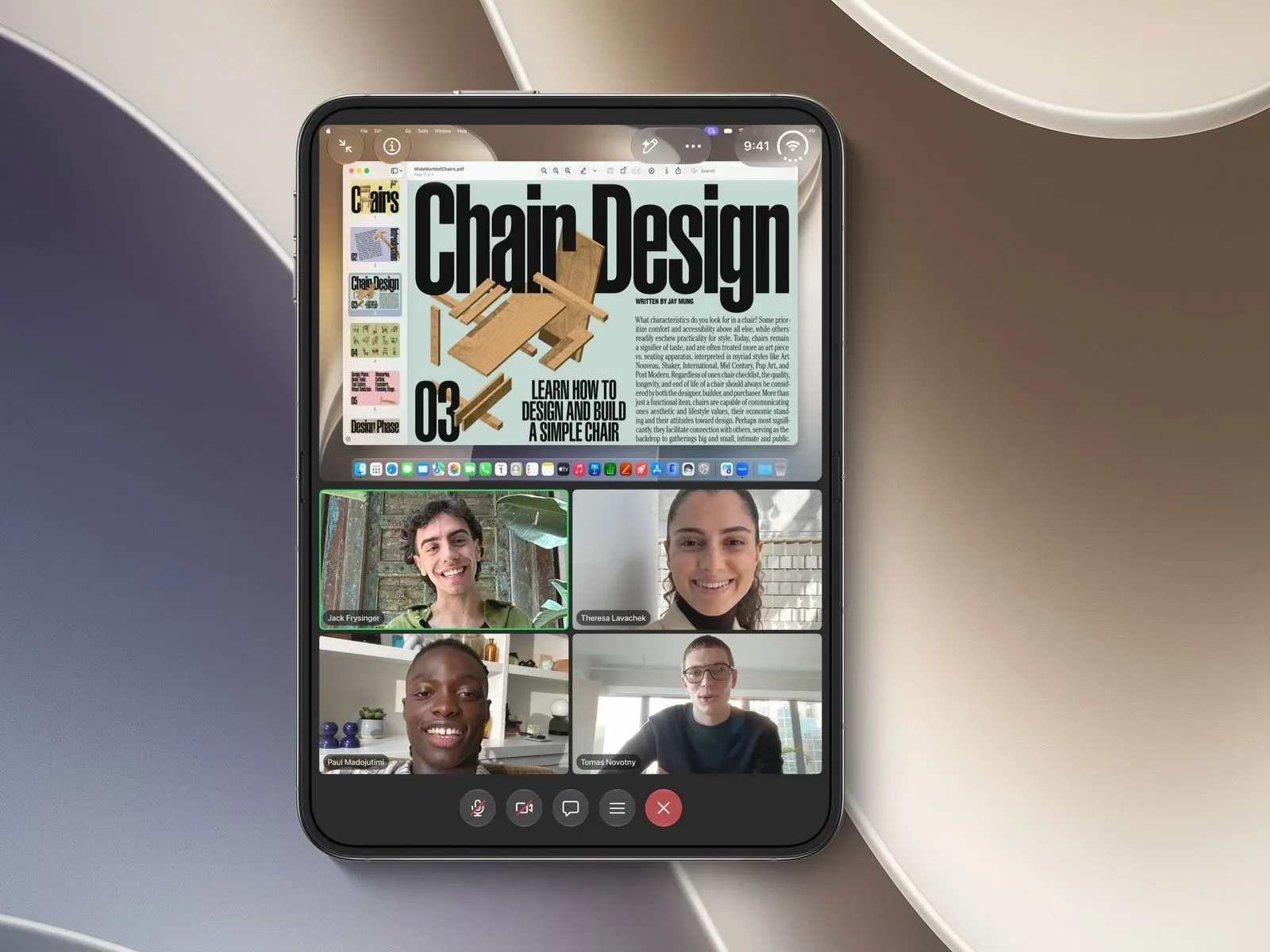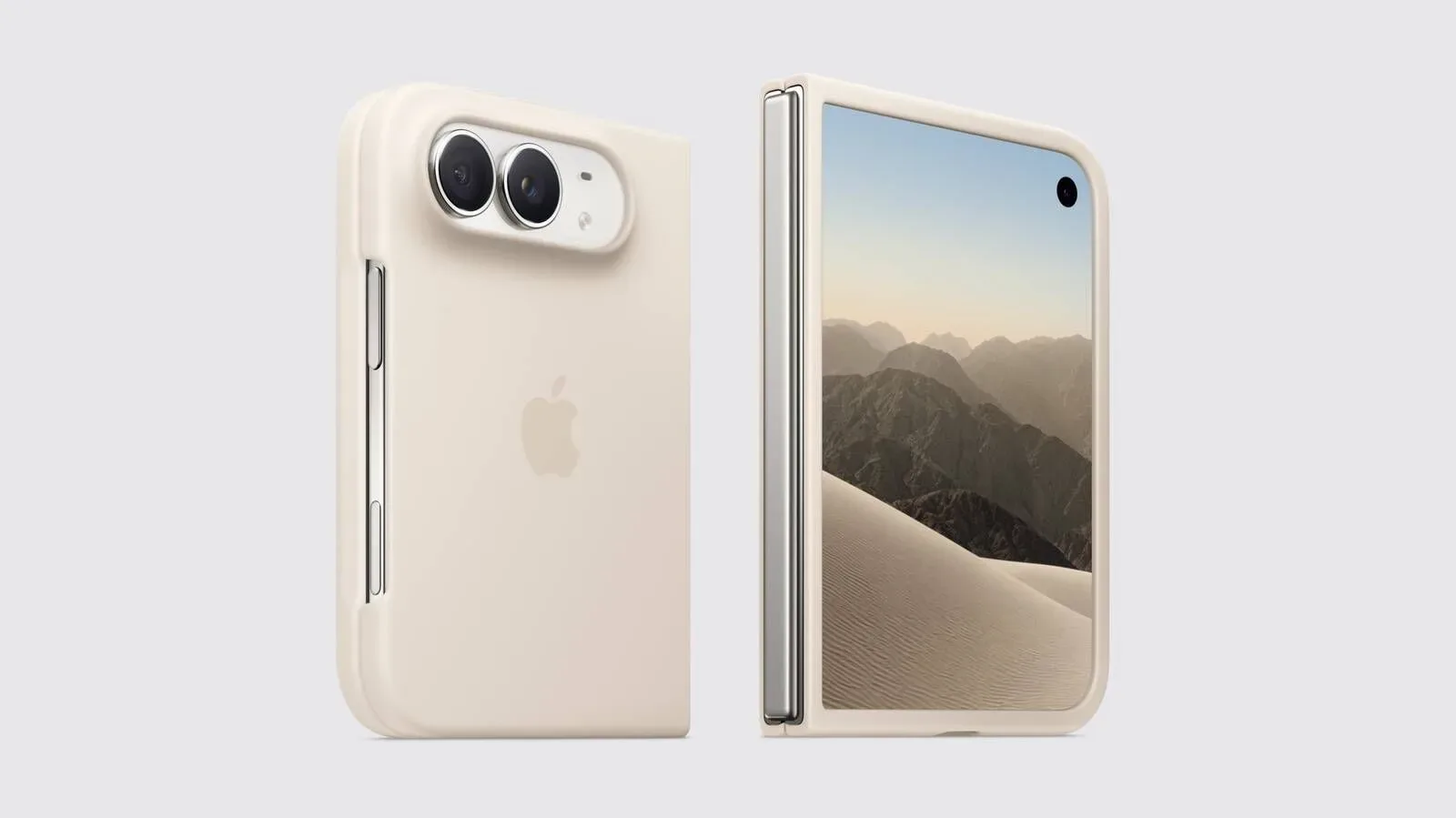
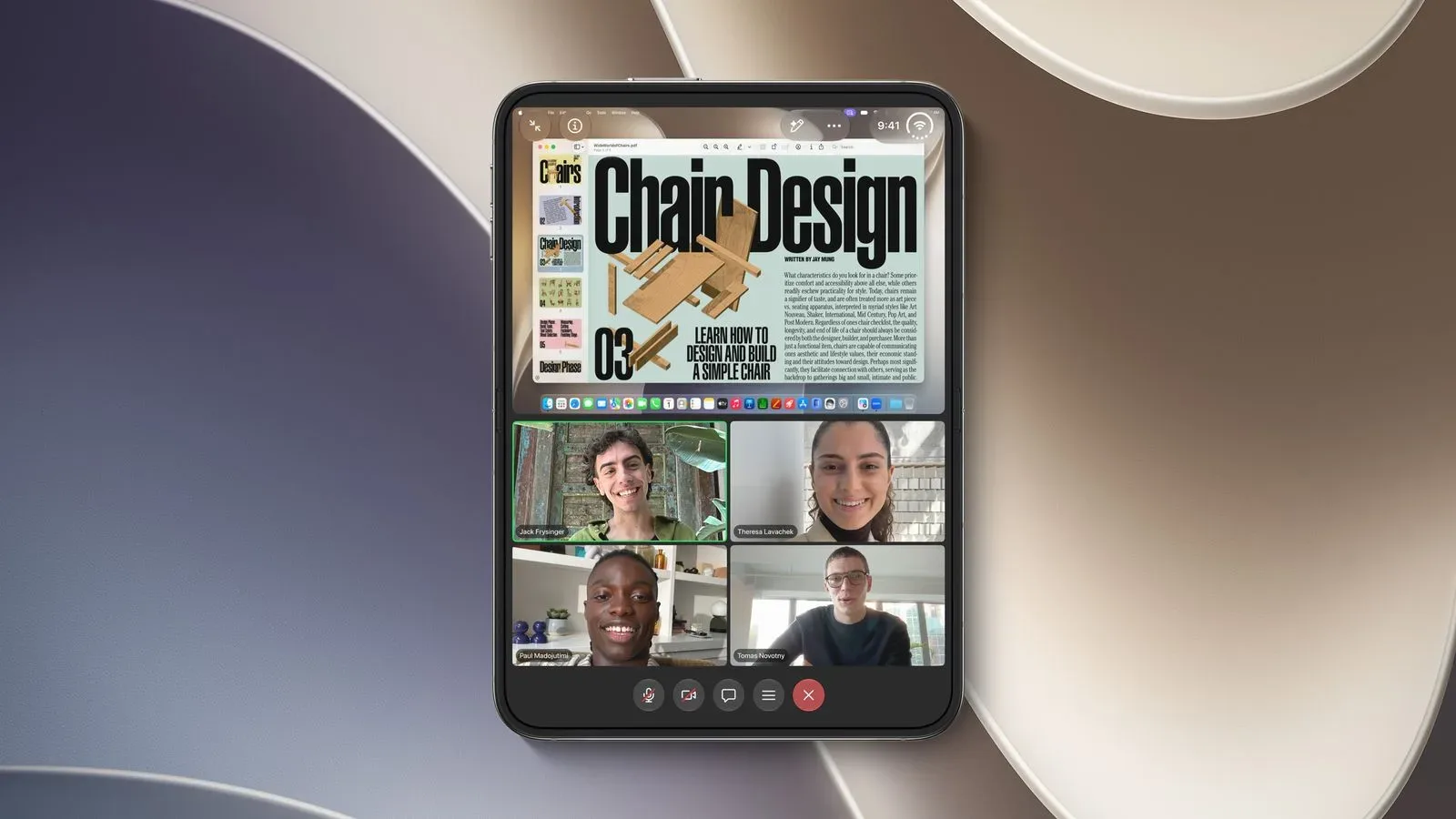
iPhone Duo’s large inner display is beginning to receive the app treatment it was built to invite. Zoom has added optimization for the device, while Microsoft has updated Word, PowerPoint, Excel and OneNote with iPhone Duo support. The practical effect is straightforward: rather than merely running in a centered compatibility view with unused space around it, these apps are intended to make proper use of the expanded display.
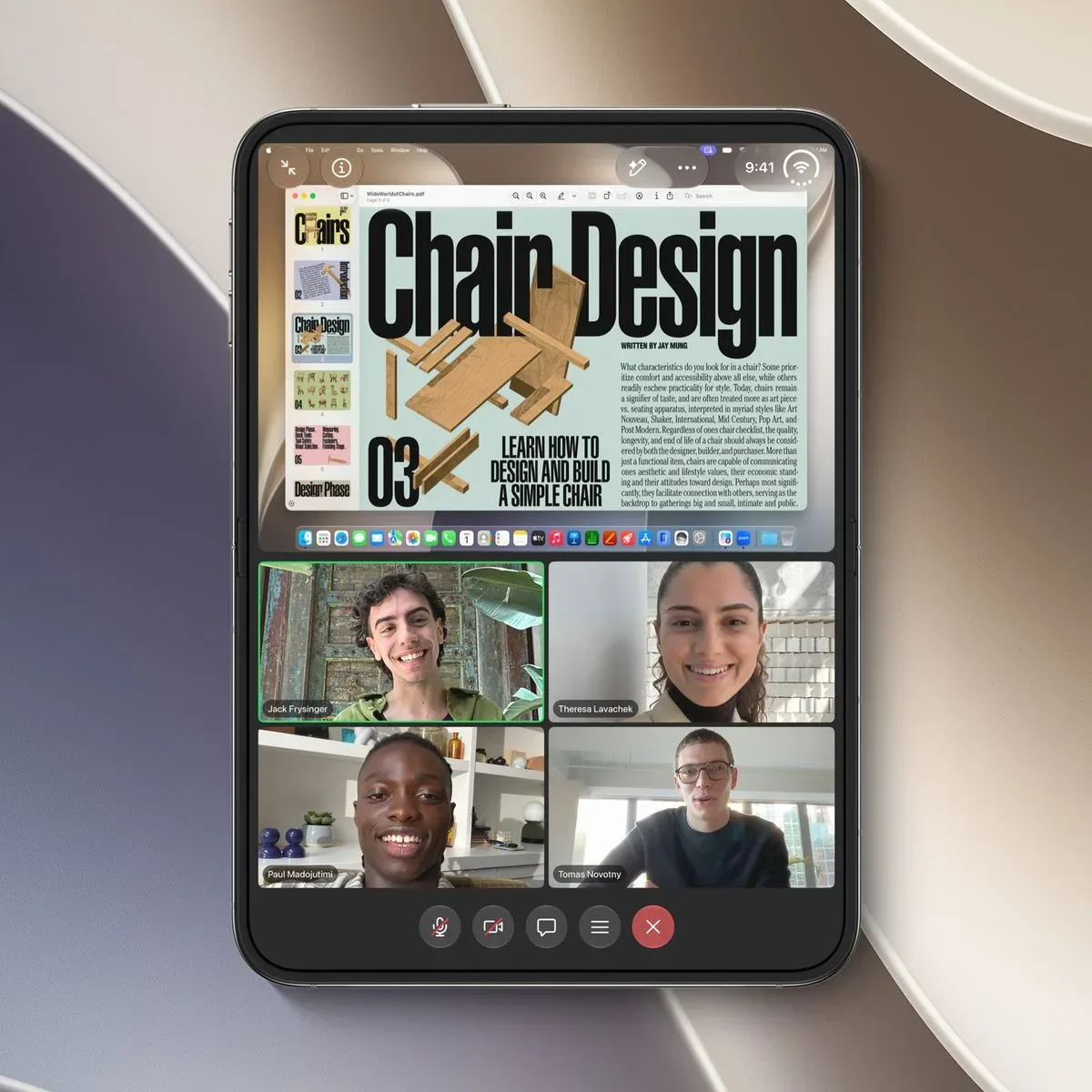
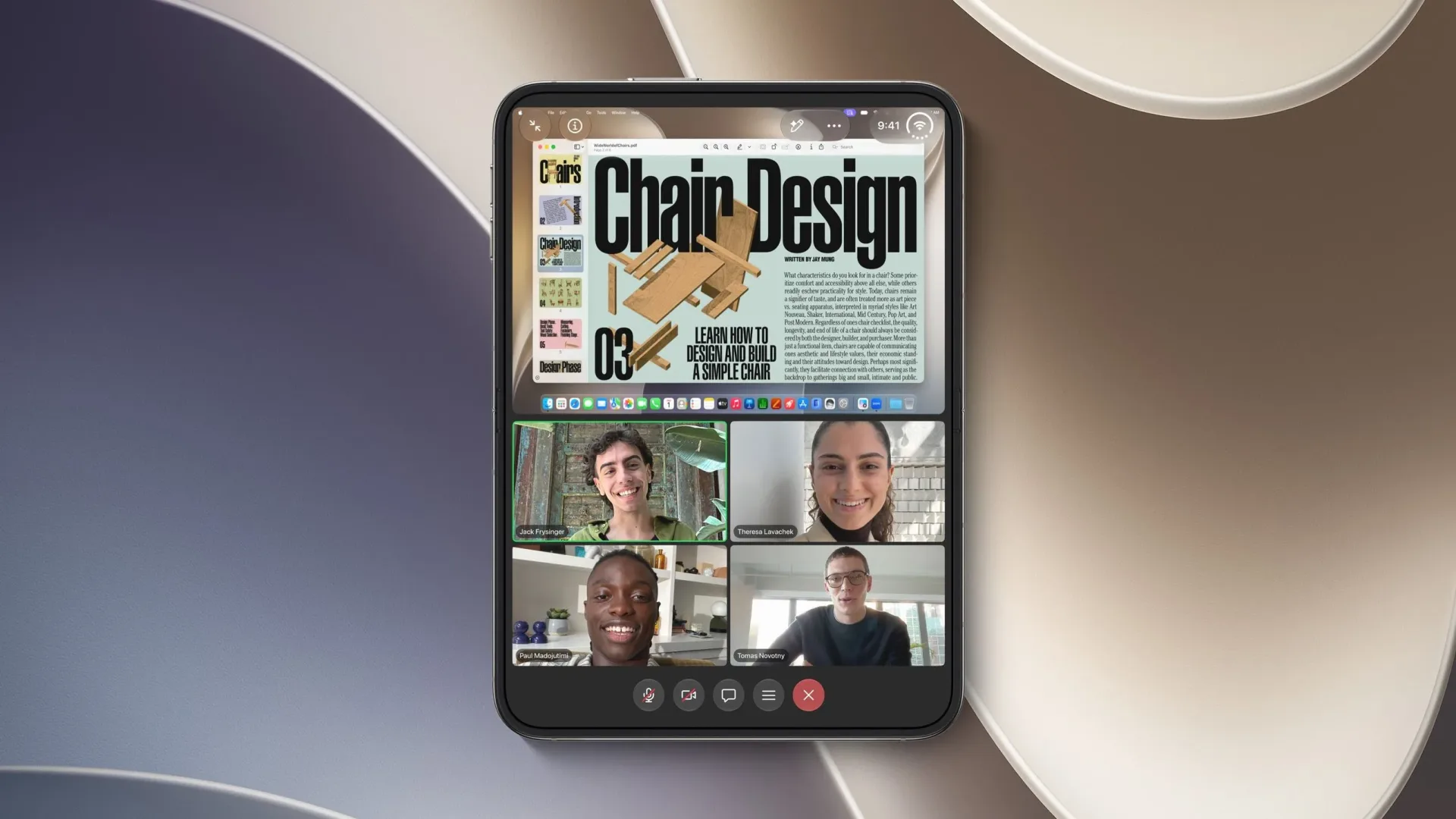
For Zoom, the clearest benefit is during a meeting with shared material. On the inner screen, users can view shared content—such as a host’s desktop—at the same time as other participants in the call. That is a small feature description with a large usability implication. Video calls commonly force a compromise between watching what is being presented and keeping track of the people in the room. The iPhone Duo layout is designed to make both visible together.
Microsoft’s new optimized set covers four foundational productivity apps: Word for documents, PowerPoint for presentations, Excel for spreadsheets and OneNote for notes. Outlook was already optimized when iPhone Duo launched. Microsoft Teams, however, has not yet received the same optimization.
What iPhone Duo optimization changes
Apps made with the iOS 26 SDK or earlier can run on iPhone Duo, but compatibility is not the same thing as optimization. Those apps appear centered on the inner display, leaving substantial blank space around the app window. The software works, but it does not necessarily treat the larger screen as a workspace worth using.
SDK means software development kit: a collection of tools and frameworks developers use to build an app for a platform. In this case, the important point is not the technical tooling itself, but the visual consequence for users. An app built against an earlier SDK can open and function, yet still retain a layout that feels designed for a smaller conventional phone screen.
Optimization means the developer has adapted the app’s interface to the device’s screen arrangement. The supplied details do not spell out every layout change in the Microsoft apps, so it would be premature to claim specific new toolbars, panes, multitasking modes or editing controls. What is confirmed is that Word, PowerPoint, Excel and OneNote have been updated for iPhone Duo, distinguishing them from apps that simply run in a centered format.
That distinction matters because a larger display is only valuable when an app can use it coherently. Extra screen area can accommodate more content, but it can also create visual dead space if an interface is not designed around it. The current updates signal that the apps are moving from basic device compatibility to layouts that acknowledge iPhone Duo as its own form factor.
Zoom gets a more practical meeting layout
Zoom’s iPhone Duo update is the most immediately tangible of the group because its stated change describes a particular meeting scenario. With shared content and other call participants visible at once on the inner display, users do not have to make the same all-or-nothing choice between presentation material and faces in the call.
This is relevant for any session in which the shared screen is the focus: a document review, a presentation, a desktop demonstration or a conversation around visual material. A host’s desktop can contain the thing being discussed, while participant tiles provide cues that are part of communication too—attention, reactions and the basic awareness that others are still present.
The update should not be overstated as a replacement for a full desktop meeting setup. Nothing in the available information establishes feature parity with another platform, additional calling controls or new collaboration tools. But the ability to keep shared content and participants on screen together directly addresses a limitation of small-screen video calling. On a larger inner display, it becomes much more plausible to follow a presentation without turning the human part of the meeting into an afterthought.
Microsoft’s productivity suite fills in key gaps
The Microsoft updates reach across several different kinds of work. Word is centered on documents; PowerPoint on slide-based presentations; Excel on spreadsheets; and OneNote on note-taking. Together, they cover a broad slice of the tasks people commonly open on a phone when they need to read, reference, revise or organize information away from a larger computer.
There is no need to assume that each app has received identical interface treatment. A spreadsheet has different spatial demands from a document, and a slide deck has different demands again. Excel is often about seeing the relationship between cells, while PowerPoint frequently involves keeping an eye on the visual composition of a slide. Word and OneNote tend to depend on readable text, navigation and editing space. The shared headline is device optimization, not a confirmed identical design for every app.
Still, the collection of apps is notable because it avoids the piecemeal feeling of a single isolated update. Outlook was already optimized at launch, and now five prominent Microsoft apps are identified as optimized for iPhone Duo when Word, PowerPoint, Excel and OneNote are added to that existing support. For people whose work or study routines involve Microsoft’s ecosystem, that makes the inner display more relevant across mail, documents, slides, spreadsheets and notes.
Teams remains the conspicuous exception. This does not mean Teams cannot run on iPhone Duo; the available information only says that it has yet to be optimized. That is an important difference. It should not be confused with a claim that the app is unavailable or unusable. Rather, it has not joined the apps specifically adapted to the larger inner-screen experience.
Why the Teams omission stands out
The split between Zoom’s new meeting-focused adaptation and Teams’ lack of optimization is hard to ignore. Zoom now specifically supports an inner-display view with shared material and call participants at once. Meanwhile, Microsoft has optimized several of its productivity apps but not its own major collaboration and meeting app.
For users, this is less a verdict on either platform than a reminder that app support on a new device format is rarely uniform. A device’s value is shaped not just by its hardware but by whether the apps a person relies on take advantage of that hardware. Someone whose typical day is built around Outlook, Word and OneNote may see a more complete experience than someone who depends primarily on Teams meetings.
There is also a practical planning point here: the presence of optimization in related apps does not guarantee it elsewhere in the same developer’s catalog. Users who bought or are considering iPhone Duo for a particular workflow should check the exact app they need, rather than extrapolating from one well-supported title to another.
How to identify apps designed for the device
The App Store gives users a direct way to distinguish optimized titles from apps that merely run on the device. Optimized apps carry a “Made for iPhone Duo” label. That label is useful because it turns an otherwise vague question—will this use the inner display well?—into something shoppers and current owners can verify before downloading or relying on an app.
- Look for the “Made for iPhone Duo” label in the App Store.
- Do not equate basic compatibility with a layout designed for the inner display.
- Check the specific app that matters to a workflow, particularly where collaboration software is involved.
- Expect a centered presentation and unused surrounding space from apps built with the iOS 26 SDK or earlier unless they receive a device-specific update.
The label is especially useful at a moment when app support is visibly in transition. Zoom, Word, PowerPoint, Excel and OneNote have now crossed into the optimized group, while other apps may still be functional but visually constrained by older layouts. For an inner-screen device, that difference can be felt every time an app opens.
The larger takeaway: software determines whether screen space feels earned
There is a recurring lesson in new device categories: a large screen is not automatically a large workspace. The software has to decide what belongs on that space, how information should be arranged and whether simultaneous views can reduce friction instead of causing clutter.
Zoom’s change provides the clearest example. Showing presentation material and call participants together makes the bigger display serve a recognizable meeting need. Microsoft’s updates bring the same principle to office-style work, even though the currently available information does not detail each interface adjustment. In both cases, the underlying value is not simply that an app can occupy more pixels; it is that the app has been prepared to use the device beyond a narrow centered window.
That makes the App Store designation worth watching as iPhone Duo support develops. It is a clearer signal than assuming every existing iPhone app will automatically feel at home on the large inner panel. More optimized apps may make the device more capable for particular routines, while the absence of a label can indicate an experience that remains serviceable rather than purpose-built.
For now, Zoom users gain a meeting layout that can keep shared desktop content and participants in view at once. Microsoft users gain optimized versions of Word, PowerPoint, Excel and OneNote, alongside the already optimized Outlook. Teams is still waiting for its iPhone Duo-specific update. The unevenness is real, but the direction is clear: the useful version of a bigger mobile screen depends on developers choosing to design for it.
For more Apple-related coverage, see Apple’s November 2026 product calendar.