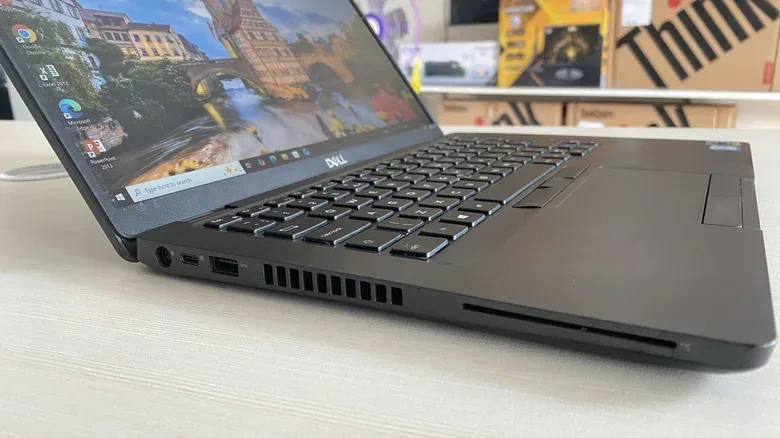
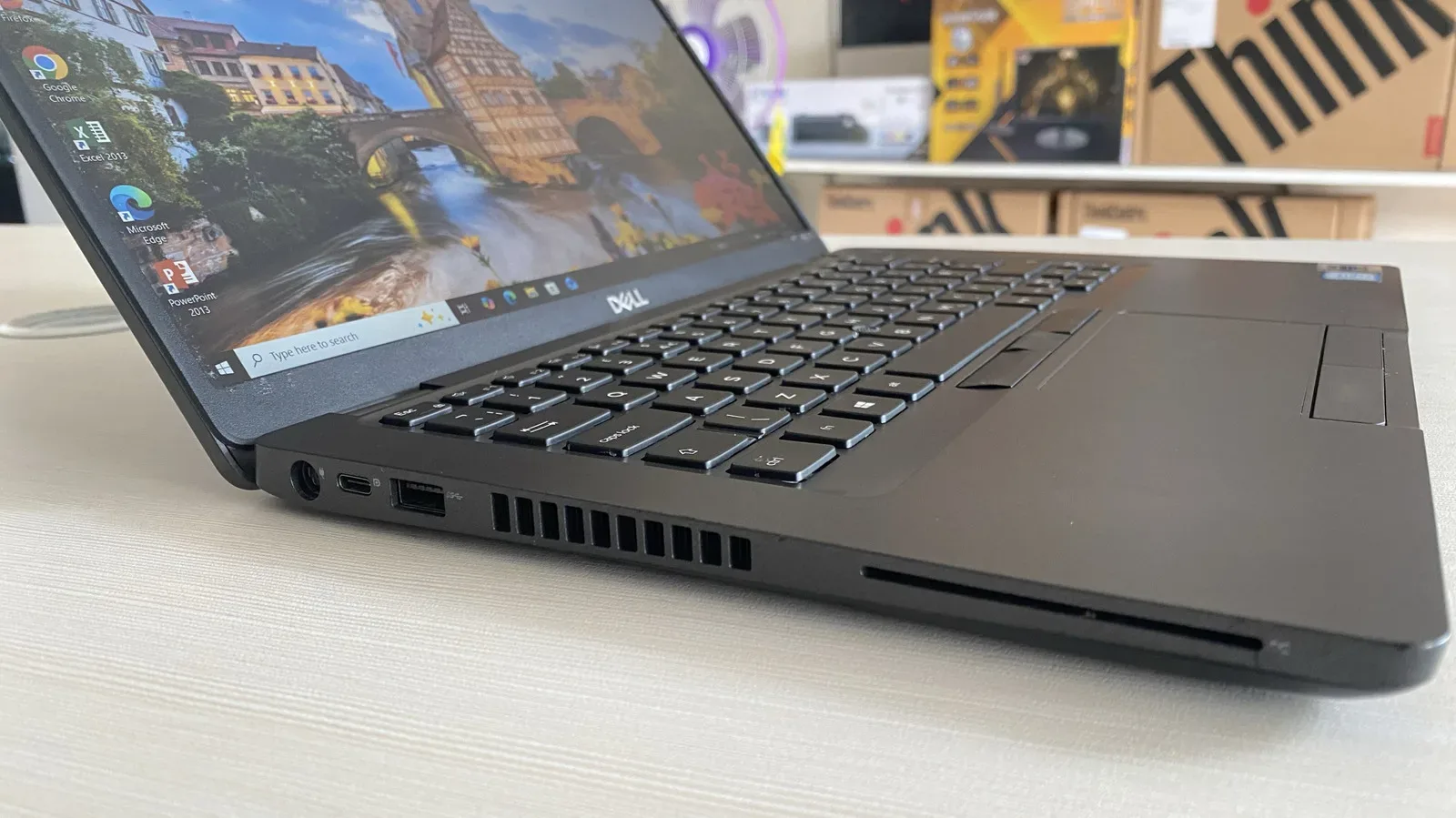
Old business laptops have a talent for looking like they were built with one extra secret compartment. Alongside the expected USB ports, video output and headphone jack, you may spot a thin slot marked SC. It is tempting to imagine a miniature card terminal: slide in a debit card, buy something online, and feel as though the laptop has finally revealed its executive-level powers.
That is not what it does. The SC marking generally refers to a smart card reader. Its job is to read and interact with compatible smart cards, particularly the security and identification badges used in workplaces, government settings and schools. It is a feature associated chiefly with business-oriented machines, where managing access to systems and sensitive information can matter more than adding another convenience feature for everyday entertainment.
So if a secondhand laptop has one, there is no need to worry that a useful consumer feature is broken or missing a mysterious subscription. For many people, the slot will simply remain unused. That does not make it pointless; it means the hardware was designed for a specific environment rather than for every possible owner.
SC means smart card, not shopping card
A smart card reader is exactly what its name suggests: hardware made to communicate with certain cards. In the laptop context, those cards are commonly the ID and security badges carried by employees. Inserting a compatible card can provide an additional layer of control when someone needs to access protected information or a restricted service.
The important distinction is between a reader and a payment system. We are accustomed to placing payment cards into checkout machines, and the physical action can look similar. Point-of-sale, or POS, equipment used by businesses is designed around taking payments. A smart card reader built into a laptop is not a substitute for that equipment.
In practical terms, the SC slot cannot be used to insert a credit or debit card and complete an online purchase. Its presence does not turn a laptop into a checkout terminal, and it does not create a new payment method for websites. The shared card-shaped format is the source of the confusion, not a sign that the two devices serve the same role.
A quick terminology guide
- SC slot or SC port: A label used for the laptop’s smart card reader.
- Smart card reader: Hardware that reads and interacts with compatible security or ID cards.
- POS system: A point-of-sale setup, used by businesses for transactions. It is distinct from the built-in reader in an old laptop.
- Two-factor authentication: A more practical security option for most home users than attempting to build a smart-card setup around an unused laptop reader.
The terminology matters because it sets sensible expectations. A smart card reader may be capable of meaningful identity and access tasks in the right organization, but it is not a general-purpose slot for every plastic card in a wallet.
Why business laptops included them
Business laptops often prioritize an efficient, managed workflow. That can produce a feature list that feels unusual when the machine is later sold on, handed down or repurposed for home use. A smart card reader belongs in that category: it is specialized hardware meant for organizations that issue compatible cards and need employees, students or other users to access private systems.
Government agencies and security-focused organizations use smart card readers as part of a stronger approach to controlling access to potentially sensitive information. No single measure makes a system perfect. Still, an additional security layer can be valuable when an organization is trying to limit who can reach certain information or services.
School-issued laptops can also make use of the technology. A student may use a card to enter private portals connected to assignments or schedules. In that setting, the reader is not an odd leftover; it supports the institution’s own system for identity and access.
That context explains why the port can feel so out of place on a used laptop sitting on a kitchen table. The laptop itself may be perfectly suitable for ordinary browsing, documents or media, while one small piece of its original business-focused design no longer has a role. The SC slot is evidence of the machine’s intended deployment, not necessarily evidence of a feature a new owner ought to activate.
How to assess the slot on your own laptop
If you find an SC marking, the most useful first step is simply identifying it as a smart card reader and considering whether you possess a compatible card issued for a specific work, government, security or school system. The reader does not create credentials on its own. Its value depends on the card and the access arrangement behind that card.
For an everyday owner, the realistic answer will usually be no. Most people are neither issued a relevant smart card nor required to use one at home. The laptop can continue to function normally without the reader ever being used.
It is also worth avoiding the assumption that every card that physically resembles a smart card is appropriate for the slot. The reader is intended for compatible cards tied to access and identity uses. A bank card is not an online-payment shortcut, and trying to treat the laptop as a POS device misunderstands the hardware’s purpose.
- Check whether the slot is labelled SC or otherwise identified as a smart card reader.
- Ask whether an employer, school, agency or security system has actually provided a compatible card and instructions for using it.
- If not, treat the reader as an unused specialized feature rather than a problem to solve.
- For personal account protection, favor straightforward two-factor authentication rather than trying to construct a complex smart-card arrangement at home.
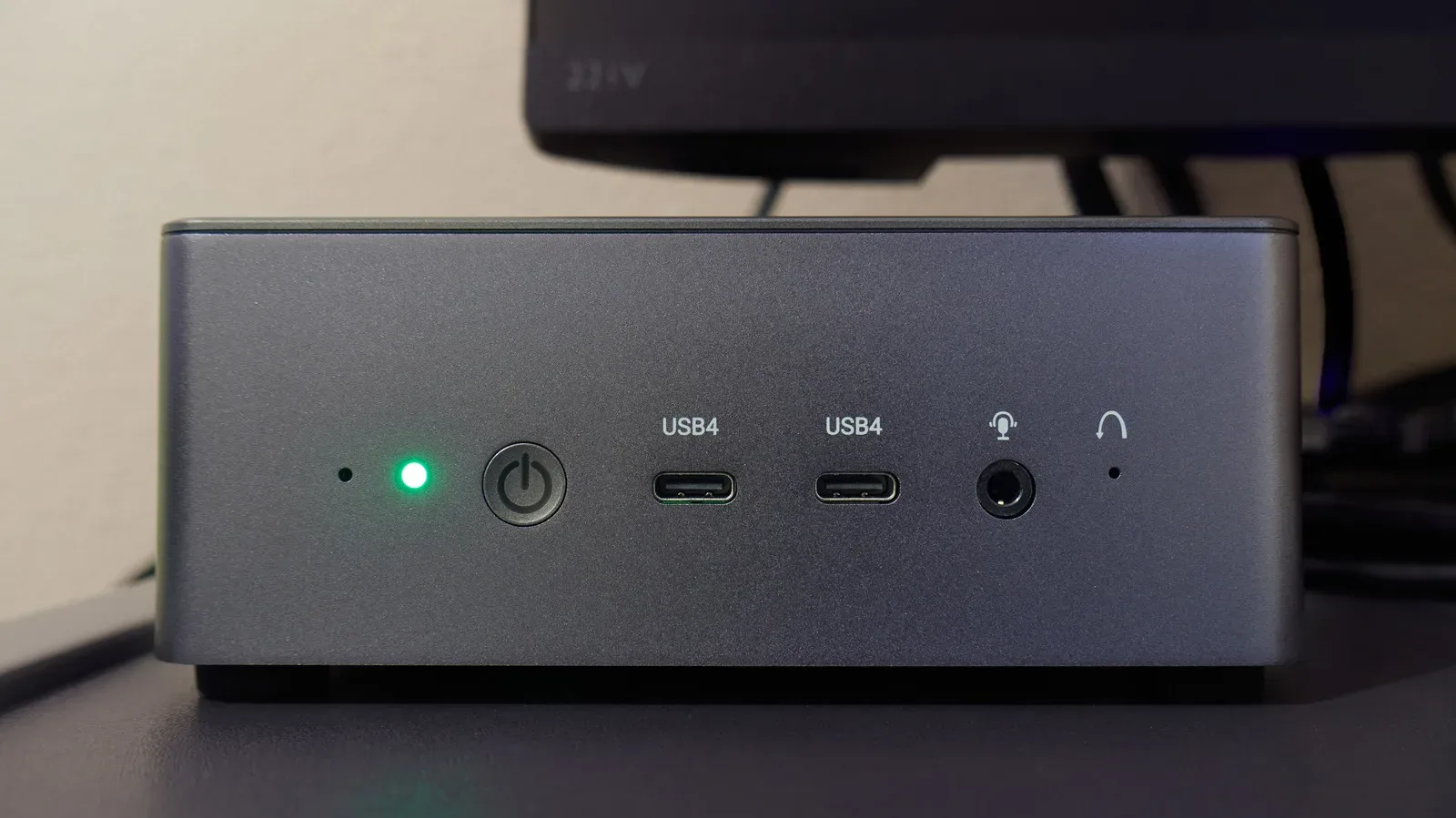
This is a useful rule for buying used business hardware, too. A port can be legitimate and functional while still having little relevance to a typical home setup. The same broader idea applies when evaluating older computing gear for a new role: useful hardware is not always universally useful hardware. For more ways to repurpose aging systems, see these practical second careers for an old Mini PC.
Could it improve security at home?
In principle, a particularly security-conscious person could use a smart card reader as one more layer of protection on a home laptop. In practice, it is a complicated route for a modest benefit in most household situations. The reader is most compelling when it is part of an established organization-wide system: cards are issued, access rules already exist, and the people using the machines have a defined reason to authenticate this way.
At home, the same structure usually is not present. There may be no compatible card, no private portal that expects one, and no operational need for the added complexity. A basic two-factor authentication approach is generally the more practical recommendation for ordinary users.
That does not diminish the original purpose of the SC reader. It illustrates the difference between available security and appropriate security. An extra control has value when it fits the account, device and workflow it is protecting. When it adds friction without matching a real need, it can become more hassle than safeguard.
The bottom line for secondhand-laptop owners
An SC slot is neither a payment-card port nor a mysterious expansion bay. It is a smart card reader, largely included on business laptops for security and identity tasks. It can help organizations manage access when paired with the correct cards and systems, and it can be relevant on school devices that use cards to enter private portals.
For the typical person who finds one on an older or secondhand laptop, there may be nothing to configure and nothing missing. Do not expect it to pay for online purchases, and do not feel compelled to engineer a home smart-card security system around it. It is simply a specialized feature from the laptop’s business life—one that makes much more sense once its purpose is separated from the far more familiar world of card payments.