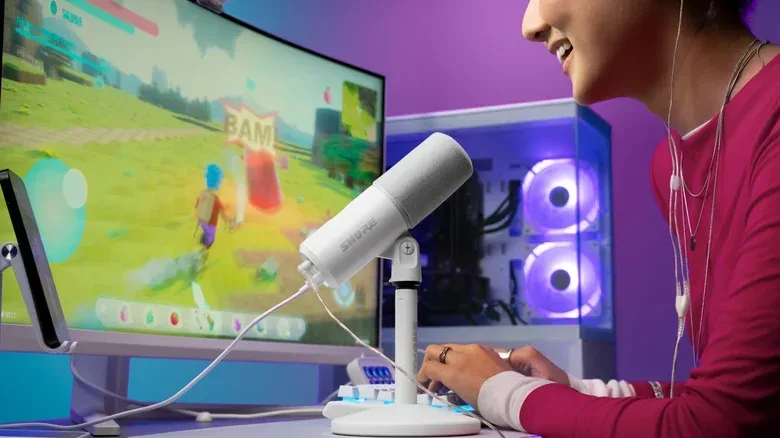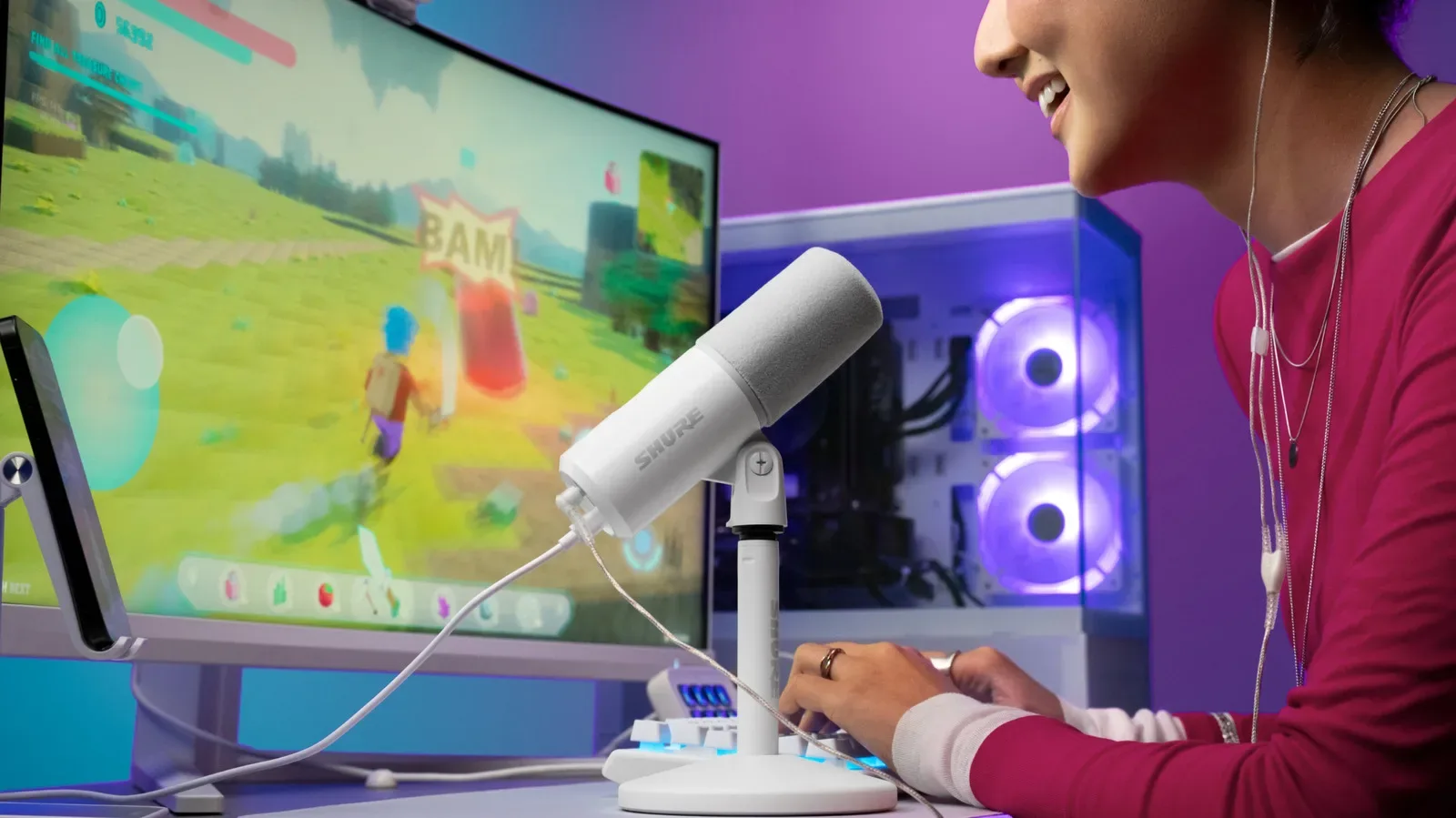
Shure has introduced the MV6 USB Gaming Microphone Gen 2, a refreshed version of its USB microphone aimed at gamers and creators who want a straightforward desktop audio setup without giving up control over the processing happening to their voice. It is available September 30 for $169 through Shure and authorized retailers.
The central change is not a dramatic physical redesign. Instead, the MV6 Gen 2 expands the user control available over automatic audio tools, particularly volume leveling and noise reduction. Shure is also adding an all-white color option, extending the included USB-C cable to 2 meters, and broadening mobile compatibility to iPhone and iPad through Apple MFi certification.
For people who stream, join multiplayer voice chats, record commentary, or create clips at a desk, that combination is potentially more meaningful than a long specification sheet. A USB microphone is often purchased to remove friction: plug it into a computer, monitor through headphones, and get on with the session. The catch is that automatic processing can become frustrating when it makes decisions a user cannot easily tune. The Gen 2’s pitch is that it retains the convenience while providing more say over those decisions.
The MV6 Gen 2’s key upgrade is adjustable automation
The original MV6 included a denoiser and automatic volume leveling. Those features remain part of the proposition, but the second-generation model lets users adjust how their voice is handled rather than treating the automation as a fixed setting.
Shure says users can set where their voice sits in the audio mix and determine how quickly the microphone responds when their speaking volume changes. In practical terms, automatic volume leveling is designed to keep a voice more consistent when someone leans closer to the microphone, sits back, gets excited during a match, or speaks more quietly between rounds. A faster response can correct a sudden change more quickly; a slower response may make those adjustments feel less abrupt. Neither approach is universally best, which is precisely why user control matters.
The real-time denoiser is adjustable as well. A slider controls how much background sound the microphone picks up, including common desk-area intrusions such as fans and keyboards. Denoising refers to processing intended to reduce unwanted background sound from the captured signal. It can be useful in an ordinary room rather than a treated recording space, but the desired amount can vary considerably. Someone recording a voiceover may want to minimize environmental distractions as much as possible, while a streamer may prefer to leave a little room sound intact instead of making their voice feel overly processed.
That distinction is worth stressing: noise reduction is not a magic mute button for every sound in a room. It is a tool that attempts to separate wanted voice from unwanted noise. Adjustable intensity gives users an opportunity to set a balance suitable for their own setup, voice, keyboard, fan noise, and intended use.
Controls live in the free Motiv app
The MV6 Gen 2’s expanded settings are managed in Shure’s free Motiv app. Alongside the controllable leveling and denoising, the app offers customizable EQ and presets for speech, singing, and instruments.
EQ, short for equalization, changes the balance of different frequency ranges in audio. In everyday terms, it can affect whether a voice comes across as fuller, brighter, or less boomy. The supplied evidence does not specify the exact EQ bands or the behavior of each preset, so prospective buyers should not assume a particular degree of adjustment beyond the stated customizable EQ. Still, speech, singing, and instrument presets signal that Shure is positioning the microphone for more than one kind of voice-chat use.
For gaming, a speech-oriented starting point is the most obvious fit for team chat, streams, guides, and commentary. The singing and instrument presets could be useful to creators who move between game-focused material and other recordings, although the best preset will depend on the material being captured. A preset is a starting configuration, not a substitute for matching settings to a room and microphone position.
The broader takeaway is that the MV6 Gen 2 is designed around software-assisted simplicity, but with a layer of customization available once a user wants it. That can be a valuable middle ground for someone who does not want to assemble an elaborate audio chain yet does not want all processing permanently locked behind one automatic mode.
Desk-friendly hardware remains part of the package
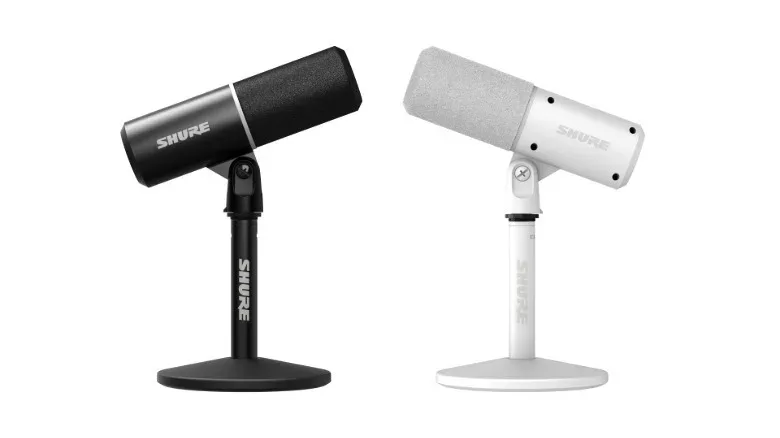
Visually, the MV6 Gen 2 is largely similar to the earlier MV6. The fresh all-white finish is the clearest aesthetic change. Shure has also included a longer 2-meter USB-C cable, which could make cable routing easier in desk layouts where a PC, console-adjacent screen, or mobile device is not immediately beside the microphone.
The microphone has a base intended to minimize vibrations and can also be mounted on a boom arm. Those options suit two distinctly common arrangements. A supplied desktop base keeps the setup compact and self-contained. A boom arm can move the microphone closer to a speaker while freeing desk space and allowing more flexible placement. The available information does not establish what mounting hardware is included or required, so buyers planning an arm-mounted setup should confirm compatibility and accessories before committing.
There is also a 3.5mm headphone jack for listening to audio and a mute button for fast control. Direct headphone monitoring is especially relevant when a user wants to hear their own audio while recording or speaking. The mute control, meanwhile, is the simple practical feature that matters during a noisy interruption, a call, or a multiplayer session where nobody needs to hear the chaos happening off-mic.
The vibration-minimizing base addresses another common issue in desktop recording. Mechanical bumps, desk movement, and nearby activity can travel through a surface into a microphone stand. Shure says the base is designed to reduce those vibrations, though it does not claim to eliminate all handling or impact noise. Positioning still matters: placing a microphone away from repeated knocks and typing impacts is sensible even when the stand includes vibration reduction.
USB-C compatibility now reaches iPhone and iPad
The MV6 Gen 2 works with Mac, PC, and Android through USB-C. It also works with iPhone and iPad because it carries Apple MFi certification. MFi is Apple’s “Made for iPhone/iPad” certification program; here, it indicates the stated compatibility with those Apple mobile devices.
That platform range makes the microphone relevant to creators who do not record exclusively at one computer. A user could potentially maintain the same microphone across a Mac or PC desk setup, an Android device, and compatible Apple mobile hardware, instead of treating a phone or tablet recording workflow as a separate audio setup. The supplied details do not list every operating-system version, app, adapter scenario, or mobile workflow, so compatibility should be read as the stated device support rather than a guarantee about every possible recording configuration.
For PC-focused gaming creators in particular, a USB-C microphone keeps the hardware side comparatively simple. The microphone connects via USB-C and the app handles the named processing, EQ, and presets. That does not make placement, room noise, or speaking technique irrelevant, but it can reduce the amount of additional equipment required to start building clearer voice audio for game coverage, broadcasts, or chat. For players looking for what to play after tuning the desk setup, Queen’s Domain’s upcoming PC release is one of the projects on the calendar.
Who the revised MV6 is for
The MV6 Gen 2 appears most directly aimed at users who prioritize easy USB connectivity but want to customize the processing that shapes their voice. That includes streamers and aspiring streamers, multiplayer players frequently on voice chat, video creators, podcasters working at a desk, and musicians who want access to the stated singing and instrument presets.
Its feature set may be less compelling for someone who simply wants a microphone with no interest in software controls, or for a buyer who already has a more elaborate audio setup. But the revised controls address a recognizable limitation of highly automated gear: a clean-looking result is only helpful when it still resembles the user’s intended sound. By exposing controls for level behavior and denoising, Shure is making the MV6’s automation more adaptable to individual environments.
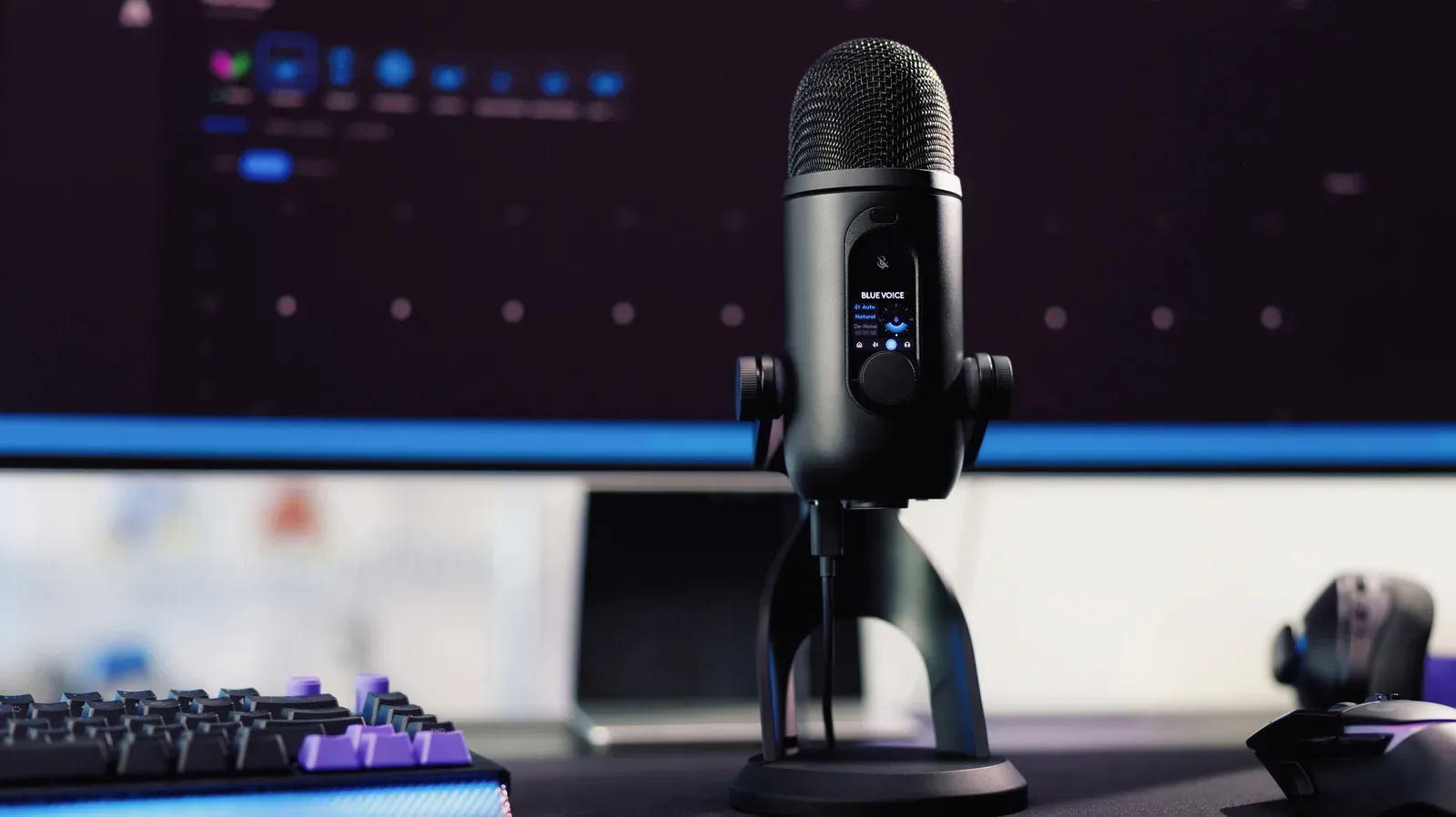
At $169, the MV6 Gen 2 is priced slightly above the recently announced Logitech Yeti 2. That is a straightforward comparison point, though the supplied information does not provide enough detail to declare one microphone universally better. The more useful choice comes down to priorities: whether a buyer values the MV6 Gen 2’s stated adjustable denoiser and leveling controls, its Motiv app options, its physical layout, and its cross-platform support.
What buyers can confirm before choosing
- Price and timing: The MV6 Gen 2 is listed at $169 and is available September 30 from Shure and authorized retailers.
- Connection: It uses USB-C and is compatible with Mac, PC, and Android, with iPhone and iPad support through MFi certification.
- Audio controls: Motiv provides adjustable automatic leveling, adjustable real-time denoising, customizable EQ, and speech, singing, and instrument presets.
- Physical options: The package includes a 2-meter USB-C cable; the microphone has a vibration-minimizing base, a boom-arm mounting option, a 3.5mm headphone jack, and a mute button.
- Finish: An all-white color option joins the design.
The Gen 2 update is a targeted one: more command over the features that can determine whether a USB microphone sounds natural and usable in a real desk environment. Rather than abandoning automatic audio assistance, Shure is giving creators more input into how aggressively that assistance behaves. For a gamer or creator who wants a cleaner signal without turning setup into a second hobby, that is the meaningful part of the upgrade.