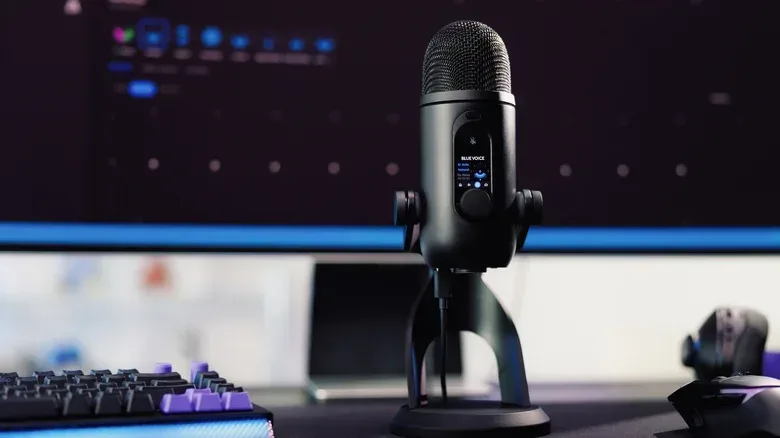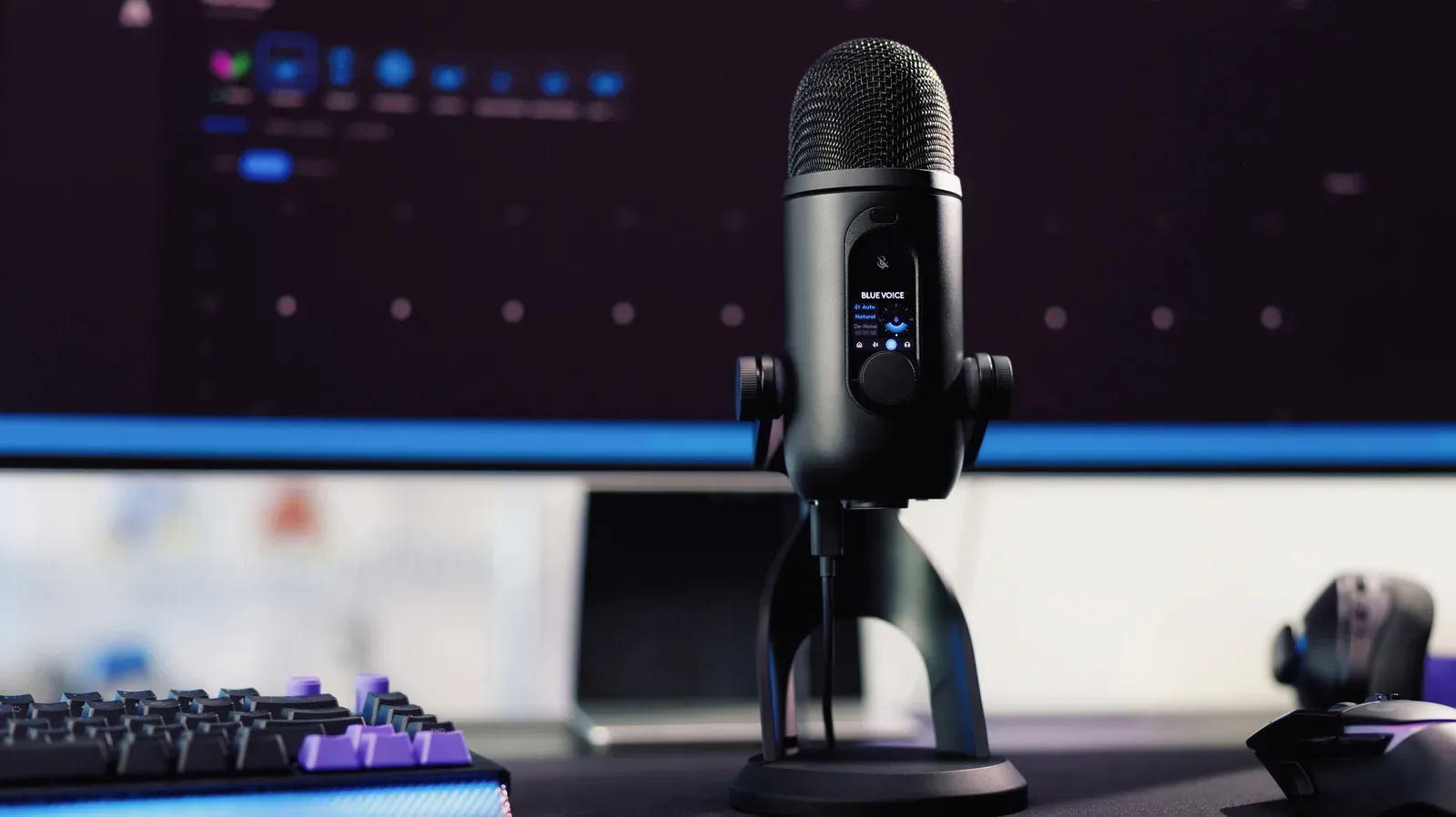
Logitech has brought its long-running Blue Yeti USB microphone line forward with the Logitech G Blue Yeti 2, a $160 model that puts automation at the center of its pitch. The microphone is available now in black and white, with a redesigned three-capsule array, 24-bit/48kHz recording, several directional modes, a headphone jack, five onboard presets and controls that range from a physical dial to a capacitive mute button.
Those are familiar ingredients for a desktop USB mic. The bigger change is how the Yeti 2 intends to manage them. Logitech says a 3D proximity sensor tracks the speaker’s voice in space and automatically changes gain, EQ and pickup patterns as the person moves. Automatic gain and tracking are switched on by default. The microphone also includes an onboard AI denoiser designed to cut down on unwanted sounds, including mouse clicks and keyboard noise.
For streamers, video creators and people who spend their workday in calls, that is an attempt to solve a mundane but real problem: clean voice audio often demands a surprising amount of attention. A microphone may be positioned correctly at the start of a session, yet a speaker can lean back, turn away, stand up or drift off-axis while talking. Meanwhile, a keyboard, mouse and room noise remain stubbornly present. The Yeti 2’s core promise is not merely better-sounding recording; it is fewer settings to babysit while something else is happening on screen.
A familiar USB mic gets a more automated brief
The original Blue Yeti arrived in 2009 and remained a recognizable choice for podcasters and streamers through multiple offshoots. The Yeti 2 is explicitly a reimagined sequel rather than a departure from the basic desktop USB-microphone formula. It still has multiple capsules, selectable directional modes and direct headphone monitoring. But Logitech is placing its newer features around usability rather than presenting a long list of expert-only controls.
That matters in gaming setups, where a mic is often expected to serve several jobs. It may be used for a voice chat session one moment, a livestream the next, then a recorded reaction, guide or multiplayer clip. A user may not want to open audio software and recalibrate input levels every time they change posture or move between those tasks.
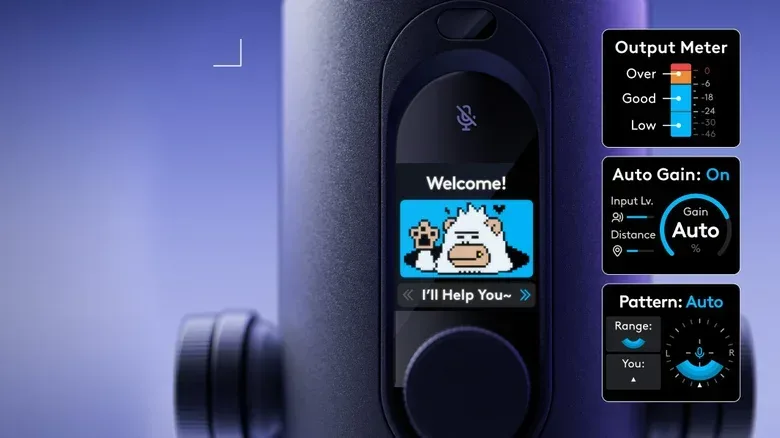
The 3D proximity sensor is intended to address that movement. Gain is the level applied to the microphone’s captured signal: too little can leave a voice quiet, while too much can make a voice overly loud and bring more background sound into the recording. Logitech says the Yeti 2 can make gain adjustments automatically as it follows the speaker’s position.
The company also says the tracking system can alter EQ, short for equalization, and pickup patterns. EQ is used to alter the balance of frequencies in a voice signal. A pickup pattern describes the direction from which a microphone prioritizes sound. The source material does not spell out precisely how the Yeti 2 changes either setting in every circumstance, so those automatic decisions will be a central point for prospective buyers to assess in real use. The appeal, though, is easy to understand: the mic is supposed to react to a person’s movement instead of requiring the person to react to the mic.
Noise reduction is aimed squarely at desk-life sounds
The second major automation feature is the onboard AI denoiser. Logitech says it is designed to reduce unwanted background sound such as keyboard taps and mouse clicks. That is especially relevant to PC gaming and streaming, where those noises are not occasional accidents but constant companions to talking.
Noise reduction refers to processing intended to make non-voice sounds less prominent. In this case, Logitech is describing AI-powered processing that happens onboard the microphone. The practical goal is straightforward: listeners should hear less of the equipment being used to play, type or navigate a PC and more of the person speaking.
There is an important distinction between that goal and a guarantee. The supplied details identify the types of sounds the feature targets, but do not quantify how much it removes them or explain how it responds in every room and setup. Keyboard switches, desk vibrations, speaker placement and distance from the mic can all differ dramatically. Still, an onboard denoiser is meaningful as a design choice because it suggests Logitech sees ordinary desktop noise as a standard condition of use, not an edge case for creators with imperfect recording spaces.
That is a timely angle for gaming-adjacent content. A creator discussing an in-game event, such as a new Fortnite collaboration, generally wants their commentary rather than every click of their mouse to take the spotlight. The Yeti 2 is built around making that outcome easier to pursue without treating audio engineering as a separate hobby.
Yes, the microphone has a Yeti living on its display
The most conspicuous piece of the redesign is a 1.3-inch LED display with a Yeti mascot. It is not merely decorative. Logitech says the character provides visual feedback for gain and directional-pattern settings, giving users a more approachable indicator than a conventional status light. People who would rather not have a mythical mountain creature supervising their audio can use custom avatars through Logitech’s G Hub software.
There is an obvious novelty factor here, but the idea behind it is not frivolous. Audio terminology can be opaque, particularly when a user is trying to make a fast adjustment before going live or joining friends. A display that communicates where the mic is listening and how strongly it is amplifying sound could lower the friction of operating the device. Whether the mascot itself is charming or distracting will be a matter of taste; the more consequential question is whether its visual feedback is legible at a glance.
The custom-avatar option also keeps the display from being entirely tied to a single visual joke. G Hub is the route Logitech identifies for making that change, placing some personalization in companion software while the microphone retains physical, at-the-desk controls.
The conventional tools are still present
Automation does not replace everything on the Yeti 2. Logitech lists a physical control dial, a capacitive mute button and five stored presets. The headphone jack provides monitoring, meaning the user can listen directly to their microphone audio through headphones. This is useful for hearing what the mic is capturing without relying only on visual meters or feedback from an app.
The redesigned three-capsule array supports multiple directional modes. Multiple capsules allow a microphone to offer different pickup configurations rather than being limited to a single listening direction. The available information does not name every mode, but the inclusion of several options means the Yeti 2 is designed to accommodate more than one arrangement of speaker and sound source.
Its stated recording specification is 24-bit/48kHz. In basic terms, bit depth and sample rate describe elements of digital audio capture. The important practical detail here is that Logitech has specified a standard-oriented recording format alongside its newer tracking and denoising features. The company’s focus is clearly not only on automatic cleanup, but on combining those tools with the recording and monitoring functions buyers expect in a dedicated USB mic.
Who the Yeti 2 appears to be for
At $160, the Blue Yeti 2 is positioned for people who want a dedicated desktop microphone but may prefer assistance over deep manual tuning. Its strongest claimed benefit is convenience: voice tracking, automatic gain, automatic changes to EQ and pickup behavior, plus onboard reduction of familiar desk noise.
That does not mean every user will want every automatic feature active all the time. Some creators prefer to establish a fixed microphone position and keep control choices consistent from recording to recording. Others may value the five presets and direct controls precisely because their sessions vary. The available details establish that auto gain and tracking start enabled, but do not provide a complete breakdown of every possible customization option.
For its intended audience, that uncertainty may be less important than the broader proposition. The original Blue Yeti’s long life made it a recognizable part of podcasting and streaming desks. The sequel keeps that accessible USB identity, then layers a proximity sensor, onboard AI denoising and an unusually expressive display on top. Logitech is betting that a modern mic should do more than capture a voice: it should help keep that voice usable while the creator gets on with the game, show or conversation.