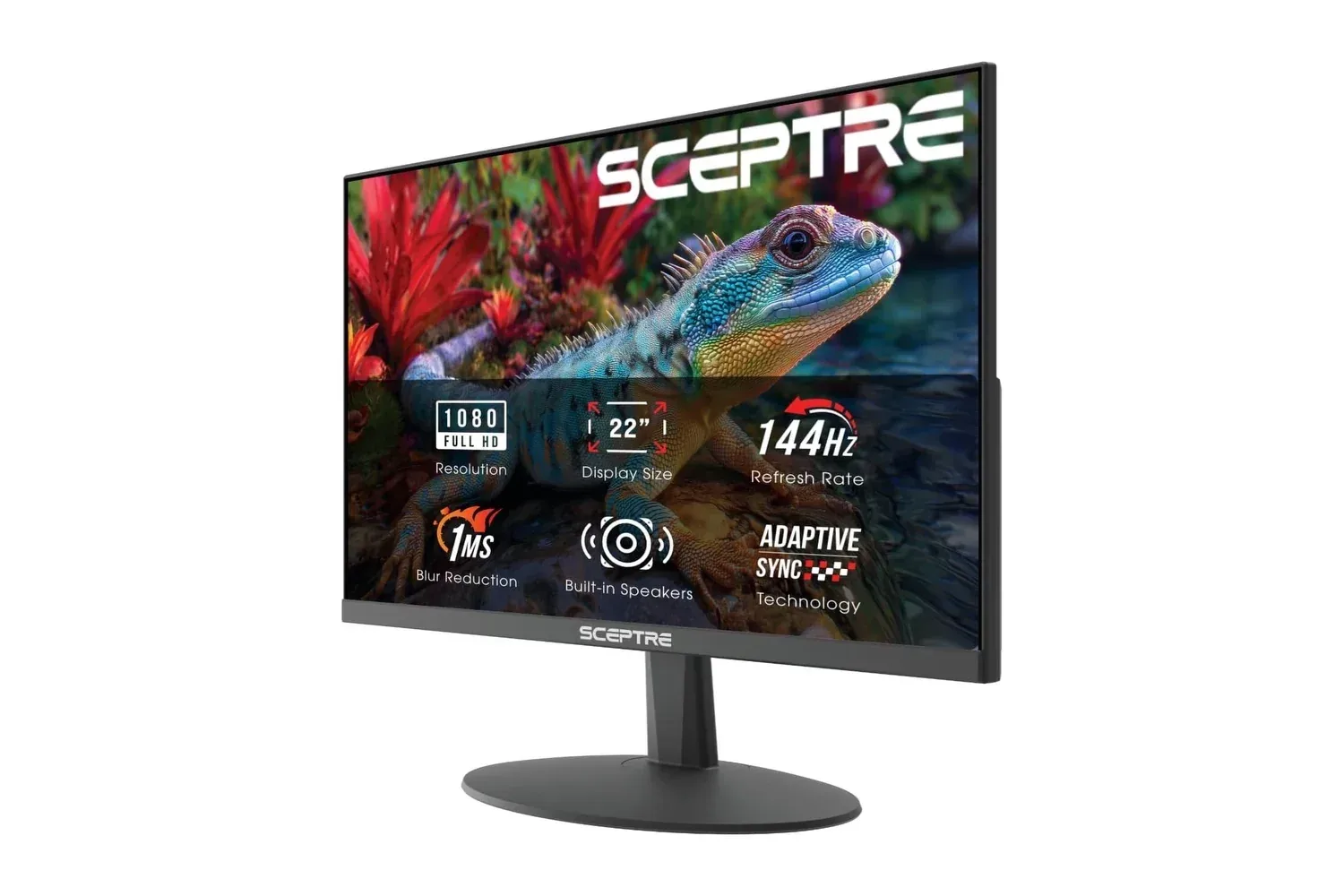
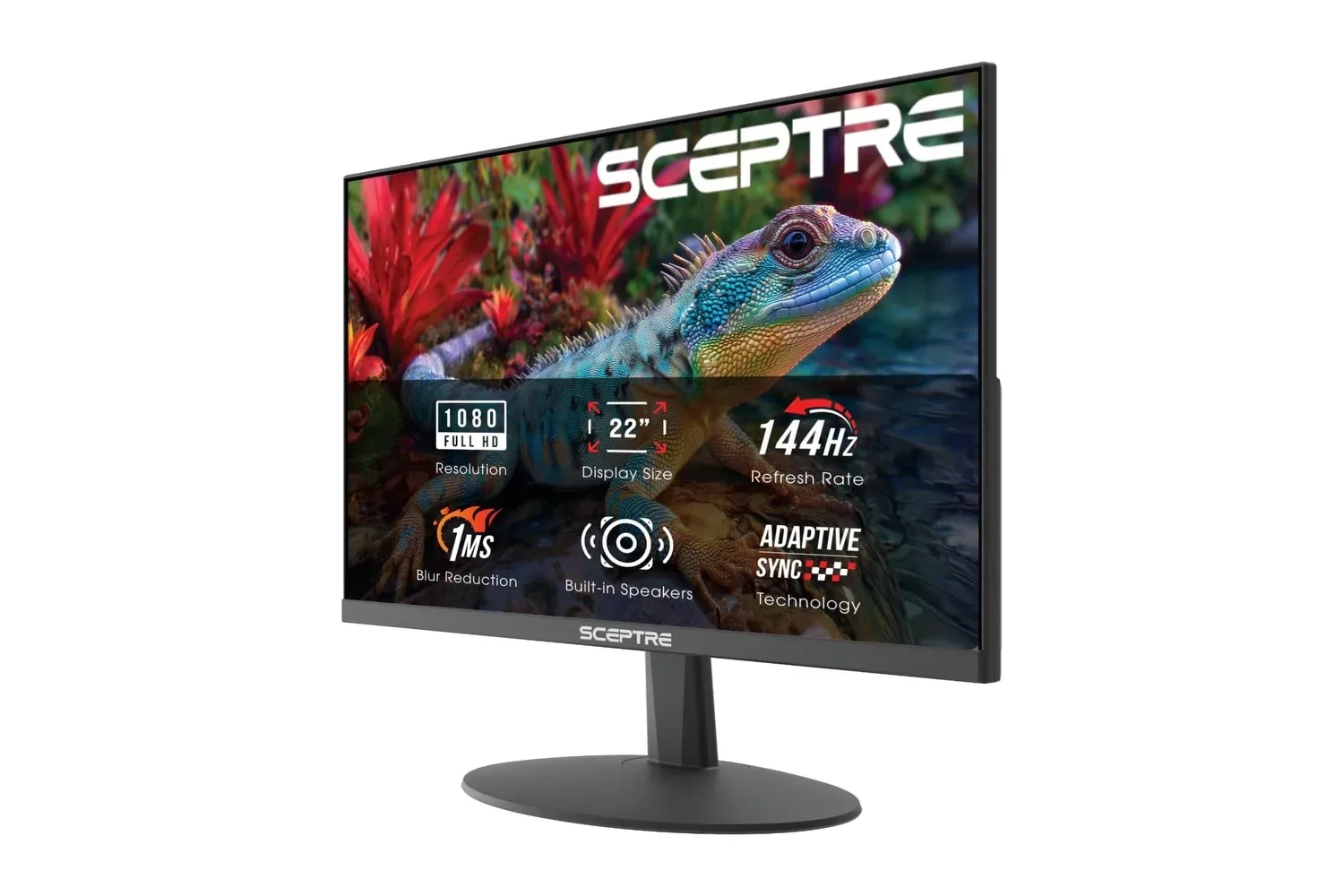
A gaming monitor does not need an exotic panel, a dramatic curve or a price tag that resembles a console purchase to make a PC setup feel meaningfully different. Sceptre’s 22-inch, 1080p, 144Hz gaming monitor is listed on Amazon at $60, down from $73. That is an unusually low entry price for the particular upgrade that can be most immediately visible to someone still using a 60Hz office display: a higher refresh rate.
The listing was described as its lowest price in a year, and more than 10,000 units were reportedly bought in the preceding month during Black Friday week. As with any retailer listing, the price and stock position can change, so prospective buyers should treat $60 as a snapshot rather than a guarantee. The more durable question is whether the monitor’s combination of size, resolution and refresh rate fits the hardware and the role it will have on a desk.
The specification that matters here is 144Hz
Refresh rate, measured in hertz (Hz), is the number of times a monitor can redraw its image each second. A 60Hz panel refreshes up to 60 times per second. At 144Hz, it can refresh up to 144 times per second. That does not magically make every game run at 144 frames per second, but it gives a compatible PC display capacity for that smoother presentation when the game and graphics hardware can provide it.
The shift from 60Hz to 144Hz is especially relevant in games where the camera moves constantly and quick visual updates matter: competitive shooters, racing games, sports games and other fast-paced titles. Mouse movement, aiming and rapid scrolling can appear more fluid because the screen is showing more temporal steps between one second and the next. In practical terms, that is why a modest high-refresh 1080p monitor can be a more useful gaming purchase than a costly display whose headline specification a player’s PC rarely reaches.
There is an important distinction, however, between a monitor’s refresh rate and a game’s frame rate. Frame rate, usually expressed as frames per second (fps), is how many images the computer produces. Refresh rate is how many opportunities the display has to show those images. A 144Hz screen offers the potential for a 144fps experience, but a game producing 60fps remains a 60fps game. The panel will not create the missing frames.
That is not a reason to dismiss the monitor. It is a reason to set sensible expectations. Players who focus on titles that can run at high frame rates on their systems stand to benefit most. Titles such as Valorant and Rocket League are specifically relevant examples because their competitive appeal and 1080p target make high frame rates a realistic objective for more modest graphics hardware than a demanding higher-resolution display might require.
Why 1080p makes sense at 22 inches
The Sceptre model uses a Full HD, or 1920-by-1080, resolution. Resolution tells buyers how many pixels are arranged across and down a screen; it is separate from refresh rate. More pixels can yield a sharper or roomier image, but they also require more graphics work to render in a game. For a system trying to reach high frame rates, 1080p can be a strategically sensible target.
At 22 inches, 1080p is positioned as a practical pairing rather than a compromise that needs apologizing for. From an ordinary desk distance, the display can look sharp while avoiding the heavier rendering load associated with higher resolutions. The result is a hardware match: the monitor has a 144Hz ceiling that makes smooth motion possible, while the resolution gives a modest PC a better chance of delivering enough frames to approach that ceiling in appropriate games.
Related coverage includes Sceptre's 22-Inch 144Hz Gaming Monitor Is Down to About $60.
That balance is worth emphasizing for first-time monitor upgraders. It is easy to read “144Hz” as an automatic competitive advantage or “1080p” as an outdated limitation. Neither reading is quite right. The useful outcome comes from matching the display to what the computer can actually do. If a player’s machine runs their preferred games well above 60fps at 1080p, a 144Hz panel addresses a visible bottleneck. If the same machine cannot sustain high frame rates in those games, settings changes or game choice will determine how much of the display’s potential is used.
A simple compatibility checklist
- Confirm the game’s frame rate: A 144Hz monitor is most meaningful where the PC can render well beyond 60fps.
- Use the appropriate connection: This model includes both HDMI and DisplayPort. Check the ports on the PC or console and use a cable and input that suit the intended setup.
- Check display settings after connecting it: A high-refresh monitor may need its refresh-rate setting selected in the device’s display configuration rather than assuming the maximum mode is active.
- Decide whether 22 inches is enough for the main screen: The compact size suits many desks and can be particularly compelling as a second display, but it is still a smaller panel than the larger monitors some players prefer for immersive single-player games.
- Separate speakers from performance: Built-in speakers are convenient, but they are a desk-simplifying feature, not a replacement for choosing the monitor based on its screen specifications.
Ports and speakers broaden the monitor’s job
The monitor includes HDMI and DisplayPort connectivity. For a PC buyer, that means there is a direct connection path without an adapter in the basic use case. The inclusion of both also gives flexibility when planning a desk where a graphics card, another display or a console may already occupy one kind of port.
Console support should be interpreted carefully. HDMI lets the screen connect to a console, but the supplied details do not establish what refresh-rate modes every console will output to this particular monitor or how individual games behave. Buyers whose purchase depends on a specific console mode should verify that detail in the product listing and their console’s settings before ordering. The presence of a connector is useful; it is not, by itself, a full performance guarantee.
Built-in speakers add another layer of convenience. They can handle moments when a headset is unnecessary and avoid adding separate desktop speakers and more cables. That can matter on a small desk, in a shared room or in a straightforward second-screen setup. Players who use a headset for ranked sessions may regard them as occasional backup audio, while others may value the ability to hear a video or menu without putting anything on their head.
An affordable second screen may be the strongest use case
The nearly bezel-free design gives the Sceptre monitor an obvious role beyond serving as a budget main gaming display: it can sit alongside an existing primary monitor. Thin surrounding borders reduce the visual interruption between panels, which is helpful when a second display is used for Discord, stream chat, video, guides or general desktop work.
At $60, this use case changes the calculation. A secondary screen does not necessarily need to be the largest, highest-resolution or most feature-packed monitor in a setup. It needs to fit the desk, connect cleanly and handle the applications a player wants within view while gaming. The 22-inch size may be especially manageable where desk space is limited, and the high refresh rate means it is not confined to static chat windows if it later becomes the screen used for games.
There is also a practical upgrade path in that flexibility. Someone replacing an aging 60Hz main monitor could use the Sceptre display as the primary gaming panel now and repurpose it as a second screen later if they eventually buy a larger main display. That is an inference based on the monitor’s compact, thin-bezel design and the stated ports, not a promise about everyone’s desk or needs. Still, it is a more grounded way to think about a low-cost display than treating it as disposable hardware.
Blue-Light Shift is a comfort setting, not a performance feature
Sceptre includes a Blue-Light Shift feature intended to reduce blue-light emissions for long sessions. This belongs in the comfort column. It does not make games run faster, raise frame rate or improve the monitor’s refresh rate. Its stated purpose is easing eye strain during extended screen time, which may appeal to people who move from work tasks to evening games on the same desk.
Comfort preferences are personal. Some people will appreciate a warmer-looking display late at night, while others may prefer to adjust the setting only when they are reading, browsing or working. The key point is that blue-light reduction is optional quality-of-life functionality, whereas 144Hz and 1080p are the fundamental specifications shaping the gaming experience.
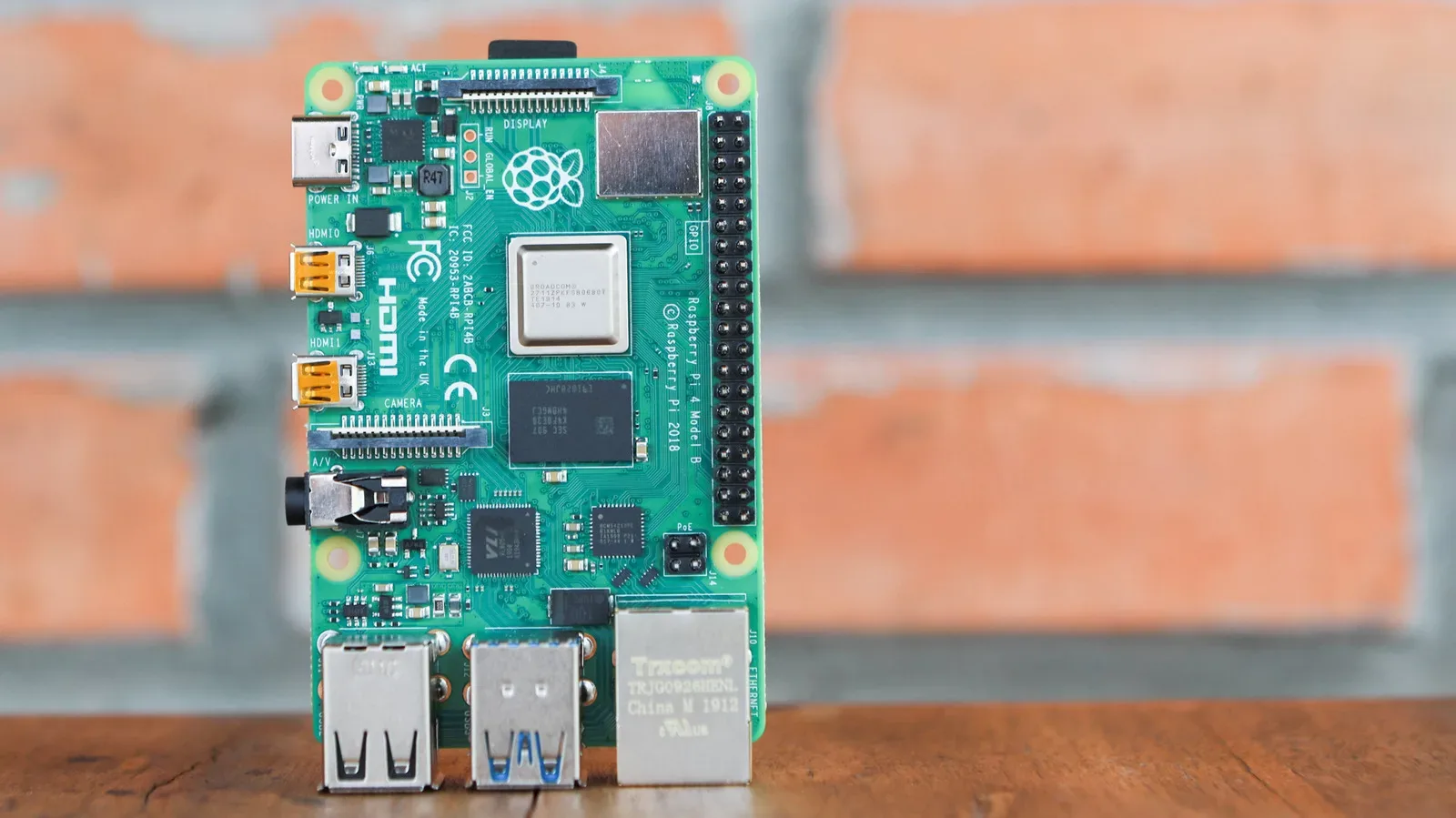
Players building or refreshing a compact PC setup can also benefit from looking at the wider balance of components rather than spending the entire budget on a single headline part. The same principle applies to small-form-factor projects and lighter desktop tasks, as explored in this look at whether the Raspberry Pi 4 may be the smarter buy for lighter projects: the best fit is often the option whose capabilities align with the actual workload.
Who should consider this monitor?
This Sceptre display looks most persuasive for PC players currently using a 60Hz monitor, especially an older office-oriented screen, who want an inexpensive route to smoother motion without demanding a more powerful graphics card. The 1080p/144Hz combination aims directly at that situation. It is also a plausible choice for players of esports-focused games who prioritize frame rate and responsiveness over a larger panel or higher resolution.
It has a separate appeal for people who already own a main display but need a compact companion monitor for communications, streams or general multitasking. HDMI, DisplayPort, built-in speakers and a nearly bezel-free frame make that role straightforward on the evidence available.
Buyers seeking a large cinematic screen, the visual traits associated with OLED panels, or a resolution beyond Full HD should not mistake the $60 listing for a substitute for those products. This is not presented as a premium-display alternative at a miracle price. It is a focused budget monitor whose value rests on a sensible combination of 22-inch 1080p presentation and a 144Hz refresh rate that many mainstream gaming PCs can realistically use.
At the listed price, the important shopping question is less “Is this the most extravagant monitor available?” and more “Will it remove the 60Hz limit from the games and desktop work I do now?” For the player answering yes—particularly one with a modest PC and a small or dual-monitor desk—the specifications make a coherent case.
Shop the products
Check current price, model and availability at the retailer.