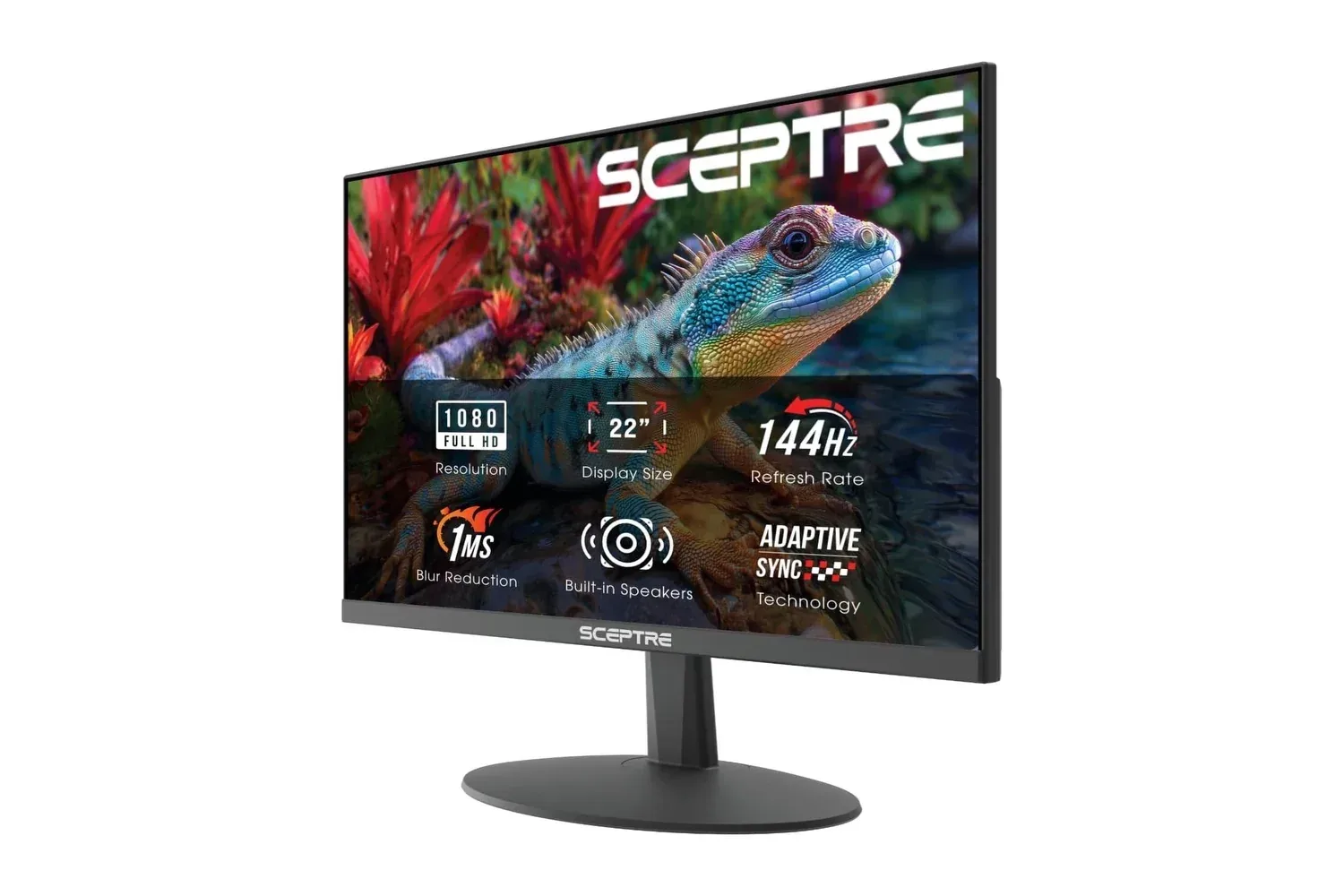
A fast gaming monitor does not have to dominate a desk or demand a premium-budget PC build. Sceptre’s E225W-FW144 is a compact 22-inch display that targets the practical basics: a 1920 x 1080 resolution, a refresh rate of up to 144Hz, Adaptive Sync support and both HDMI and DisplayPort connections.
The monitor was listed at $63, down from $73, a $10 reduction or 14% discount. As with any retailer listing, that price and stock status can move without warning, so prospective buyers should treat it as a current listing rather than a guaranteed long-term price.
Its appeal is less about chasing the largest possible screen or the most elaborate feature list and more about packing the core ingredients of a responsive, small-footprint setup into a relatively inexpensive display. Built-in speakers, a headphone/audio connection, a matte panel coating and VESA mounting compatibility reinforce that space-conscious approach.
What 144Hz changes in everyday use
Refresh rate is the number of times a display can update its image each second. A 144Hz panel can refresh up to 144 times per second, while a conventional 60Hz display refreshes up to 60 times. That does not automatically make a game run at 144 frames per second: the computer or console still has to produce frames at a suitable rate. But when the hardware and game can deliver them, the higher ceiling can make movement appear smoother and can improve the feeling of immediacy.
That distinction matters most in fast-moving genres. Shooters, racing games and other reaction-led games often benefit from clearer-looking motion and a more fluid response to rapid camera movement. The benefit is not limited to games, either. Cursor movement, window dragging and scrolling through pages can also feel more immediate on a higher-refresh-rate desktop.
The E225W-FW144’s 1080p resolution is a sensible pairing for its size and refresh target. Full HD means 1,920 by 1,080 pixels. It remains a common PC gaming resolution and places a more manageable demand on graphics hardware than substantially higher resolutions. For someone using modest hardware, or aiming to prioritize frame rate in compatible games, that balance can be more useful than a larger high-resolution panel that is harder to drive smoothly.
Adaptive Sync and the fight against torn frames
The monitor includes Adaptive Sync, a term for technology that allows a display’s refresh behavior to synchronize with the graphics output. Its purpose is to reduce visual problems such as screen tearing and stuttering.
Screen tearing occurs when portions of different frames appear on screen at the same time, creating a visible split or mismatch in an image during movement. It is particularly noticeable when turning quickly in a game or when objects pass across the screen. By coordinating the display refresh with the graphics card’s output, Adaptive Sync is intended to make that motion look more consistent.
Related coverage includes Sceptre's 22-Inch 144Hz Gaming Monitor Is Listed at $63.
There are practical limits to keep in mind. Sync support is a helpful capability, not a promise that every device, connection and game will behave identically. Buyers should check their own graphics hardware, operating-system settings and game options to make sure the desired refresh rate and sync feature are actually enabled. The important headline is that the E225W-FW144 provides the feature foundation for smoother play rather than being limited to a fixed 60Hz experience.
A compact monitor for a tighter desk
At roughly 20 inches wide and 7 pounds, this is a monitor aimed at smaller desktop arrangements. A 22-inch screen will not suit everyone as a primary display, especially for people who prefer expansive multitasking space. But physical size can be a feature rather than a compromise for dorm rooms, home offices, shared spaces or a secondary PC station.
The compact chassis can also make the display appealing as a second screen beside a larger primary monitor. In that role, it could handle chat, guides, music controls or general desktop tasks while the main display is reserved for a game. Its VESA mounting support offers another route to reclaim desk area, provided the buyer uses a compatible mounting solution.
The panel uses a matte finish, which is designed to reduce distracting reflections from overhead lights or nearby windows. That does not eliminate every lighting issue, but it is a useful consideration in rooms where display positioning cannot be perfectly controlled.
Connections and convenience features
The E225W-FW144 has HDMI and DisplayPort inputs. That gives PC users flexibility across desktop graphics cards and laptops, while HDMI broadens the range of devices that can be connected. The display is also positioned for use with gaming consoles, though buyers should verify the output options and display settings of their particular device before treating the monitor as a guaranteed route to a specific refresh mode.
Built-in speakers are another convenience-first inclusion. They are useful for a clean starter setup, basic system audio, streamed video or situations where adding separate speakers would create clutter. The monitor also includes a standard audio jack for headphones or external speakers, giving users a straightforward upgrade path if they want a different listening arrangement.
For more context on evaluating a low-cost setup purchase rather than focusing solely on the percentage discount, see our look at how advertised savings can require a closer look. The same principle applies here: the feature list, intended use and current price are more meaningful together than the discount label alone.
Color, game modes and eye-comfort controls
Sceptre lists 105% sRGB color coverage for this display. sRGB is a widely used color space for typical web content, games, images and video. A coverage figure above 100% indicates the monitor can display a color range extending beyond that reference space. In practical terms, the specification is meant to signal vivid-looking content, though color preferences and settings vary between users.
The E225W-FW144 also has FPS and RTS picture modes. FPS stands for first-person shooter, while RTS means real-time strategy. Such presets are intended to offer quick setting changes based on the type of game being played. They may be convenient for users who do not want to manually adjust picture options, but they are not substitutes for personal calibration. If a preset looks too bright, too saturated or otherwise uncomfortable, switching modes or making individual adjustments remains the more useful solution.
A Blue-Light Shift feature is included to reduce blue-light output. This is positioned as an eye-comfort option for longer gaming or work sessions. It is best understood as a display preference control: users can choose a warmer-looking image when that is more comfortable for their environment and viewing habits.
Who this monitor makes sense for
The strongest case for the E225W-FW144 is a buyer who values responsiveness, compact dimensions and straightforward connectivity over screen size. It is particularly suited to a first PC gaming station, a small desk, a dorm room, a home-office corner or a second display. The combination of 1080p and up to 144Hz is also more realistic for systems that are better at delivering higher frame rates at Full HD than at more demanding resolutions.
It may be less compelling for buyers whose priority is a very large workspace or who require a larger panel for side-by-side productivity. Likewise, anyone buying specifically around a particular console, laptop or graphics card should confirm compatibility details on that equipment rather than assuming every input will expose every possible mode.
Still, the monitor’s core proposition is clear. The E225W-FW144 combines a 22-inch Full HD panel, up to 144Hz operation, Adaptive Sync, a matte coating, HDMI and DisplayPort, speakers, audio output and VESA support in a light, compact package. At the listed $63 price, those are meaningful inclusions for someone building a functional gaming space without letting the monitor consume the whole budget.
Shop the products
Check current price, model and availability at the retailer.