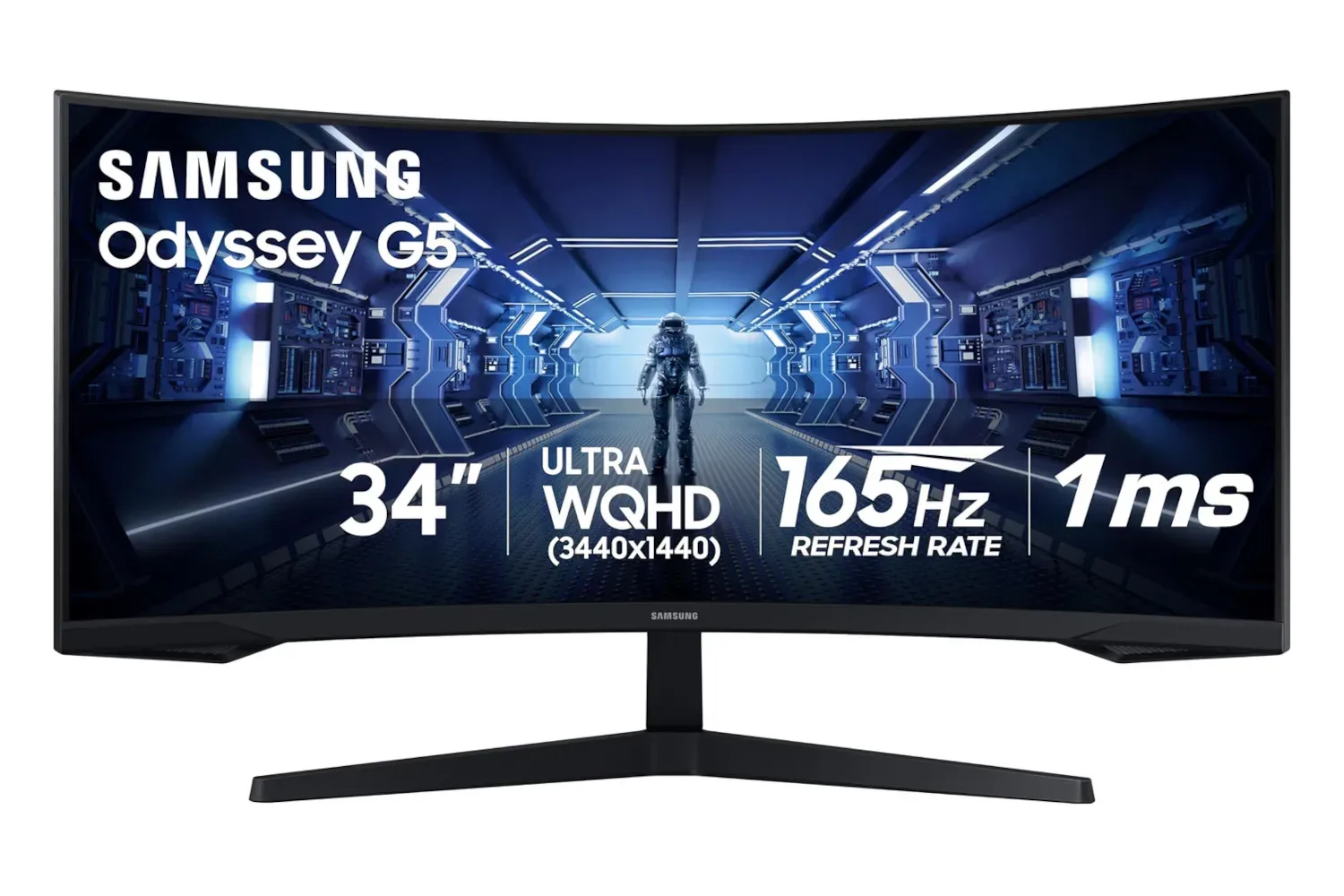
A big monitor can be one of the most transformative upgrades in a PC setup, even if it lacks the glamorous status of a new graphics card or a controller with enough back buttons to operate a small submarine. Samsung’s 34-inch Odyssey G5 Ultra-Wide Gaming Monitor is listed at $280 for Labor Day, reduced from a stated usual price of $400. That is a $120 difference, or 30% off the referenced price.
The important thing is not merely that this is a large display. It is an ultrawide model with a 21:9 aspect ratio, a 3440 x 1440 resolution, a pronounced 1000R curve, a 165Hz refresh rate, and a quoted 1ms response time. Those specifications place it squarely in the territory of a display intended to make PC games feel broader, faster, and a little more like they have annexed the player’s desk.
As always with retail listings, shoppers should confirm the current price and the exact model configuration before checking out. But at the listed $280, the Odyssey G5’s combination of screen area and gaming-focused features deserves a close look for anyone deciding whether their next monitor should go wider rather than simply taller.
What 3440 x 1440 changes on a desk
The Odyssey G5 uses a 3440 x 1440 native resolution. That adds substantial horizontal space compared with the standard 2560 x 1440 resolution often called 1440p. In practical terms, the ultrawide canvas has roughly 34% more pixels than a conventional 1440p display.
For games, that extra width can reveal more of a supported game world without making the image vertically shallow. Racing games can benefit from a more expansive view of the track and nearby cars. Flight simulators have more room for cockpit instrumentation and scenery. Open-world games can feel less confined, especially when their interface and field-of-view options properly accommodate 21:9 screens. A broader presentation is not an automatic competitive advantage in every game, and some titles may offer imperfect ultrawide support, but it can make supported games considerably more enveloping.
Outside of games, the space has obvious multitasking value. Two full-size windows can sit alongside each other with less compromise than they would on a typical 16:9 monitor. A browser and a document, a video-editing timeline and its preview, or a spreadsheet and a communications app can share the screen without one being demoted to a narrow vertical strip. It is a setup change that can make a PC feel organized right up until somebody opens 37 browser tabs again.
For readers building or refreshing a broader desktop gaming setup, our latest PC indie game roundup is also a useful reminder that unusual, smaller-scale games can benefit from a comfortable, flexible workspace just as much as blockbuster visual showcases.
The point of the 1000R curve
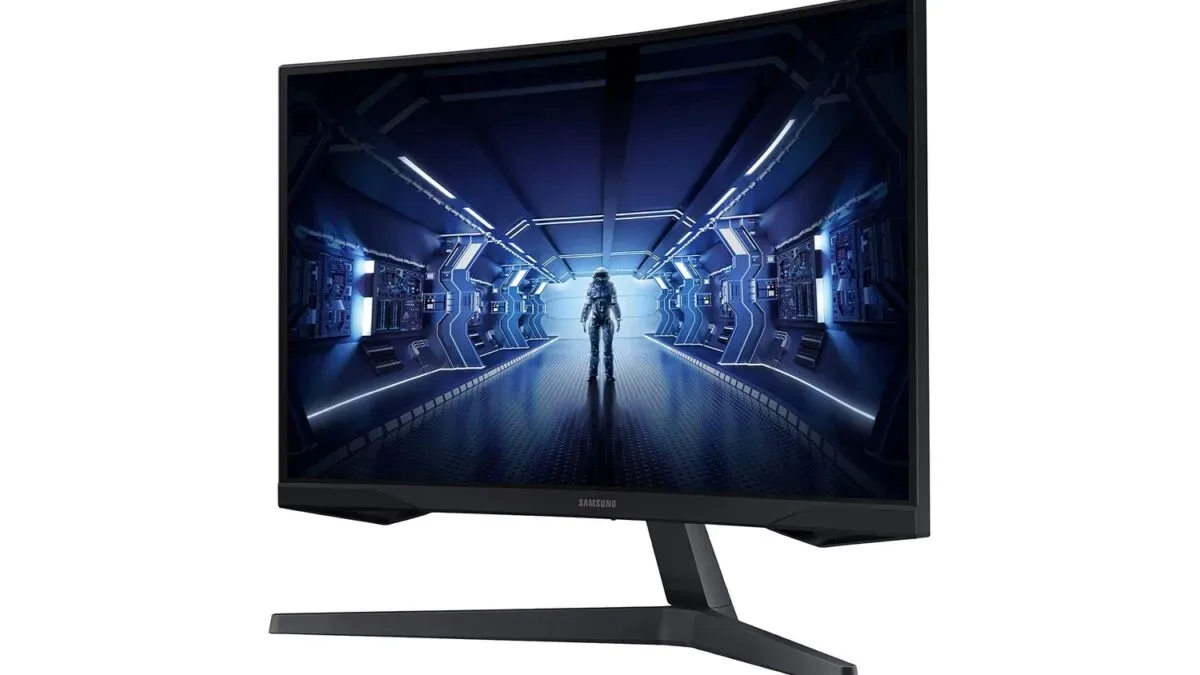
A 34-inch panel is wide enough that its outer edges are meaningfully farther from a viewer than its center when it sits flat. Samsung’s answer here is a 1000R curve, which is tighter than the gentler curves common on some other ultrawide displays. The design is meant to bring the sides around toward the viewer, keeping more of the panel at a similar viewing distance.
Related coverage includes Samsung's 34-Inch Odyssey G5 Ultrawide Monitor Is Listed at $280 for Labor Day.
That design may help reduce the need for the eyes to repeatedly adjust focus between the central image and the far edges. It can also make the screen feel more natural when sitting centered at a desk, because the display occupies more of a person’s peripheral view. The result is best understood as an immersion and ergonomics feature rather than a magical upgrade that makes every game better. Preferences vary: some people enjoy a strong curve immediately, while others who do detailed straight-line design work may prefer a flat panel. Still, the 1000R curve is central to what makes this particular Odyssey G5 distinct from a standard wide monitor.
There is a straightforward use case for it in games built around looking across a scene. When a player is checking a road, a cockpit, a wide landscape, or a busy open-world environment, the display’s breadth can make the available information feel more continuous. It will not remove the need to look around or replace good game design, naturally. It simply gives the game more room to show its world.
165Hz and FreeSync Premium for motion
Resolution and size draw most of the attention in an ultrawide purchase, but the refresh rate matters just as much for the intended gaming audience. This Odyssey G5 is specified at 165Hz, well above the 60Hz figure associated with many basic office displays. A higher refresh rate gives the screen more opportunities each second to present a new frame, which can make motion appear smoother when a game and graphics hardware can supply frames at an appropriate pace.
The monitor also lists a 1ms response time. Response-time claims describe how quickly pixels can transition, an important part of minimizing visible trails behind moving objects. Refresh rate, response behavior, game settings, and frame rate all interact; no single number describes every kind of motion performance. Still, a 165Hz specification paired with a low quoted response time makes clear that the display is aimed at more than slow-moving desktop use.
AMD FreeSync Premium is also part of the feature set. Adaptive-sync technologies allow a monitor’s refresh behavior to coordinate with a compatible graphics card’s output. The goal is to reduce screen tearing, the distracting mismatch that can occur when portions of different frames appear at once. How well the feature fits an individual PC depends on the graphics hardware, drivers, connections, and supported settings, so it is sensible to check compatibility for a particular rig. The basic appeal, though, is easy to understand: fewer interruptions between what the GPU renders and what arrives on screen.
VA contrast, HDR10, and the questions worth asking
Samsung uses a VA-type panel in this model and rates it at a 2500:1 contrast ratio. VA panels are often associated with stronger contrast than many IPS panels, which can be useful in games filled with dark interiors, night scenes, caves, or shadowy corners where image detail matters. Higher contrast can help darker portions of an image remain distinct rather than becoming a single murky mass.
The monitor also supports HDR10. HDR can broaden the presentation of highlights, colors, and shadow detail when content, the game platform, and the display settings all line up. HDR labels do not by themselves reveal every aspect of a monitor’s HDR performance, however. Buyers who consider HDR a deciding factor should investigate the full specification sheet and decide which qualities—brightness, contrast behavior, local dimming, color, or simply ultrawide space—matter most to their setup.
That is the sensible way to approach this deal in general. The listed $280 price looks most compelling for someone who specifically wants:
- a 34-inch, 21:9 ultrawide workspace;
- 3440 x 1440 resolution rather than standard 1440p width;
- a tight 1000R curved screen;
- up to 165Hz refresh capability for PC gaming; and
- VA-panel contrast with HDR10 and FreeSync Premium support.
It may be less ideal for buyers who know they want a flat display, prioritize a different panel technology, or mostly play games that do not support ultrawide resolutions gracefully. It is also worth remembering that 3440 x 1440 asks more of a GPU than 2560 x 1440 because it has more pixels to drive. A system that runs a game well at standard 1440p may need adjusted graphics settings to maintain similarly high frame rates on an ultrawide panel.
A monitor deal with a clearly defined audience
At its listed Labor Day price of $280, Samsung’s 34-inch Odyssey G5 presents a particular kind of upgrade rather than a one-size-fits-all screen. Its appeal is the blend: immersive width, a tightly curved 1000R shape, a 165Hz refresh rate, adaptive-sync support, and a resolution that offers both gaming spectacle and practical desktop room.
For a PC player who has been eyeing an ultrawide setup for racing, simulation, open-world exploration, or a more capable work-and-play desk, those features are doing the real work behind the discount. The lower price simply makes the argument easier to hear over the noise of all the other things a gaming setup insists it needs.
Shop the products
Check current price, model and availability at the retailer.