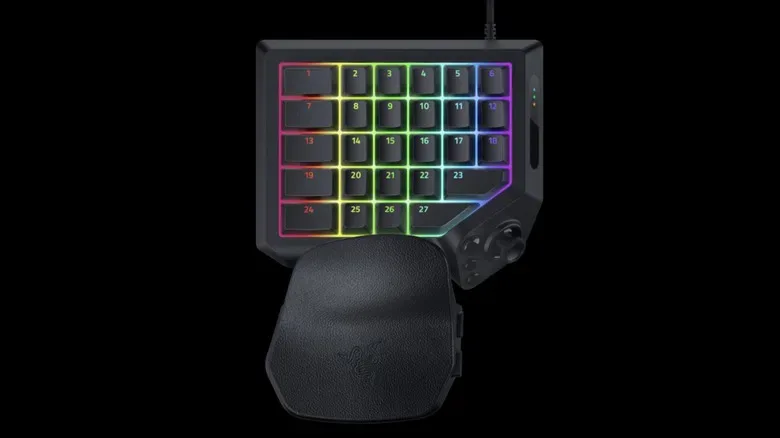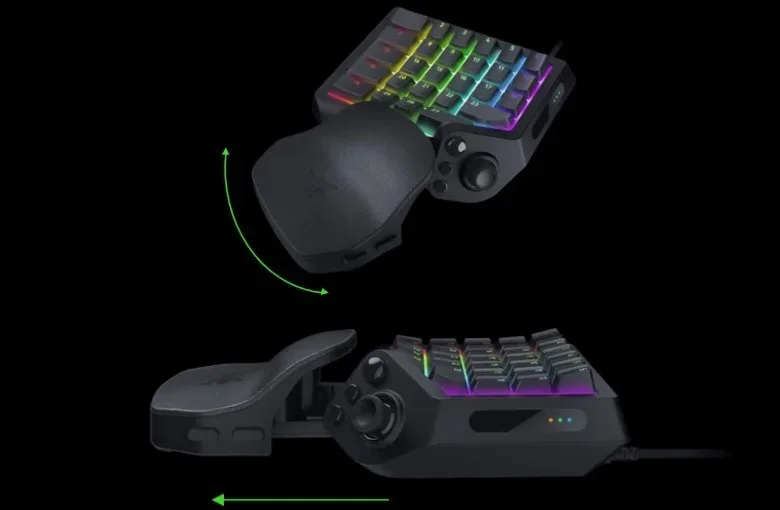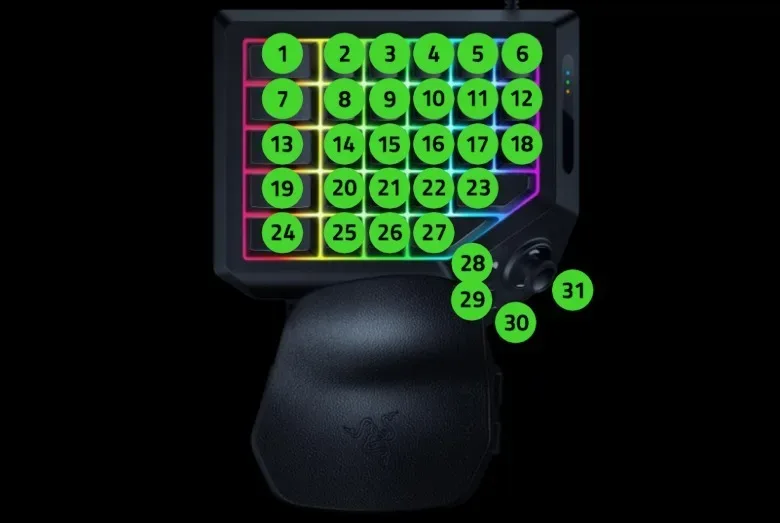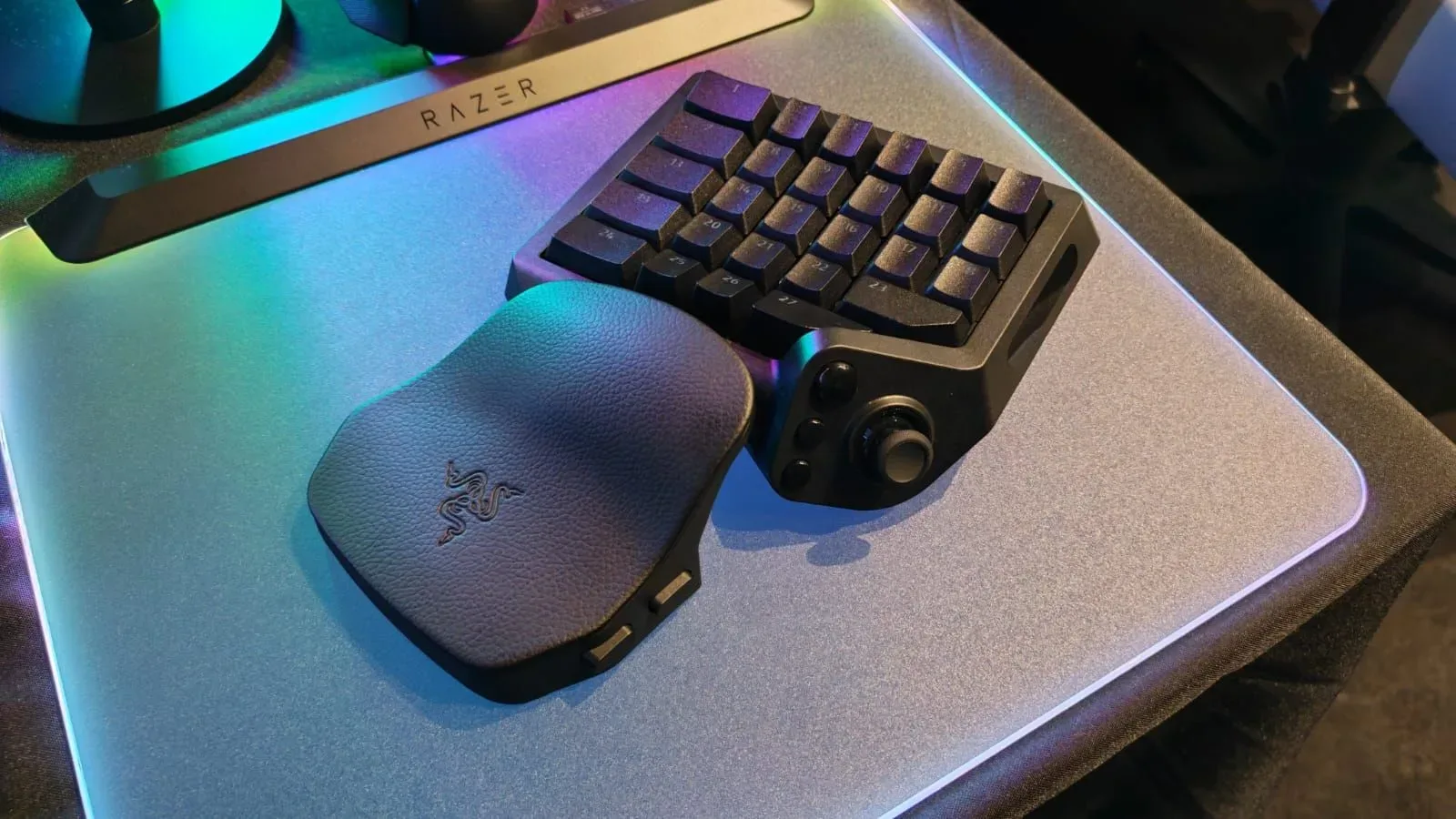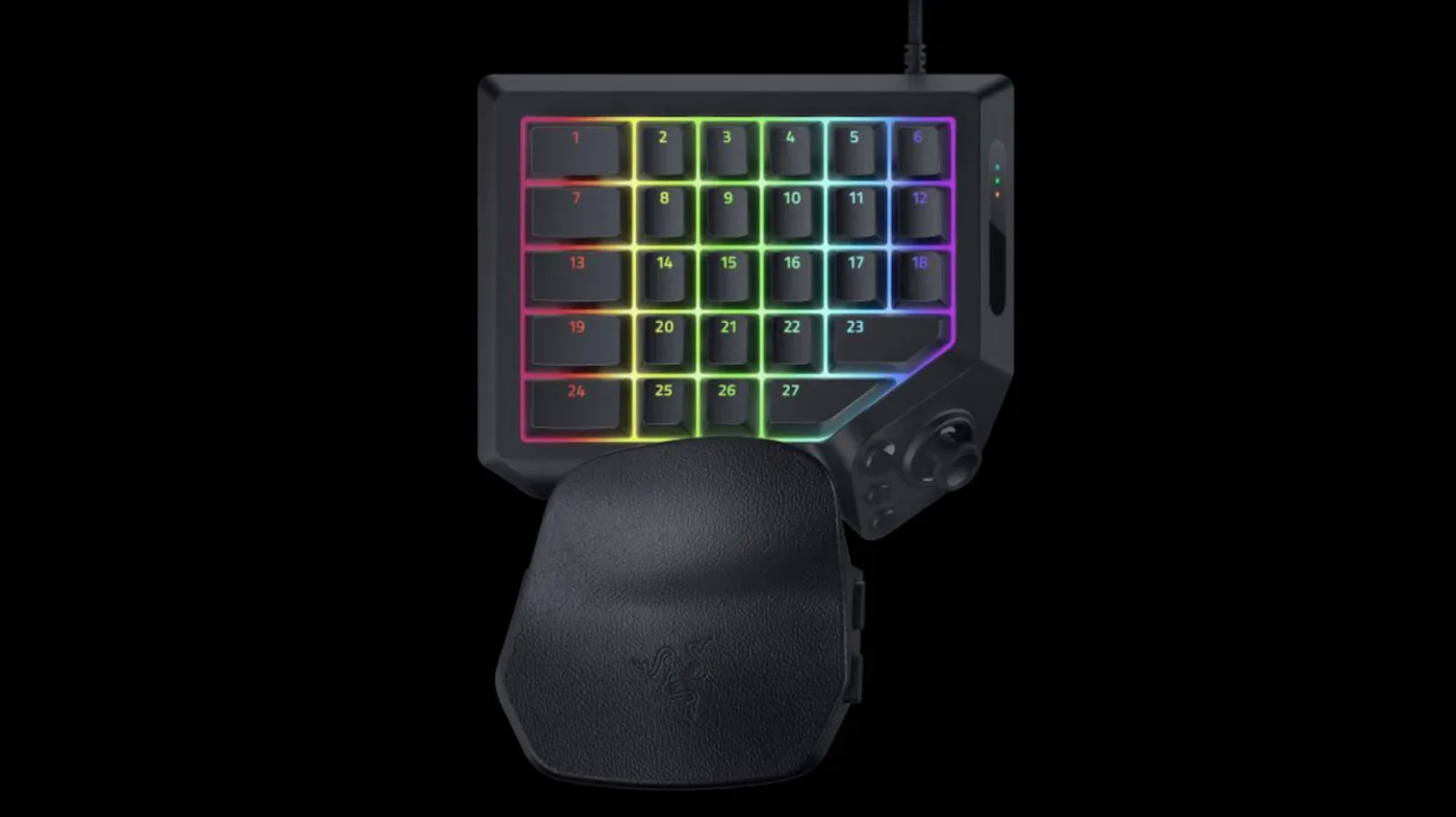
Razer has introduced the Tartarus V2 Pro, an updated version of its one-handed gaming keypad design. It is not trying to replace a full keyboard with another QWERTY layout. Instead, the device concentrates more than 30 programmable controls into a compact, ergonomic format built around an adjustable palm rest, with a stated total of 31 keys and buttons.
The update centers on three input-related changes: upgraded optical switches, a wider key-actuation range, and an analog TMR thumbpad. Razer is also adding two proprietary control features with notably different purposes. Snap Flex lets a single button access two keys, while Snap Tap prevents two selected keys from being actuated at the same time.
The Tartarus V2 Pro is available now for $200. All 31 controls can be programmed through Razer Synapse software, and every key includes RGB lighting.
A keypad built around remapping rather than QWERTY typing
The important distinction with the Tartarus line is that it is a purpose-built control pad, not a shrunken conventional keyboard. There is no standard QWERTY arrangement, so its usefulness depends on whether a player is prepared to build a layout around particular games, genres, actions or software shortcuts.
That makes full programmability the defining practical feature. A player can decide what each of the 31 keys and buttons represents in their own setup, rather than being locked into the legends and spacing of a normal keyboard. The hardware’s value is therefore tied to mapping: the physical shape supplies the controls, while Synapse is the tool for assigning what those controls do.
For someone whose game already makes use of many commands, the potential appeal is putting a curated set of inputs under one hand. For somebody who mainly needs ordinary text entry and familiar keyboard positions, the absence of QWERTY is also the clearest reason to think carefully before buying. This is specialized hardware intended to sit in a customized control workflow, not a general-purpose typing device.
What has changed in the V2 Pro
Razer describes the Tartarus V2 Pro as a refresh of the previous Tartarus Pro. The new model keeps the adjustable wrist rest and per-key RGB customization, but changes the switch and thumb-control hardware.
Upgraded optical switches and broader actuation adjustment
The keypad’s optical switches have been upgraded, and the keys now have a wider actuation, or key-travel-depth, range. In plain language, actuation concerns the point in a key’s movement at which a press registers as an input. A broader range gives users more room to choose how deep into a press that registration should occur.
The supplied details do not specify the exact range or the adjustment increments, so it would be premature to assume how a particular setting will feel or behave in a given game. Still, the stated change matters because actuation is one of the central ways a programmable gaming keypad can be tuned to personal preference. Players who want a more immediate response may favor one approach; players who want more deliberate key presses may favor another. The key point is that Razer is positioning the V2 Pro around a wider set of adjustment options than its predecessor.
An analog TMR thumbpad
The thumbpad is now described as an analog TMR design. “Analog” is the immediately meaningful part for players: unlike a simple on/off button, analog input can represent a range of movement or position. That makes a thumb control a natural place for directional input alongside the keypad’s programmable buttons.
Razer identifies the underlying design as TMR, but the provided specifications do not detail its operation, sensitivity, durability or how users can configure it. What is clear is the intended role: the V2 Pro combines its programmable keys with a dedicated thumb-driven analog control, expanding the ways a layout can divide commands between fingers and thumb.
That arrangement is particularly relevant to the product’s one-handed premise. Rather than forcing every function onto the same grid of keys, the thumbpad gives the user a distinct control surface that can be treated differently from the main key cluster.
Snap Flex and Snap Tap solve opposite input problems
The most interesting software-side additions are Snap Flex and Snap Tap. Their names sound similar, but their roles run in opposite directions. One combines selected inputs under a press; the other enforces mutual exclusion between two selected keys.
Snap Flex: two keys from one press
With Snap Flex, a user can attach two keys to a single button press. The stated purpose is to make multi-key actions easier to perform consistently. This is not presented as a pre-authored shortcut list for particular games. It is a configurable control concept: the player chooses the relevant keys, then uses the device’s programmable-button framework to access them from one press.
Its practical appeal will depend on the commands a game or application asks a person to perform regularly. If two actions commonly need to be triggered together, putting them on one physical press can simplify the physical input. The benefit is less hand movement and fewer separate key presses for that chosen action. It also means users should take care in deciding which pair of commands belongs together, because the feature intentionally turns a single press into a two-key input.
Snap Tap: preventing contradictory direction presses
Snap Tap takes the reverse approach. It makes sure two selected keys are not actuated simultaneously. Razer specifically identifies first-person shooter strafing as a useful case.
Strafing is sideways movement. When a player changes direction, there can be a brief moment where both opposing directional inputs are held or registered together. In the situation described for the Tartarus V2 Pro, that overlap can cancel movement and leave the player stationary when they intended to reverse direction. Snap Tap is designed to stop the selected pair from being active at the same time, reducing that accidental conflict.
The feature is not limited in the supplied description to a particular game, key pair or genre, but the FPS example makes its philosophy clear: it is for input pairs where simultaneous activation is undesirable. That is a different kind of customization than adding extra actions. Snap Flex creates a combined command; Snap Tap establishes a rule that prevents a conflicting combination.
- Snap Flex: assigns two keys to a single press for combined actions.
- Snap Tap: blocks two chosen keys from actuating together.
- Analog thumbpad: adds a thumb-based directional or positional input surface alongside the key grid.
- Programmable 31-control layout: lets users determine what the physical controls do through Synapse.
Who the design is for
The Tartarus V2 Pro’s feature set points toward players who value deliberate control layouts over the familiarity of a standard keyboard. Its adjustable wrist rest, non-QWERTY arrangement, programmable controls and RGB lighting all continue the established one-handed format. The revised actuation range, analog thumbpad and new Snap functions focus the refresh more specifically on how those inputs are triggered and coordinated.
That does not automatically make it the right device for every game or player. The first question is not simply whether 31 programmable controls sound useful. It is whether the person has a clear set of actions they want within reach and is willing to establish a custom mapping. If the answer is yes, the V2 Pro offers a compact canvas for that setup. If the answer is no, a standard keyboard’s familiar layout may remain more convenient.
There is also a learning component inherent to any remapped keypad. The device can be tailored to a user’s needs, but customization carries the responsibility of remembering the resulting layout. RGB lighting offers visual personalization, yet the supplied information does not say whether it provides particular game-linked profiles or other behavior beyond custom aesthetics. Buyers should therefore evaluate the confirmed fundamentals: adjustable ergonomics, 31 programmable controls, revised optical switches, a broader actuation range, an analog TMR thumbpad, and the two input-management features.
What the $200 price is buying
At $200, the Tartarus V2 Pro is a specialized gaming accessory rather than a basic input device. Its proposition is not a conventional keyboard layout with a few extra buttons. It is a configurable one-hand command station with a dedicated analog thumb control, adjustable palm support and per-key lighting.
The most concrete upgrade story is the combination of physical and software control. On the physical side, Razer has upgraded the optical switches, expanded actuation-depth adjustment and moved to an analog TMR thumbpad. On the configuration side, it offers programming for all 31 controls through Synapse, plus Snap Flex for paired inputs and Snap Tap for preventing simultaneous activation of a selected pair.
Players following PC-focused hardware and game-control news can find more coverage in our report on Nivalis Nights reaching one million Steam wishlists. For the Tartarus V2 Pro itself, the deciding factor is more personal: whether its compact, remappable layout can replace enough repeated keyboard work to justify adopting a dedicated control scheme.
Razer’s update is available now at $200, retaining the adjustable wrist rest and RGB customization while sharpening the product’s focus on tailored, conflict-managed inputs. For players who want one press to produce a paired command—or who want opposite directions to stop fighting each other—the V2 Pro’s new control options are the headline additions.