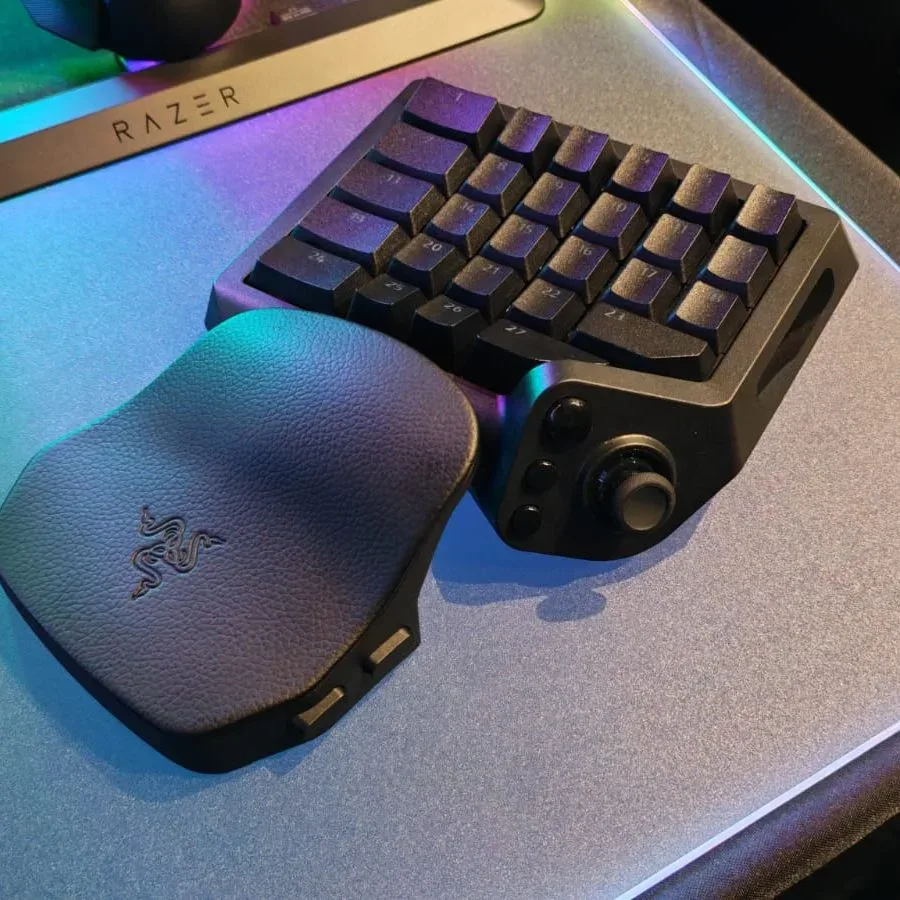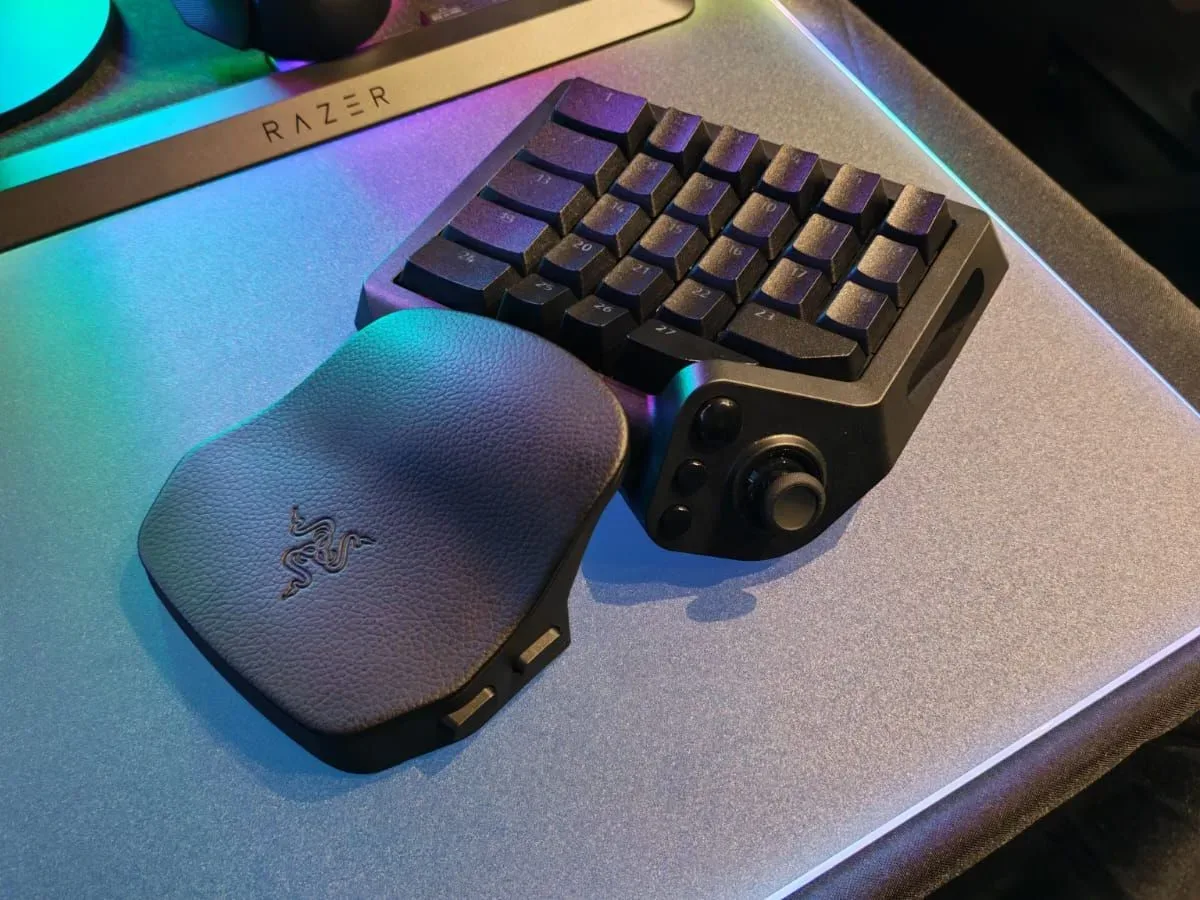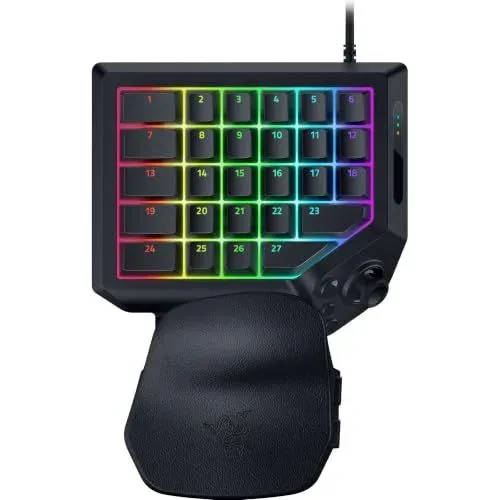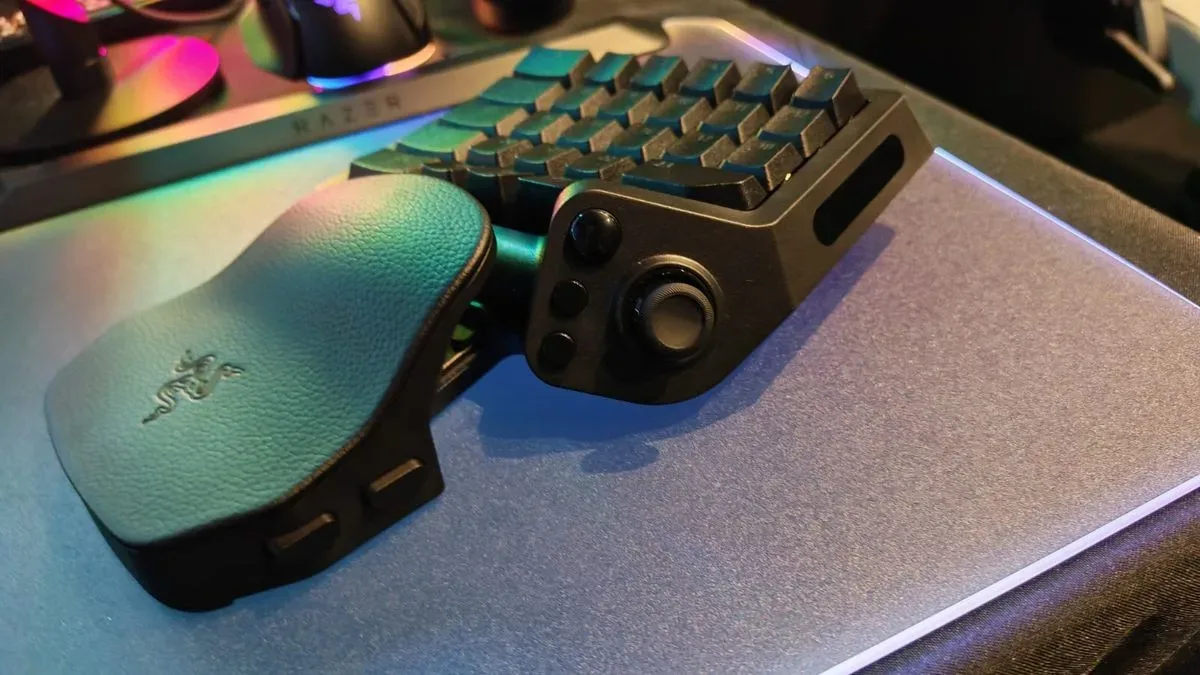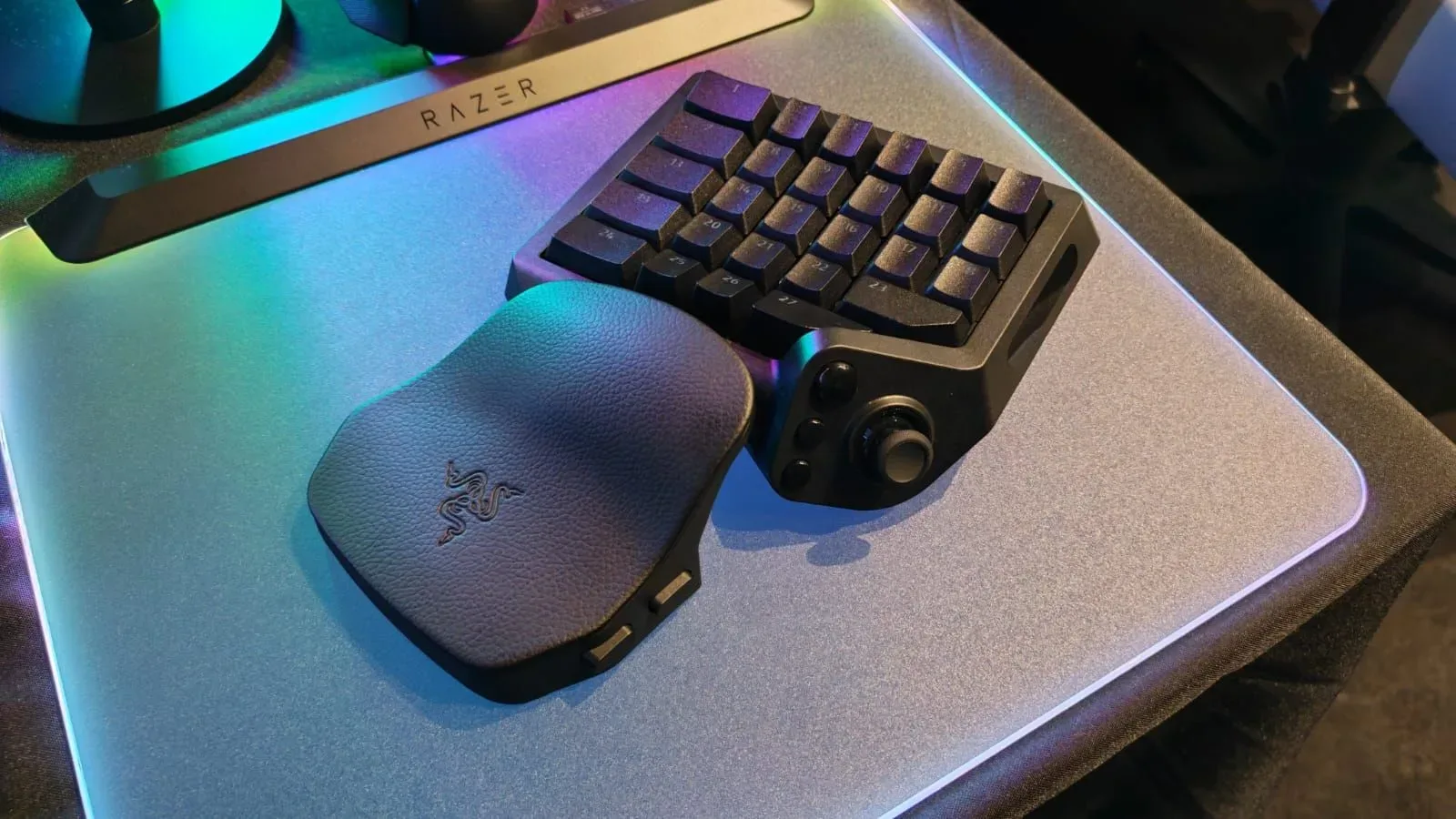
Razer’s Tartarus range is back. The new Razer Tartarus V2 Pro is a one-handed PC gaming keypad intended for players who want the aiming precision of a mouse without committing their movement and abilities to a full-size keyboard. It arrives 13 years after the original Tartarus launched in 2013, returning Razer to a small but increasingly competitive category of controller alternatives.
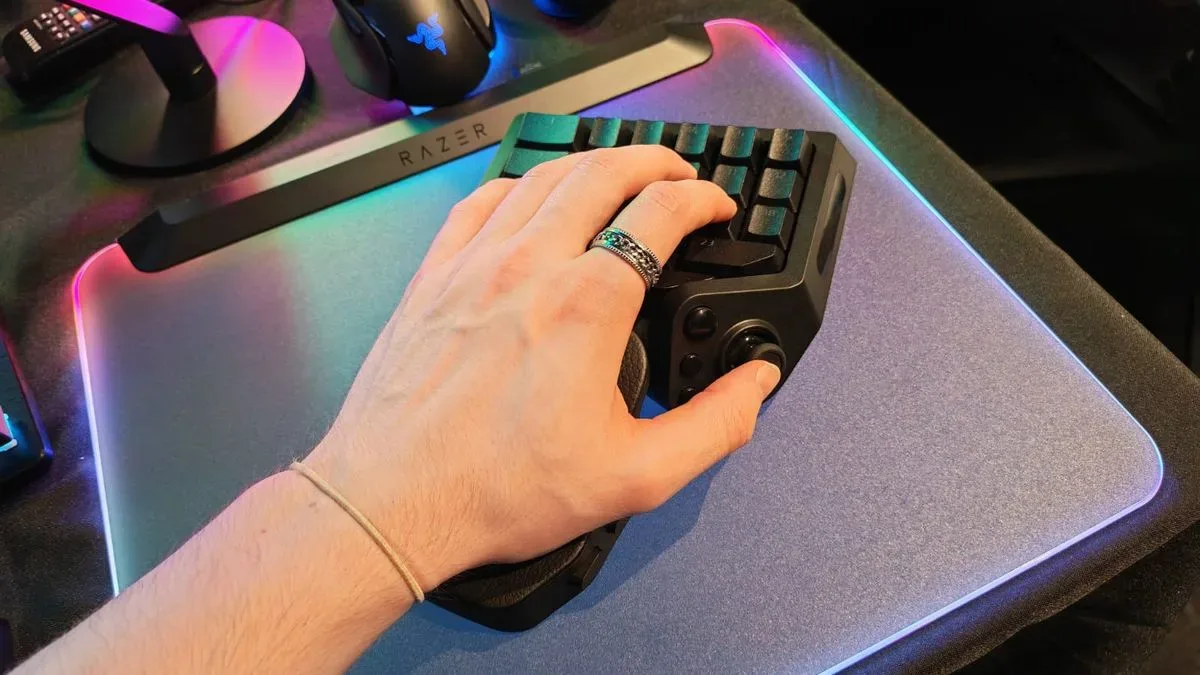
The proposition is straightforward: put the right hand on a mouse, place the left on a compact board with a thumbstick, a palm rest and programmable controls, and move away from the conventional WASD arrangement. For players who simply dislike using a typing-focused keyboard for games, that can be a meaningful distinction rather than a novelty. The Tartarus V2 Pro is available now for $199.99 / £199.99.
Razer enters a field where Azeron’s Keyzen and Cyborg II are prominent comparisons. All three approaches aim to give PC players a dense set of inputs under the left hand, but the V2 Pro’s case rests less on an unusually high number of buttons than on its input technology, remapping flexibility and familiar fixed-board design.
A keypad is not a smaller keyboard
A gaming keypad is built around a different priority from a normal keyboard. A standard keyboard must serve writing, spreadsheets, browsing and dozens of other tasks. Its key grid is broadly standardized, and PC games consequently map movement to WASD by default. A keypad removes the keys that are not immediately useful during play and concentrates game commands around one hand.
On the Tartarus V2 Pro, the left thumb can handle directional input through the stick while the fingers are freed for abilities, weapon changes, interaction prompts and other commands. Paired with a mouse, this layout seeks to combine analog-like movement control with mouse aiming. It does not replace a keyboard for ordinary computing, but it is meant to replace a keyboard’s role during a game session.
The unit has 31 mappable controls. That is one more than the Azeron Cyborg II’s 30 and one fewer than the Keyzen’s 32. Those raw totals are close enough that the more important question is whether the placements, switches and software suit an individual player’s hand and preferred games.
The hardware case: TMR stick, optical switches and 8,000Hz polling
Razer has equipped the Tartarus V2 Pro with a TMR thumbstick. TMR, or tunneling magnetoresistance, is a magnetic sensing approach. In practical terms, the relevant point is that the stick is a distinct control for thumb-operated movement rather than another cluster of keys. Azeron’s Keyzen uses a Hall effect stick instead. Both descriptions identify magnetic stick technologies, but the available specifications do not establish a gameplay winner between the two.
The Tartarus also lists an 8,000Hz polling rate, compared with 1,000Hz on the Keyzen. Polling rate describes how frequently a device reports its input state to the connected system. An 8,000Hz figure means the keypad is designed to report far more often than a 1,000Hz device. That is a concrete specification difference, though its perceived value can vary with a player’s system, settings and use case. It should not be treated as a guarantee of better performance in every game.
The more unusual part of the package is Razer’s Analog Optical Switch Gen 2 technology. The V2 Pro allows a stated actuation setting as low as 0.1mm, with 4.0mm of maximum bottom-out travel. Actuation is the point in a key’s travel at which the system registers a press. A shallow setting can make a command trigger earlier in the physical press, while a deeper setting asks for more travel. Being able to choose that point allows a player to tune the physical feel and responsiveness of individual commands rather than accept a single fixed threshold.
That per-key adjustability is a notable contrast with the Keyzen’s three Cherry switch types, which cannot be mixed and matched or set to different actuation points. It is important, however, not to confuse configurability with universal comfort. A 0.1mm setting may appeal to someone seeking extremely sensitive inputs, but it can also demand deliberate control to avoid unintended commands. The advantage is the range of choice.
Rapid Trigger and Snap Flex, explained
The Tartarus V2 Pro includes Rapid Trigger Mode, which resets a key immediately after its actuation point so repeated inputs can be registered without requiring the key to return all the way to its usual reset position. Put simply, it is designed to make successive presses possible with less return travel. That can matter most for commands that are tapped repeatedly, although the benefit depends on the player’s bindings and the game being played.
Snap Flex expands what one physical key can do across its movement. A player can assign commands to the first and second portions of the downward press, then assign actions again as the key rises through those portions. In theory, that means up to four functions can be associated with one press-and-release cycle: two while depressing the key and two while releasing it.
This is a powerful option on paper because space is finite even on a 31-control device. It also brings a setup cost. Multi-stage inputs require bindings that are memorable and appropriate to the game. Players considering the device should think in terms of their actual command needs: movement, crouch, jump, abilities, inventory shortcuts and push-to-talk may be more useful starting points than trying to put four unrelated actions on every key.
Macros can also be assigned to keys. A macro is a programmed sequence of inputs assigned to a single control. As with any advanced binding, players should check a game’s rules before using macros in competitive or online environments. The keypad supports creating profiles in Razer Synapse, its configuration software.
Profiles and keymaps: substantial flexibility, with a limit
The Tartarus V2 Pro can store three profiles created through Synapse. Each profile supports eight keymaps, producing up to 24 configurations in total. This provides room to separate layouts by genre, game or task: one arrangement might prioritize movement and quick reactions, while another gives a different set of commands more convenient placements.
It is not the largest cited profile arrangement in this comparison. Azeron’s Keyzen can hold up to six profiles and has an unlimited number stored in that brand’s software. Whether Razer’s 24 configurations are enough will depend on how frequently someone switches games and layouts. For a player with a few settled games, three onboard profiles with eight keymaps each could be plenty. For someone who continually builds bespoke setups across a large library, Azeron’s larger profile provision may remain attractive.
Where Azeron may still have the comfort advantage
The Tartarus V2 Pro’s core limitation is physical adjustability. Razer has expanded the keypad relative to the original Tartarus, but its key rows sit on a fixed board. The wrist rest can be adjusted for angle and length, which gives users some ability to alter the fit, but the controls themselves do not reshape around the hand.
Azeron’s pads take a more modular approach. Their rows of keys, called towers, are laid out with the shape of a human hand in mind and can be adjusted for length, depth and height. That is a potentially major advantage for people who prioritize a highly tailored position or whose hands do not feel naturally at home on a fixed keypad layout.
This contrast neatly defines the choice. Razer is offering a more conventional, compact keypad form with sophisticated input tuning. Azeron’s products emphasize physical customization and ergonomic adjustability. Neither philosophy is automatically superior; they solve different problems. A player more concerned with adjustable actuation, Rapid Trigger and high polling may find the Tartarus compelling. A player whose first concern is changing the physical geometry of every control may prefer the flexibility of Azeron’s towers.
Price, color and the practical buying question
At $199.99 / £199.99, the Tartarus V2 Pro costs less than Azeron’s 3D-printed keypads. It is offered in one color and includes RGB lighting beneath the keys. Azeron’s pads, by comparison, can be customized by colorway. Color will hardly determine control performance, but it is part of the ownership equation for a premium peripheral that is intended to sit visibly beside a mouse.
The more practical question is not whether a keypad has slightly more or fewer controls than a rival. With totals of 30, 31 and 32 in this comparison, every option provides a large array of programmable inputs. Buyers should instead prioritize the feature that changes how their left hand works: a thumbstick in place of constant WASD use; tunable actuation instead of fixed switch behavior; a fixed board versus adjustable key towers; and the number of stored layouts they realistically need.
For PC players who find traditional keyboard gaming awkward, the Tartarus V2 Pro makes a specific argument: a mouse-and-keyboard setup does not have to mean playing on a full keyboard. Its 31 controls, TMR stick and extensive switch customization offer a serious alternative, while its fixed control layout leaves a clear opening for physically adjustable competitors. The result is a welcome return for a long-dormant product line—and a sharper set of choices for anyone building a mouse-and-keypad setup.
For a broader discussion of how control schemes affect a game’s moment-to-moment feedback, see our look at the Marvel’s Wolverine QTE debate.
Shop the products
Check current price, model and availability at the retailer.