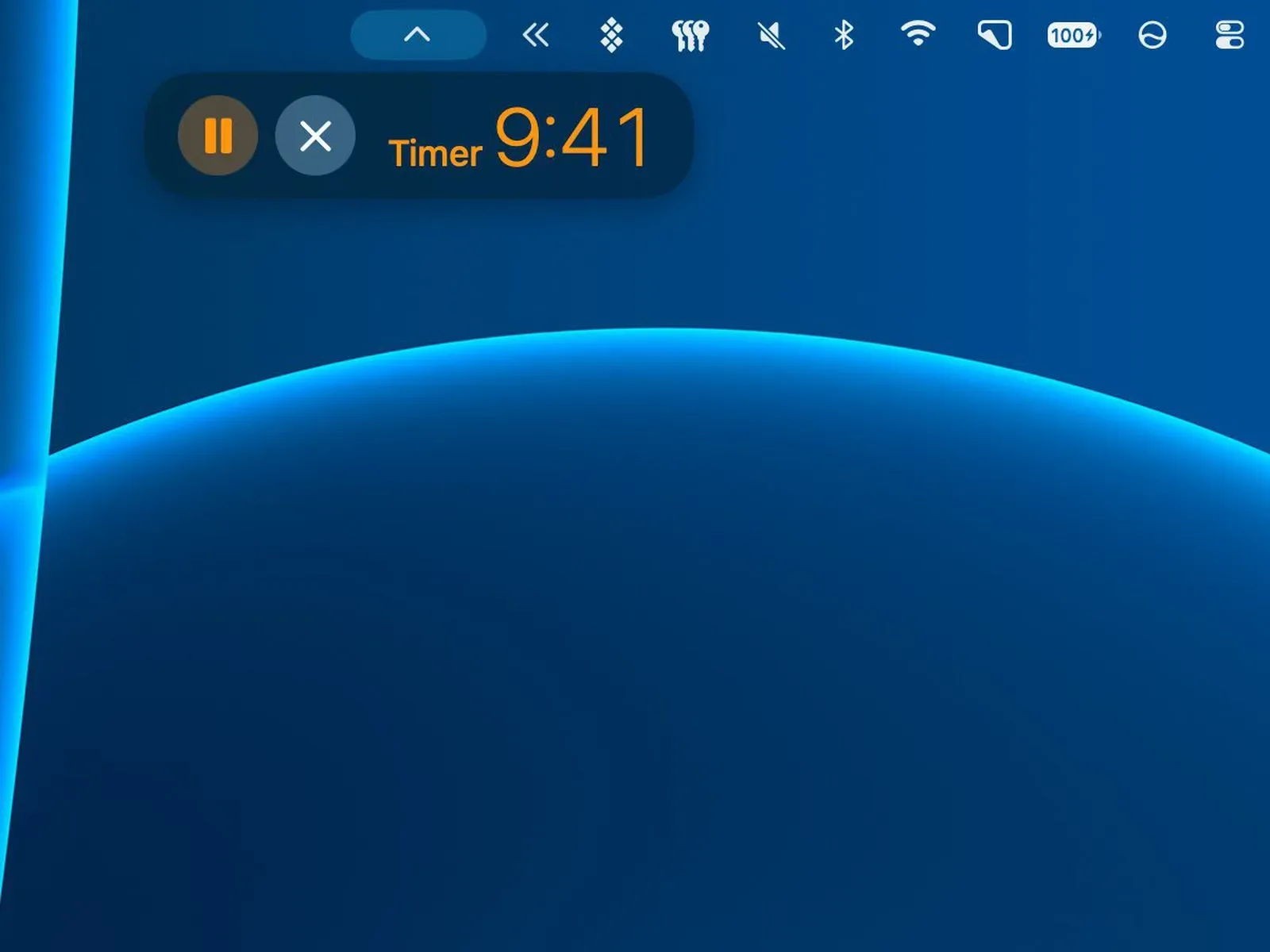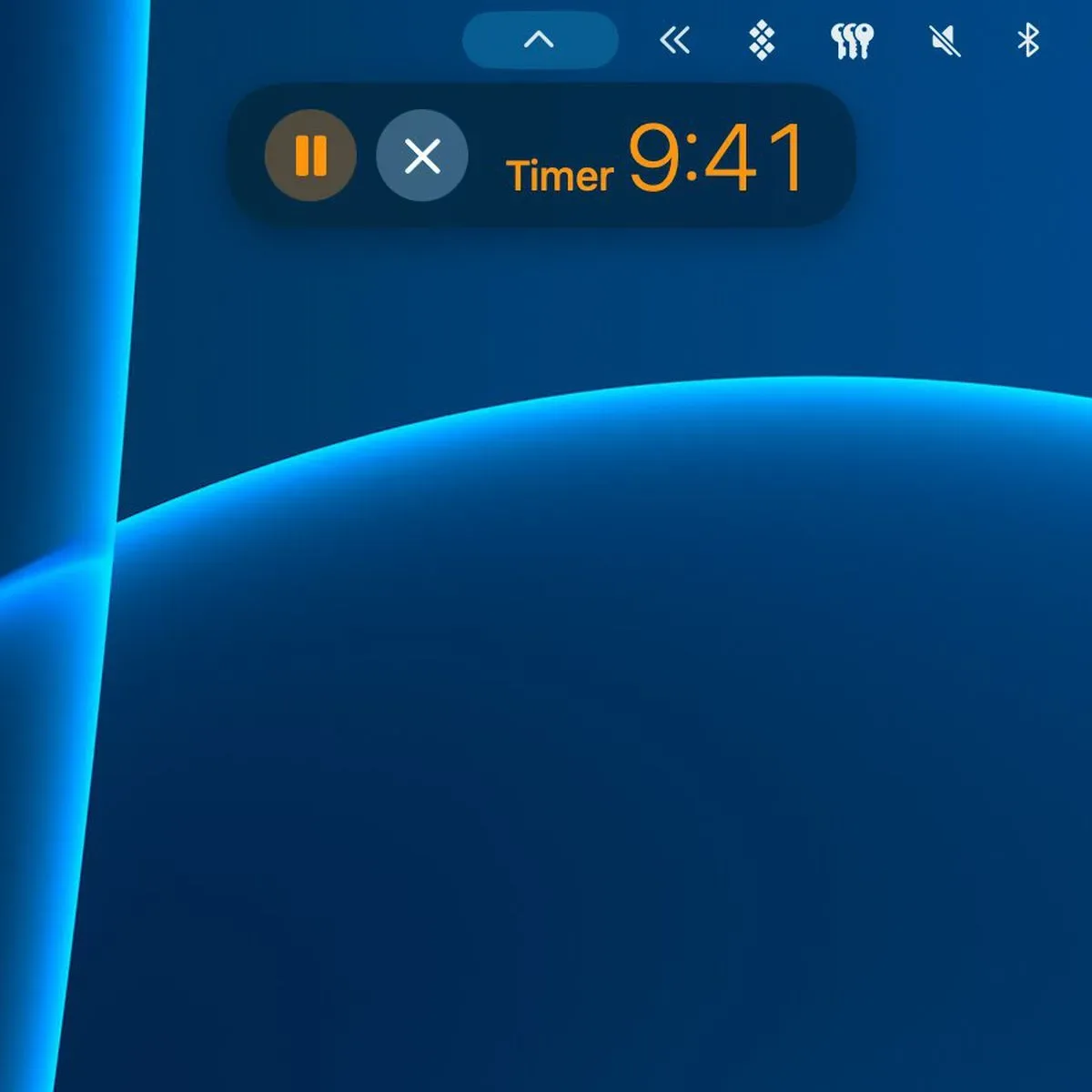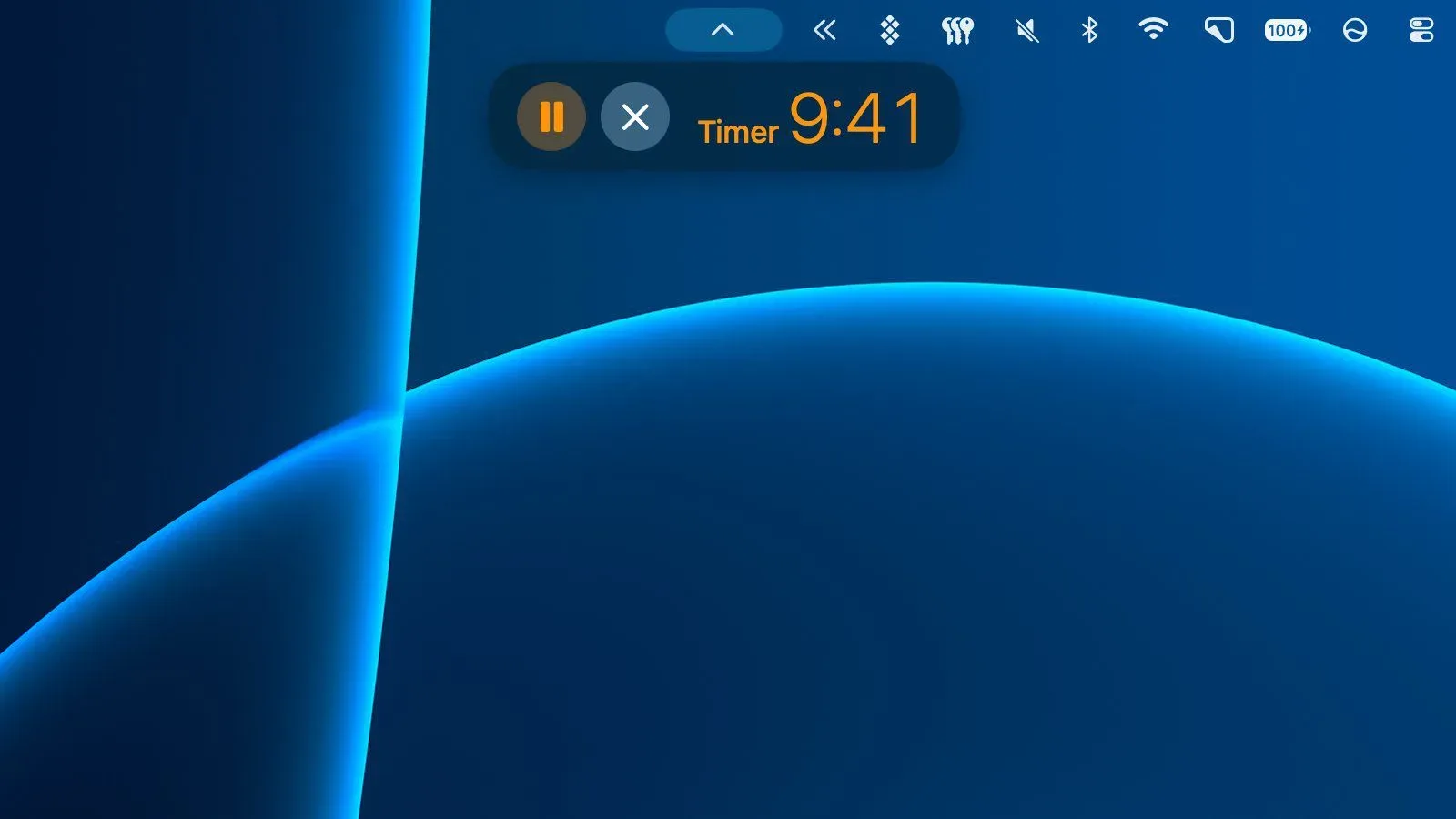
Apple silicon Macs that do not have the new touch-enabled OLED MacBook Pro display are set to gain a more direct version of Live Activities. The first macOS 27.3 developer beta enables the feature in the macOS menu bar for several built-in apps, including Apple Music, Clock and Voice Memos, as well as for screen recording.
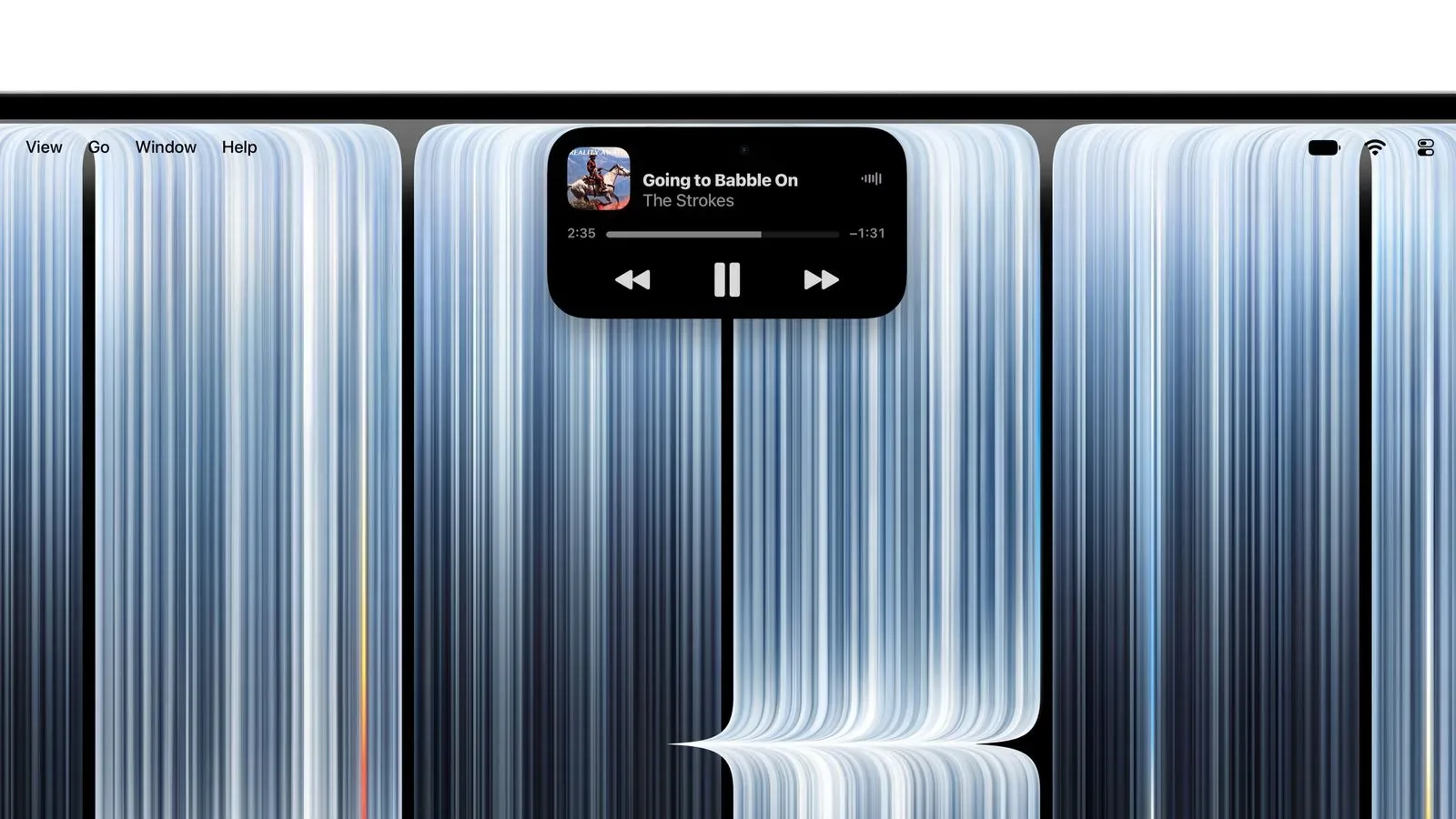
That matters because Live Activities have been closely associated with the Dynamic Island: the interactive display area on the new MacBook Pro models that replaces the familiar notch. Those new machines support Live Activities in that display hardware, but macOS 27.3 appears to spread the underlying at-a-glance status concept to other Apple silicon Macs through the menu bar.
The update is expected in December. For now, its availability is limited to the first developer beta, so the list of supported activities, the exact presentation, and the final behavior can still change before the public release.
What macOS Live Activities are doing differently
A Live Activity is a compact, continuously useful status item rather than a standard alert that appears once and disappears. The purpose is to keep timely information visible without requiring a user to open the full application. On a Mac, the menu bar is a natural location for that job: it remains on screen while someone is working in a game launcher, browsing, editing a clip or using another app.
The important distinction is between the existing iPhone-linked implementation and the new native Mac support. macOS 26 and later could already show Live Activities mirrored from an iPhone. In other words, the Mac could reflect information being supplied by a phone. macOS 27.3 adds menu-bar support for activities tied to Mac software itself, beginning with Apple’s own apps and screen recording.
That is a relatively focused change, but it makes the feature more useful for people whose work happens primarily on a Mac. A screen-recording indicator is generated by something the Mac is doing. So are playback controls in Apple Music, a running timer in Clock, or an active Voice Memos recording. These are not merely companion-device updates arriving from elsewhere.
The first supported uses
The beta specifically enables Live Activities in the menu bar for a handful of Apple apps and system functions:
- Apple Music: an ongoing playback activity, with Apple describing pausing a song as an example of a quick interaction.
- Clock: a way for time-sensitive activity from the Clock app to remain visible at a glance.
- Voice Memos: a persistent status item for an active recording-related task.
- Screen recording: a visible activity for a recording session in progress.
Screen recording is especially relevant for a gaming audience, even though this is an operating-system story rather than a game announcement. Capturing a match, a strategy demonstration, a bug, or a memorable single-player moment can involve keeping track of whether recording is still active. A compact system-level status element can reduce the need to interrupt a workflow just to check that state.
The source material does not establish support for game-specific Live Activities, third-party recording suites, streaming services, Discord, launchers, or individual games. It also does not promise that developers beyond Apple will have access to the capability in the final release. Those are reasonable areas to watch, not confirmed macOS 27.3 features.
Dynamic Island hardware is not required for the menu-bar version
The new MacBook Pro models use a touch-enabled OLED display and replace the screen notch with a Dynamic Island. Apple positions that area as a place for timely updates and quick actions. Its examples include accepting an AirDrop request or pausing music with a touch.
“With Live Activities, users can now get timely updates at a glance, and can accept an AirDrop request or pause a song with a tap of their finger,” Apple said in its material for the OLED MacBook Pro models.
For everyone else with an Apple silicon Mac, the menu bar is the key detail. The beta indicates that Live Activities are not exclusively dependent on the touch-enabled OLED panel or its Dynamic Island cutout. The experience will necessarily be shaped by the standard Mac interface rather than that specific display feature.
It is worth not overreading Apple’s touch example. The statement refers to the new touch-enabled MacBook Pro hardware. The supplied details confirm menu-bar Live Activities on other Apple silicon Macs, but do not spell out every interaction method or control layout those Macs will use. The safe takeaway is that the feature’s visibility is expanding; its precise interaction design may differ by hardware.
Why the menu bar is a sensible home
On macOS, the menu bar is already where people look for small, persistent system signals: connectivity, battery status, audio controls and application utilities. It is also a space used by capture tools, communication software and performance monitors. Placing Live Activities there keeps them within an established part of the desktop rather than asking users to learn an entirely new destination.
For music, timers, voice recording and capture status, the benefit is less about adding a major new workflow and more about shortening small checks and simple actions. A person may be working full-screen, switching between browser tabs, editing footage, or preparing something to share. When the relevant status can remain compact and close to the system controls, it is easier to verify without digging through windows.
That is also why the screen-recording inclusion stands out. Recording is often a background process until it suddenly becomes important: perhaps a user needs to stop it promptly, confirm it began, or avoid forgetting it is running. A persistent activity makes that state more legible than a one-off confirmation alone.
What this means for players and creators
There is no claim here that macOS 27.3 turns the menu bar into a gaming overlay, and it should not be treated as one. It does not confirm frame-rate readouts, game objectives, party status, achievement tracking, live-stream controls or recording quality indicators. Those would be separate features requiring their own support.
Still, native Live Activities create a potentially useful model for lightweight, ongoing Mac tasks. Apple Music controls could be convenient during non-gameplay desktop use. Clock support could help keep an eye on a timer. And the screen-recording activity is directly adjacent to the way players document clips and creators assemble material.
The practical value will depend on how much information is shown and how quickly it can be controlled in the finished release. A feature intended for “at a glance” use succeeds when it stays concise and does not make the menu bar harder to scan. The beta’s current Apple-app focus suggests a cautious beginning rather than an attempt to turn every background process into a permanent alert.
Mac users interested in game preservation and retro projects may also recognize the broader appeal of unobtrusive capture status. The ability to know a recording is running is useful whether the footage is a current competitive game or a legacy title being documented. For more retro-focused coverage, see this look at a Secret of Mana ROM hack reworked around Dragon Ball-style abilities.
What is confirmed, and what remains open
Confirmed: the first macOS 27.3 developer beta adds menu-bar Live Activities for Apple Music, Clock, Voice Memos and screen recording; the change is aimed at Apple silicon Macs beyond the Dynamic Island-equipped MacBook Pro models; and macOS 26 or newer had already supported Live Activities mirrored from an iPhone.
Not confirmed in the supplied information: a complete compatible-Mac list; which third-party apps will participate; whether developers can add their own menu-bar Live Activities; every control available in each activity; or whether the beta feature set will reach the shipping update unchanged.
That separation is important for anyone deciding whether to install a developer beta or wait. The current build demonstrates Apple’s direction, but it is not a final product promise. The expected December release is the more meaningful checkpoint for regular users, assuming the feature remains in macOS 27.3 through release.
A small interface change with wider desktop implications
Mac Live Activities have already existed in a mirrored form through the iPhone. Native menu-bar support shifts the emphasis from companion-device awareness to Mac-native task awareness. The initial uses are deliberately ordinary—music, a clock, voice recording and screen recording—but they are all activities where a concise, current state is more useful than another full app window.
For Dynamic Island MacBook Pro owners, the hardware provides the most specialized presentation. For other Apple silicon Mac users, macOS 27.3’s menu-bar implementation means they are not wholly excluded from the feature category. The difference is one of interface placement, not a complete split between Macs that can receive live status and those that cannot.
Until the update arrives, the sensible expectation is straightforward: macOS 27.3 is adding a native, menu-bar-based home for selected Live Activities, starting with Apple’s own software and screen recording. It is a quality-of-life addition with clear relevance to everyday desktop tasks, while larger questions about third-party and game-related support remain unanswered.