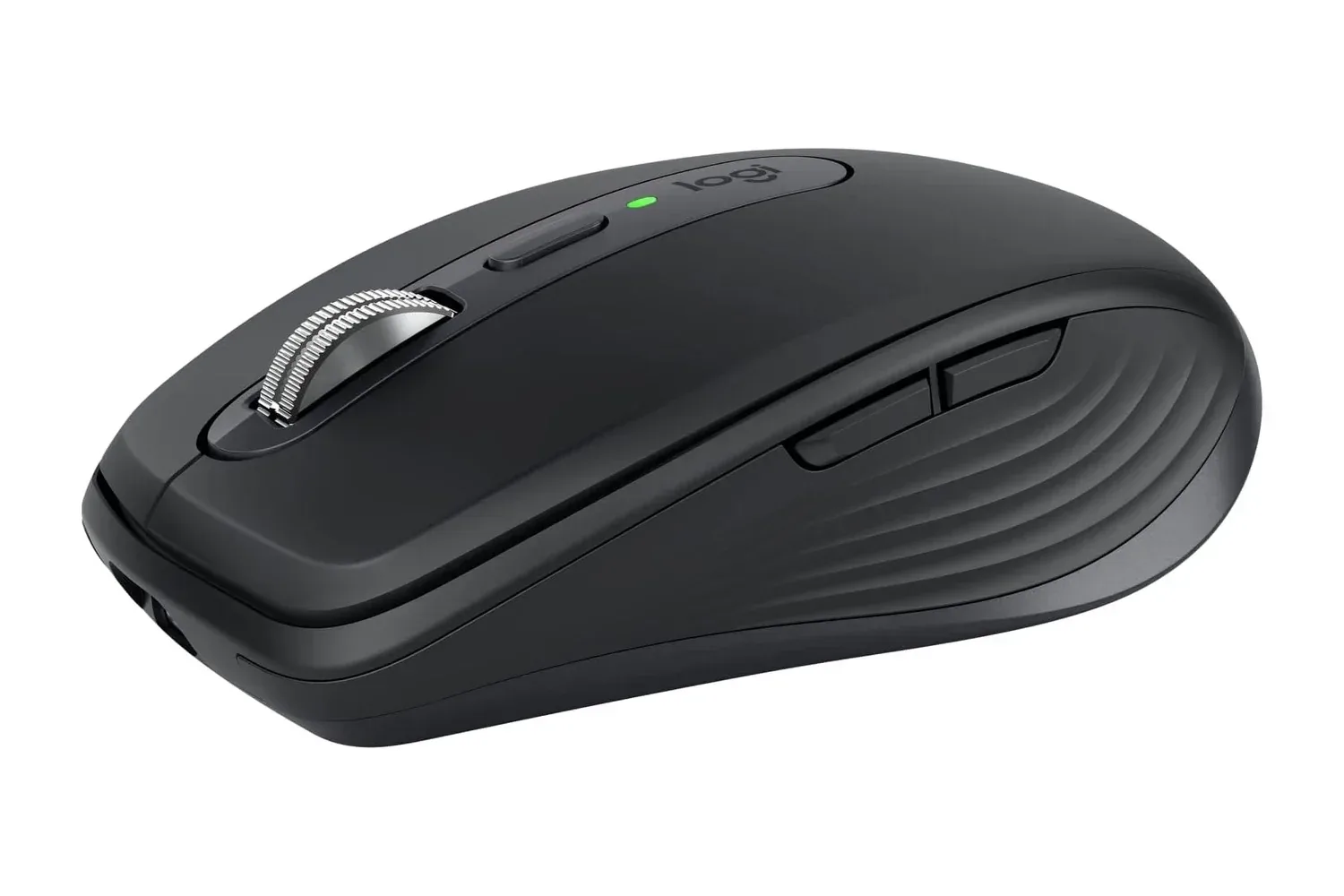
The Logitech MX Anywhere 3S Compact Wireless Mouse is listed at $70, a reduction of $20 from its stated $90 regular price. That works out to roughly 22% off for a compact Bluetooth mouse whose feature set is aimed less at competitive gaming than at portable, multi-device computer use.
At this price, the key question is not simply whether a discount exists. It is whether the MX Anywhere 3S suits the way someone actually works or plays across a laptop, desktop, tablet-sized workspace, shared office, classroom or travel setup. Its defining features are an 8,000 DPI Darkfield sensor, quiet-click buttons, Logitech’s MagSpeed electromagnetic scroll wheel, programmable controls, USB-C charging and the ability to connect to as many as three devices with Easy-Switch.
That is a deliberately productivity-first combination. The mouse is made for users who value a small footprint, low noise and rapid navigation through long documents, spreadsheets, timelines and browser pages. Those needs can overlap with gaming-adjacent PC setups, especially for players who use one desk for work, study and games, but its supplied specifications do not position it as a purpose-built gaming mouse.
What the $70 listing includes
The MX Anywhere 3S is a wireless compact mouse designed to fit in a laptop case. Logitech lists graphite and pale gray among its available colors. Its tracking hardware is an 8,000 DPI Darkfield sensor, described as working on nearly any surface, including wood, fabric and glass.
DPI, or dots per inch, is commonly used as a measure of how far a cursor moves on screen relative to physical mouse movement. A higher setting can make the cursor travel farther with less hand movement. The available information also says the setting can be adjusted through Logitech’s Logi Options+ utility, allowing users to tailor cursor speed to their screen size and workflow.
That adjustment is meaningful because maximum DPI alone does not determine whether a mouse feels comfortable. Someone using a compact laptop display may prefer a lower sensitivity for careful selection and editing, while a user moving between broad displays may want a faster setting. The practical advantage here is configurability rather than a claim that every user should run the mouse at 8,000 DPI.
Darkfield tracking is the name attached to the sensor system that lets the MX Anywhere 3S operate on challenging surfaces, including glass. For travelers or users with limited desk space, that can reduce dependence on packing a mouse pad. It may be especially useful in temporary work locations where a conventional desk surface is not guaranteed.
Scroll speed and quiet controls are the central quality-of-life features
Logitech’s MagSpeed electromagnetic wheel is rated to move through 1,000 lines per second. It can shift between controlled, line-by-line scrolling and rapid free-spin scrolling. In plain terms, that gives the scroll wheel two distinct jobs: precise movement for reading or selecting content, and fast movement when navigating a lengthy document or dense page.
Related coverage includes Logitech MX Anywhere 3S Falls to $70 in Pre-Black Friday Mouse Deal.
The benefit is easy to understand for users who routinely jump around large spreadsheets, source files, research documents or long web pages. A wheel that can quickly cover distance without abandoning fine control is more useful in those scenarios than a basic single-mode scroll wheel. It is also one of the specifications that separates the MX Anywhere 3S from an inexpensive travel mouse primarily intended for occasional use.
The buttons use quiet-click technology. The aim is to retain button feedback while reducing overall click noise, which matters most in libraries, classrooms, shared offices and other spaces where repeated mouse clicks can become a small but persistent annoyance. Silent controls are not a performance specification, but they are a meaningful comfort feature for buyers who spend much of the day around other people.
Easy-Switch and Flow address multi-computer setups
Easy-Switch lets the MX Anywhere 3S link with up to three computing devices and change between them with a click. This can be useful for a person who divides time between, for example, a personal laptop, work computer and another compatible machine. Rather than pairing a separate mouse for each device, the feature is intended to consolidate that role into one peripheral.
The mouse is also compatible with Logitech Flow. Flow is a Logitech feature for moving the mouse cursor and copying and pasting information across two or more connected computers. Its utility depends on having multiple compatible computers in the first place, so it should be viewed as a workflow convenience rather than a universal reason to buy the device.
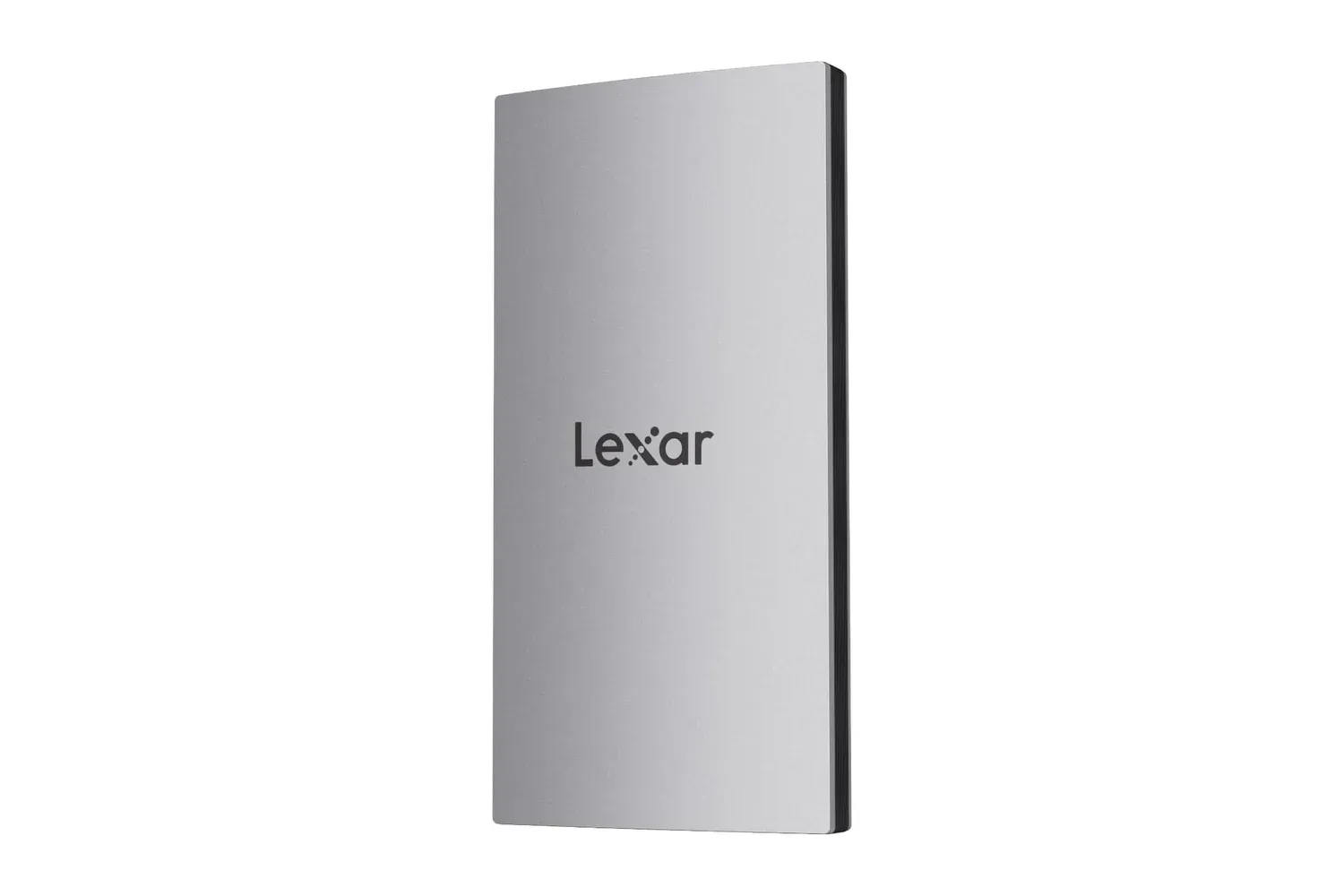
There is a broader desk-setup angle here. Portable storage can complement the same kind of multi-device routine; users comparing accessories can also look at the Lexar ES3 portable SSD listing for a separate travel-oriented PC accessory. The two products serve very different purposes, but both are relevant to people trying to keep a laptop-based workstation flexible without taking up much space.
Battery claims and USB-C charging
Logitech states that the MX Anywhere 3S can last up to 70 days on one charge. As with any battery estimate, “up to” indicates a best-case claim rather than a promise that every use pattern will produce the same result. Frequent use and individual settings can affect real-world charging intervals, but the stated figure suggests the mouse is intended to go for extended periods without regular cable use.
When a recharge is needed, the mouse uses USB-C. Logitech says about one minute of charging can provide up to three hours of use. That quick-charge claim is particularly relevant to travel: a short connection before leaving home or between meetings may be more valuable than waiting for a complete charge.
USB-C also fits naturally into contemporary laptop travel kits, where users may already carry a compatible charging cable. Still, buyers should confirm their own cable and charging arrangements rather than assuming every accessory package or existing cable setup will be identical.
Who should consider it, and who should look closer
The listed specifications make the MX Anywhere 3S a straightforward fit for remote workers, students and frequent travelers who want a more capable pointer device than a basic compact mouse. Its small size, surface flexibility, quiet buttons and long stated battery life all support that use case. Programmable buttons in Logi Options+ add another layer for people who want keyboard commands or app-specific actions assigned to the mouse.
It may also make sense for users with restricted work areas: a dorm desk, café table, hotel room workspace or compact home office. The ability to track on varied surfaces and switch between several devices is more immediately valuable in those situations than it would be at a permanent, single-PC desk with a large mouse pad.
On the other hand, buyers looking primarily for a gaming mouse should consider what is and is not established by the available information. The MX Anywhere 3S offers high-DPI tracking and button customization, but the supplied details focus on travel, office work, quiet operation and multi-device productivity. They do not establish gaming-specific performance characteristics. Its compact shape may be ideal for portability, yet personal hand size and grip preference remain important considerations that cannot be resolved by a specification list alone.
The practical value of the discount
At $70 rather than $90, the MX Anywhere 3S costs $20 less than its stated regular price. The discount makes the most sense for shoppers who will use several of its premium convenience features rather than only one. A person who needs a basic mouse for a stationary computer may not need an 8,000 DPI sensor that works on glass, rapid scrolling, low-noise clicks, three-device switching and software-based button assignments.
For a laptop user who changes locations and devices often, however, those elements stack together: the compact body travels easily, Darkfield tracking can reduce surface concerns, MagSpeed handles long content, quiet buttons are considerate in public places, Easy-Switch reduces peripheral clutter and USB-C quick charging limits downtime.
The listing therefore presents the MX Anywhere 3S as a portable productivity mouse with a notably broad set of convenience features at $70. Buyers should verify the current price and compatibility details at checkout, since retail listings and availability can change.
Shop the products
Check current price, model and availability at the retailer.