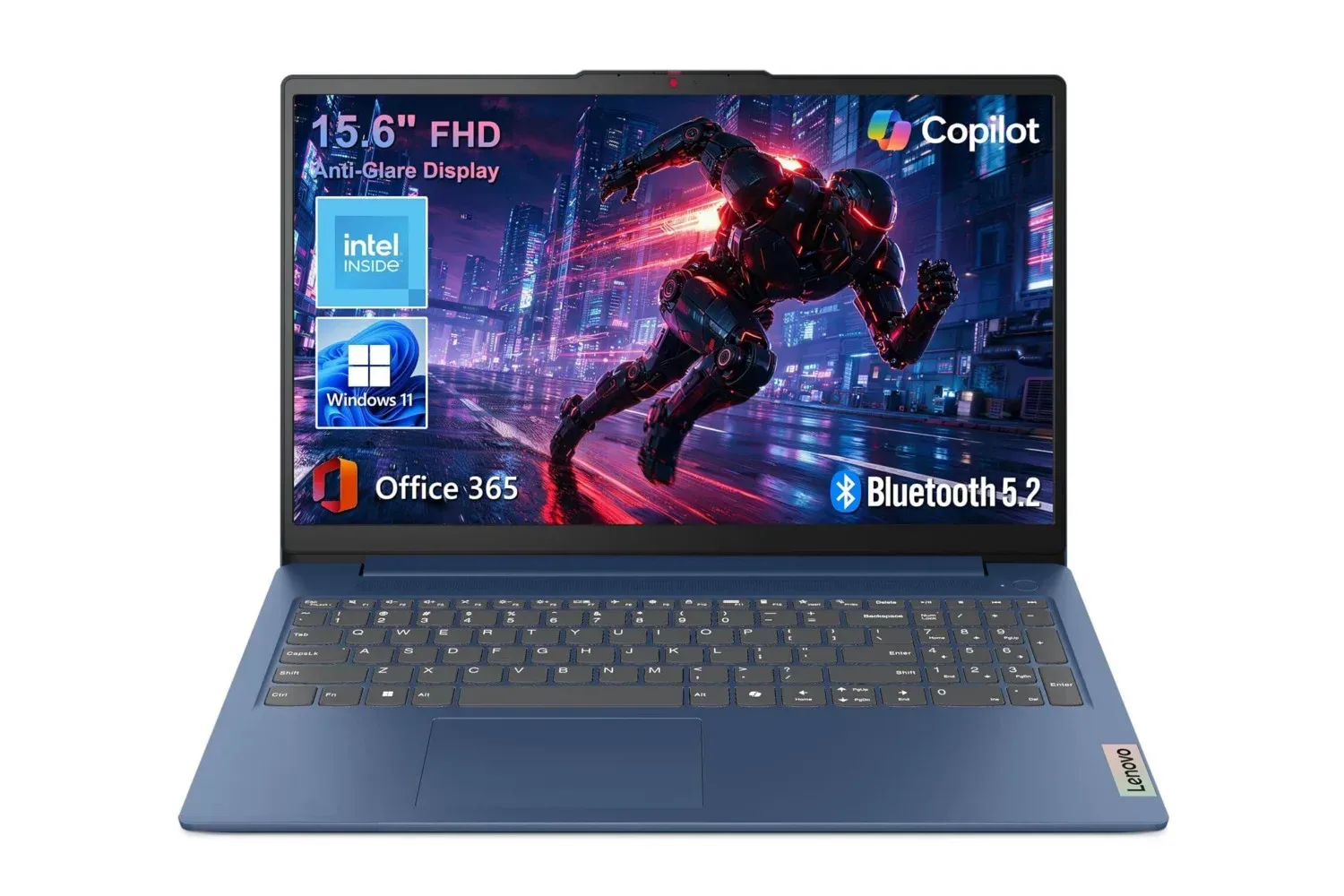
The Lenovo IdeaPad Slim 3 configuration with 8GB of memory and 128GB of storage is listed at $430, a $270 reduction from its stated $700 regular price. That works out to a 39% discount, placing a full-size Windows laptop with a 15.6-inch Full HD screen, Microsoft 365 Personal and a broad set of physical ports below the $500 mark.
On the information available, this is a laptop aimed at routine computing rather than demanding workloads. The listed use cases are school assignments, office documents, streaming, video calls and modest multitasking. Those are practical priorities for someone replacing an aging household machine, equipping a student, or wanting a larger-screen alternative to working entirely on a phone or tablet.
There is an important limit to the deal description: it does not identify the processor, storage type, battery expectations, graphics hardware, refresh rate or the terms of the included Microsoft 365 Personal access. That means the price is notable, but it is not enough by itself to establish how the machine will perform in a particular game, creative application or heavy professional workflow. Prospective buyers should verify the retailer listing’s exact model number and specifications before treating it as a fit for those jobs.
A 15.6-inch everyday-work setup
The IdeaPad Slim 3 has a 15.6-inch Full HD display. Full HD generally refers to a 1920-by-1080-pixel resolution, which gives common productivity applications adequate room for documents, browser windows, slides and video without the cramped feeling associated with many smaller portable screens.
The panel uses IPS technology and is described with an 88% active-area ratio. IPS, short for in-plane switching, is a display-panel type commonly associated with viewing angles that hold up better when a person is not directly in front of the screen. The active-area figure refers to how much of the laptop’s front is taken up by usable display rather than surrounding bezel. In plain terms, Lenovo’s design allocates a comparatively large portion of the lid to the screen.
Those characteristics matter more to general use than they might sound. A bigger panel can make side-by-side work easier: a research page next to a draft, an email window beside a spreadsheet, or a video call occupying one section while notes remain visible. It also makes streaming more comfortable than on a compact laptop. None of that turns the machine into a specialist workstation, but it aligns with the stated focus on everyday tasks.
The supplied details do not make claims about color accuracy, brightness or high-refresh gaming performance. Buyers whose work relies on color-critical imagery, or who are shopping specifically for fast-moving competitive games, should not assume those capabilities from the IPS and Full HD labels alone.
What 8GB of RAM means here
The advertised model has 8GB of RAM, or random-access memory. RAM is the short-term workspace the operating system and active applications use while the laptop is running. More available memory can help when several browser tabs, a word processor, chat software and a call are all open together.
For the uses identified with this IdeaPad Slim 3, 8GB is positioned as enough for routine work and some multitasking. Writing assignments, managing office files, watching video and participating in calls are all within the intended lane. It is less reassuring for people who habitually keep very large numbers of tabs open, edit high-resolution media, work with large datasets, run virtual machines or expect to play recent PC games at demanding settings.
The 128GB storage capacity deserves just as much attention. Storage is the long-term space for Windows, installed software, downloaded files and personal media; it is separate from RAM. A 128GB drive can be workable for a tightly managed school or office system, particularly when files are kept elsewhere, but it can fill quickly after the operating system, updates, applications and media are accounted for. The details provided do not say whether storage can be expanded, so that is another specification worth confirming before purchase.
For a buyer who needs a computer primarily for browser-based services, documents and a controlled number of local files, the trade-off may be reasonable at this price. For someone expecting a large locally installed game library or substantial video and photo archives, 128GB is likely to be the first constraint.
Ports offer flexibility for a desk or classroom
The laptop’s connectivity is a substantial part of its practical appeal. Its listed ports include USB-C with Power Delivery and DisplayPort support, two USB-A ports, HDMI 1.4, an SD card reader and a 3.5mm audio jack.
USB-C is the compact reversible connector now found on many newer accessories. Power Delivery means the port can support power-related functions, while DisplayPort support means it can potentially carry video to a compatible display or adapter. The exact capability of a particular cable, adapter or monitor still matters, but the presence of these functions broadens connection options beyond a basic data-only USB-C port.
The two USB-A ports remain useful for established peripherals such as wired mice, keyboards, flash drives and some wireless receiver dongles. HDMI 1.4 provides a direct path to many TVs and monitors, an especially useful option for a dorm desk, home-office display or presentation setup. The SD card reader can simplify transfers from devices that use SD media, and the audio jack keeps wired headphones and headsets straightforward.
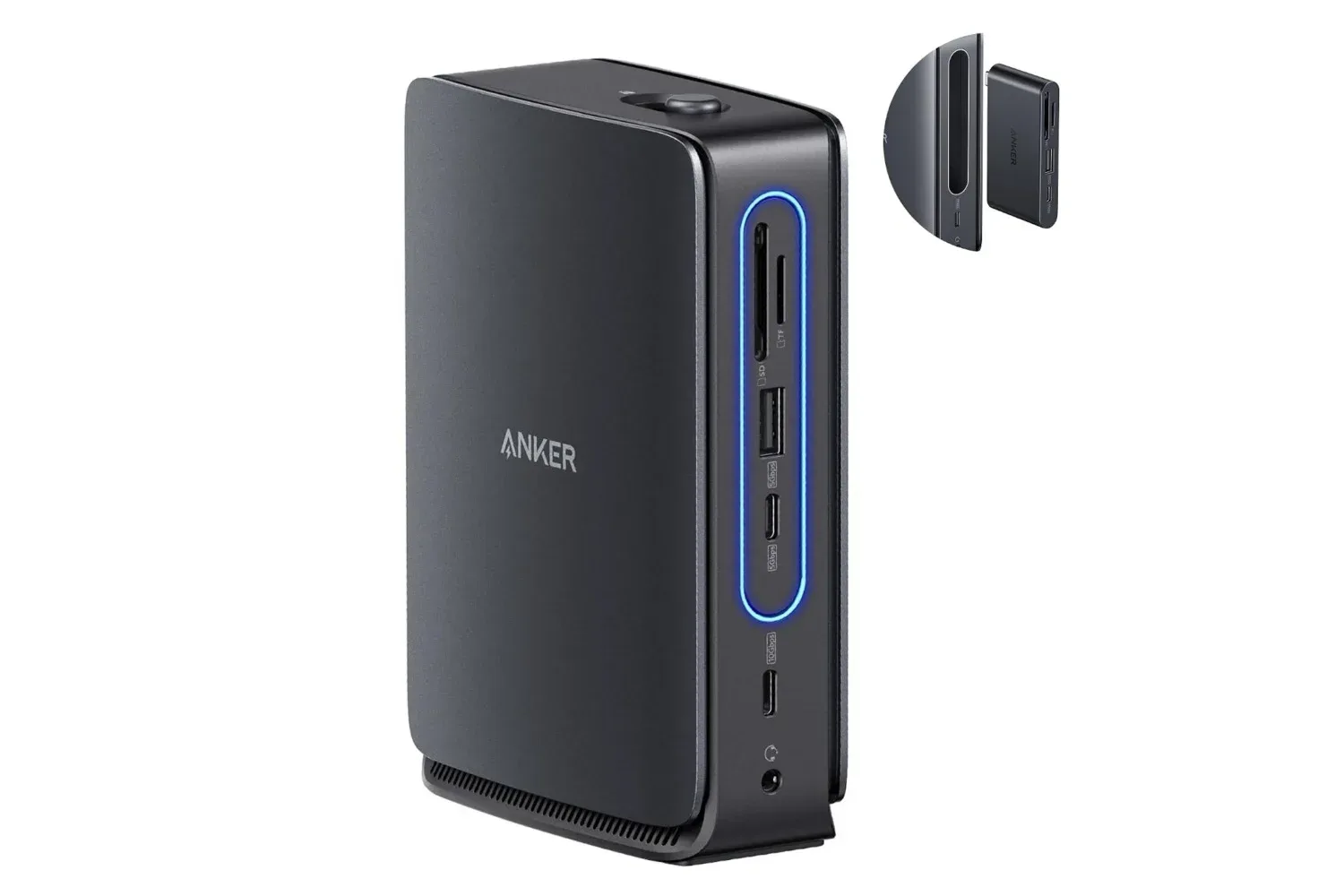
A laptop’s port selection is easy to overlook during a sale, yet it can affect how much extra hardware a buyer needs later. Anyone planning a more elaborate desk setup may also want to consider a dock; a recent 13-in-1 dock option with detachable travel hub support illustrates the kind of expansion hardware available for USB-C-equipped systems. Compatibility and display limits should always be checked against the exact laptop configuration before buying accessories.
Calls, sound and included software
For remote classes and routine meetings, the IdeaPad Slim 3 includes a 720p webcam and dual microphones. A 720p camera is a standard basic video-call specification rather than a premium imaging feature, but it meets the core need of joining a meeting without an external webcam. The dual microphones are intended to capture a speaker’s voice for the person on the other end of the call.
The machine also has Dolby Audio speakers. That branding indicates an audio feature set intended to support clearer sound playback, but it should not be read as a substitute for dedicated speakers or headphones where room-filling volume, isolation or more detailed sound is required. For lectures, streaming and everyday calls, integrated audio is the convenience feature; for shared spaces and focused listening, the audio jack provides a wired alternative.
Windows 11 Home comes pre-installed, so the system is presented as ready to set up without separately purchasing the operating system. Microsoft 365 Personal is also included and provides access to Word, Excel, PowerPoint and Outlook. That bundle is directly relevant to the laptop’s target audience: Word covers written work, Excel handles spreadsheets, PowerPoint is used for presentations, and Outlook combines email and calendar functions.
The practical question is not merely whether these applications are included, but what the included Microsoft 365 Personal entitlement covers and for how long. The available information does not state that detail. Since software access can materially affect total cost, buyers should read the offer terms closely rather than assume a particular subscription duration or renewal arrangement.
Who should consider the $430 listing—and who should pause
The reported $430 price makes the IdeaPad Slim 3 most compelling for buyers who value a large everyday screen, conventional ports and productivity software more than maximum storage or high-end performance. Students working on essays and slides, people handling email and web applications, and households wanting a general-purpose Windows machine are the clearest matches for the supplied specifications.
- Good fit: document work, web research, streaming, basic video calls and ordinary multitasking.
- Worth verifying first: the processor, exact model number, Microsoft 365 terms, storage expansion options and current retailer price.
- Potential mismatch: large game installations, demanding modern games, intensive media creation, extensive local file libraries or advanced professional workloads.
The listing’s $270 reduction is described as limited-time, so it should be treated as a price snapshot rather than a permanent price. The configuration’s strengths are clear enough for basic computing: an expansive Full HD IPS display, 8GB of RAM, useful connectivity, Windows 11 Home and Microsoft 365 Personal. Its compromises are equally important: 128GB is a modest amount of storage, and key performance information is absent from the available details.
For buyers whose expectations match the stated school, office and streaming role, the discount brings a well-equipped everyday laptop into a more accessible range. Anyone with heavier needs should make the purchase decision only after confirming the missing technical details, rather than letting the percentage discount define the value on its own.
Shop the products
Check current price, model and availability at the retailer.