Storage upgrades are rarely glamorous until a game library starts demanding eviction notices. One minute there is plenty of room for a few sprawling RPGs, a multiplayer regular, screenshots, clips, and the “I will absolutely get back to this” backlog. The next, the storage meter is a red bar delivering the most intimidating boss encounter in PC gaming: deciding what to uninstall.
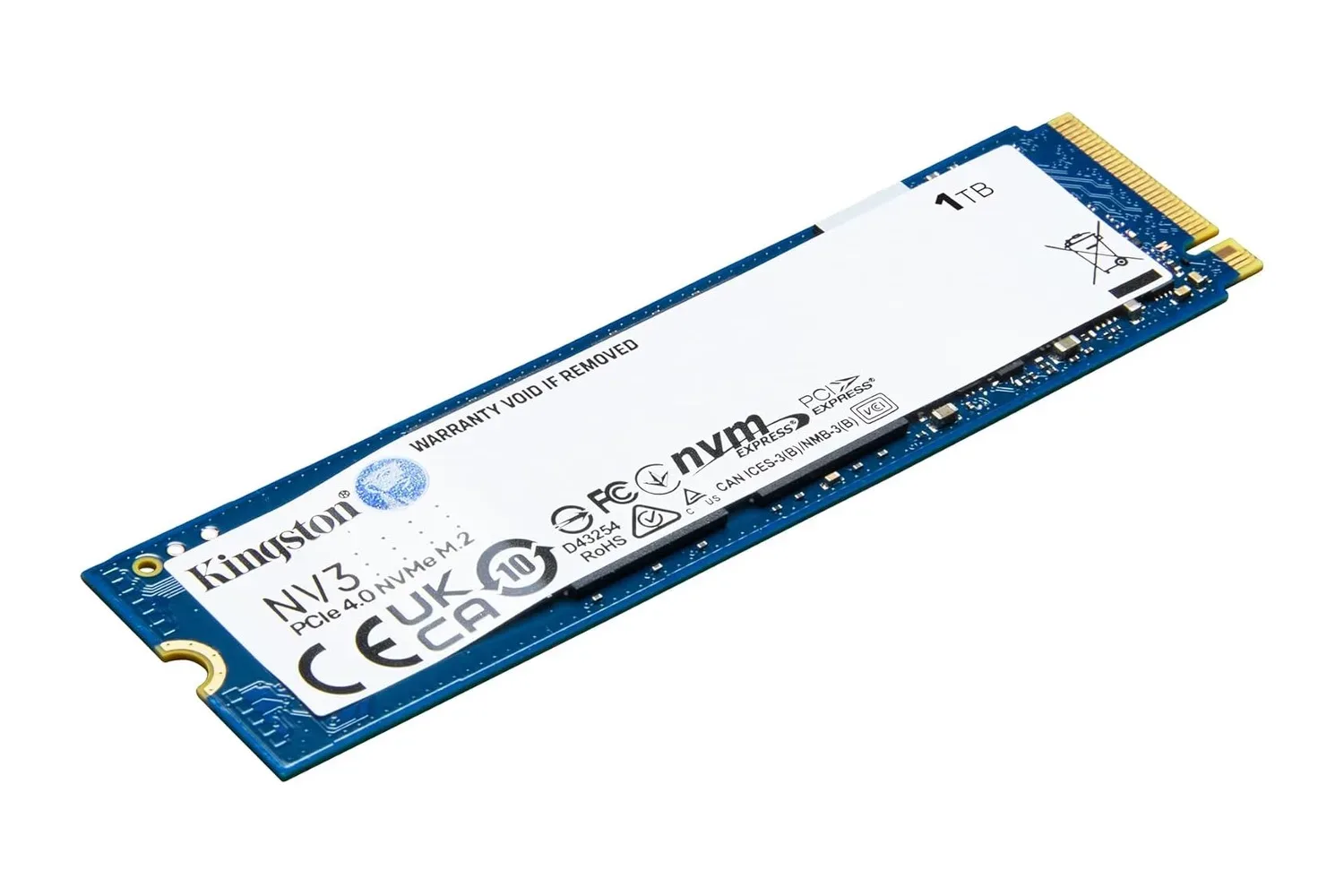
Kingston’s NV3 1TB M.2 2280 NVMe SSD is built for that kind of practical rescue mission, particularly in laptops and compact desktops where drive thickness can matter just as much as capacity. It was listed at $157, against a stated usual price of $216. That is a $59 reduction, or roughly 27% off. As with any retailer pricing, shoppers should verify the listing, seller, compatibility details, and current price before purchasing; a deal report is a snapshot, not a promise that the checkout screen will preserve it.
A single-sided SSD for machines with no room to spare
The standout detail on the 1TB NV3 is its single-sided construction. All of its components sit on one side of the M.2 board, rather than occupying both faces. That may sound like an engineering footnote, but it can decide whether an upgrade fits in a thin notebook, a mini-PC, or another small-form-factor system.
Some M.2 slots sit very close to a motherboard shield, laptop chassis, or outer case. A double-sided drive can run into clearance problems in those cramped layouts. The NV3’s layout is intended to avoid that issue, giving prospective upgraders a potentially better match for hardware that cannot accommodate a thicker module. The drive measures 3.8mm thick and weighs 6.6 grams, specifications that underline its portable-PC focus.
That does not remove the need for homework. “M.2” describes the physical format, not every feature required for compatibility. Before buying, PC owners should check that their system accepts an M.2 2280 drive, supports NVMe rather than only SATA through its M.2 slot, and has the appropriate PCIe connection. A desktop motherboard manual or laptop service documentation is considerably less exciting than downloading a fresh game, but it is the better place to start.
- Form factor: M.2 2280
- Interface: PCIe 4.0
- Design: single-sided
- Capacity: 1TB
- Thickness: 3.8mm
- Weight: 6.6 grams
What the quoted performance figures mean
Kingston rates the NV3’s sequential read performance at up to 6,000 MB/s and sequential writes at up to 4,000 MB/s, driven by a PCIe Gen 4x4 NVMe controller. Those are sequential figures, which are useful for understanding large, continuous transfers but should not be read as a universal guarantee for every task. Actual results can depend on the host system, remaining free capacity, thermal conditions, file sizes, firmware, and the nature of the workload.
Still, the basic generational jump matters. Moving games or media from an older SATA hard drive or SATA SSD to a current NVMe drive can make routine file work feel far less like watching a loading bar develop a personality. Windows startup, application launches, game installation, patching, and copying large files can all benefit from faster storage, although the exact improvement varies between systems and software.
For gaming, a faster drive is not a magic frame-rate potion. It will not transform a CPU-bound game into a high-frame-rate showcase, and it cannot repair a graphics card that is struggling. Its role is more grounded: storage can shorten some loading and transfer tasks, make installing a large library less of a chore, and leave room for several substantial modern releases at once. That is a meaningful quality-of-life change, even if it does not make every loading screen vanish into the void.
Related coverage includes Kingston NV3 1TB NVMe SSD Falls to $157 in Storage Deal.
PC players looking for more game recommendations to fill that newly available space can also browse our latest indie PC game roundup. Just remember that discovering interesting games and maintaining free storage are opposing forces in the eternal campaign against the download folder.
Power and heat are part of the upgrade equation
Kingston also positions the NV3 around power efficiency. In notebooks, lower drive power use can reduce heat and help preserve battery life, two considerations that become more noticeable when a machine is used away from a charger. Compact systems also have less room to disperse heat, so choosing parts suited to that environment is sensible.
That said, buyers should distinguish a drive’s design goals from a guarantee about their whole system. Battery runtime depends on the display, processor, graphics workload, wireless connections, software activity, power profile, and plenty of other variables. Likewise, a slim SSD is not an excuse to ignore cooling arrangements or manufacturer guidance. Laptop owners in particular should be careful about whether a heatsink is supported; a heatsink that looks reassuring on a product page may be exactly the extra height a tightly built laptop cannot accept.
Endurance, warranty, and the less flashy specs that matter later
The NV3 1TB carries a three-year limited warranty, a 320 TBW endurance rating, and a stated mean time between failures figure of two million hours. TBW, short for terabytes written, is the figure most useful for putting endurance into practical context. It estimates the amount of data that can be written to the drive within its rating parameters, rather than the amount that can merely be read from it.
At 320 TBW, the published comparison works out to roughly 175GB written every day for three years before reaching that total. Typical everyday gaming, web use, schoolwork, and general productivity may fall well below such a sustained write volume. Heavy video production, extensive scratch-disk work, virtual machines, local AI workloads, or unusually frequent large-file rewrites can tell a different story, so those users should calculate around their own habits rather than assume every 1TB drive serves every workload equally.
The two-million-hour MTBF specification should not be interpreted as an individual drive expected to run for two million hours. It is a reliability statistic used across populations of devices. More importantly, neither an endurance rating nor an MTBF figure replaces backups. A new SSD can be quick, compact, and highly rated while still being a single piece of hardware that might fail, be accidentally erased, or be lost alongside the machine it lives in.
Migration tools can make the switch less intimidating
For owners replacing an existing boot drive, Kingston includes Acronis True Image as a download for cloning the old drive. Cloning can copy an operating system, installed programs, and files to the new SSD, potentially avoiding a full Windows installation and the lengthy ritual of recovering every app login and game launcher. It can be convenient, but it is still worth making a separate backup of important files before attempting the move.
Kingston SSD Manager is also available for monitoring drive health and applying firmware updates where needed. These utility tools are useful additions, although they should be treated as maintenance aids rather than replacements for a backup plan or careful compatibility check.
Who should consider the 1TB NV3?
The 1TB model makes the strongest case for someone who needs a physically slim NVMe upgrade, wants PCIe 4.0-class sequential performance, and has a system where a single-sided 2280 drive is the safer fit. It is particularly relevant to owners of thin laptops and mini-PCs that are out of storage but do not have much internal clearance to spare.
Kingston’s NV3 family is also offered in capacities from 500GB to 4TB. The right size depends less on abstract future-proofing than on the actual library and workload. A 500GB option may work for a secondary drive or lighter use. One terabyte offers a more comfortable middle ground for an operating system and a curated game rotation. Larger capacities are worth considering for people who keep many large games installed, maintain sizeable media libraries, or prefer not to repeat the upgrade process soon.
The listed $157 price made this 1TB NV3 notable, but the hardware fit should remain the deciding factor. Verify the slot, confirm NVMe and 2280 support, check clearance requirements, and back up data before the swap. Do that, and this small single-sided stick can be a tidy answer to one of gaming’s most predictable problems: there is always one more game that needs space.
Shop the products
Check current price, model and availability at the retailer.