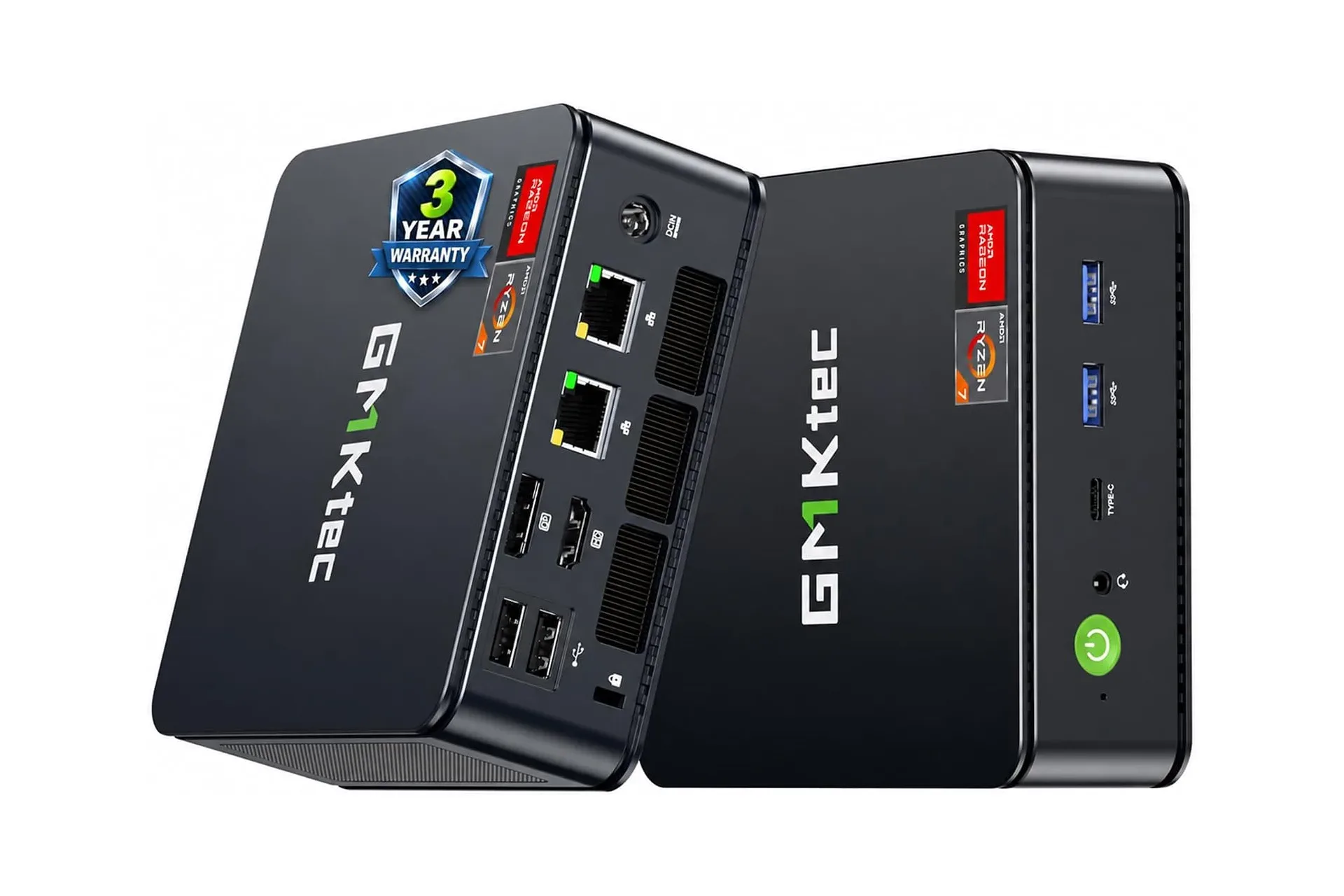
A desktop PC does not have to occupy the same amount of desk real estate as a modest aquarium. The GMKtec M5 Ultra Gaming Mini PC is currently listed at $420, a $140 reduction from its stated $560 regular price. That is a 25% discount, and it puts the compact system’s core appeal into sharper focus: a small, self-contained computer for people who already own, or intend to choose, their own display and peripherals.
The M5 Ultra is not a substitute for every kind of gaming tower, and its “gaming” label should be read alongside the hardware inside rather than treated as a magical frame-rate spell. It uses an AMD Ryzen 7 7730U processor with integrated Radeon graphics, rather than a separately installed desktop graphics card. But on the supplied specifications, it has a flexible mix of processing power, memory expansion, storage expansion and multi-monitor connectivity that could make it a practical fit for a compact workstation, home desk or living-room PC arrangement.
The price drop, with the important asterisk
The listed price is $420 versus $560, for a stated saving of $140. Sales can be temporary, and product listings, configurations and final checkout prices can change. Anyone considering the machine should confirm the model, installed memory and storage, and the actual price before ordering. Those details matter especially with mini PCs, where similarly named configurations may not necessarily contain identical components.
At this price, the central buying question is not whether the machine is physically tiny—its category has that part covered—but whether its component balance matches the work you want to do. The initial configuration includes 16GB of RAM and a 256GB PCIe solid-state drive. The processor is an eight-core, 16-thread Ryzen 7 7730U, specified at a 2.00GHz base frequency and up to 4.50GHz in the BIOS performance mode.
What the Ryzen 7 7730U specification tells us
Eight cores and 16 threads refers to the processor’s ability to divide work across multiple execution paths. A core is a physical processing unit; a thread is a logical work stream the processor can handle. In practical terms, more threads can be useful when several tasks are competing for attention: a browser full of tabs, a voice chat client, a game launcher, file transfers and a creative application all demanding their slice of the tiny silicon pie.
The stated 2.00GHz base clock and up-to-4.50GHz boost clock describe two operating points, not a guarantee that the chip will run at its maximum frequency all the time. The higher figure is available through performance mode in the BIOS settings. BIOS is the low-level firmware used to configure and initialize the system before the operating system takes over. A performance-oriented setting may allow the machine to pursue higher clocks, but sustained behavior is affected by workload and the compact system’s cooling and power limits. That is a general consequence of fitting capable laptop-class components into a much smaller chassis, not a deficiency unique to this model.
GMKtec positions the processor as delivering roughly 35% better performance than several listed AMD alternatives: the Ryzen 5 7430U and Ryzen 7 5700U, 5600U, 5560U and 5500U. That is a manufacturer performance comparison, so prospective buyers should treat it as a broad positioning claim rather than as a universal result for every application. Performance varies substantially based on the task, software settings, memory configuration and thermal conditions.
Integrated Radeon graphics: capable, but not a discrete GPU
The M5 Ultra uses integrated AMD Radeon graphics described as an eight-core, 2000MHz GPU. An integrated GPU is graphics hardware built into the same processor package rather than a standalone graphics card with its own dedicated board. This design is a major reason small PCs can remain compact and comparatively affordable, while also creating a realistic limit on what buyers should expect from demanding visual workloads.
Related coverage includes GMKtec M5 Ultra Mini PC Drops to $420 With Ryzen 7 Power and Triple 4K Display Support.
For ordinary desktop use and complex design software, the supplied specification positions the graphics solution as a meaningful part of the package. For games, the sensible approach is to check each title’s requirements and distinguish between merely running a game and reaching a preferred resolution, detail level and frame rate. The source material does not provide game benchmarks, tested settings or claims for particular titles, so there is no evidence here to promise performance in a specific game.
That distinction is useful because “4K support” can describe display output capability, while 4K game rendering is a separate and much more demanding workload. The M5 Ultra can output up to three displays at 4K and 60Hz through its available video connections; that does not by itself establish how a particular game will perform when rendered at 4K. It does, however, make the device potentially interesting for productivity layouts where multiple screens are more important than turning every game setting to maximum.
For more PC-focused coverage around the wider industry, readers can also follow the changing business pressures around game development.
Memory and storage: solid starting point, clear upgrade path
The configured 16GB of RAM is the system’s working memory: the space used by applications and the operating system while they are active. RAM is not long-term file storage, but it has a direct role in how comfortably a computer can juggle tasks. The M5 Ultra supports up to 64GB of RAM, giving owners room to expand if their workload becomes more demanding.
Its 256GB PCIe SSD handles long-term storage. A PCIe SSD is a solid-state drive that communicates over a high-speed connection; unlike a mechanical hard drive, it has no spinning disk. While 256GB can suit an operating system and a restrained software library, storage can fill quickly with large games, creative projects and media files. The more notable specification is the expansion ceiling: two slots can support two 2TB SSDs, for up to 4TB total storage.
This is one of the strongest practical arguments for a mini PC that permits upgrades. It lets someone start with the included configuration and make a targeted change later, rather than replacing an entire machine simply because their library has grown. Of course, buyers should verify compatible drive formats and installation requirements before purchasing extra parts; the provided details establish the dual-slot capacity, but do not describe every compatibility detail.
Three display outputs could shape the whole setup
GMKtec lists three paths for video and audio output: HDMI, DisplayPort and USB Type-C. Used together, they can connect as many as three displays simultaneously. Each is specified for resolutions up to 4K at 60Hz.
That flexibility changes the role a mini PC can play. A single-screen owner may connect a television or monitor and leave the computer tucked out of sight. A desk-focused user could instead build a multi-display workspace with a main screen, a communication or reference display, and another panel for documentation or monitoring. The important caveat is that monitors and cables must support the desired modes, and the source material does not identify bundled cables or displays.
60Hz means a display can refresh its image up to 60 times per second at the stated 4K output mode. For video playback, office work and general use, that is a familiar target. It is not a declaration that every workload will produce 60 frames per second at 4K. The former concerns the display connection’s output specification; the latter depends on what the system is being asked to render.
Why a mini PC may make sense—and when it may not
Mini PCs commonly rely on laptop-derived components. By omitting a built-in screen, keyboard, battery and hinge, they allow the buyer to pair the computer with hardware they already own or select individually. That can be especially appealing for people who have a good monitor and keyboard, or who prefer to customize those choices instead of accepting an all-in-one laptop arrangement.
The trade-off is equally straightforward: the $420 system price is not necessarily the total cost of a usable first-time setup. A display, keyboard and mouse are needed if they are not already on hand. Buyers should also assess their intended storage needs, because the included 256GB SSD may be enough for some uses but constraining for a larger game library.
The M5 Ultra’s appeal is therefore less about claiming it can do everything a large desktop can do, and more about combining a Ryzen 7 7730U, integrated Radeon graphics, 16GB of memory, upgrade options and triple 4K/60Hz display output in a compact package. For a buyer whose requirements line up with that set of capabilities, the listed $420 price makes the little box considerably harder to ignore.
Shop the products
Check current price, model and availability at the retailer.