A compact desktop can be a sensible answer for people who need a Windows-capable workstation without dedicating much space—or much of their budget—to a tower. The AceMagic K1 mini PC is currently listed at $339, a $121 reduction from its stated $460 regular price. That works out to roughly 26% off, though the listing describes the reduction as a limited-time offer and pricing can change.
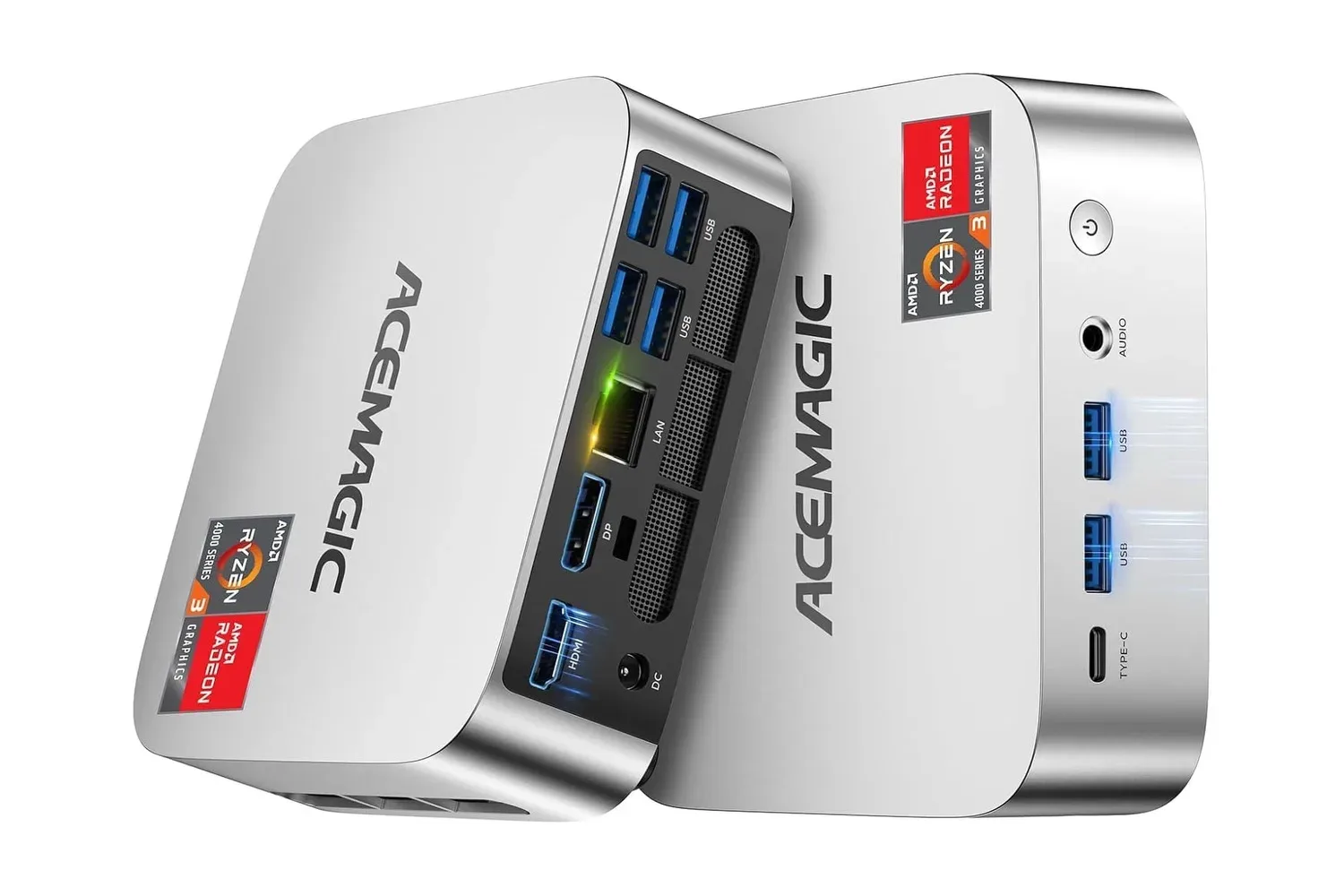
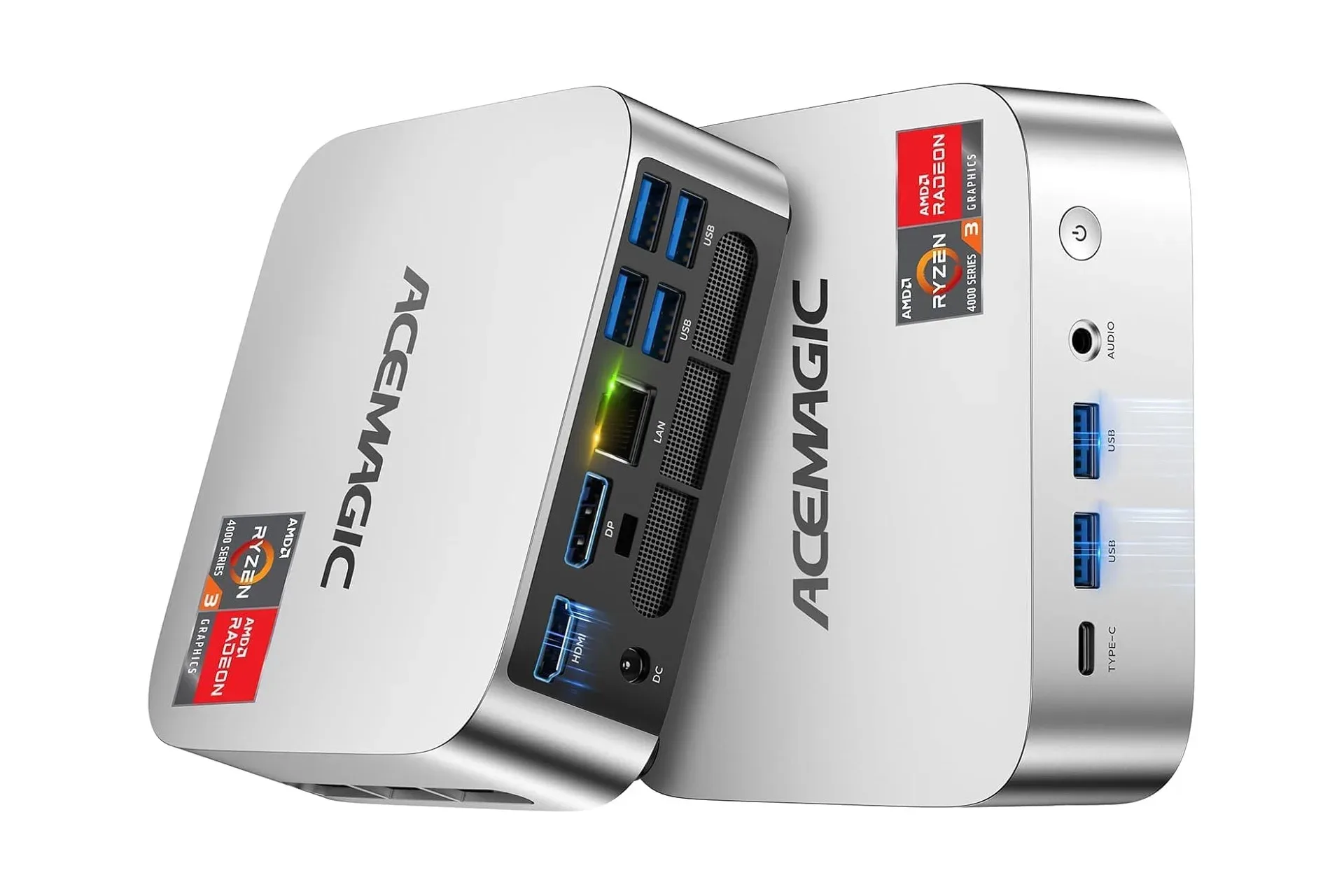
This configuration pairs an AMD Ryzen 3 Pro 7330U processor with 16GB of RAM and a 256GB M.2 2280 SSD. It also includes a notably broad spread of ports for a small desktop: six USB 3.2 Type-A connections, front USB-C, HDMI, DisplayPort, wired Gigabit Ethernet and a 3.5mm audio jack. Its display outputs can drive two monitors without adding a docking station.
The important caveat for gaming shoppers is straightforward: the stated specifications identify the processor, memory and storage, but do not identify a discrete graphics card. This is best treated as a compact general-purpose PC rather than presumed to be a replacement for a dedicated high-end gaming desktop. Prospective buyers should match it to the applications, games and display setup they actually intend to use before purchasing.
What the $339 configuration includes
The K1 uses AMD’s Ryzen 3 Pro 7330U, a chip with four CPU cores and eight threads. A core is a processing unit within the chip, while a thread is the stream of work a processor can handle; a four-core, eight-thread design can work on more than one task at a time. The processor is specified to boost as high as 4.3GHz, meaning it can temporarily raise its clock speed when workload and operating conditions allow.
That maximum boost figure should not be read as a promise that every task runs at that speed all the time. Sustained performance varies with the software being used, cooling and power behavior. Still, the supplied core and thread count gives buyers a clearer starting point than a product name alone when considering web browsing, office applications, communications software, media playback and other everyday desktop duties.
The listing characterizes this processor as more than twice as powerful as the N150/3500U hardware previously used by AceMagic. That is a broad comparison rather than a workload-specific benchmark result, so it should be viewed as a generational positioning claim—not a precise forecast for every application. Buyers choosing between configurations should look beyond a single relative-performance statement and consider memory, storage, connections and their own workload as well.
Memory is set at 16GB. RAM, or random-access memory, is the fast working space used by active programs and operating-system tasks. More RAM does not directly create more storage for downloads, but it can matter when a computer is juggling several browser tabs, applications or background processes. For a compact computer intended to function as a daily desktop, 16GB is a meaningful part of the configuration rather than a throwaway specification.
Storage begins with a 256GB M.2 2280 SSD. An SSD is solid-state storage, which uses flash memory rather than the spinning disks used in traditional hard drives. “M.2 2280” describes the physical module format: 22mm wide and 80mm long. The included capacity will be more immediately limiting than the RAM for anyone accumulating large local libraries, creative projects or modern games, but the chassis is said to support storage expansion up to 2TB if needs increase.
Related coverage includes AceMagic K1 Mini PC Falls to $339 With Ryzen 3 Pro 7330U Hardware.
Storage planning matters more than the small chassis suggests
The combination of 16GB of memory and a 256GB SSD creates a split decision for buyers. The memory allocation is aimed at comfortable multitasking, while the starting drive capacity asks for a little discipline. Operating-system files, application installations, updates and personal files all share that space. Anyone considering the K1 for a substantial game library should take the 256GB figure seriously rather than assuming the compact device can hold everything they might want to install.
The stated ability to expand storage to 2TB gives the machine an upgrade path, but it is not the same thing as receiving 2TB on day one. An upgrade requires an additional compatible drive and the effort of installing or configuring it. That distinction is especially useful when comparing an attractively priced mini PC with a more expensive model that includes a larger SSD out of the box.
For a simple workstation, shared-family computer, streaming setup or light desk configuration, the base capacity may be adequate if files are managed carefully. For users who expect to store a large number of big applications locally, planning for expansion is more realistic. The product’s mountable design also makes its footprint less of an obstacle in a storage-conscious setup: it can be installed on a wall or attached behind a monitor.
Ports are one of the K1’s clearest practical advantages
Mini PCs can save desktop space while creating a new cable-management problem, particularly if ports are sparse or inconveniently placed. The K1’s layout attempts to avoid that. Two USB 3.2 Type-A ports are placed at the front for quick access, while four more sit at the rear for accessories likely to remain connected, such as a keyboard and mouse.
There is also a front USB 3.2 Type-C connection with data-transfer support up to 10Gbps. Type-C describes the connector shape, not automatically every feature a port may support; the relevant stated capability here is the 10Gbps transfer rate. That can be useful for compatible external storage and other peripherals where moving files quickly matters.
- Six USB 3.2 Type-A ports: two front-facing and four rear-facing connections for conventional USB peripherals.
- One front USB 3.2 Type-C port: stated to support data transfer up to 10Gbps.
- HDMI and DisplayPort: two separate display outputs for connecting up to two monitors.
- RJ45 Gigabit Ethernet: a wired network connection for setups that prefer a cable over Wi-Fi.
- 3.5mm auxiliary jack: a connection for wired headphones or speakers.
The HDMI and DisplayPort combination is particularly useful for people building a compact dual-screen desk. Because both outputs are built in, the computer can connect to two monitors without a separate docking station. That is a convenience feature, but it is also a budgeting consideration: fewer extra accessories may be needed to create a basic multi-monitor arrangement.
The wired network port is another practical option. “Gigabit Ethernet” refers to a network connection class capable of up to 1 gigabit per second under suitable conditions. Real-world speeds depend on the router, network service, cables and other factors, but a physical Ethernet port can be valuable where a stable wired desktop connection is preferred.
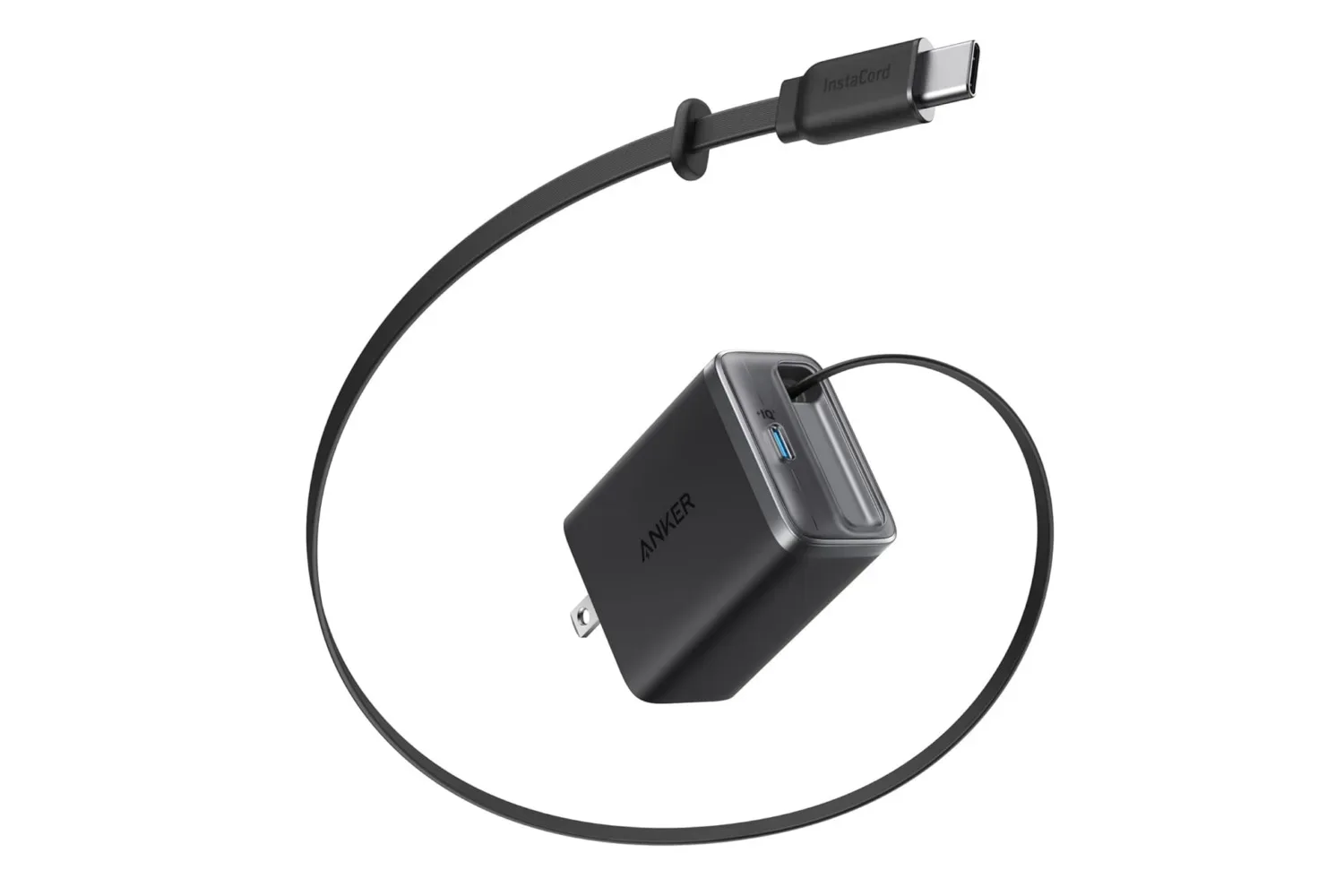
Peripheral power and charging are separate considerations from the computer’s data ports. Anyone refining a desk around USB-C accessories may also want to consider how chargers fit into that plan; this 35W retractable USB-C charger listing is one example of the kind of compact accessory that can reduce cable clutter. It is not presented as a required accessory for the K1.
Cooling, mounting and the desk-space calculation
The K1 has a silver-toned compact chassis with an axial fan and internal cooling system. Cooling is a fundamental part of any small-form-factor PC because heat must be moved out of a limited physical volume. The listing describes the fan as relatively quiet, but noise perception depends on the surrounding environment and the workload, so buyers should regard that as a design claim rather than a measured acoustic result.
Its mountability may be more consequential than its styling. A mini PC attached behind a monitor can keep the main work surface clear and shorten some cable runs. Wall mounting offers a similar option for users who do not want the computer sitting on the desk. Placement should still leave room for airflow and provide practical access to the front ports and power connections.
That form factor also changes the buying question. A conventional desktop tower may prioritize expansion, a dedicated graphics card and large internal storage. This model instead emphasizes a compact enclosure, built-in dual-monitor outputs, a sizable selection of USB ports and an available storage upgrade path. Those are useful priorities for a small desk, office corner or monitor-mounted setup, even if they are not the same priorities as a performance-focused gaming rig.
Who should consider it—and who should pause
At the listed $339 price, the K1 is most straightforward to evaluate as a compact productivity and everyday-use desktop with respectable connectivity. Its 16GB of RAM, wired Ethernet, six Type-A ports, USB-C, audio jack and two display outputs describe a machine designed to connect readily to the common pieces of a desktop workspace.
It could be a reasonable fit for users who value a small footprint and need a general desktop for routine software, two-monitor work, wired accessories and local storage that can grow later. The ability to hide the chassis behind a monitor or mount it on a wall further supports that role.
Buyers whose priority is demanding PC gaming should be more careful. No discrete GPU is specified, and neither the product description nor its listed components establish expected performance in particular games, settings or resolutions. It would be inappropriate to infer that it will handle every current game merely because it uses a Ryzen processor or because it is compared with older AceMagic hardware. Checking the requirements of the specific games and software that matter most remains essential.
Likewise, shoppers with immediate large-storage needs should factor in the included 256GB drive rather than only the stated 2TB expansion ceiling. The offer’s appeal is the balance of compact design, memory, processor, ports and reduced price—not a claim that every compromise associated with a small PC has disappeared.
Shop the products
Check current price, model and availability at the retailer.