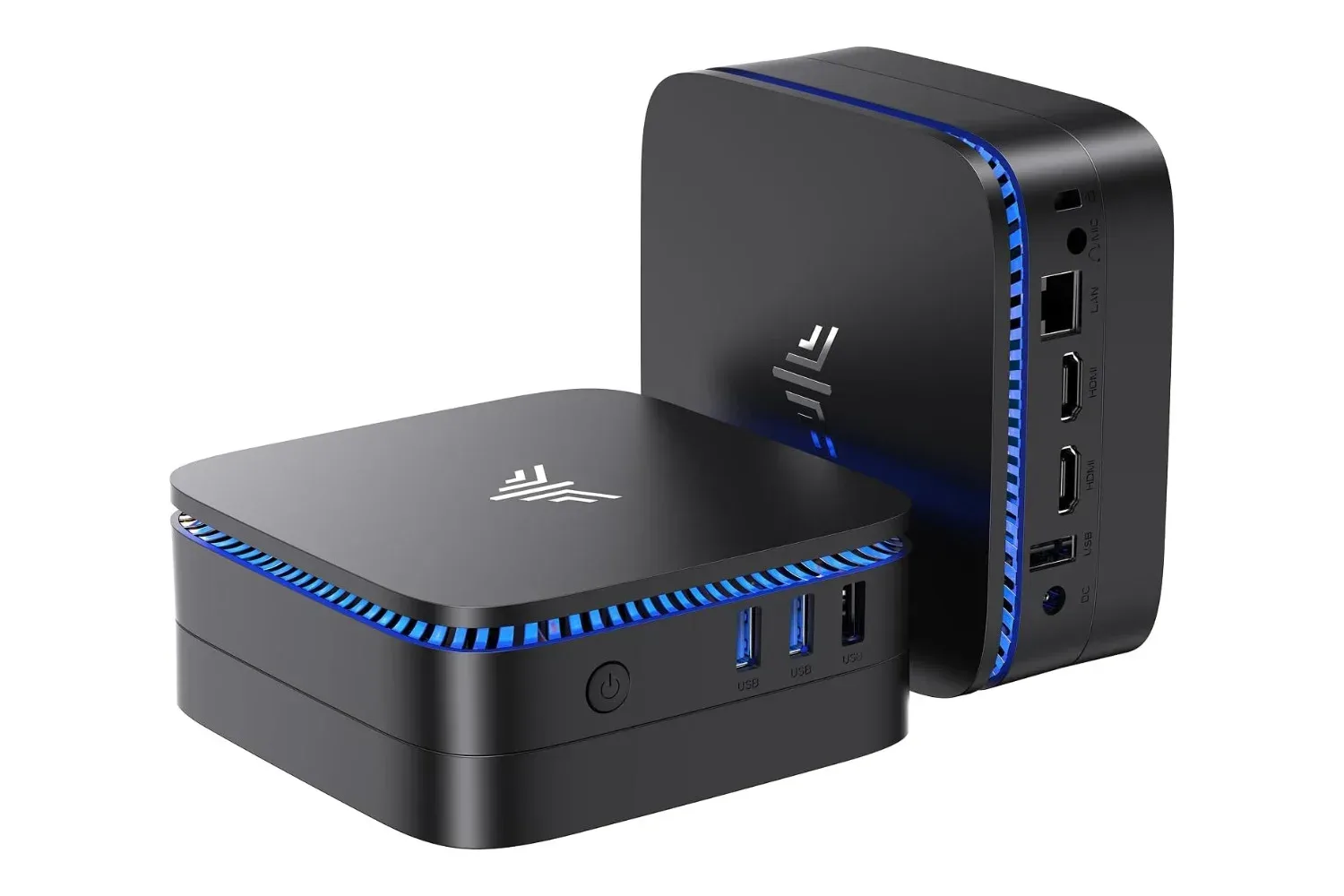
A full-size desktop tower is not automatically the right answer for every PC desk. For browser-heavy work, documents, streaming, remote meetings, lightweight creative tasks, and the many background apps that accumulate during a normal day, a compact system can be a far more practical fit. Amazon has listed the ACEMAGIC K1 Mini PC with Windows 11 Pro at $350 for Prime members, reduced from a stated usual price of $460. That is a $110 difference, or roughly 24% off the listed regular price.
The important qualifier is in the product category: this is a small general-purpose Windows desktop, not a substitute for a dedicated gaming tower with a discrete graphics card. Its Intel N150 processor, 16GB of DDR4 memory, and 512GB M.2 SSD position it for everyday computing and modest multitasking. For someone assembling a tidy home-office station, a small media-area PC, or a secondary computer for school and productivity, those specifications and the included Pro edition of Windows are the more meaningful parts of the package.
As with any retailer listing, pricing, membership terms, configuration details, and inventory can change without warning. The $350 figure is the listed Prime-member price at the time of reporting, rather than a promise that it will remain available.
A small Windows desktop with an unusually useful software inclusion
The ACEMAGIC K1 comes with Windows 11 Pro preinstalled. That matters because Windows 11 Pro carries several capabilities that are not included with the standard Home edition. Among them are BitLocker drive encryption, Remote Desktop hosting, Domain Join, and Hyper-V virtualization.
Not every household needs all of those features. A casual PC used exclusively for checking email and watching video may see little benefit from a business-oriented domain tool. But BitLocker can be relevant for anyone keeping sensitive files on the machine, while Remote Desktop and Hyper-V may appeal to users who work across multiple PCs or want to run virtualized environments. Having Pro included from the beginning also avoids needing to pay for a later operating-system upgrade if those tools become necessary.
That does not mean Windows 11 Pro transforms the K1 into a workstation built for demanding renders or high-end game development. Software features cannot replace the performance benefit of a stronger processor or dedicated graphics hardware. Still, for a compact desktop intended to handle practical daily responsibilities, Pro is a worthwhile detail to weigh alongside memory, storage, display support, and ports.
Core hardware: Intel N150, 16GB of RAM and a 512GB SSD
The K1 is built around Intel's N150 processor and includes 16GB of DDR4 RAM plus a 512GB M.2 solid-state drive. That combination is suited to tasks such as web browsing, office files, video playback, video calls, light photo work, and managing a healthy number of open browser tabs. The 16GB memory allocation is particularly welcome for people who routinely leave a spreadsheet, communication app, music service, and a browser full of reference tabs running at once.
For gaming readers, expectations should be set correctly. The supplied specifications describe a compact productivity-focused PC. It may be useful for older games, lightweight indie releases, cloud gaming, remote play, or less demanding PC workloads, but no performance figures for specific games are provided here. It should not be purchased on the assumption that it will deliver modern AAA gaming at high settings. A machine designed around a discrete GPU remains the safer route for that job.
Related coverage includes ACEMAGIC K1 Mini PC With Windows 11 Pro Is Listed at $350.
Storage and memory also have a longer-term angle. The K1's two SO-DIMM slots and M.2 storage slot are described as accessible for upgrades. That gives owners a potential route to add RAM or expand storage as their needs grow, instead of treating the system as sealed hardware. Buyers should nevertheless verify compatible memory and SSD specifications before ordering components, and consider the effect that opening or modifying a system may have on warranty coverage.
Three 4K display connections make the desk setup story stronger
One of the standout claims associated with this compact system is support for up to three 4K displays. The three connections are HDMI, DisplayPort, and USB-C, allowing each monitor to use its own output. Multi-monitor support can be especially valuable for a home worker who wants a document on one screen, communications on another, and a browser or dashboard on a third.
A triple-screen arrangement can also be useful for gaming-adjacent hobbies. A collector cataloguing a library, a streamer organizing chat and schedules, or a retro enthusiast researching repair guides may prefer more display space even when the PC is not responsible for running the game itself. The compact chassis helps keep the actual computer from claiming the same desk space as the screens.
There are sensible caveats. “4K support” describes display output capability, not a guarantee of smooth 4K performance in every application. Running multiple high-resolution panels for documents and media is a different demand from editing complex video or playing graphically intensive games across those screens. Prospective buyers should also check whether their existing USB-C display uses a compatible video input arrangement and ensure they have the required cables.
Ports, networking and a cleaner physical footprint
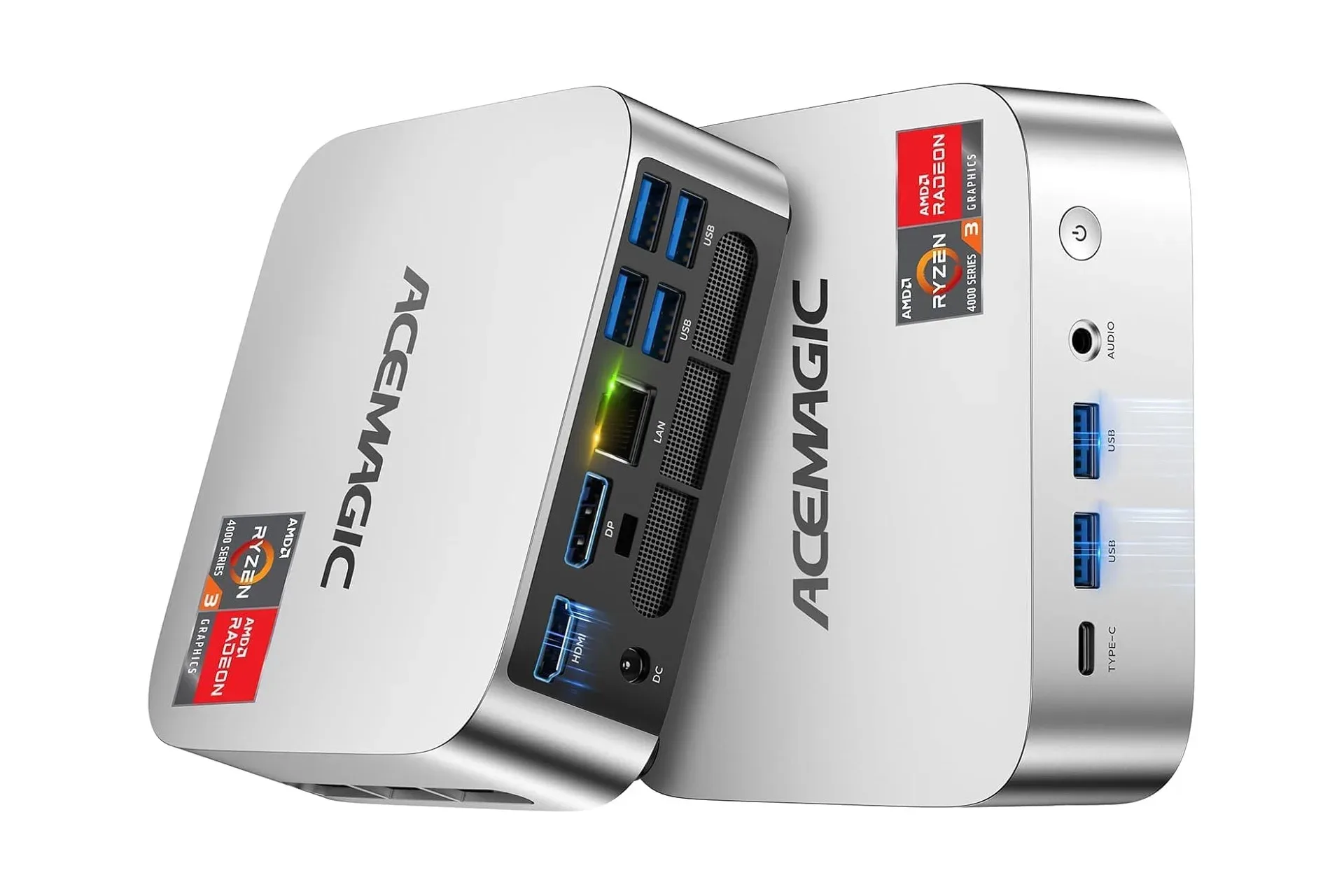
The K1 includes both USB-A and USB-C connectivity, Gigabit Ethernet, audio input and output, Wi-Fi 6, and Bluetooth. In everyday use, that port mix can simplify life with standard peripherals: a keyboard, mouse, printer, headset, external drive, controller, or wired network connection can be attached without immediately turning the desk into a hub-and-adapter puzzle.
Gigabit Ethernet is useful for a stable wired connection, especially in rooms where Wi-Fi coverage is inconsistent. Wi-Fi 6 and Bluetooth provide the expected wireless alternatives for networking and accessories. Network quality ultimately depends on the router, internet plan, local interference, and other devices sharing the connection; PC hardware alone cannot resolve a congested home network. Readers planning game downloads, streaming, or online play can compare broader connection needs in our guide to home internet speeds for gaming, streaming, and large downloads.
The supplied VESA mounting hardware is another practical inclusion. Mounting the mini PC behind a compatible monitor can leave the desktop clear for controllers, notebooks, speakers, a charging stand, or simply less clutter. A tiny box is not automatically invisible—cable routing still takes planning—but it can be considerably easier to place than a conventional tower.
Who should consider the ACEMAGIC K1 at this listed price?
At the listed $350 Prime-member price, the K1 makes the most sense for buyers who have a clear use for a compact Windows 11 Pro desktop and do not need dedicated graphics performance. The machine's strengths are its small footprint, its 16GB/512GB starting configuration, possible memory and storage upgrades, triple-display connectivity, and a collection of ports suitable for a conventional desk setup.
- Good fits: home-office users, students, browser-and-document multitaskers, compact media PCs, remote-work setups, and users who value Windows 11 Pro features.
- Potentially useful fits: cloud gaming, retro or lightweight PC gaming, remote play, and hobby stations where compact size matters more than graphical horsepower.
- Less suitable fits: buyers seeking high-end current-game performance, serious 3D rendering, GPU-heavy video production, or a machine intended to replace a purpose-built gaming desktop.
The deal is therefore best evaluated as a balance of form factor and function, not as a tiny tower that does every possible PC task equally well. Anyone considering it should confirm the exact Amazon listing configuration, current price, Prime eligibility, return terms, and compatibility with their monitors and accessories before purchasing. For the right low-clutter Windows setup, however, the K1's listed feature set is notably broader than its palm-sized enclosure suggests.
Shop the products
Check current price, model and availability at the retailer.