
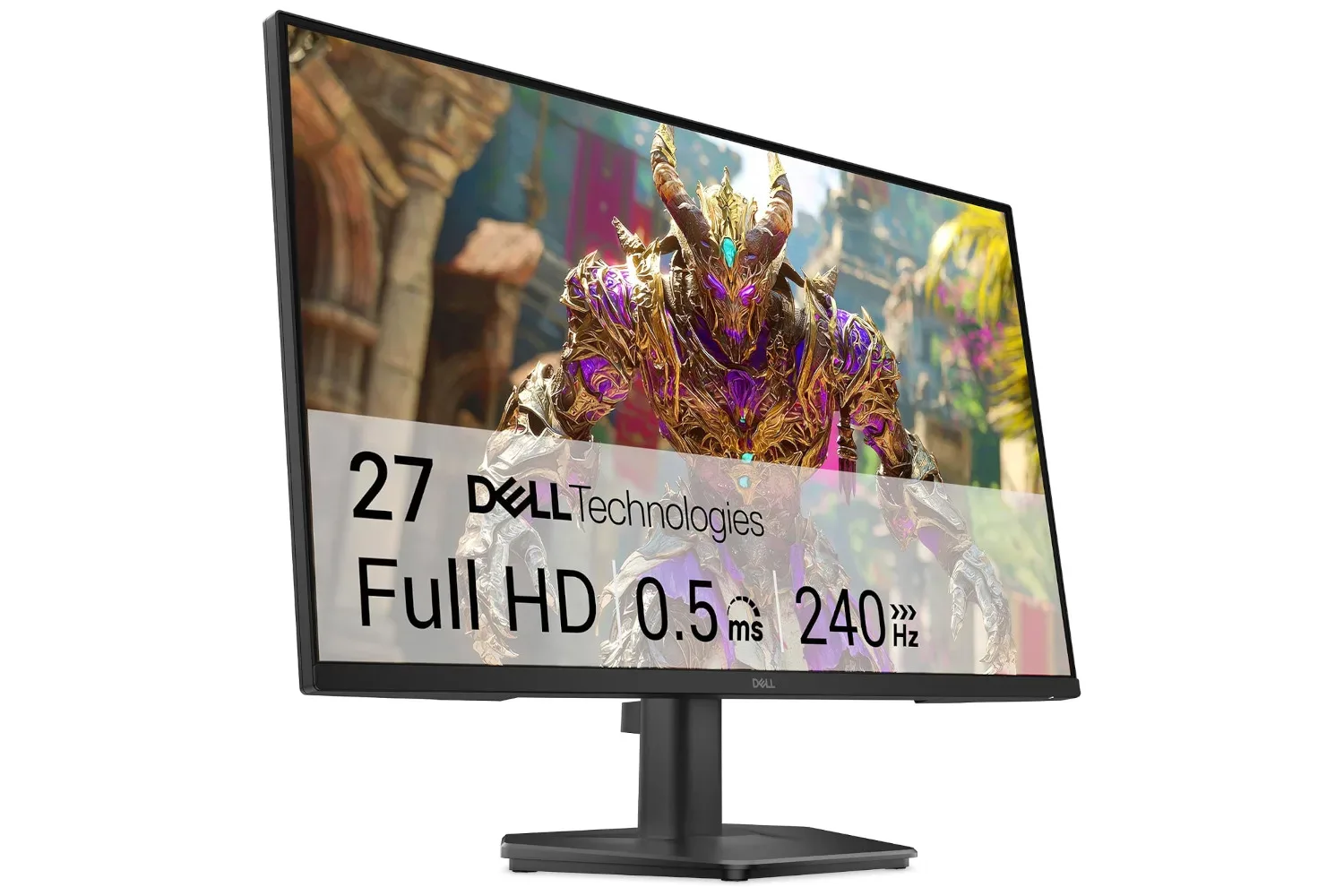
A Dell 24-inch gaming monitor is listed at $85, a reduction from its stated $120 regular price. That works out to roughly 29% off, and the notable part is not simply the low entry price: the display is described as combining a 240Hz refresh rate, a claimed 0.5ms response time, and a Full HD resolution in a 24-inch format.
For players building or refreshing a PC setup around competitive games, those headline specifications make the deal worth a closer look. They do not, however, make every buying decision automatic. A high-refresh monitor can make motion look smoother, but realizing its potential depends on the game, the connected hardware, the settings in use, and the ports supported by the specific display.
What the $85 deal covers
The reported price is $85, compared with a $120 normal price. The display is identified only as a Dell 24-inch gaming monitor, so shoppers should carefully check the retailer listing for the exact model number and current terms before ordering. Sale pricing can change, and the supplied details do not establish how long this particular price will remain available.
Its stated core specifications are:
- 24-inch screen size
- Full HD resolution
- 240Hz refresh rate
- Claimed 0.5ms response time
- Multiple ports for connecting a PC and consoles
- Reduced blue-light output relative to many other options
That is a focused combination. At 24 inches, Full HD is a conventional fit for a gaming display intended to prioritize speed and affordability rather than a larger panel or a higher resolution. The deal is therefore most straightforward for someone who values fast motion and a compact desk footprint over extra pixels.
Why 240Hz matters
Refresh rate, measured in hertz (Hz), describes how many times a monitor can update its image each second. A 240Hz screen can refresh up to 240 times per second. In practical terms, that can make motion appear more continuous than it does on a lower-refresh display, provided the connected device and game are producing frames quickly enough.
This matters most in fast-moving games, especially online shooters, where players may prefer a smoother view while tracking rapid movement. It can also simply make supported games and desktop motion feel more fluid. A 240Hz panel does not improve a player's reactions or guarantee better results online. What it does provide is a display built to show a greater number of updates when the rest of the setup can supply them.
There is an important distinction between a monitor's refresh-rate ceiling and a game's actual frame rate. Frames per second, or fps, refers to how many individual images a game system renders each second. A game running well below 240 fps will not suddenly become a 240-fps experience just because it is connected to a 240Hz monitor. Conversely, a system rendering many frames needs a compatible connection and appropriate display settings to take advantage of the monitor's maximum refresh rate.
Related coverage includes Dell 24-Inch 240Hz Gaming Monitor Drops to $85 in New Black Friday Low.
That makes this category of monitor especially relevant to PC players who already aim for high frame rates at Full HD. Console owners should also inspect the exact listing and their hardware's supported output modes, because the presence of multiple ports alone does not tell us which resolutions and refresh rates are available through every input.
What the 0.5ms claim means
Response time is related to, but not the same as, refresh rate. It describes how quickly a pixel can transition between states. Lower response-time figures are generally associated with less visible trailing behind moving objects, often called ghosting. The reported 0.5ms figure positions this Dell as a speed-oriented display on paper.
It is still useful to read the specification precisely. A response-time figure is not a measure of internet latency, controller input delay, server performance, or personal reaction time. It also should not be confused with the time required for a full display refresh. The 240Hz rating and the 0.5ms response-time claim describe different aspects of the screen's behavior.
For a prospective buyer, the practical takeaway is modest but valuable: the monitor is specified for quick pixel transitions as well as rapid image updates. That is the kind of pairing many competitive players seek. The supplied information does not provide testing methodology or performance results, so it is best treated as a manufacturer-style specification rather than proof of a particular real-world result.
Full HD at 24 inches: the trade-off is clear
Full HD means a resolution of 1920 by 1080 pixels. Resolution determines how much image detail a screen can display, while screen size helps determine how large those pixels appear to the viewer. The reported 24-inch size keeps the monitor in a space-conscious range and aligns with the emphasis on fast refresh performance.
The compromise is straightforward. Buyers looking for more workspace or a sharper, higher-resolution image may want a different category of monitor. But higher resolutions can place a greater demand on the hardware generating the image, particularly when chasing very high frame rates. Full HD can therefore be a sensible target for players whose priority is speed rather than increasing pixel count.
The display is also described as offering broad color coverage and depth in dark tones, but no measured color-space figures, contrast ratio, panel type, or brightness data are included in the available details. Those qualities should not be assumed beyond the broad description. Anyone shopping for color-critical creative work, exceptionally bright-room performance, or a specific panel technology should verify the exact product specifications before treating this as a match.
Ports, consoles and setup checks
Multiple ports are mentioned, with the monitor positioned for use with both a PC and consoles. That flexibility can be helpful in a mixed setup, but port count is only one part of compatibility. Before purchase, confirm the exact inputs on the listing and consult the relevant device documentation if reaching a particular refresh rate matters.
Useful checks include:
- Confirm the precise Dell model number, not just the screen size and refresh-rate headline.
- Check which input is being used by the PC or console and what output it supports.
- Verify the supported resolution and refresh-rate combination for that connection.
- After setup, check the system's display settings to make sure the intended refresh rate is selected.
- Consider whether 24 inches and 1920 by 1080 resolution suit the available desk space and preferred games.
These are not exotic requirements; they are the ordinary details that determine whether a specification sheet translates into the expected setup. They matter more with high-refresh displays because a user can otherwise leave a capable monitor running at a lower refresh setting without realizing it.
Reduced blue light is a comfort feature, not a universal solution
The monitor is described as producing less blue light than many alternatives. That may be a welcome comfort-oriented feature for people spending long sessions at a screen. It should not be interpreted as a guarantee against eye strain or as a replacement for sensible breaks, appropriate room lighting, and display settings that feel comfortable for the individual user.
The larger point is that the Dell's value proposition is centered on a specific kind of gaming experience: a small Full HD panel designed around quick updates, with connectivity intended to accommodate more than one device. It is not presented as an all-purpose answer for every visual preference.
Who this deal appears to suit
At the reported $85 price, the strongest case is for a buyer who wants a relatively inexpensive route to 240Hz gaming at Full HD. That can include a player upgrading from a slower display, someone putting together a compact PC station, or a household that wants a screen shared between a computer and consoles.
It is less clearly suited to a shopper whose first priority is a larger screen, a higher resolution, or documented image-quality measurements. The available information supports the monitor's speed-oriented basics, but not a more granular assessment of its panel characteristics or connection behavior.
For more seasonal setup context, see our coverage of early Black Friday Apple discounts for gaming setups. As with any promotion, the sensible move is to compare the live listing against the needs of the hardware already on the desk, rather than buying solely on the size of the percentage discount.
The headline remains compelling: a 24-inch, Full HD Dell gaming monitor with a stated 240Hz refresh rate and 0.5ms response time is listed at $85 rather than $120. For the right speed-first setup, that price makes it a deal worth investigating—after confirming the exact model, ports, and supported modes.
Shop the products
Check current price, model and availability at the retailer.