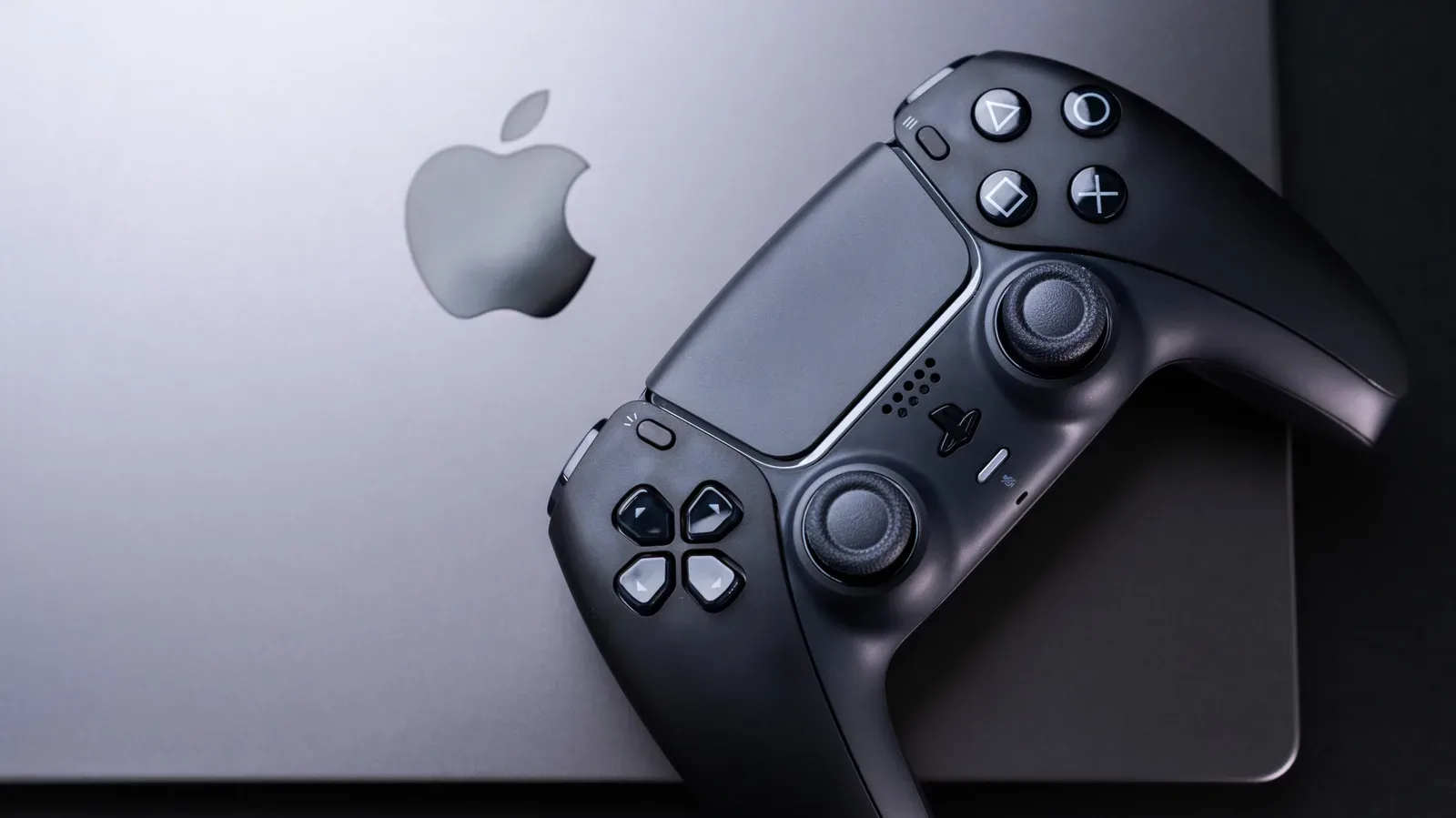
Mac gaming is no longer the automatic punchline it used to be. Apple silicon has given modern Macs substantially stronger gaming hardware, and more games are arriving with macOS support. A current MacBook Pro can run demanding releases that would once have felt implausible on a laptop built around Apple’s ecosystem.
That progress does not turn every MacBook into a universal gaming machine, though. The central question is no longer simply, “Is the chip powerful enough?” It is also, “Does this game run on macOS, how does it run on this particular Mac, and what compromises are needed?” For anyone buying a laptop primarily to play games, those questions matter more than a headline frame-rate result.
The short answer is that a well-equipped MacBook Pro can handle heavy games, especially titles with native macOS versions. But Windows PCs retain major advantages in breadth of native game support, compatibility certainty and likely graphical value for the money. A MacBook makes the most sense when gaming is an important extra capability alongside the work, creative or everyday tasks that already make someone want a Mac.
Apple silicon changed the hardware side of the equation
Apple’s M-series chips have shifted what people should expect from a Mac. The hardware is no longer automatically the limiting factor for gaming on recent systems. Apple identifies Assassin’s Creed Shadows, Dead Island 2 and Cyberpunk 2077 among games that can run natively on a Mac, an indication of how far the platform’s high-end ambitions have moved beyond lighter, older or casual releases.
Native is the important word here. A native macOS game has been made to run directly on Apple’s operating system rather than relying on a Windows compatibility or translation layer. That does not guarantee identical performance between machines, nor does it promise that every setting can be pushed to its maximum. It does mean the game has a direct route to the platform, which is generally the cleanest starting point for setup and support.
The available Mac game catalog has also expanded, with more titles coming to macOS alongside their Windows counterparts. That is meaningful progress for players who already own a MacBook Pro and want to use the machine for current games. It is less compelling as a reason to assume any particular future game will appear on Mac. A growing list is not the same as a complete library.
That distinction is the practical reality behind nearly every Mac gaming recommendation. A machine can have ample processing and graphics power yet still be the wrong purchase for someone whose must-play games lack macOS versions. Hardware capability and software availability are separate hurdles.
Compatibility remains the Mac’s biggest caveat
Windows PCs have the simpler proposition: the overwhelming majority of PC releases are designed to run there natively. On a Mac, players must first determine whether a game has a macOS release, whether it works through an alternative method, and whether its performance is acceptable on their model.
Related coverage includes Can a MacBook Handle Demanding PC Games?.
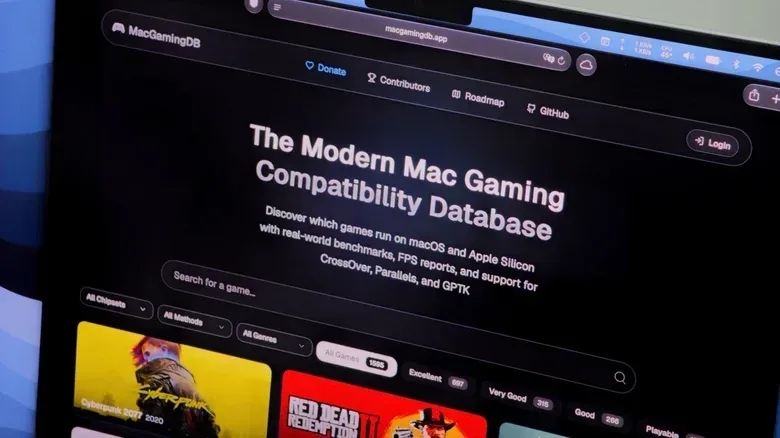
This is where research before downloading—or buying—matters. MacGamingDB is a community-run compatibility database covering thousands of games and is useful for checking how a title behaves on a specific Mac configuration. That kind of model-specific information is valuable because “Mac compatible” is not a complete performance description. A demanding game may be workable on one system and require lower settings on another.
A sensible pre-purchase checklist is short:
- Confirm whether the game has a native macOS version.
- Check reports for the exact Mac model or a closely related configuration.
- Look for notes about graphics settings, resolution, frame rate and known issues.
- Decide whether you are comfortable using a non-native workaround if no Mac version exists.
The point is not to make Mac gaming sound like a paperwork simulator. It is to avoid a common disappointment: downloading a very large game only to discover that it will not run, does not run well, or needs more adjustment than expected. Compatibility research is especially important for a buyer deciding between a MacBook and a Windows laptop, because it addresses the games they actually intend to play rather than games that happen to appear in general performance discussions.
Gaming Porting Toolkit can widen the options, with limits
Apple’s Gaming Porting Toolkit offers a possible route for Windows games that do not have a Mac port. The toolkit is intended to help developers bring Windows games to macOS using native translations, but it can also be used by individuals to run PC games on a Mac with a relatively small amount of command-line work.
Translation, in this context, means converting what a Windows game expects into instructions and interfaces macOS can use while the game runs. It is not the same thing as the game being built specifically for macOS. That difference helps explain why a translated game can perform surprisingly well while still presenting glitches or other inconsistencies.
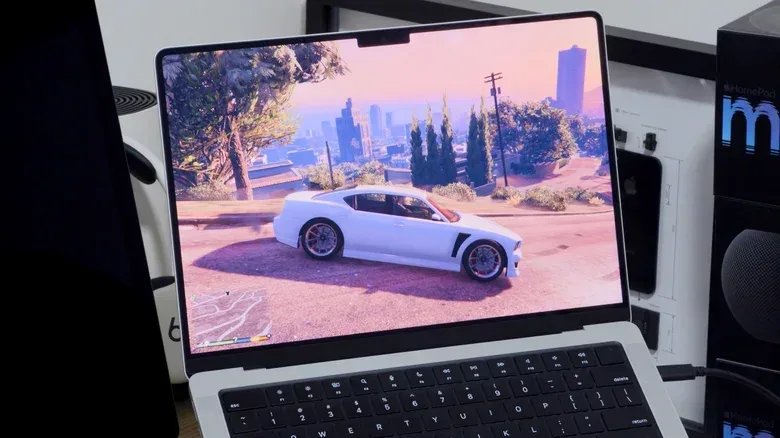
Grand Theft Auto V, for example, has been reported to hold a steady 60 frames per second with high graphics settings on an M4 Pro MacBook Pro through the toolkit. The result reportedly includes occasional glitches, which is exactly the kind of trade-off prospective players should expect from a real-time translation approach. It is an encouraging proof that the method can work well, not a blanket guarantee for every Windows game or every Mac.
The Gaming Porting Toolkit should therefore be viewed as a useful option, not a replacement for broad native support. It may suit players who enjoy experimenting, are comfortable following technical setup steps and can tolerate the possibility of imperfections. It is a weaker fit for someone who wants every purchase to install, launch and behave predictably with minimal troubleshooting.
There is an industry implication here as well. Tools that ease porting can lower one barrier between a Windows release and a Mac release, potentially supporting the platform’s growing library over time. But a tool does not independently create a port. Developers still have to choose to support macOS, and players should not treat the existence of a translation path as confirmation that a game is officially available or fully supported.
Why the MacBook Pro is the sensible Mac gaming choice
Within Apple’s laptop range, the MacBook Pro is the more credible choice for modern, demanding games. The base configuration cited with an M5 Pro chip and 24GB of RAM is positioned to run most current games smoothly, while an M5 Max configuration adds more memory and stronger graphics capability for people who need more headroom.
Here, RAM is the system memory used to keep game data and other active tasks accessible, while the GPU is the graphics processor responsible for rendering the image. More of either can be valuable in demanding workloads, but neither erases compatibility limitations. Choosing a more powerful MacBook Pro can improve the experience in games that run; it cannot make every absent macOS version appear.
The MacBook Air and MacBook Neo call for more caution. These systems use less powerful processors than the latest MacBook Pro line and lack internal fans. A fan is relevant because sustained demanding workloads generate heat. Without active cooling, a laptop may need to reduce performance to manage that heat over a long play session. These models can still play some games, but lower resolution and reduced graphics settings are more likely to be necessary.
Resolution is the number of pixels used to draw the picture, while graphics settings control the visual workload in a game. Reducing either can make a title easier to run, though the visual result may be less detailed. That is a normal performance trade-off across gaming hardware, but it is particularly worth considering when someone is eyeing a thinner fanless MacBook for games known to be demanding.
Put plainly: MacBook Air and MacBook Neo buyers should consider gaming a selective bonus. MacBook Pro buyers have the more realistic route to playing current, graphically intensive Mac releases. Neither category changes the fact that a game’s compatibility should be checked first.
Windows is still the better primary gaming platform
If gaming is the primary purpose of a new computer, a Windows PC remains the more straightforward recommendation. It runs the standard PC game library natively, avoids many compatibility questions and will likely provide similar graphical power for less money. Those are not minor benefits. They affect what players can buy, how quickly they can play it and how much detective work they need to do beforehand.
This does not mean a MacBook Pro is incapable or that every player needs a dedicated Windows machine. It means the best buying decision should start with priorities. Someone who needs macOS for their daily workflow and wants to play a curated set of compatible games may find a capable MacBook Pro perfectly practical. Someone who wants access to the broadest possible PC catalog, wants maximum flexibility with new releases, or does not want to investigate ports and translation options is likely better served by Windows.
The difference is one of platform fit, not a simple contest of raw power. Apple silicon has made the Mac side of that choice much stronger. The game library and the friction around unsupported titles remain the reasons not to make an assumption based on hardware alone.
Cloud gaming changes the calculation, if your connection is good
Cloud gaming provides another route for Mac owners. Services such as GeForce NOW and Xbox Cloud Gaming can stream games to a MacBook, moving much of the demanding rendering work away from the laptop itself. In that setup, the local machine’s gaming hardware is less of a bottleneck.
The compromise is dependence on internet quality. A good connection is essential because the game is delivered as a stream while player inputs must travel back to the service. Cloud gaming can be an attractive answer for people with a MacBook Air, MacBook Neo or older Mac that would struggle with a title locally, but it is not a universal substitute for local gaming. Its viability depends on the connection available where the player actually intends to play.
For broader Apple laptop context, the latest discussion around macOS and MacBook hardware is a useful reminder that platform questions often extend beyond a single performance specification.
The practical verdict
Modern MacBooks can absolutely play heavy games. A recent MacBook Pro, particularly one based on M5 Pro or M5 Max hardware, is the best Mac route for demanding releases. Native games are the ideal case, the Gaming Porting Toolkit can open additional possibilities, and cloud gaming can reduce the importance of local hardware.
Yet the purchase decision should be led by the player’s library, not by a generalized claim that Macs can game now. Check the games that matter most, check the results for the intended Mac model, and decide whether translated or streamed play is acceptable when native support is missing. That approach acknowledges the real progress on macOS without pretending its gaming ecosystem has caught up with Windows in every way.