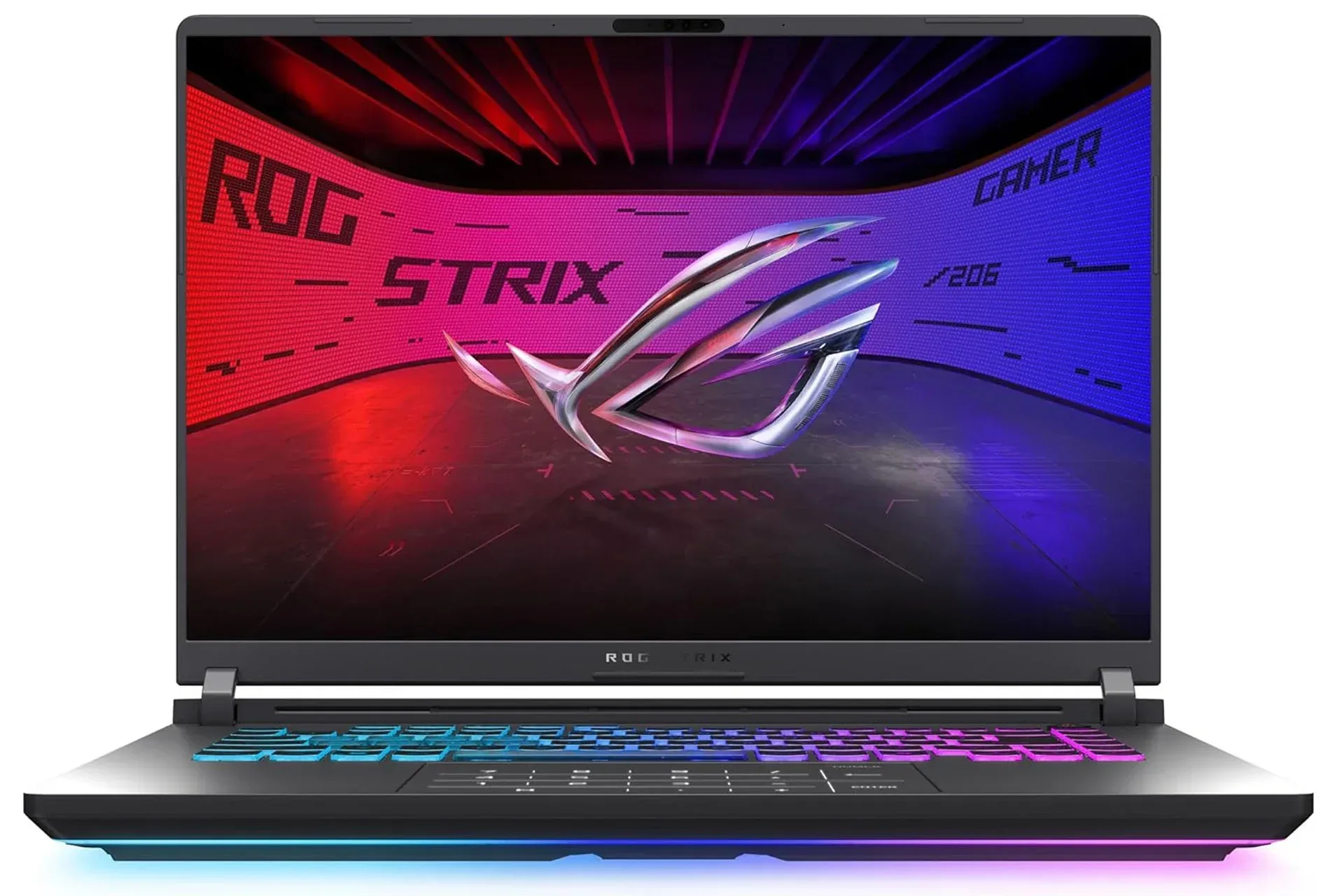
The ASUS ROG Strix G16 configuration built around NVIDIA’s RTX 5060 Laptop GPU is listed at $1,180, versus a typical price of $1,587. That gap matters because laptop specifications only tell part of the story: a portable system has to balance graphics performance, processor performance, display resolution, memory, storage and heat management inside one chassis.
On the supplied specifications, this Strix G16 looks designed around a straightforward proposition rather than a brute-force, flagship pitch. Its RTX 5060 Laptop GPU has 8GB of video memory, its 16-inch display runs at 1920 x 1200 with a 165Hz refresh rate, and it is paired with Intel’s Core i7-14650HX, 16GB of DDR5-5600 memory and a 1TB PCIe Gen 4 SSD. It is a configuration aimed at making modern PC games practical on the built-in screen, especially at 1080p-class resolution, instead of asking a mobile GPU to chase a substantially higher-resolution panel.
The price is only one part of a laptop purchase
A listed discount is useful, but it should not turn a specification sheet into a guarantee. Laptop components carry desktop-style names while operating within very different limits of space, power and cooling. The meaningful question is not simply whether a machine says “RTX 5060,” but whether the surrounding display and thermal design give that GPU a sensible job to do.
Here, the 1920 x 1200 panel is a key part of the answer. It is slightly taller than the conventional 1920 x 1080 layout, using a 16:10 aspect ratio rather than 16:9. The extra vertical room can be helpful in games with dense menus, including strategy titles and city builders, and for general desktop use when a browser or chat window shares the screen. Yet it remains in the same broad rendering class as 1080p, avoiding the larger per-frame workload associated with a 1440p display.
That match is especially important in a laptop. Raising resolution asks the graphics processor to produce more pixels every frame. A higher-resolution screen can look appealing in a product listing, but it can also make high settings harder to sustain. The Strix G16’s supplied display specification instead aligns with the RTX 5060 Laptop GPU’s described strength in 1080p gaming.
Why 165Hz matters—and when it does not
The display refresh rate is 165Hz, meaning the panel can refresh its image up to 165 times per second. This is not a promise that every game will run at 165 frames per second. Game settings, the title itself and the specific workload all affect frame rate. But a high-refresh panel gives fast-running games room to display more of the frames the system produces.
That is most relevant to competitive games such as Valorant and Counter-Strike 2, both named in the supplied specifications context. In those games, players may prioritize quick visual updates and responsive motion over pushing every graphics option to its maximum. The advertised 3ms response time is also intended to support clearer motion in rapid camera movement. Response time and refresh rate are related but separate ideas: refresh rate describes how frequently the panel can update, while response time concerns how quickly pixels change state. A high refresh figure is more valuable when pixels can transition quickly enough to avoid excessive blur or smearing.
For slower-paced single-player games, grand strategy campaigns or city builders, 165Hz may be less central to the experience. That does not make it wasted hardware. It gives the machine flexibility: it can suit an esports-focused session while still offering a 16:10 workspace for games and everyday tasks that benefit from vertical room.
Related coverage includes ASUS ROG Strix G16 With RTX 5060 Listed at $1,180.
DLSS 4 explains part of the RTX 50-series appeal
The RTX 5060 Laptop GPU belongs to NVIDIA’s RTX 50 series and is built on the Blackwell architecture. The supplied details identify 8GB of video memory, commonly called VRAM. VRAM is the dedicated memory used by the graphics processor for data such as textures and other visual assets. Capacity is only one piece of performance, but it is a relevant specification when evaluating a GPU for contemporary games.
The headline software feature in this configuration is DLSS 4. In plain language, DLSS can render a game at a lower resolution and use AI-based reconstruction to produce the final image. The potential practical benefit is that the GPU has less raw rendering work to complete, which can improve performance in compatible games.
RTX 50-series hardware also supports Multi Frame Generation, which creates additional frames between frames rendered by the GPU. It is important to be precise about that distinction. Frame generation can make supported games appear smoother by increasing the displayed frame count, but it does not erase the importance of the system’s underlying rendered performance. It is a tool for supported games, not a universal shortcut that guarantees the same result everywhere.
For prospective buyers, the useful takeaway is modest and concrete: DLSS 4 and Multi Frame Generation expand the options available when a demanding game needs smoother motion at higher visual settings. Compatibility matters, and the benefit will vary from game to game. The feature set is best understood as added flexibility, particularly for a laptop built around a 1200p internal display rather than a claim that every game should be treated identically.
The CPU, memory and SSD support the graphics hardware
Graphics hardware tends to receive the loudest billing, but a gaming laptop is not powered by its GPU alone. The Strix G16 uses an Intel Core i7-14650HX with 16 cores and boost speeds up to 5.2GHz. The supplied description points to CPU-heavy games such as city builders and grand strategy games, where simulation work can put greater emphasis on the processor. In those situations, a capable CPU can help maintain steadier frame times.
Frame time is the amount of time taken to produce an individual frame. It is worth considering alongside a headline frames-per-second number. A game can have a respectable average frame rate but still feel uneven if individual frames arrive inconsistently. Processor demands, background work and game simulation can all be relevant to that consistency. The i7-14650HX is therefore not merely a checklist component beside the RTX badge; it is part of the machine’s case for covering varied game genres.
The 16GB of DDR5-5600 memory and 1TB PCIe Gen 4 SSD round out the stated configuration. System memory, or RAM, is used by the operating system and running software, while the SSD stores games and files. A PCIe Gen 4 SSD is intended to keep game loading and file access quick, and 1TB offers room for a meaningful library before storage management becomes necessary. The exact amount of usable space will naturally be lower once system software and installed files are accounted for, so buyers with especially large libraries should still consider their storage habits.
For Windows troubleshooting after setup, hardware specifications are only the beginning. DxDiag is a practical first stop for checking DirectX, graphics and audio information when a game reports an issue or a player needs to verify the system’s active components.
Cooling is central to sustained laptop performance
The most consequential part of this model’s design may be the one least visible in a store listing: thermal management. ASUS specifies an end-to-end vapor chamber, three fans and Conductonaut Extreme liquid metal on the chipset. Those components are intended to move heat away from the CPU and GPU so the system can sustain its operating clocks under extended loads.
A vapor chamber is a cooling component designed to spread heat across a wider surface area. Liquid metal is a thermal interface material intended to transfer heat efficiently between a chip and its cooling assembly. Neither term alone establishes how a laptop will behave in every game or environment, but the design focus is relevant. When a laptop cannot adequately manage heat, it may reduce clock speeds to protect its components, a behavior commonly called thermal throttling. Cooling capacity can therefore affect not just a short benchmark-like burst, but the consistency of longer play sessions.
The Strix G16 also includes a 360-degree RGB light bar that synchronizes with the keyboard and other ROG gear, while Stealth Mode turns the lighting off. These are quality-of-life and aesthetic considerations rather than performance features, but they acknowledge that a gaming laptop may also spend time in classrooms, offices or shared spaces where bright lighting is unwanted.
Who this configuration appears to fit
Based on the stated specifications, this is a potentially sensible fit for players who want a current portable PC focused on 1080p-class gaming, fast-refresh competitive titles and broad everyday use without moving to an ultra-premium laptop tier. The display resolution, GPU feature set, Core i7 processor and cooling hardware all point in the same direction: balanced performance on the machine’s own screen.
It is less useful to view it as a machine whose value rests on one component or one claimed frame-rate scenario. Its appeal is the combination of a 165Hz 1920 x 1200 panel, RTX 5060 Laptop GPU, DLSS 4 support, 16-core CPU, 16GB of memory, 1TB SSD and a cooling system built for sustained operation. At the listed $1,180 price, that combination changes the discussion from “how much does a gaming laptop cost?” to “which compromises actually matter for the games and workspace a buyer uses?”
Before committing, shoppers should confirm the live listing price and the exact configuration being sold, as retailer pricing and laptop variants can change. But the provided configuration makes a coherent technical case: rather than paying for a more demanding display resolution that would place more pressure on the GPU, it prioritizes a 1200p, high-refresh panel and the thermal headroom to make the rest of the hardware useful over time.
Shop the products
Check current price, model and availability at the retailer.