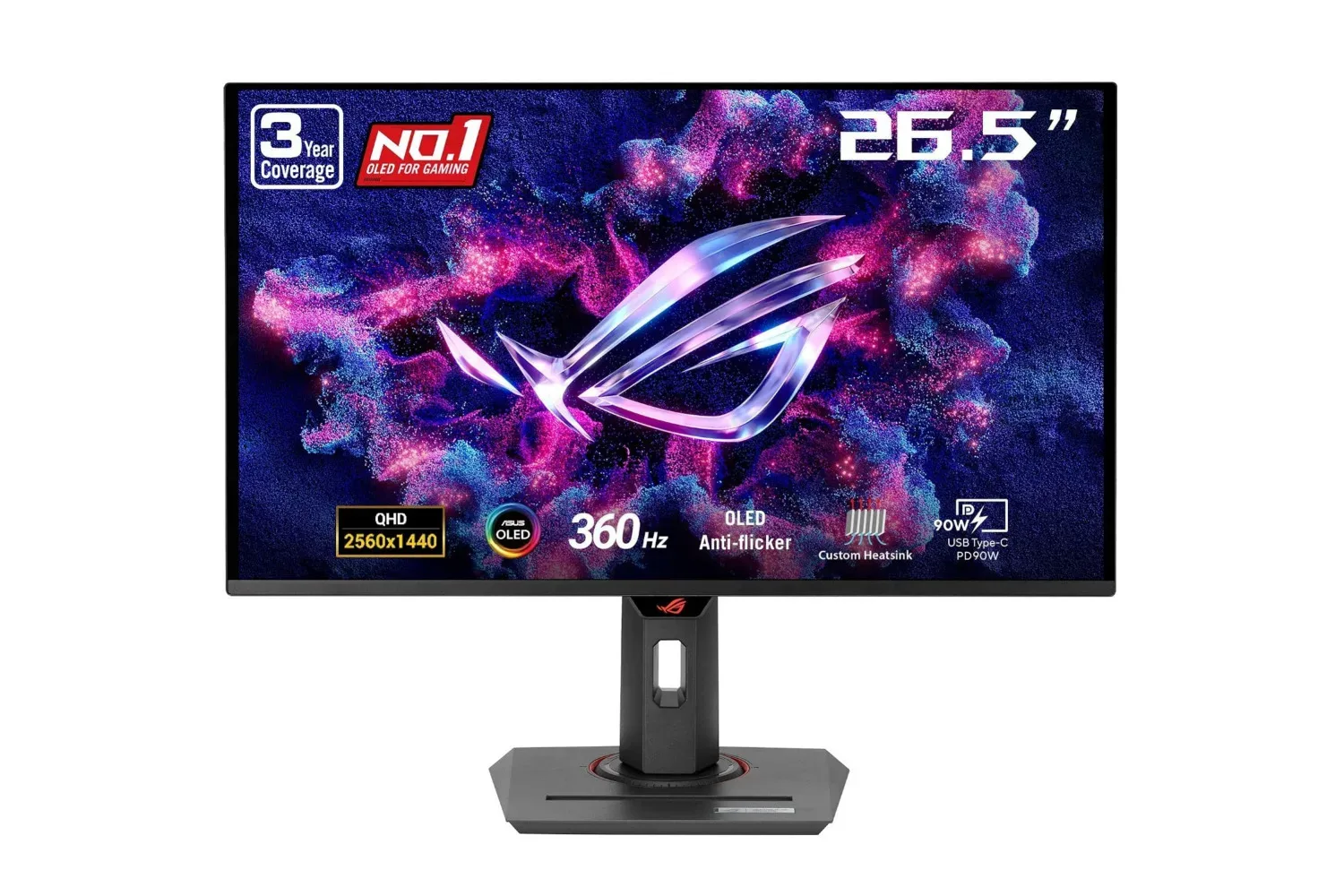
A Black Friday listing has reduced the ASUS ROG Strix 26.5-inch QHD gaming monitor from $759 to $549, a $210 difference that works out to roughly 28%. The listing also includes standard shipping, a three-year warranty and three months of Adobe Creative Cloud.
That price makes this a notably different proposition from a conventional all-purpose display. The ROG Strix model is positioned around fast-motion gaming, pairing a 360Hz refresh rate with a claimed 0.03ms response time, while its 26.5-inch QHD panel aims for a relatively compact desktop footprint rather than an oversized screen. It also lists DisplayHDR 400 certification, 99% DCI-P3 color coverage, G-Sync compatibility and ASUS’s OLED Anti-flicker technology.
For PC players weighing a display upgrade, the meaningful question is not simply whether 360Hz is “better.” It is whether the panel’s blend of speed, resolution, color and OLED-specific care features matches the games played and the graphics hardware already on the desk. The discounted price narrows the gap, but it does not erase those practical considerations.
What the $549 listing includes
- Monitor: ASUS ROG Strix 26.5-inch QHD gaming monitor
- Listed price: $549
- Referenced prior price: $759
- Stated saving: $210, or about 28%
- Included extras: standard shipping, a three-year warranty and three months of Adobe Creative Cloud
Bundles should be treated as part of the value calculation, but not as a substitute for the display itself. The three-year warranty is the most broadly useful addition because it concerns the hardware purchase directly. The Adobe Creative Cloud trial may have more relevance for buyers who also create images, video or design work; it has less obvious value for someone buying solely for games.
As with any time-limited retail listing, buyers should verify the live price, availability and included terms before committing. The evidence here supports the stated listing and its extras, not a promise that the offer will remain unchanged.
Why the speed specifications matter
A monitor’s refresh rate is the number of times per second it can update its image. At 360Hz, the panel is designed to refresh up to 360 times each second. The clearest practical benefit comes in games with quick camera movement and rapid player input, where additional refreshes can make motion appear more continuous and potentially present new frames sooner.
There is an important limit: the monitor cannot create frames a PC does not render. A player will get the fullest use from a 360Hz display when their system and game settings can supply very high frame rates. That does not mean a lower frame rate makes the monitor unusable; it means the headline 360Hz capability should be understood as a ceiling rather than an automatic outcome in every game.
The claimed 0.03ms response time concerns how quickly pixels transition. Response time and refresh rate are related but distinct. Refresh rate describes the display’s update cadence, while response time describes pixel changes between image states. Together, they are intended to support clearer moving images and reduce the visual persistence that can make fast objects look less defined.
Related coverage includes ASUS ROG Strix 26.5-Inch QHD Gaming Monitor Falls to $549 in Black Friday Deal.
The listing also cites G-Sync compatibility. In plain terms, variable-refresh technology coordinates the monitor’s refresh behavior with the graphics card’s output. When a game’s frame production varies, matching the display’s timing more closely can help avoid tearing: the distracting effect where portions of different frames appear on-screen at once. It can also make changes in frame rate feel less jarring than a fixed-refresh presentation.
That does not turn performance tuning into a one-button exercise. Game settings, GPU capability and the frame rate a game can sustain still matter. But G-Sync compatibility is a relevant feature for buyers whose priority is smooth presentation rather than merely chasing the largest number printed on a product box.
A 26.5-inch QHD panel is a particular kind of desk upgrade
The 26.5-inch size is significant because it places the display in a middle ground: more room than a small desktop panel without demanding the desk space of larger screens. The QHD designation identifies a resolution class above standard 1080p, providing more detail and workspace while remaining paired here with a very high refresh rate.
That combination is worth examining as a package. Higher resolution can make text, interfaces and game detail appear more refined, but it also increases the rendering work asked of a PC compared with lower-resolution output. A buyer focused on competitive, fast-paced games may care most about consistently high frame rates. A buyer who alternates between games, browsing and creative work may see more value in the added desktop space and the panel’s stated color coverage.
DisplayHDR 400 certification and 99% DCI-P3 coverage are the supplied visual-quality credentials. DCI-P3 is a color gamut, meaning a defined range of colors a display can reproduce. A 99% DCI-P3 claim points toward broad color reproduction, which is relevant to richly colored game art and may also matter to users handling color-sensitive creative material. It should not be confused with a blanket guarantee of identical color in every app or game; settings and the content itself remain part of the viewing chain.
Similarly, DisplayHDR 400 is a display certification associated with HDR capability. HDR, or high dynamic range, refers to presentation that can preserve a wider span between dark and bright image areas when both the content and display setup support it. The certification is a useful specification to note, but it should not be read as a complete description of every aspect of a monitor’s HDR presentation.
OLED care and anti-flicker are part of the purchase decision
The ROG Strix display’s OLED Anti-flicker technology is intended to reduce flicker when the refresh rate changes. This connects directly to variable-refresh operation: changes in frame delivery can bring changes in refresh behavior, and the anti-flicker feature is designed to keep that experience more comfortable visually.
It is a feature with a more practical purpose than a flashy marketing label. Comfort during long sessions depends on many factors, including brightness, room lighting, personal sensitivity and breaks, but managing flicker during refresh-rate shifts is a sensible target for a gaming panel built around high-speed performance.
The supplied details also identify DisplayWidget Center as the software used to access OLED Care functions and make settings adjustments. OLED care generally refers to monitor-side measures intended to maintain the panel over time. The relevant takeaway for a prospective owner is simple: a premium OLED-oriented display is not entirely set-and-forget. Buyers should be prepared to review its care controls and choose settings appropriate to their use.
That consideration is not a reason to dismiss the monitor. It is a reminder that display technology has trade-offs, and purchase decisions should account for ownership habits as well as panel specifications. Someone who values a high-refresh OLED panel and is comfortable checking its care options may view those controls as useful. Someone seeking the most hands-off possible display setup should at least factor them into the comparison.
The AI claim needs a measured reading
ASUS also attributes AI capabilities to the monitor that can detect the game being played and optimize performance accordingly. That is an intriguing convenience feature, but the available description does not specify exactly which settings may be changed, how detection works or which games are supported.
For that reason, it is best treated as a supplementary feature rather than the central reason to buy. The concrete fundamentals are easier to evaluate: 26.5-inch QHD format, 360Hz refresh rate, 0.03ms response-time claim, variable-refresh compatibility, HDR certification and broad DCI-P3 coverage. Automated optimization may be useful if it suits a player’s workflow, but it should not outweigh the aspects of the monitor that are clearly described.
Who this deal appears to suit
The strongest fit is a PC player who wants a high-refresh QHD monitor for fast games and can make meaningful use of a 360Hz ceiling. It may also appeal to someone who wants a display that handles gaming alongside creative tasks, given the stated color coverage and Adobe Creative Cloud trial.
Conversely, the deal is not automatically the right answer for every gaming setup. Players who mainly play games at lower frame rates will still benefit from a capable QHD panel and variable refresh support, but they may not extract the same value from 360Hz as a player running games at exceptionally high frame rates. Buyers should also consider whether 26.5 inches is the preferred size for their desk, viewing distance and everyday use.
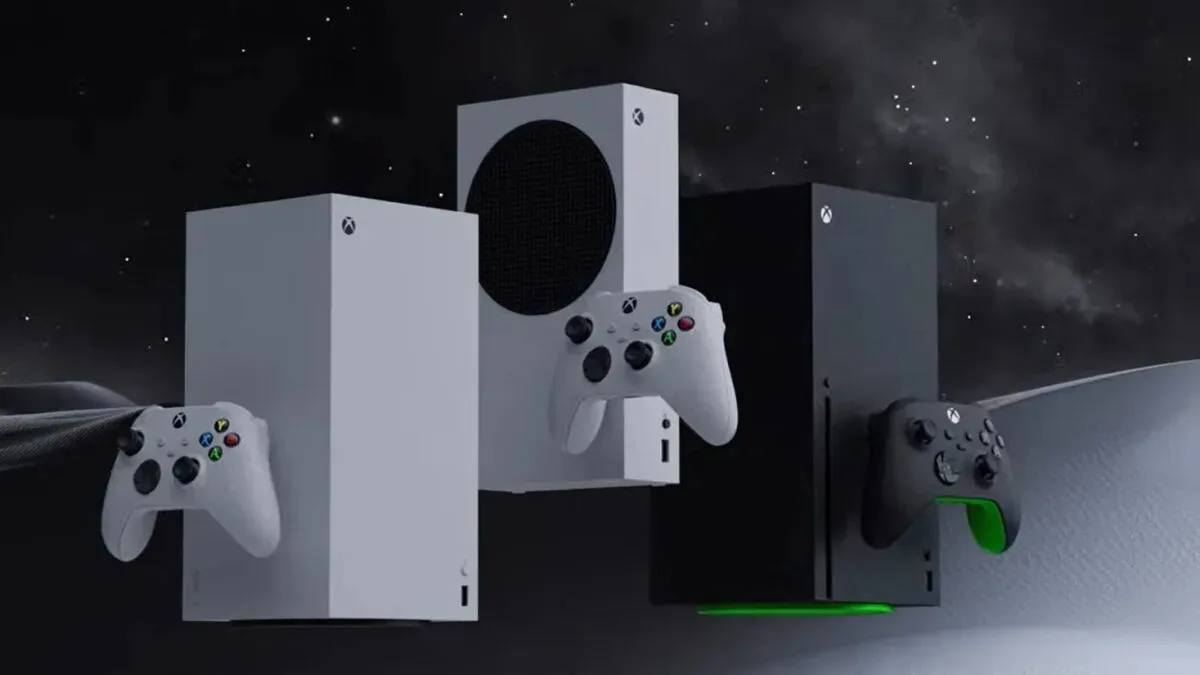
The broader hardware market can make pricing feel difficult to interpret; for example, recent Xbox hardware spending figures showed how higher prices can influence headline totals. In that environment, the useful comparison is the actual cost against the panel capabilities a buyer will use, rather than the discount percentage alone.
At $549, this ASUS ROG Strix listing undercuts its referenced $759 price by $210 while retaining the warranty and software extras described above. The reduction makes a high-specification QHD OLED gaming monitor more approachable, particularly for buyers prioritizing fast refresh behavior, color coverage and a screen size that does not dominate the desk. The final check remains a practical one: confirm the current listing details, then match the monitor’s high-speed ambitions to the PC and games that will drive it.
Shop the products
Check current price, model and availability at the retailer.