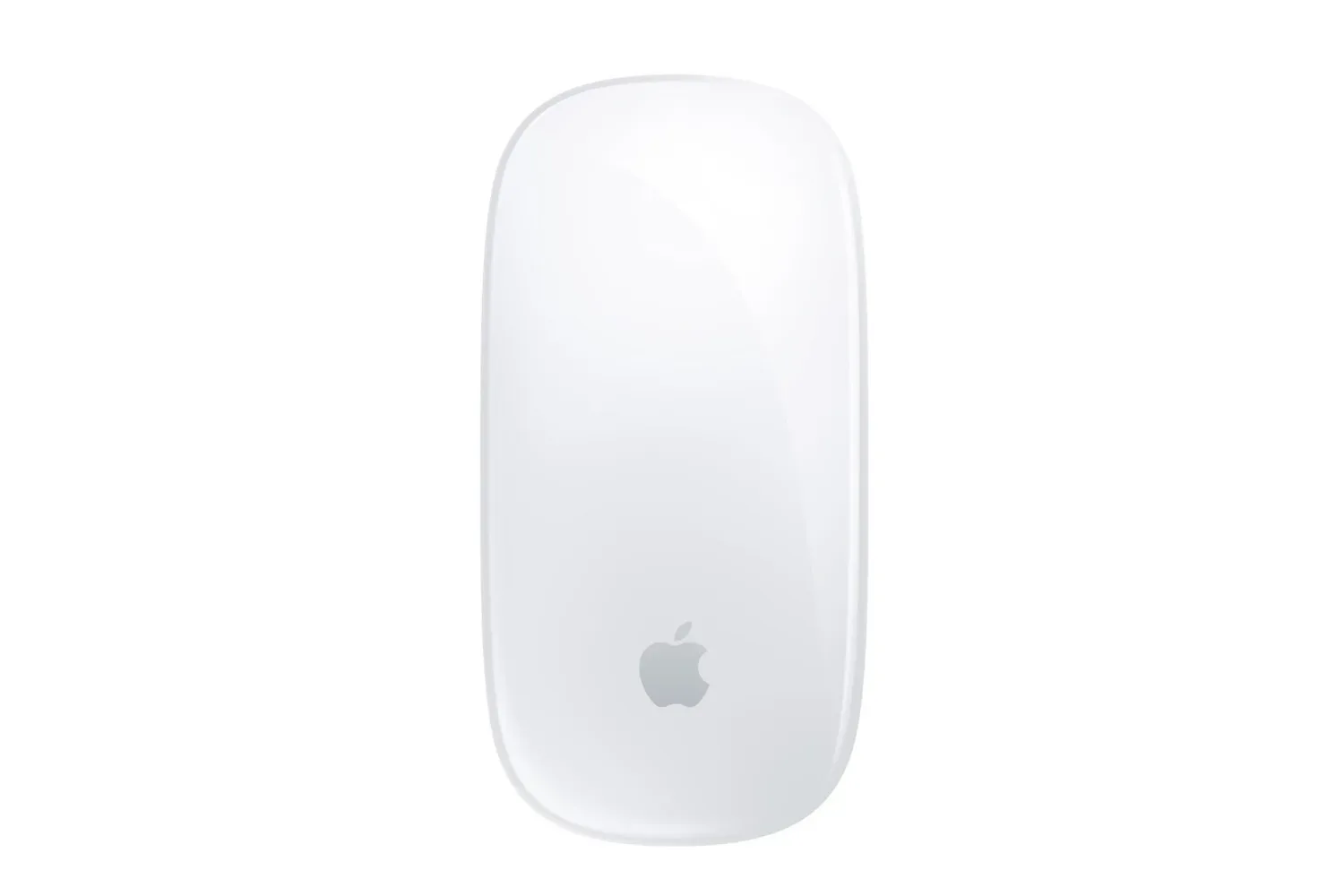
Apple’s Magic Mouse has turned up in an early Black Friday promotion with an unusually straightforward choice: the white version is listed for $60, down from $79, while the black model is listed for $80, down from $99. That puts the white mouse at a 24% reduction and makes the color decision more meaningful than it usually is, because the two finishes began with different standard prices.
The deal is primarily relevant to Mac users looking for a compact desktop or laptop companion with Apple’s familiar design language. Magic Mouse is built around a low-profile shell, a rechargeable battery and a gesture-enabled top surface rather than a conventional physical scroll wheel. It also automatically pairs with a Mac, removing a setup step that can matter to anyone replacing an older mouse or putting together a cleaner workspace.
There is a gaming-adjacent bonus attached for eligible new users: up to three months of Apple Arcade, Apple Fitness+ and Apple News+ at no extra cost. That is a useful extra only for people who qualify and expect to use those services; it should not be treated as part of the mouse’s hardware value. The key deal is still the price of the accessory itself.
What the two Magic Mouse prices actually mean
The white Magic Mouse is the sharper percentage discount, falling from $79 to $60. The black option is reduced from $99 to $80. In both cases, the saving is $19, but the white version costs $20 less at checkout because its usual price is lower.
- White Magic Mouse: $60, reduced from $79.
- Black Magic Mouse: $80, reduced from $99.
- Difference between sale prices: $20.
- Stated reduction on white: 24%.
That makes white the practical selection for shoppers who simply want the least expensive route to Apple’s current mouse design. Black is the aesthetic alternative, not the value leader on these stated figures. It may still be the preferred choice for a darker desk setup, but buyers are paying more for that finish even after the reduction.
As with any retailer-led promotion, a listing price is a snapshot rather than a promise that the deal will remain in place. The supplied sale information describes the offer as part of an early Black Friday push, so it is sensible to confirm the color, price and any eligibility terms at checkout rather than assuming both models will stay discounted equally.
Multi-Touch is the defining feature
The Magic Mouse’s headline feature is its Multi-Touch surface. In plain terms, the mouse’s upper surface recognizes finger gestures. Instead of relying entirely on a separate scroll wheel, a user can scroll through a document or move between pages with finger movements on the mouse itself.
That approach makes the Magic Mouse feel closer to a laptop trackpad in one specific respect: navigation gestures are central to the experience. It is not a trackpad, and it does not turn every Mac task into a trackpad task, but the interaction model is familiar to people who already use gesture controls on a Mac laptop.
The practical appeal is clearest in long webpages, large documents and other spaces where scrolling is frequent. A conventional wheel is an established, direct control, whereas Apple’s gesture surface substitutes a smooth swipe-style action. Which one feels preferable is personal. Someone who dislikes physical scroll wheels may see that surface as a major reason to choose Magic Mouse; someone who wants a traditional wheel will need to remember that this design takes a different route.
For gaming, that distinction is worth stating plainly. A Multi-Touch navigation surface may be convenient around macOS, but it does not automatically make this a specialist gaming mouse. The supplied details emphasize pairing, gliding, battery life and gesture navigation—not extra game controls, adjustable performance settings or other features sometimes sought for more demanding play. Buyers should therefore evaluate it first as a Mac-focused everyday mouse that can sit alongside gaming, not as an all-purpose answer to every PC gaming preference.
That balance is especially relevant as gaming continues to make a case for focused, single-player experiences across platforms. Single-player games remain a major part of the conversation, but the input needs of a particular game and platform still matter more than a peripheral’s visual fit on a desk.
Pairing and charging: the everyday Mac case
Automatic pairing with a Mac is one of the more tangible conveniences here. Pairing is the process that establishes the wireless connection between the mouse and computer. When that happens automatically, the owner avoids manually working through a connection process before getting started.
The mouse includes a woven USB-C cable for charging, and the offer materials say it can be charged with a Mac. That keeps the charging arrangement simple for people already using USB-C-equipped Apple hardware: rather than requiring a separate dedicated charging format, the provided cable can connect the accessory for power.
Apple’s stated battery estimate is up to a month, with the possibility of longer endurance for occasional use. Battery claims naturally vary with how often a device is used, but the important practical takeaway is that this is designed to be a rechargeable accessory that should not need constant attention. Someone who uses a mouse intermittently beside a laptop may go longer between charges than a person working all day at a desktop.
The included cable is also part of the package rather than an assumed extra. For a buyer comparing a sale accessory with an existing setup, that reduces the number of immediate add-ons needed to charge it.
Design and comfort need a measured reading
The Magic Mouse is described as lightweight, with an optimized foot design intended to help it glide over surfaces. A mouse’s feet are the elements on its underside that contact the desk or mouse pad; their design affects how smoothly the mouse moves across a work surface. Smooth movement can make routine pointer work feel less effortful, particularly when moving across documents or navigating macOS.
Its design is deliberately minimal, which is a central part of the appeal. The mouse avoids the busy visual language of many peripherals and is available in white or black. For an Apple-centric desk, it can be a coherent visual match without adding another strongly branded or elaborate-looking device.
Comfort deserves more nuance than a product listing can offer. The low, compact shape may be a draw for people who value a small, clean mouse, and the supplied material presents it as suitable for extended use. But comfort is individual: hand size, grip habits, desk height and work duration all influence whether any mouse is a good long-session fit. A discount makes a product less expensive; it does not make its shape universally comfortable.
That is why the best buying question is not simply whether $60 is low for an Apple accessory. It is whether a lightweight, low-profile, gesture-based Mac mouse matches the way a buyer navigates and works. If it does, the white model’s lower sale price is the clearer deal. If the purchaser wants the black finish specifically, the $80 listing is still below its stated $99 standard price, but it carries a visible premium over white.
How to think about the Apple Arcade offer
The promotion also says qualifying new users can receive up to three months of Apple Arcade, Fitness+ and News+ for free. Apple Arcade is the service in that group most directly connected to games. The other two are separate fitness and news subscriptions, so their usefulness will vary widely by buyer.
“New users” is the important qualifier. The information provided does not spell out every redemption condition or whether all buyers will qualify in the same way. Treat the subscription offer as a potential perk to verify, rather than as a universal rebate. It has real value for someone already interested in trying those services, but it should not be used to rationalize a hardware purchase that otherwise does not suit their setup.
The same restrained approach applies to free standard shipping, which is listed as available with the purchase. Shipping can make a difference to the final total, but the mouse’s listed price, chosen finish and account eligibility for service trials are the more important factors to check before placing an order.
Who this sale suits best
This discount is most straightforward for existing Mac users who want Apple’s gesture-centric mouse at a lower entry price. Automatic pairing, USB-C charging, a stated month-or-more battery estimate and the Multi-Touch surface all point to an accessory designed around convenient macOS use.
The white $60 model is the better fit for value-focused buyers. The black $80 version is for shoppers who prefer that finish enough to accept the $20 gap between the two sale listings. Neither decision needs to be complicated by the subscription trials: those are secondary benefits, subject to new-user eligibility, rather than a replacement for choosing the right mouse shape and input style.
For people who want a small, sleek mouse for browsing, documents and general Mac navigation, the sale makes the white Magic Mouse notably easier to justify than at its $79 standard price. For those who require a more traditional wheel-led layout or features aimed specifically at intensive gaming, the deal is still a price cut—not a reason to overlook their preferred controls.
Shop the products
Check current price, model and availability at the retailer.