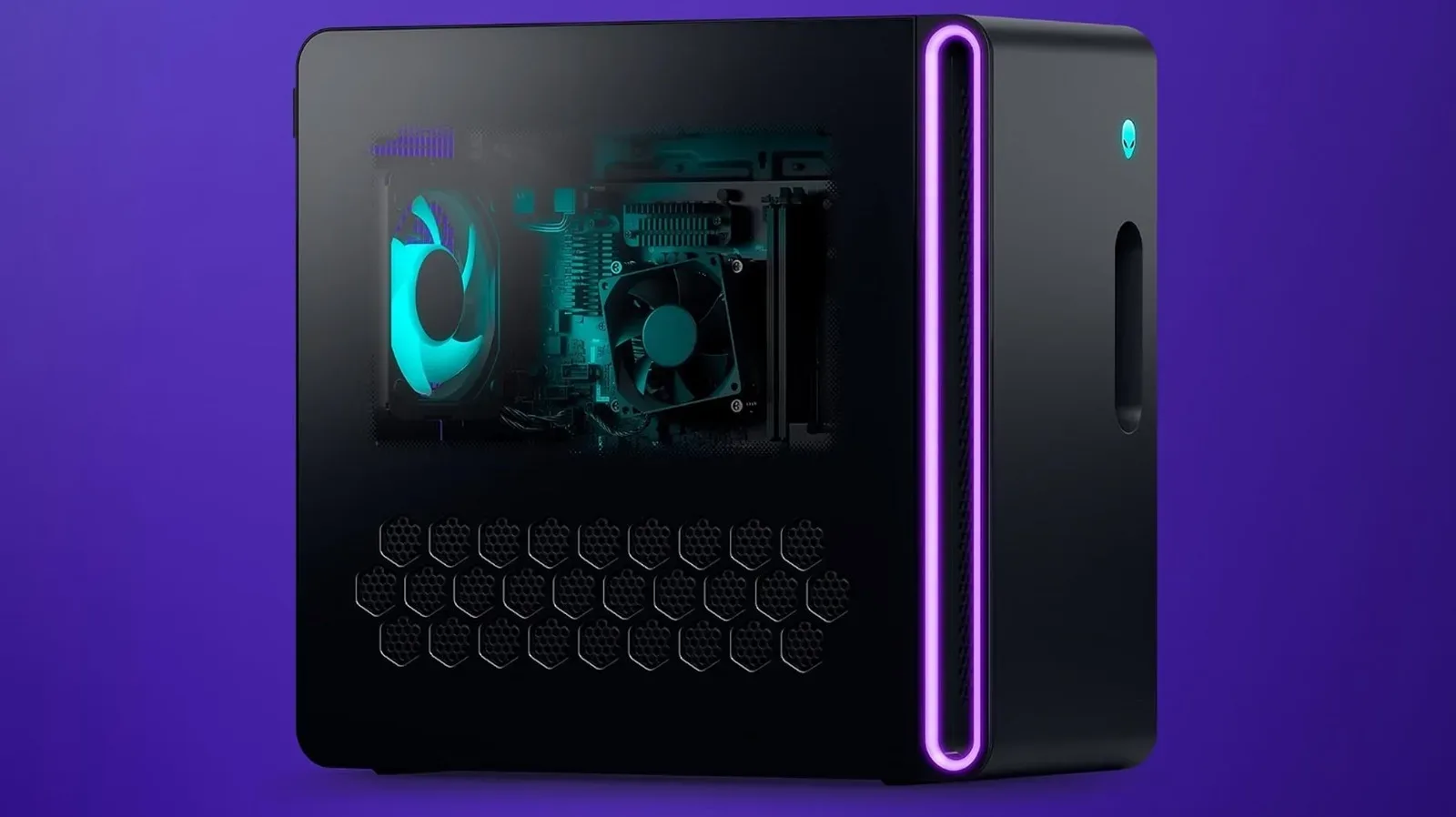
A listed $1,900 Alienware Aurora configuration makes an unusually straightforward case for a prebuilt gaming PC: its CPU, memory and graphics card alone were compared with roughly $1,745 worth of separately listed components. If those like-for-like comparisons hold up at checkout, the remaining $155 effectively covers the desktop’s chassis, power supply, cooling, storage, motherboard and assembly.
That does not automatically make every Aurora at this price a no-questions-asked purchase. Retail listings can mix details from several configurations, and the advertised power-supply rating and optical-drive claim deserve particular scrutiny. Still, the underlying configuration is compelling on paper, especially for shoppers who have seen DDR5 memory prices rise and do not want to source and assemble individual components.
The configuration: a current mid-range PC built around 32GB of DDR5
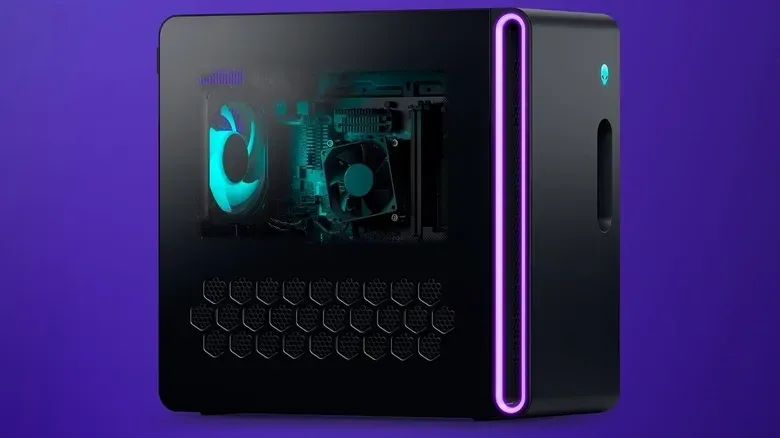
The 35-liter mid-tower Aurora listed for $1,900 includes an Intel Core Ultra 7 265F, 32GB of DDR5 RAM, a 1TB SSD, and an NVIDIA GeForce RTX 5070 with 12GB of VRAM. It is an air-cooled configuration rather than one of the water-cooled variants that can be configured elsewhere in the Aurora range.
For prospective players, the practical headline is that this is positioned as a system for 1080p and QHD gaming. QHD generally means 2560-by-1440 resolution, often called 1440p. It asks considerably more of a graphics card than 1080p, so the RTX 5070 is the component with the greatest influence on how comfortably the machine can target that resolution. Actual results will naturally vary by game and its settings; a parts list alone cannot establish a uniform performance level across every release.
The 32GB DDR5 allocation is also a meaningful part of the package rather than an easily ignored bullet point. RAM, or random-access memory, is the fast working space used by the operating system and running applications. DDR5 is the memory generation specified here. In a desktop intended for games as well as routine multitasking, 32GB gives the buyer more headroom than a bare-minimum configuration, and it is particularly notable in a market described as dealing with a global RAM shortage.
VRAM is separate from system RAM. The Aurora’s RTX 5070 has 12GB of video memory, which is memory located on the graphics card and used for visual workloads. Shoppers should avoid treating the two numbers as interchangeable: 32GB describes the system memory, while 12GB is the GPU’s dedicated memory.
Why the price comparison stands out
The value argument relies on a snapshot of separately listed part prices. The exact Core Ultra 7 265F was sold out in the comparison, while the closely related Core Ultra 7 265 was listed at $365. A comparable 32GB, two-stick Corsair Vengeance DDR5 kit was listed at $470. RTX 5070 cards from different OEMs were listed from $910 to $980.
Using the low end of those figures produces this simple estimate:
- Comparable Core Ultra 7 265 processor: $365
- Comparable 32GB DDR5 kit: $470
- RTX 5070: $910
- Total: $1,745
Against a $1,900 desktop price, that leaves $155. The Aurora still includes a 1TB SSD, motherboard, compact mid-tower case, cooling hardware, fans and a power supply, plus the labor and integration involved in delivering a complete system. That is the essential reason the deal looks competitive: it is not merely a discount attached to a familiar gaming-PC badge, but a total price that sits close to the cited cost of three major components.
There is an important limitation to this arithmetic. The processor comparison is not exact, because the available reference price was for a Core Ultra 7 265 rather than the installed 265F. Likewise, a similar retail memory kit is not necessarily identical to the RAM installed in the prebuilt, and third-party graphics-card listings may use different coolers, board designs or warranty arrangements. Component pricing also changes quickly, particularly when stock is limited. The calculation is best read as evidence of a strong value proposition, not as proof that every part can be purchased individually for precisely the same amount.
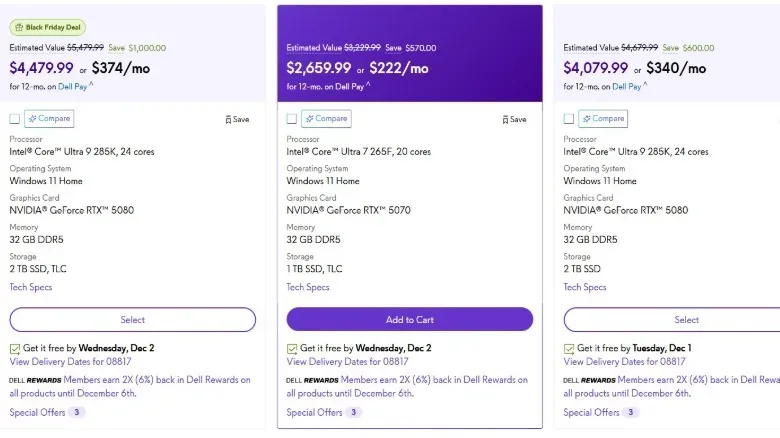
For additional context, an Aurora with the same cited specification was listed around $2,600 through Dell/Alienware, suggesting a difference of about $700 versus the $1,900 listing. That comparison makes the lower price more interesting, but buyers should still compare the complete configuration line by line before treating the gap as a guaranteed saving.
Connectivity and expansion are more than footnotes
The Aurora’s port selection is one area where the specification provides useful everyday detail. The front panel is listed with three USB-A ports, one USB-C port and a 3.5mm audio jack. Front access matters for the peripherals people regularly plug and unplug: a controller cable, headset, USB drive or phone.
At the rear, the configuration lists six further USB connections: two USB-C and four USB-A. It also includes 2.5-gigabit Ethernet, additional audio jacks and an optical SPDIF port. Ethernet is the wired networking connection; 2.5GbE is a faster-rated connection than conventional gigabit Ethernet, though realizing that potential depends on the rest of a home network. SPDIF optical is a digital audio connection that can be relevant to certain speakers or audio equipment.
Internally, the system is listed with an Intel Z890-chipset motherboard, three PCIe slots and Wi-Fi 7 support. PCIe, short for Peripheral Component Interconnect Express, is the expansion interface used by items such as graphics cards and add-in cards. Three slots is useful information, but it does not by itself tell a buyer what upgrades will physically fit, which slots are free after the graphics card is installed, or how each slot is electrically configured. Anyone planning a capture card, extra storage hardware or another expansion card should confirm those specifics rather than relying on the slot count alone.
Wi-Fi 7 support is likewise a capability rather than a promise of instant wireless improvement. The computer can support that generation of Wi-Fi, but network performance still depends on the router, connection and local conditions. These distinctions are not reasons to dismiss the listed connectivity; they are reminders to match features to the equipment already in use.
The system also has a side-panel window and integrated RGB lighting. Those are aesthetic features, but they can matter to someone who wants the compact chassis visible on a desk rather than tucked away. They should not, however, outweigh the core checks on specifications, cooling and power delivery.
Specs that need a confirmation before money changes hands
The listing includes conflicting or questionable details. Most conspicuously, it says the desktop has a built-in optical drive. That claim appears likely to be an error. An optical drive would read physical discs such as CDs or DVDs, and it is a feature buyers should not assume is present without clear model-specific confirmation.
Power-supply information is also inconsistent. The retail listing states a 450-watt PSU, while other materials identify a 500-watt supply. PSU means power supply unit: it converts wall power for the PC’s components and is central to stability as well as future upgrade planning. A 50-watt difference is not a trivial typo for someone comparing configurations, but the larger issue is uncertainty. Buyers should seek the exact model number, a manufacturer specification sheet, or a definitive answer tied to the unit being sold.
Cooling is another area where configuration names can mislead. Aurora systems can be configured with water cooling, but the $1,900 model described here is air-cooled. Air cooling uses a heatsink and fans to move heat away from components; water cooling uses liquid in a closed loop to transfer heat to a radiator. Neither label alone determines whether a PC is good or bad, but the distinction matters because it affects what a buyer is actually receiving. A listing photo or general family page should not be treated as evidence that the discounted model includes the more elaborate option.
These caveats do not erase the potentially aggressive pricing. They define the purchase process. The best response to a deal with exceptional component math is not to assume missing extras; it is to verify the exact configuration first.
A short verification checklist
- Record the exact SKU or model number. Match it across the retailer’s page and manufacturer materials.
- Confirm the power-supply rating. Determine whether this specific computer ships with a 450W or 500W PSU.
- Confirm cooling. The supplied information describes this variant as air-cooled, not water-cooled.
- Do not count on an optical drive. Seek explicit confirmation if disc support matters to you.
- Check the return policy and warranty terms. A sharp price does not reduce the value of clear recourse if the delivered specification differs from the order.
- Compare the live total, not just the headline. Stock, seller, price and configuration may all change.
Who this Aurora listing best suits
This configuration is most persuasive for someone who wants a ready-to-use desktop with an RTX 5070, 32GB of DDR5 and a 1TB SSD, and who would otherwise have to navigate costly individual GPU and memory purchases. The apparent value is strongest for shoppers who place real value on avoiding assembly and want a relatively compact, 35-liter tower with substantial front and rear connectivity.
It is less clear-cut for an enthusiast whose plans depend on a particular power supply, a water-cooling loop, an optical drive, or a specific internal expansion layout. Those needs do not make the system unsuitable; they simply require a higher standard of configuration verification than the broad family name “Aurora” can provide.
For PC players considering a new desktop alongside the continuing stream of releases on the platform, our coverage of a typing-driven sci-fi horror mystery headed to Steam is one example of the varied software a new rig may be expected to handle. Hardware purchasing, though, should start with the games and peripherals a buyer actually uses—not an assumption that a single specification guarantees the same outcome everywhere.
The most defensible reading of the $1,900 Alienware Aurora listing is that it is a potentially excellent prebuilt value, driven chiefly by the stated CPU, GPU and memory combination. At the same time, it is a deal where precision matters. Confirm the SKU, cooling arrangement, PSU and drive claims; then judge the actual delivered machine against its live price. If the major specifications check out, the unusually narrow gap between the system’s price and the cited cost of its core parts is the feature that deserves attention.
Shop the products
Check current price, model and availability at the retailer.