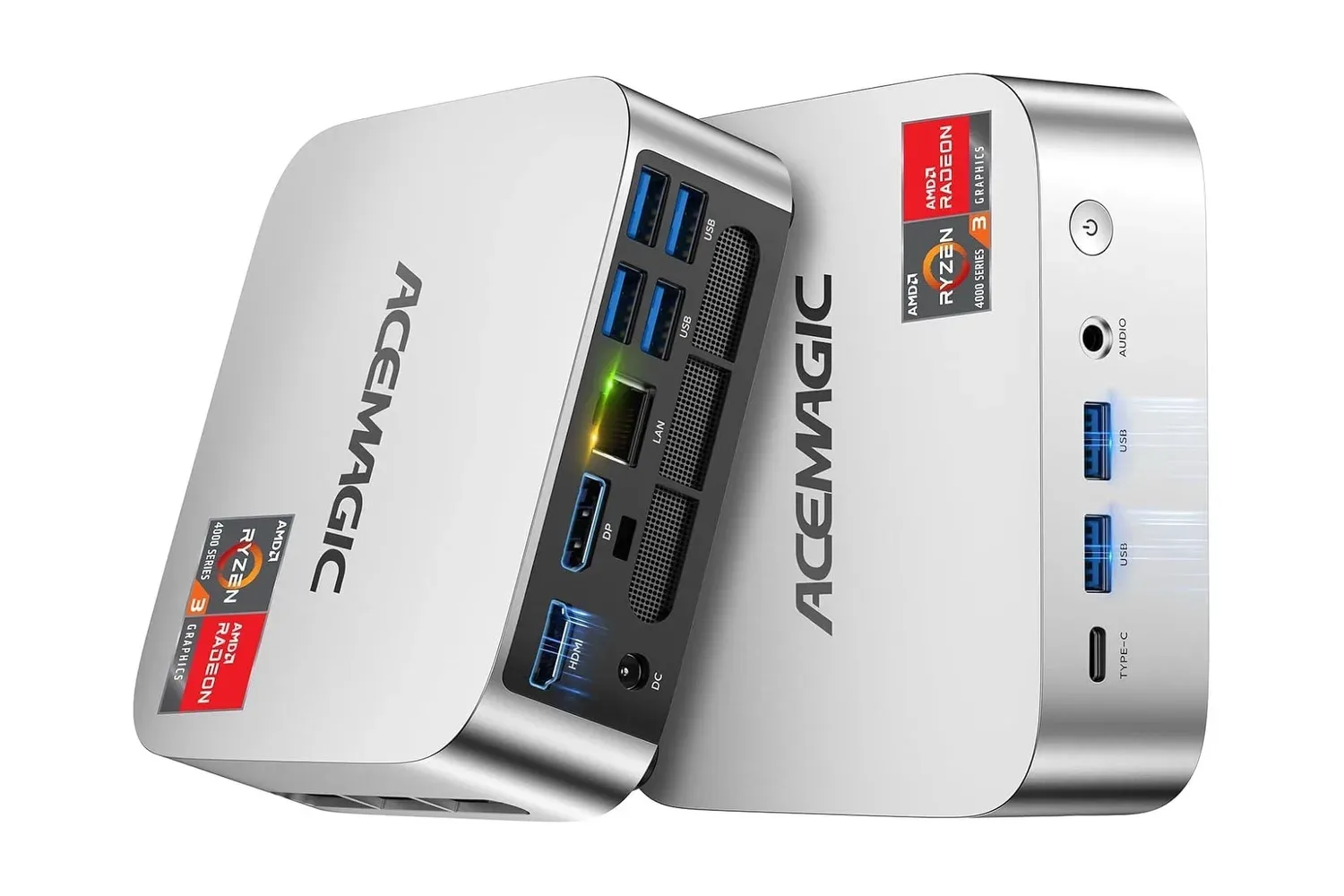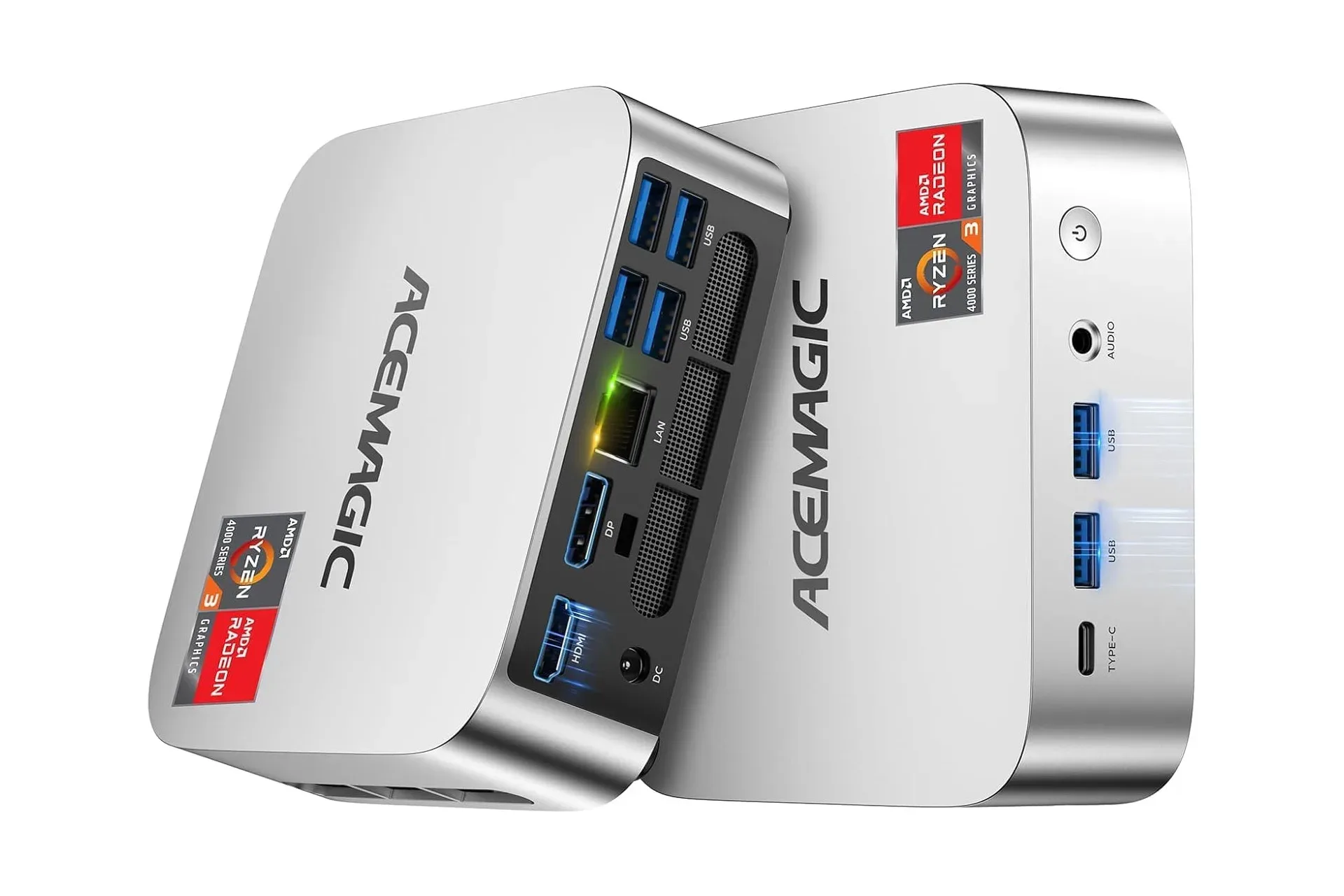
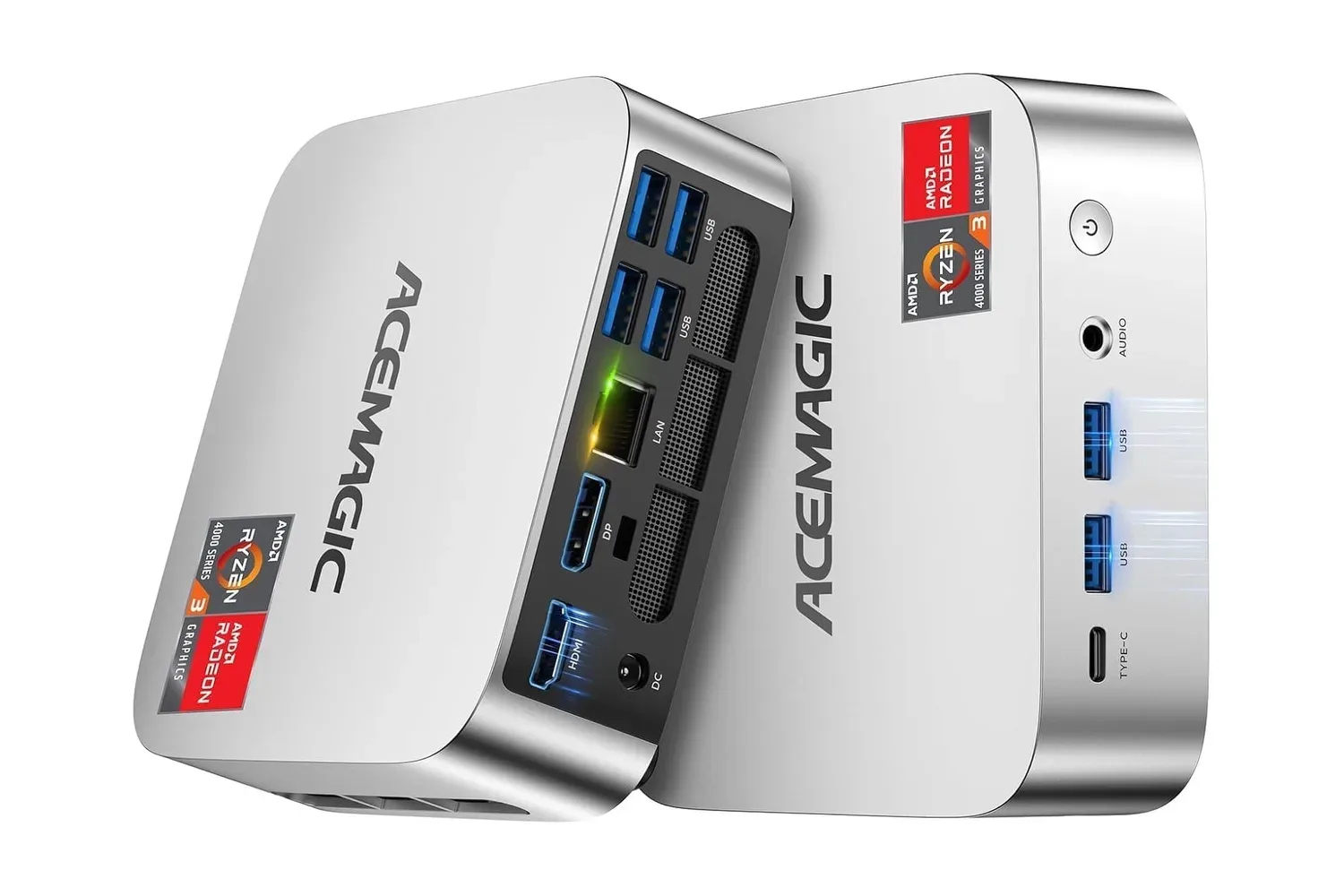
Small desktops can solve a very specific problem: a conventional tower may be more computer than a desk, TV stand or shared household workspace needs. The ACEMAGIC K1 Mini PC is currently listed for $350, reduced by $110 from $460. The system is roughly five inches square, weighs 1.3 pounds and arrives with Windows 11 Pro installed.
Importantly, shoppers should check the processor specification in the product listing itself before purchasing. The configuration described here uses an AMD Ryzen 3 4300U, not a Ryzen Pro 7330U. That Ryzen 3 chip has four CPU cores and eight threads, with a 2.7GHz base clock and boost speeds up to 3.7GHz. It is paired with 16GB of 2666MHz DDR4 memory and a 512GB M.2 2280 SSD.
What the K1’s compact hardware is built to do
The K1’s listed hardware makes its clearest case as a space-saving Windows computer for everyday tasks. Web browsing, document work, spreadsheets, video streaming, video calls and basic home-office duties are the natural uses described by its component mix. The SSD is the internal storage drive that holds Windows, programs and files; unlike a mechanical hard drive, it is intended to help with quick boots and application launches.
Memory, or RAM, is the short-term workspace a computer uses while programs are running. With 16GB installed, the K1 has a more comfortable allocation for ordinary multitasking than extremely entry-level systems with less memory. That does not change the underlying role of the processor, however. Buyers should evaluate it as a compact productivity and media machine, not assume that its small form factor or triple-display support makes it a high-end gaming desktop.
Graphics are handled by integrated AMD Radeon Graphics. “Integrated” means the graphics hardware is built into the processor rather than supplied by a separate, dedicated graphics card. The listing presents it for display output and basic graphics work. That distinction matters for games: attaching multiple screens is not the same thing as having the dedicated GPU horsepower that modern, demanding PC games often require. Anyone selecting a Windows box chiefly for PC gaming should scrutinize a game’s requirements and the exact configuration being sold.
Three display outputs are a practical advantage
One of the K1’s more notable listed capabilities is support for up to three individual 4K monitors at once. It provides HDMI, DisplayPort and USB-C for display connectivity. For a work-from-home arrangement, that can mean keeping a document on one panel, communications on a second and a browser or reference material on a third, all driven by a single very small desktop.
It is worth separating display resolution from performance expectations. “4K” describes the resolution of the display signal, and the K1 is specified to output to three such screens. It does not by itself establish how every application, game or workload will perform across those screens. For office applications, media playback and conventional desktop use, the ports offer flexibility. For graphics-heavy work, prospective owners should consider their actual software requirements rather than treating the number of display outputs as a blanket performance measure.
The USB-C connection is described as USB 3.2 Gen 2, which offers higher data-transfer rates when used with compatible equipment. Beyond monitor output, the system includes USB ports for the expected desktop accessories: keyboard, mouse, webcam and external storage. That is especially useful with a mini PC, since the computer itself is small enough to sit beside a monitor or be positioned near a television while the peripherals stay where they are needed.
Networking and living-room setup options
The ACEMAGIC K1 supports Wi-Fi 5 and Bluetooth 4.2, allowing wireless connectivity for internet access and compatible peripherals such as headsets, keyboards and mice. It also has Ethernet for a wired network connection. Ethernet can be a practical choice where a stable connection is preferred for large downloads or video conferencing, while Wi-Fi can help keep a simple desk or TV setup from accumulating extra cables.
Its compact footprint also lends itself to a media-center role. The K1 is described as capable of 4K video playback and small enough to place beneath a television or move between rooms. The maker also highlights a quiet cooling design, a potentially meaningful trait for a bedroom, living room or shared work area where persistent fan noise would be distracting.
For users who want a single compact box to cover routine Windows tasks and casual controller-based PC use, peripherals can be as important as the PC itself. A compatible wireless controller may make a television arrangement more convenient; for example, the 8BitDo GC Bluetooth Gamepad supports Windows. Compatibility of a controller does not alter the K1’s integrated-graphics limitations, but it illustrates the flexibility of a Windows-and-Bluetooth setup.
Windows 11 Pro features included in the listing
The preinstalled Windows 11 Pro license is another part of the package. Windows 11 Pro includes BitLocker, Remote Desktop and Hyper-V. These are not features every household will need, but they have clear purposes for users who do.
- BitLocker is drive encryption. It is designed to protect the files stored on the PC if the device is lost or accessed without authorization.
- Remote Desktop enables access to the computer from another device, useful where a user wants to reach their desktop setup remotely.
- Hyper-V is virtualization software. It can be used to create virtual environments for trying software or evaluating another operating system without treating that environment as the main Windows installation.
Those features give the K1 a potentially broader role than a basic streaming box. A family could use it as a shared desktop, while someone who needs security or remote-access tools has those Pro-level functions available. ACEMAGIC also states that it provides lifetime technical support for configuration issues.
Who should consider the $350 listing
At the listed $350 price, the K1 is easiest to understand as a tidy secondary PC, family computer, office endpoint or 4K media system. The 16GB RAM and 512GB SSD avoid some of the compromises associated with low-cost desktops, while the small enclosure can free substantial room compared with a tower. Triple-monitor support is a concrete benefit for users whose work is spread across several windows and screens.
Potential buyers should still make the purchase decision from the full product page rather than a broad processor label. Confirm the exact CPU, memory, SSD capacity, ports and operating-system configuration in the unit being added to the cart. The supplied specifications identify a Ryzen 3 4300U system with integrated Radeon graphics, Wi-Fi 5, Bluetooth 4.2, Ethernet, HDMI, DisplayPort and USB-C.
That careful check is particularly important for gaming. This is a compact desktop intended for basic graphics needs and day-to-day computing, not a configuration presented with a discrete GPU. Its strengths are size, Windows 11 Pro, peripheral connectivity, multi-monitor flexibility and a current $110 markdown from the stated $460 price. For users with those priorities, it is a notably small way to put a complete Windows desktop near a monitor or television.
Shop the products
Check current price, model and availability at the retailer.