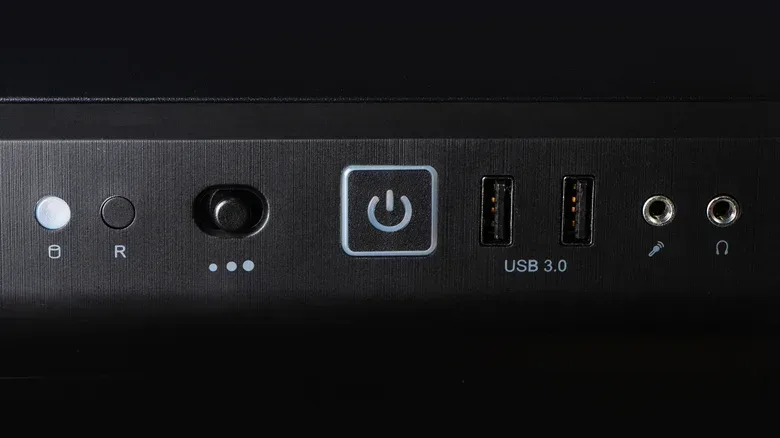
A power outage ends a game session abruptly, but the more expensive problem may arrive after the screen goes black. A desktop PC that remains plugged into the wall is still connected to the home’s electrical wiring—even if it has shut down or was already switched off. When electricity becomes unstable around an outage and especially when it returns, that connection can expose sensitive electronics to a voltage spike.
For a gaming setup, the sensible priority is straightforward: if conditions are safe and you can do so, shut the computer down and disconnect it from the wall. If the blackout has already happened, unplugging it before service returns is still useful. The same applies to a router and other costly electronics nearby.
This is not a reason to panic every time a light flickers. It is a practical habit for moments when power is out, extreme weather is approaching, or the electrical supply is plainly unstable. It also highlights why a switch on a PC case, or a normal shutdown in an operating system, is not identical to electrical isolation.
A powered-off PC is not necessarily disconnected
The key distinction is between a computer being off and it being unplugged. Turning off a PC stops normal operation, but its power cable still joins it to the outlet and, by extension, the building’s wiring. That route remains available when electricity returns.
PC components are built around delicate circuitry. The motherboard, RAM and SSD are among the parts that can be sensitive to unexpected voltage changes. A voltage spike can cause permanent hardware damage, creating a costly repair or replacement problem that is far more serious than simply needing to boot a system again.
In the US, household circuits normally operate at 120 volts. During an unexpected cut, voltage may fluctuate in the moments before power disappears and as it comes back. The restoration phase deserves particular attention: when the grid returns following an outage, an additional spike may occur. In other words, the danger is not automatically over just because the room lights have come back on.
A power surge is a sudden jump in electrical current. Lightning and damage to nearby power lines can trigger one. A strike does not have to hit a house directly to create risk; it can affect a local transformer and travel onward through household wiring. Outages associated with grid overload, equipment failure or a tripped breaker can also involve unstable voltage around the interruption.
This is why an inactive PC should not be treated as invulnerable. Its dark display and silent fans tell you it is not running a game, but not that it has been fully separated from electrical events outside the case.
There are two different risks: hardware exposure and interrupted work
Blackouts can harm a setup in two distinct ways. The first is electrical: a surge can reach plugged-in equipment and damage components. The second is operational: a PC that is actively running can lose power in the middle of writing data.
For players, the obvious loss might be progress that had not yet been saved. The consequences can be broader, however. Files being saved or updated at the moment power vanishes can be corrupted. An interruption during an operating-system update can be especially disruptive, potentially leaving the system unusable. That makes a sudden cutoff more than an inconvenience, even where no surge damage occurs.
Storage type matters too. Hard disk drives, usually called HDDs, use mechanical heads, and an abrupt shutdown can harm those moving parts. Solid-state drives, or SSDs, do not use mechanical heads, but they are still electronic components that can be vulnerable to unstable power and interrupted writes.
That distinction is useful when choosing protection. Disconnecting equipment aims to reduce exposure to a surge. A battery-backed unit can instead buy time during a short outage, allowing the player to save work and perform an orderly shutdown. One does not fully replace the purpose of the other.
What to do when an outage hits
If a storm is on the way and there is time to prepare, close games and applications, shut the PC down normally, then unplug it from the wall. Taking action before the outage is preferable because it avoids cutting off the system while it is working.
If the outage is already under way, it is still worth disconnecting the computer. The restoration of service can be the point at which a damaging spike arrives. Unplug the router as well where practical. Routers are among the devices frequently damaged in electrical storms, and disconnecting one does no harm; regular restarts are useful practice anyway.
Other expensive electronics deserve the same consideration. A TV, for example, is also connected to the same household electrical environment. The most useful response is to think beyond the PC tower alone and identify the devices in the setup that would be hardest or most expensive to replace.
A practical outage checklist
- Save any active work and exit games if the supply is still stable.
- Shut down the desktop through its normal process.
- Unplug the PC from the wall if conditions allow.
- Disconnect the router and consider other expensive connected electronics, including a TV.
- Do not rush to reconnect equipment the instant power returns.
- Wait a few minutes to see whether service remains stable.
- When reconnecting, plug in the surge protector first, followed by the PC and peripherals.
This approach prioritizes the simple step that creates the clearest separation: removing the plug from the outlet. It is also less complicated than diagnosing whether a particular outage was caused by weather, a local equipment problem or something as ordinary as a tripped breaker.
PSU switches, surge protectors and UPS units are not the same thing
Desktop owners may look first to the switch on the rear of the power supply unit, or PSU. Turning it off can help prevent current from entering the system. That is preferable to leaving a running computer exposed, but it is not a complete answer in an extreme incident such as a lightning strike. A PC connected to the outlet is not as isolated as one that has been unplugged.
A quality surge protector is a more meaningful first line of defense than the PSU switch alone. Its job is to absorb voltage spikes before they reach connected gear. For an always-plugged-in desk, that makes a surge protector a valuable part of the setup rather than an accessory to overlook.
However, surge protection does not solve the separate problem of instant data loss during a blackout. That is where an uninterruptible power supply, or UPS, has a specific role. A UPS combines surge protection with a battery backup. It is not designed to power a gaming PC indefinitely or turn a blackout into a full evening of play. Its practical value is the short window it provides: enough time to save work and shut down cleanly instead of having the system lose power without warning.
For a broader layer of household coverage, a licensed electrician can install surge protection at the electrical panel. Unlike a single desktop surge protector, that approach is intended to shield outlets throughout the house. It is a different scale of solution, and one that should be handled professionally.
Protecting the setup also protects the time spent on it
The immediate appeal of a UPS is easy to understand for anyone in the middle of a match, download or system update. A short battery reserve can prevent the moment where a display abruptly turns off and the player is left wondering what the PC was writing when the power failed. It is about creating a controlled shutdown rather than pretending the interruption did not happen.
Unplugging remains the strongest basic response during a known outage or storm because it removes the PC’s direct connection to the wall. A surge protector and a UPS are useful additional layers, not excuses to ignore an unstable electrical supply. The most appropriate combination depends on the situation: a surge protector for ongoing spike defense, a UPS for time to shut down during shorter interruptions, and physical disconnection when conditions make the risk more immediate.
Routine PC care covers more than electrical hardware. Software-side housekeeping matters as well, from keeping track of updates to reviewing settings such as how to turn off Google Maps Timeline and pause a location log. But a well-maintained setup can still be caught out by a power event if it stays connected at the wrong moment.
The practical takeaway is modest: when the power is out, do not assume the PC is protected merely because it stopped running. Wait for power to stabilize, reconnect deliberately, and use the available safeguards to reduce both hardware exposure and the odds of losing files. A few seconds spent unplugging can be far easier than replacing a damaged component or recovering from corrupted data.