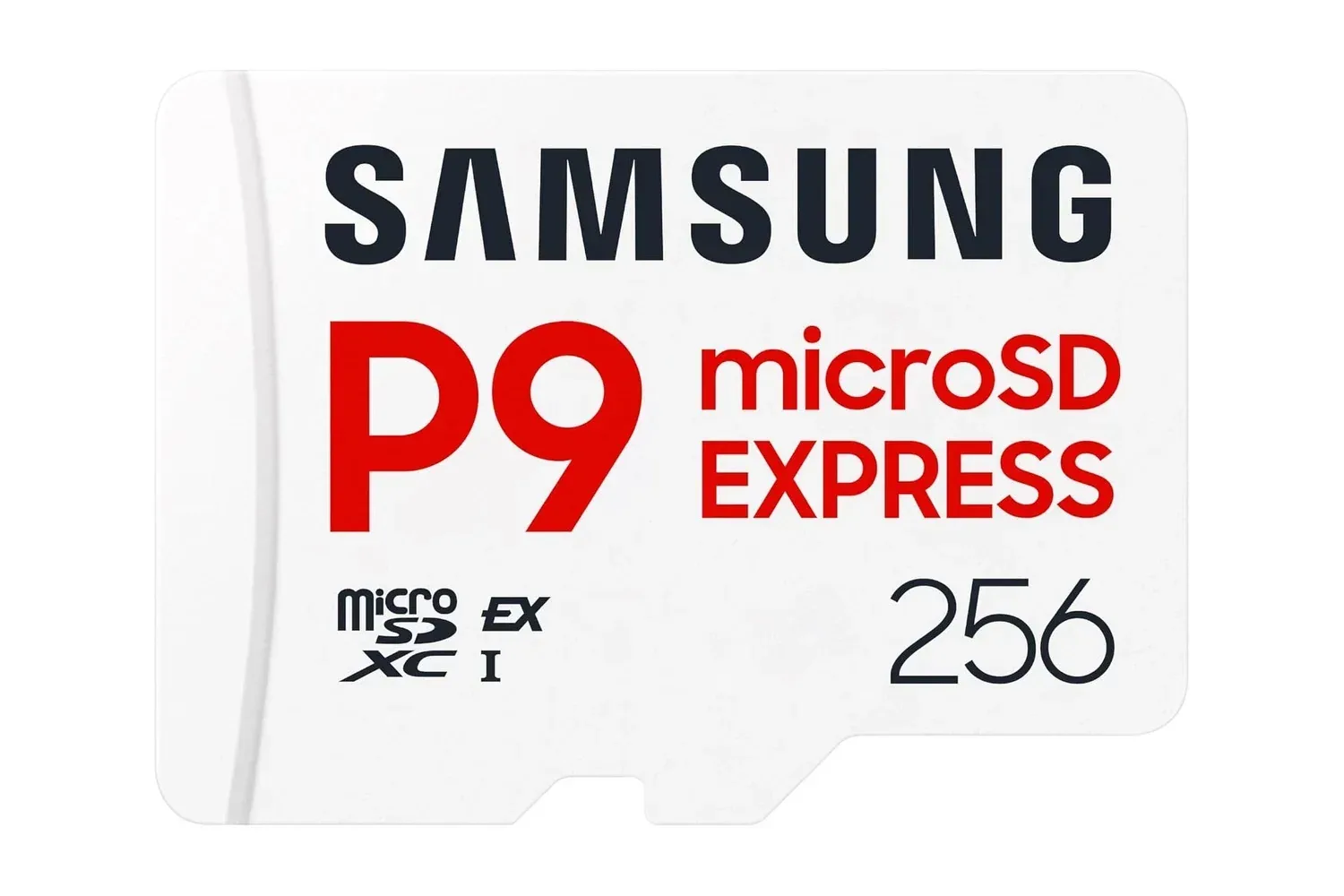
Digital game libraries have a tendency to grow at exactly the moment a console’s free space becomes inconvenient. Samsung’s P9 Express 256GB microSDXC card is positioned as an expansion option for Nintendo Switch 2 owners who want room for more installed games, downloadable content, system updates, screenshots and video captures without repeatedly deleting existing downloads.
The 256GB model is listed at $45, reduced from $80. That is a $35 difference, or about 44% off the stated regular price. Deal prices and stock can change, so prospective buyers should confirm the listing details before ordering. A related report on the listing is available here.
The headline specification is its microSD Express design: Samsung rates the card for sequential reads of up to 800MB/s. It also lists random read performance up to 65,000 IOPS and random write performance up to 52,000 IOPS. Those figures help explain why this is a different proposition from an ordinary capacity-only microSD purchase, although they should be read as maximum rated performance rather than a promise that every game or task will hit that number.
What buyers are getting for the $45 listing
- Capacity: 256GB of additional storage for games, updates, downloadable content, captures and other supported data.
- Express interface: PCIe Gen 3.0 x1 with NVMe 1.3 support.
- Rated sequential read speed: up to 800MB/s.
- Rated random performance: up to 65,000 read IOPS and 52,000 write IOPS.
- Physical size: 15mm by 11mm by 1mm, the standard microSD form factor.
- Heat management: Samsung’s Dynamic Thermal Guard monitors the card’s temperature.
- Additional-device support: it can operate in standard UHS-I microSD slots, with a stated maximum UHS-I speed of 90MB/s.
Why “microSD Express” matters here
Memory-card labels can be a small alphabet soup, so the important distinction is straightforward: microSD Express refers to a card type that uses PCIe and NVMe technology for substantially higher-speed operation in compatible hardware. PCIe is an interface familiar from internal SSDs, while NVMe is a storage protocol used by high-speed solid-state drives. The P9 Express uses a PCIe Gen 3.0 x1 connection and supports NVMe 1.3.
That does not turn the card into a full-sized internal SSD. It remains a tiny removable card. But it does mean its architecture is designed for a faster class of storage access than conventional UHS-I microSD operation. Samsung’s stated 800MB/s sequential-read ceiling is the number most relevant to transferring large, continuous blocks of data.
For a console player, the practical relevance is loading data: starting a game, moving into a new area, returning to a title after switching away, or reading game files during play. Faster storage can reduce the time spent waiting for data to be read, provided the console and the game’s own design can take advantage of it. It cannot eliminate every loading delay, since loading is not solely a storage-speed problem; software processing and other system work remain part of the process.
Downloads are a related but separate case. Fast storage can help when the console is writing a large game or update to the card, but download completion also depends on the internet connection and service conditions. In plain language: a quick card avoids being an obvious storage bottleneck, but it cannot make a slow connection magically behave like a faster one.
Sequential speed versus IOPS
The P9 Express specification sheet contains two kinds of performance measurement. Sequential read speed, rated at up to 800MB/s, measures sustained reading of adjacent data. It is a useful shorthand for big-file throughput.
IOPS means input/output operations per second. Random read and write IOPS describe how many smaller, scattered storage requests a device can handle. Samsung rates this card at up to 65,000 random read IOPS and 52,000 random write IOPS. Game software does not always access files in one long, uninterrupted stream, so random performance is a meaningful complementary figure. Still, neither IOPS rating should be treated as a direct prediction of a specific game’s load-screen duration. They describe the card’s rated storage behavior, not a universal console benchmark.
What 256GB changes for a Switch 2 library
Capacity is the immediate reason most people buy an expansion card. The 256GB P9 Express can hold multiple installed titles alongside patches, downloadable content and captured media. The exact number of games will vary considerably because game and update sizes vary, and the supplied information does not establish a fixed game count. That uncertainty is worth keeping in mind instead of assuming that 256GB always equals a particular number of installs.
What is clear is the workflow benefit. More available storage means fewer decisions about which installed game has to make way for the next one. For players who rotate among a handful of large games, keep older favorites installed, or regularly download updates, that convenience can matter more than a single theoretical speed figure.
It also has a travel angle. A removable 256GB library is useful for taking a broader selection of digital purchases away from home, rather than planning around limited internal capacity. The card can also store screenshots and videos, giving captured media somewhere to go without competing as directly with game installations.
There is no supported basis here for saying 256GB is the right capacity for every owner. It is best understood as a middle-ground option: enough additional space for several games and other data, without stepping into a larger-capacity purchase. Buyers with a small rotating library may value the speed specification most; those who keep many downloads installed should consider their own storage habits before deciding whether this capacity is sufficient.
Thermal management and travel protection
Samsung says the P9 Express includes Dynamic Thermal Guard, a feature that monitors the card’s temperature to help it maintain smooth performance through longer periods of use. Thermal management matters because sustained storage activity produces heat, and controlling temperature can help a device operate consistently rather than being pushed into reduced performance.
That is not a claim that the card is immune to every failure or that it will remain cool in all conditions. It is a stated protective feature intended to manage temperature during extended use. For everyday console ownership, it is chiefly reassurance that Samsung has included a heat-monitoring measure in a product designed for repeated game loading and downloads.
The company also describes the card as resistant to water, magnets and X-rays, among other travel-related hazards. Those protections are useful considerations for a removable item that may move between a console, a camera bag and other devices. They should not be interpreted as an invitation to be careless with important data. A card can protect storage only to a point, and irreplaceable screenshots or videos are still worth copying elsewhere when possible.
Compatibility: fast in an Express device, flexible in UHS-I hardware
The P9 Express has a second role beyond a Switch 2 expansion card. Samsung says it works in devices with a standard UHS-I microSD slot, including cameras, drones, tablets and laptops. In that mode, it can run at up to 90MB/s, rather than the up-to-800MB/s figure associated with its faster Express capability.
This is an important distinction. The card’s compatibility does not mean every device receives microSD Express performance. A standard UHS-I slot can use the card, but it operates within that older interface’s stated 90MB/s maximum. The upside is flexibility: the card can be repurposed for photos, 4K video and file transfers in compatible UHS-I equipment. The trade-off is that its fastest rated mode is not available there.
For a buyer who owns only a Switch 2, this fallback may not be the central selling point. For someone who also uses cameras, drones, tablets or laptops, it gives the card a useful second life or a way to move files between devices. It is also a reminder to match expectations to the host hardware, not just the largest speed number printed for the card.
Samsung Magician and card monitoring
Samsung says its Magician software can be used to view the P9 Express card’s health and performance and to check authenticity. Monitoring tools are most useful as an information layer: they can help an owner keep track of the card over time and provide an additional way to verify the product. They do not replace purchasing carefully or maintaining copies of important files.
For players, the software angle is less about day-to-day console administration and more about ownership confidence. A storage card tends to disappear into a slot and be forgotten until capacity runs low or a problem arises. Health and performance information offers a way to check in on that component rather than treating it as unknowable black-box hardware.
Who this card makes sense for
The $45 listing is most compelling for a Switch 2 owner who needs more space now and specifically wants a 256GB microSD Express card rather than merely the cheapest removable capacity available. Its appeal comes from a combination of storage, the 800MB/s rated sequential-read specification, PCIe/NVMe-based Express design, thermal monitoring and the ability to fall back to UHS-I devices.
It is less useful to focus only on the “up to” speed number. The more practical question is whether the buyer wants to reduce storage housekeeping: fewer deletions, more games kept installed, more room for updates and captures, and a card built for the console’s faster storage standard. On those terms, the Samsung P9 Express offers a clearly defined upgrade path at its listed discounted price.
Anyone comparing broader game-storage options may also find it useful to see how high-speed storage is framed on other platforms, such as this look at a PCIe 4.0 storage upgrade for PC gaming. The formats and capacities are different, but the same basic buying principle applies: check the interface your device supports, then balance speed, usable capacity and price rather than treating any one specification as the whole story.
Shop the products
Check current price, model and availability at the retailer.