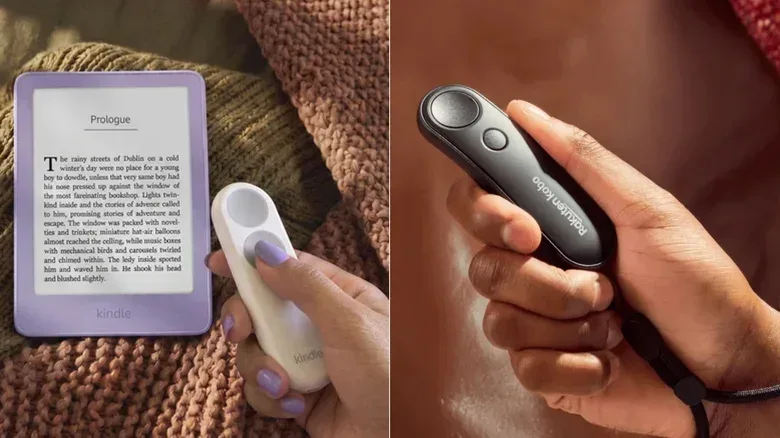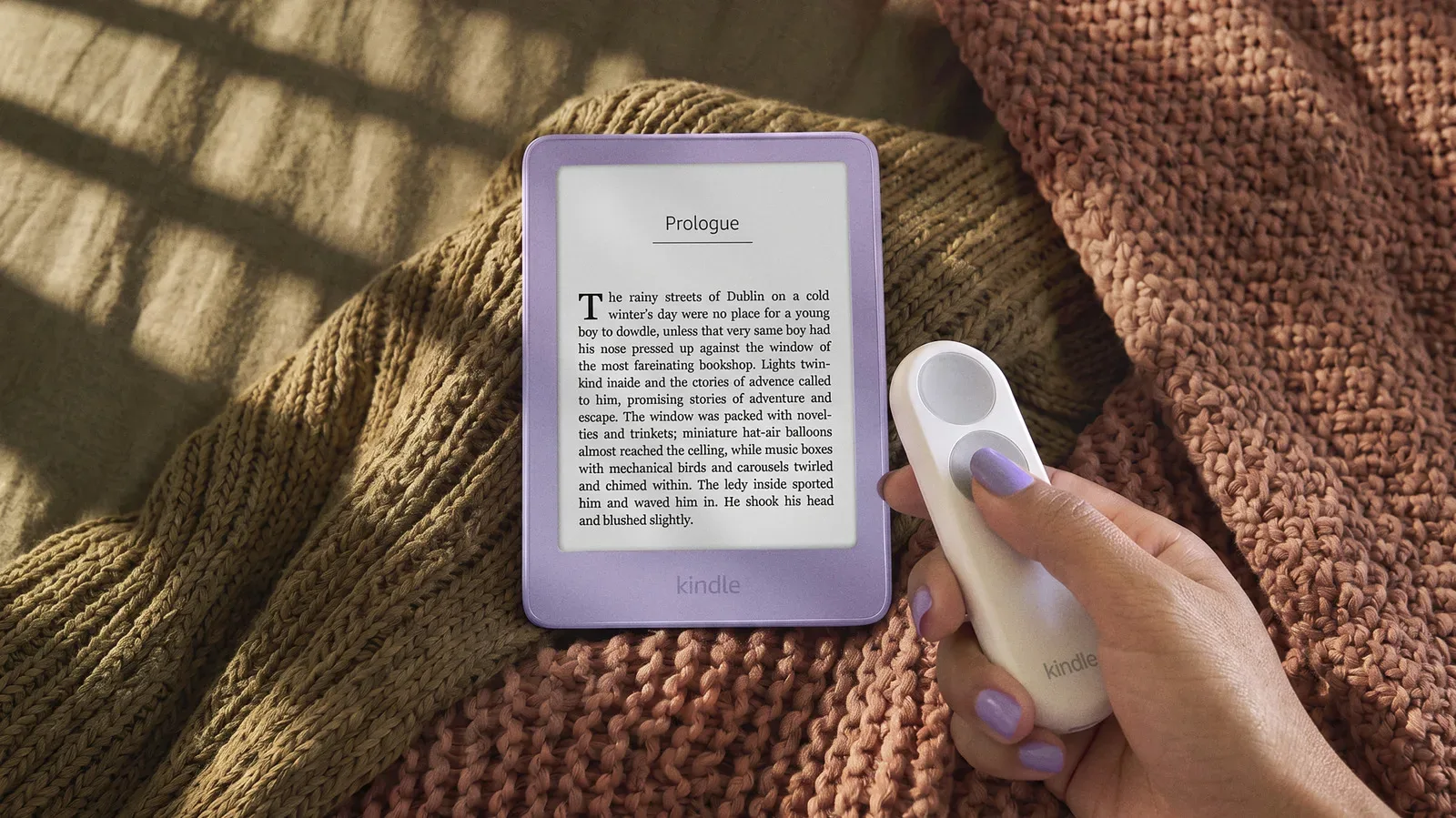
For readers who use an e-reader on a stand, read under blankets, or balance a device during a workout, the act of tapping a display for every page can become the one repeated interruption in an otherwise hands-free routine. Official Bluetooth page-turning remotes from Amazon and Rakuten Kobo address that narrow but genuine problem. The Kindle Click and Kobo Remote each let a reader advance or reverse pages without touching the e-reader itself, but they make meaningfully different choices about controls, power and supported hardware.
The headline distinction is not really the small gap in list price. Kindle owners can only use the Kindle Click; Kobo owners can only use the Kobo Remote. That ecosystem boundary settles the purchase for many people before button layout or battery preference enters the equation. Still, comparing the two is useful because it shows how the companies interpret a simple accessory category: Amazon has made a feature-rich rechargeable controller, while Kobo has favored an ergonomic, tactile remote powered by a replaceable AAA battery.
Both products use Bluetooth, the short-range wireless connection that lets the remote communicate with a compatible e-reader without a cable or screen-clamping mechanism. Both also include an optional wrist lanyard. The result is the same basic benefit: a page can be turned while the e-reader remains mounted, propped up or held at a distance.
Kindle Click: more controls in a rechargeable remote
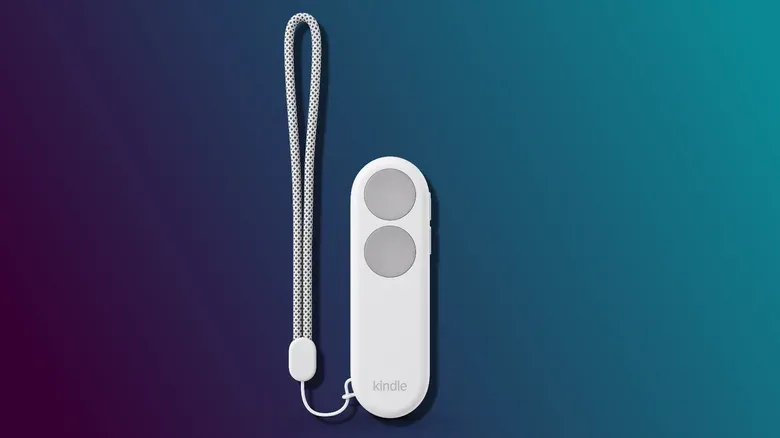
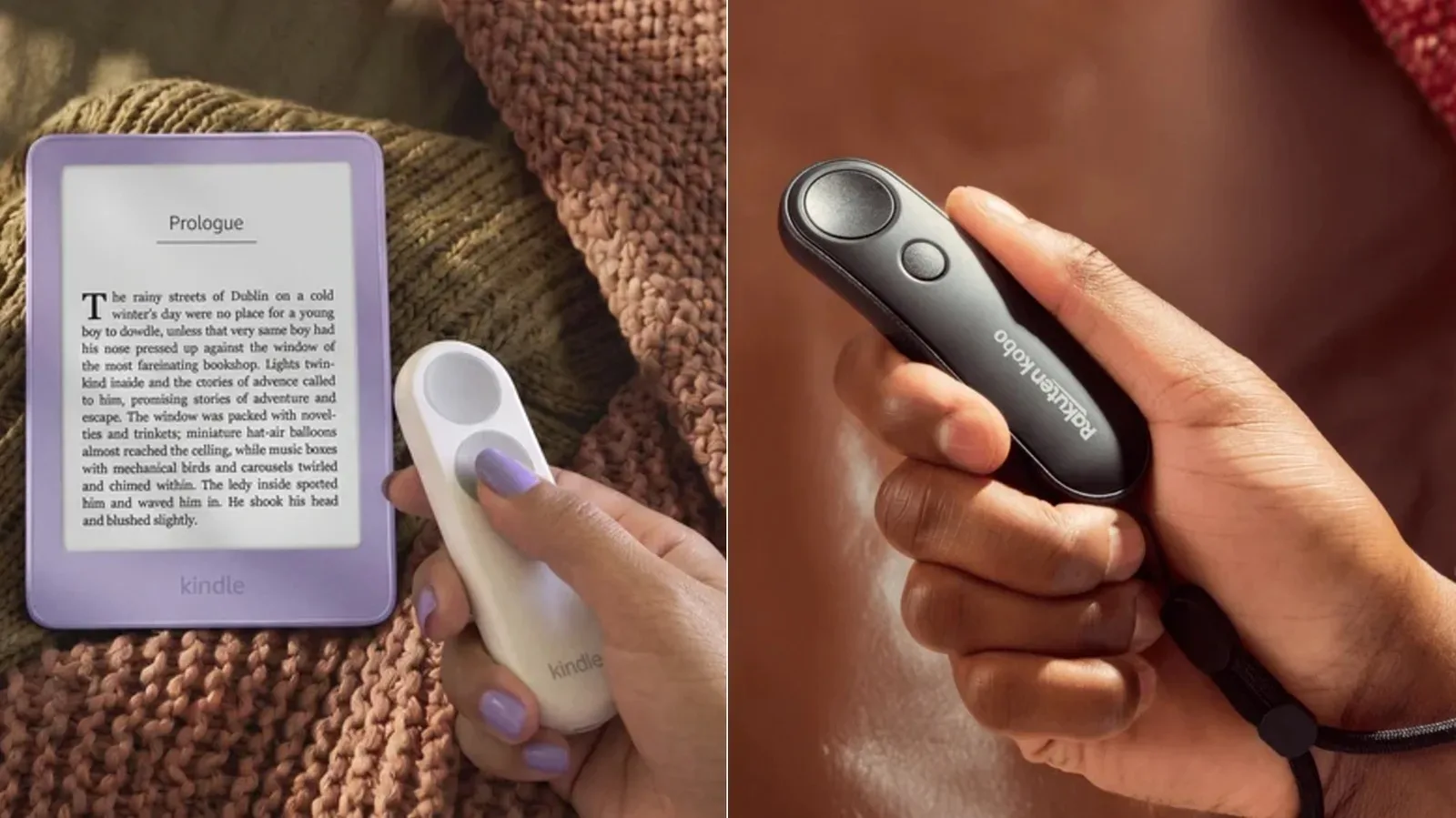
Amazon’s Kindle Click is priced at $34.99 and is scheduled for release on October 28, with pre-orders available ahead of that date. It is Amazon’s first official Bluetooth page-turning remote. Its face has two large buttons of the same size, assigned to moving forward and backward through pages.
Where the Click separates itself from a straightforward page turner is its set of side controls. Dedicated buttons can change Kindle screen brightness without making the reader open an on-screen menu. Pressing both brightness buttons together puts the Kindle to sleep. These are modest additions, but they matter for the accessory’s central purpose: reducing the number of times someone has to reach over and interact directly with the e-reader.
Brightness controls are particularly practical in the situations a remote is designed around. A reader using a stand may want to dim the display at night or increase brightness as a room changes without disrupting their position. Sleep control can likewise be helpful at the end of a reading session. The Kobo Remote does not have equivalent brightness or lock controls in the supplied details, so Kindle Click is the more functional option if those shortcuts are valuable.
The other major Kindle Click decision is charging. It has a USB-C port and is intended to be plugged in every few weeks rather than opened for a battery swap. USB-C is the reversible connector now commonly found on modern electronics, including current Kindle hardware. For readers who already keep a suitable cable nearby, the Click’s approach keeps maintenance familiar and avoids buying or storing disposable batteries.
That convenience is offset by a compatibility cutoff. The Click works with Kindle models released in 2024 or later, including Amazon’s newly launched Kindle devices, but it does not support older Kindle models. A remote that costs only a little more than Kobo’s alternative can therefore be unavailable to a sizeable portion of existing Kindle owners simply because their device predates that threshold.
Visually, Kindle Click is offered only in white with gray buttons. Its restrained treatment may fit readers who prefer accessories to fade into the background, though it does not offer much choice for people who coordinate cases, stickers and other e-reader accessories.
Kobo Remote: tactile distinction and a replaceable battery
The Kobo Remote arrived in November 2025 with a $29.99 list price. Demand initially outstripped supply, with the remote selling out for months. It is now listed at $29.99 through Rakuten, although the supplied retail pricing shows it at $31.99 at Target and $33.99 at Amazon. That variation is worth keeping in mind when treating the apparent $5 Kindle-versus-Kobo price difference as decisive: at some retailers, the gap is much smaller.
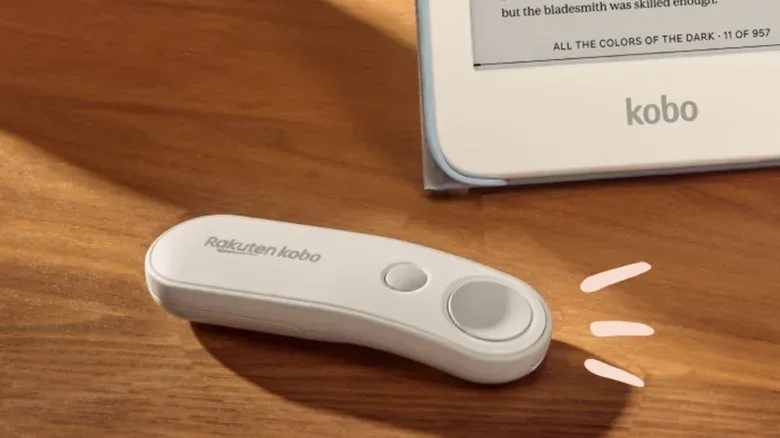
Kobo’s hardware approach centers on grip and touch recognition. The Remote has a 20-degree curve intended to fit more naturally into a hand. Its two buttons are deliberately different shapes: the larger one is concave, meaning it curves inward, while the smaller one is convex, meaning it curves outward. Those contours let a person distinguish the controls by feel instead of looking down to find the correct button.
That is a strong design choice for an accessory built around uninterrupted reading. Similar-size, similar-shape controls can be clean-looking, but differentiated controls can reduce accidental inputs when a person is reclining, exercising, or using the remote with limited attention. The Kindle Click’s two large equal buttons are simple and easy to understand visually; Kobo’s shape contrast is the more expressly tactile solution.
Rather than recharge through a port, the Kobo Remote runs on a replaceable AAA battery, which is expected to last for months. Neither power method is categorically superior. A replaceable cell means the remote can be returned to service quickly when its battery is depleted, provided a spare is available. It also means owners need to keep AAA batteries on hand and eventually replace the cell. The Kindle Click’s USB-C charging cuts out the battery swap but requires access to a cable and time to recharge.
On compatibility, Kobo takes the broader approach described here: the Remote works with any Kobo e-reader that has Bluetooth. It pairs nearly immediately and automatically reconnects when a compatible Kobo wakes from sleep. That automatic reconnection is important in practice because a remote whose pairing has to be manually re-established would undermine its main convenience. Kobo sells the Remote in either black or white, offering at least a basic color choice.
The buying question is compatibility first, preference second
It is tempting to call one remote the clear winner based on feature count. On that narrow measure, Kindle Click has an advantage. Page navigation, brightness adjustments and a sleep shortcut give it more direct e-reader controls than Kobo’s page-focused remote. Its USB-C port will also appeal to readers who prefer rechargeable accessories and do not want to manage loose batteries.
But Kobo Remote’s advantages are not cosmetic. Its curved profile and deliberately distinct buttons are usability features, not merely styling. Its AAA battery promises a longer stretch between maintenance, and its support for any Bluetooth-equipped Kobo e-reader is considerably less restrictive than the Kindle Click’s 2024-or-later Kindle requirement. For someone using an older compatible Kobo, that breadth may be far more important than having a brightness shortcut.
The real lesson is that a page-turning remote is a companion product, not a platform-neutral gadget. Bluetooth describes the wireless connection, but it does not mean any Bluetooth remote can control any e-reader. The controls and compatibility are tied to each company’s own device family. Before comparing price, a buyer should verify the precise e-reader model and whether it falls within the supported range.
A quick way to choose
- Choose Kindle Click if you have a supported Kindle from 2024 or later and value USB-C charging, physical brightness controls and a sleep shortcut.
- Choose Kobo Remote if you have a Bluetooth-capable Kobo and prioritize a curved hand feel, buttons that are easy to identify by touch, or the ability to replace a AAA battery.
- Check the retailer price before treating Kobo as the cheaper option; its listed price varies from $29.99 to $33.99 in the supplied listings.
- Do not buy on Bluetooth alone. Confirm that the remote explicitly supports the e-reader already in use.
These small remotes also reflect a wider push toward wireless companion hardware that removes little bits of friction from everyday device use. That broader accessory thinking can be seen in other connected-device efforts, including reports of an expanding smart-home lineup built around a hub. In the e-reader category, however, the appeal is pleasantly specific: keep reading without having to move a hand back to the screen every few minutes.
For current Kindle and Kobo users, this is less a direct head-to-head shopping decision than a comparison of two philosophies. Kindle Click puts extra commands and rechargeable power first. Kobo Remote concentrates on hand comfort, tactile button differentiation and wide Bluetooth-Kobo compatibility. Both turn pages. Which one makes more sense depends on the e-reader already owned—and on whether a reader would rather reach for a USB-C cable or a AAA battery when the remote eventually needs power.
Shop the products
Check current price, model and availability at the retailer.