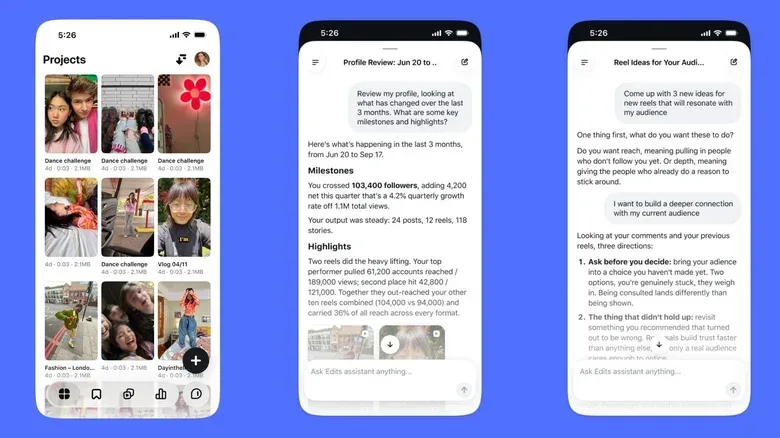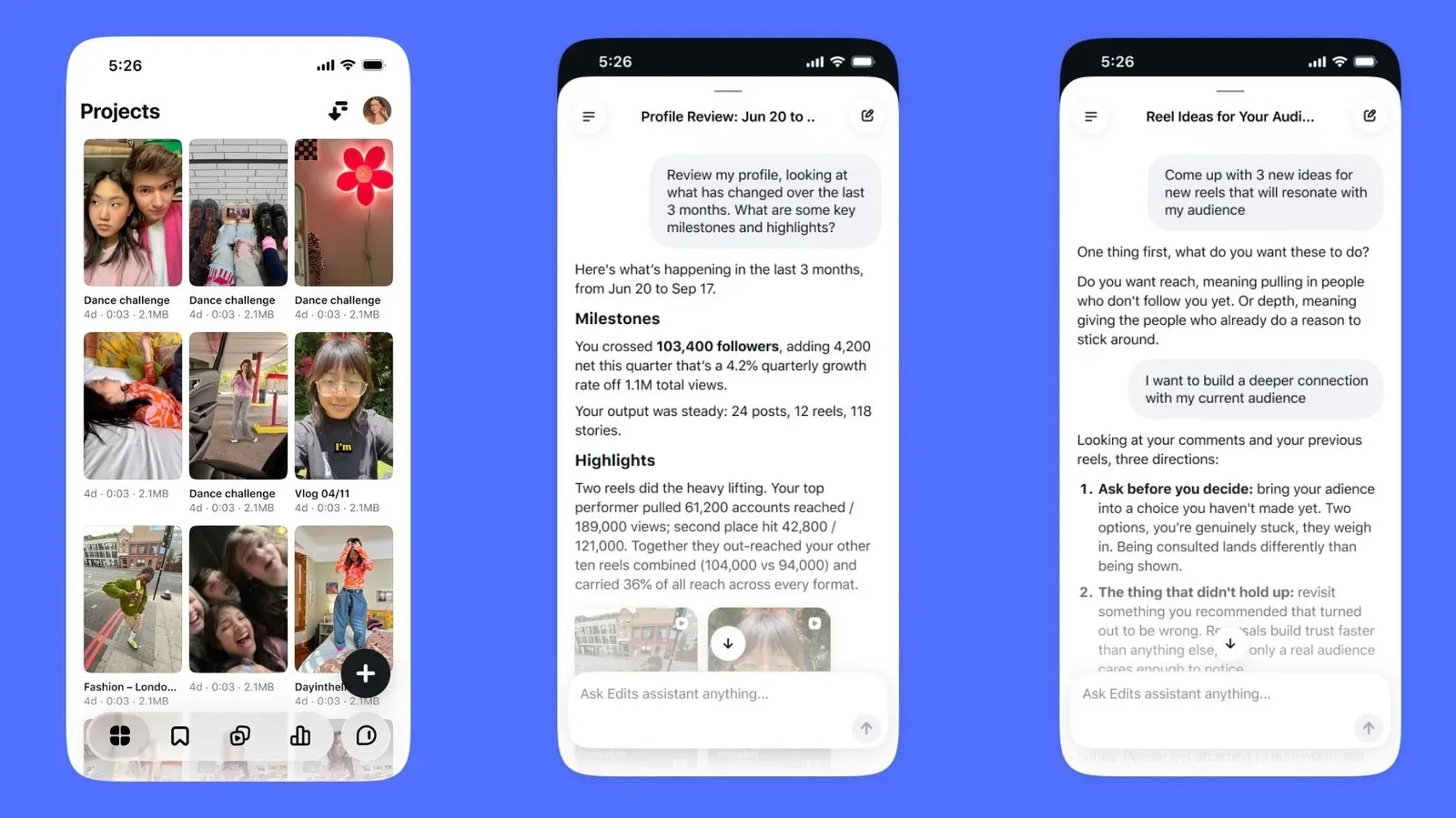
Meta is adding an AI assistant to Edits, its creator-focused video-editing app, with a pitch that will sound familiar to anyone who has stared at a post’s analytics dashboard as if it were an ancient prophecy. The difference, Meta argues, is that this assistant is meant to work from a creator’s own audience and publishing history rather than dispensing one-size-fits-all content advice.
The Edits assistant can analyze Instagram signals including follows, views, likes, shares and retention statistics. A creator can ask which recent videos performed well, why a Reel may not have connected with viewers, or what to make next. Its stated job is to turn those signals, plus current trends, into suggestions for concepts, opening hooks, captions and audio choices.
That makes the tool less of an automatic video-maker and more of an analytics interpreter with a brainstorming tab. Or, in joystick terms, it is being positioned as a co-op partner for the part of publishing that happens after the boss fight: figuring out what the numbers actually mean and what to try on the next run.
What Meta says the Edits assistant can do
Edits is Meta’s video-editing app for creators, introduced last year as a competitor to TikTok’s CapCut. The new assistant is designed to sit within that creator workflow and respond to questions about the account’s previous output.
Meta says the assistant evaluates patterns across performance, instead of treating a single breakout post as a complete strategic plan. That distinction matters. A video that gets unusually large numbers may have benefited from a timely subject, a particularly shareable premise or a moment that cannot be easily recreated. A pattern-based approach is intended to look for recurring conditions across more than one piece of content.
The assistant can use the following account data when answering prompts:
- Follows: an indication of whether content may be persuading people to subscribe to a creator’s future posts.
- Views: a measure of how often a video has been watched, though not an explanation by itself of why it drew attention.
- Likes and shares: engagement signals that can indicate a viewer response, with shares potentially suggesting that people found a post worth passing along.
- Retention statistics: data about viewers continuing to watch rather than leaving a video early.
Using those signals, the assistant may suggest ideas for future videos, hooks, captions, and audio that fits the creator’s established style. A hook is the opening element intended to give someone a reason to keep watching. It might be a premise, a question or a striking first moment, but the feature’s emphasis is on proposing directions rather than guaranteeing a winning formula.
The ability to ask why a Reel did not resonate could be particularly useful if the response stays tied to observable trends in the account’s data. “Resonated” is naturally a broad word: a video can be watched without attracting shares, gain likes without converting viewers into followers, or draw initial attention while losing the audience early. The assistant’s value will depend on whether it can help creators separate those outcomes instead of flattening every result into a simple good-or-bad score.
Why retention is likely to be a central signal
Of the metrics named for the assistant, retention is one of the more practical measures for short-form video planning. Put simply, retention describes how much of a video viewers continue to watch. If an audience leaves near the beginning, a creator may need to reconsider the introduction, pacing or clarity of the premise. If people remain but do not share or follow, the next question may be different: perhaps the format holds attention but does not give viewers much reason to act.
Meta has not described the assistant’s exact analysis method, nor has it promised that every suggested hook or caption will be successful. That uncertainty is worth keeping in view. Analytics can identify patterns, but they do not turn creative work into a solved equation. A recommendation drawn from prior performance is still a recommendation, not an explanation with laboratory-grade certainty.
Still, aggregating a creator’s signals into a conversational tool could save time. Instead of manually comparing recent posts and attempting to remember which approaches produced better viewing behavior, a creator could ask focused questions. For example, the useful version of a question is not merely “What should I post?” It is closer to: which approaches have held viewers’ attention, what recurring formats have prompted shares, and what kind of next concept follows from those patterns?
That framing also places responsibility where it belongs. The creator remains the person deciding whether advice fits their voice, their audience and their goals. The assistant can generate options; it cannot determine whether repeating a successful format would be worthwhile, creatively satisfying or appropriate for a particular community.
Personalization is the feature—and the trade-off creators should understand
Meta is presenting personalized analysis as the assistant’s major advantage over generic AI guidance. Rather than receiving broad advice that could apply to nearly any account, users are meant to receive ideas based on what their followers have watched and responded to in the past.
That personalization rests on the assistant having access to a substantial set of Instagram performance data: follows, views, likes, shares and retention information. For creators, this means the feature is most relevant when they want assistance based on their existing account activity. It also means its recommendations are shaped by historical behavior. An assistant trained on what already worked for an account may be helpful for refining a recognizable format, but creators should be alert to the possibility of over-optimizing toward their past.
There is a creative tension here. The most data-supported idea may be a variation on a familiar approach; the most interesting next video may be an experiment whose value cannot be inferred from last month’s dashboard. Meta’s description of the assistant as a source of concepts, hooks and captions leaves room for it to be used as a starting point rather than a command prompt that dictates the editorial calendar.
For gaming-focused creators, that distinction could be especially useful. A channel covering a new release such as Midwest 90: Rapid City’s Steam Early Access plans, for example, may need several different short-video angles around the same news: a quick premise explainer, a focused look at a single mechanic, or a broader genre comparison. Analytics-informed suggestions might help identify which format has historically prompted a particular audience to keep watching or share. They cannot establish that the newest trend is the right editorial choice, or replace clear reporting and original perspective.
Free access will have a daily cap
The Edits assistant has already been tested with select creators in Meta’s community. Meta says it will be free to use in the app until a user reaches an unspecified daily prompt limit. No number for that limit has been provided.
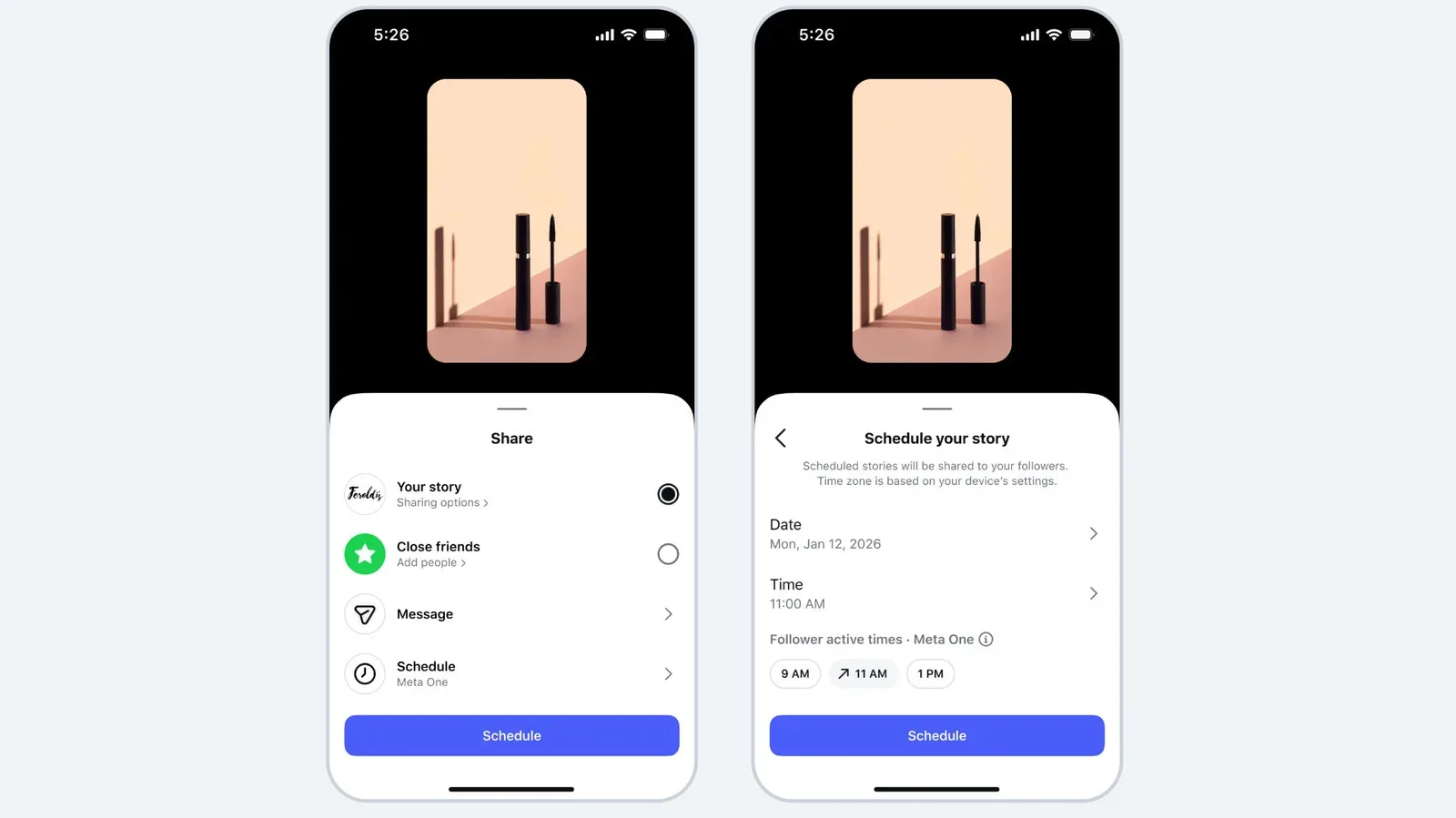
The company also has Meta One subscriptions that offer higher usage limits for heavy users. The highest-priced plan costs $499 per month. It is not yet clear from the available details how many prompts free users receive each day, how the higher limits are structured, or how frequently a typical creator would encounter the cap.
Those unknowns are important because conversational AI features are often most useful in an iterative workflow. A creator might begin by asking what has worked recently, then follow with a question about retention, then request a few concept variations and revise the resulting caption. A daily limit can be perfectly workable for occasional planning, but its impact on a high-volume publisher cannot be judged until Meta specifies the allowance.
Likewise, the $499-per-month top tier is a figure that will be relevant chiefly to users who need substantially greater capacity and can make a business case for it. The presence of a paid route does not change the stated free entry point, but it does make the prompt cap part of the product’s practical design rather than a minor footnote.
Practical ways to use the assistant without surrendering the creative wheel
The information available so far points to a few sensible uses. First, creators can use the assistant to summarize performance patterns they might otherwise need to assemble manually. Questions about recent strong videos, weaker Reels or recurring audience behavior are closely aligned with the data Meta says it can analyze.
Second, it can be used for structured ideation. Asking for multiple hooks, caption directions or audio suggestions based on an account’s past style is likely more productive than expecting a single perfect answer. The final choice should still be assessed for accuracy, tone and relevance, especially where a video discusses news, games or other subjects with details that need to be correct.
Third, creators can treat recommendations as hypotheses. If the assistant identifies a recurring tendency in well-performing content, that can inform the next video—but it should not be confused with proof that copying the pattern will recreate the result. A distinct topic, a changing trend or a different audience mood may lead to a different outcome.
Meta’s Edits assistant is therefore a bid to make creator analytics more conversational and immediately actionable. Its promise is not that AI can manufacture an audience, but that a creator can ask better questions of the data their audience has already produced. Whether that becomes a genuinely useful creative partner will depend on the quality and clarity of its answers, the still-unspecified free prompt limit, and the willingness of creators to keep their own judgment in the driver’s seat.