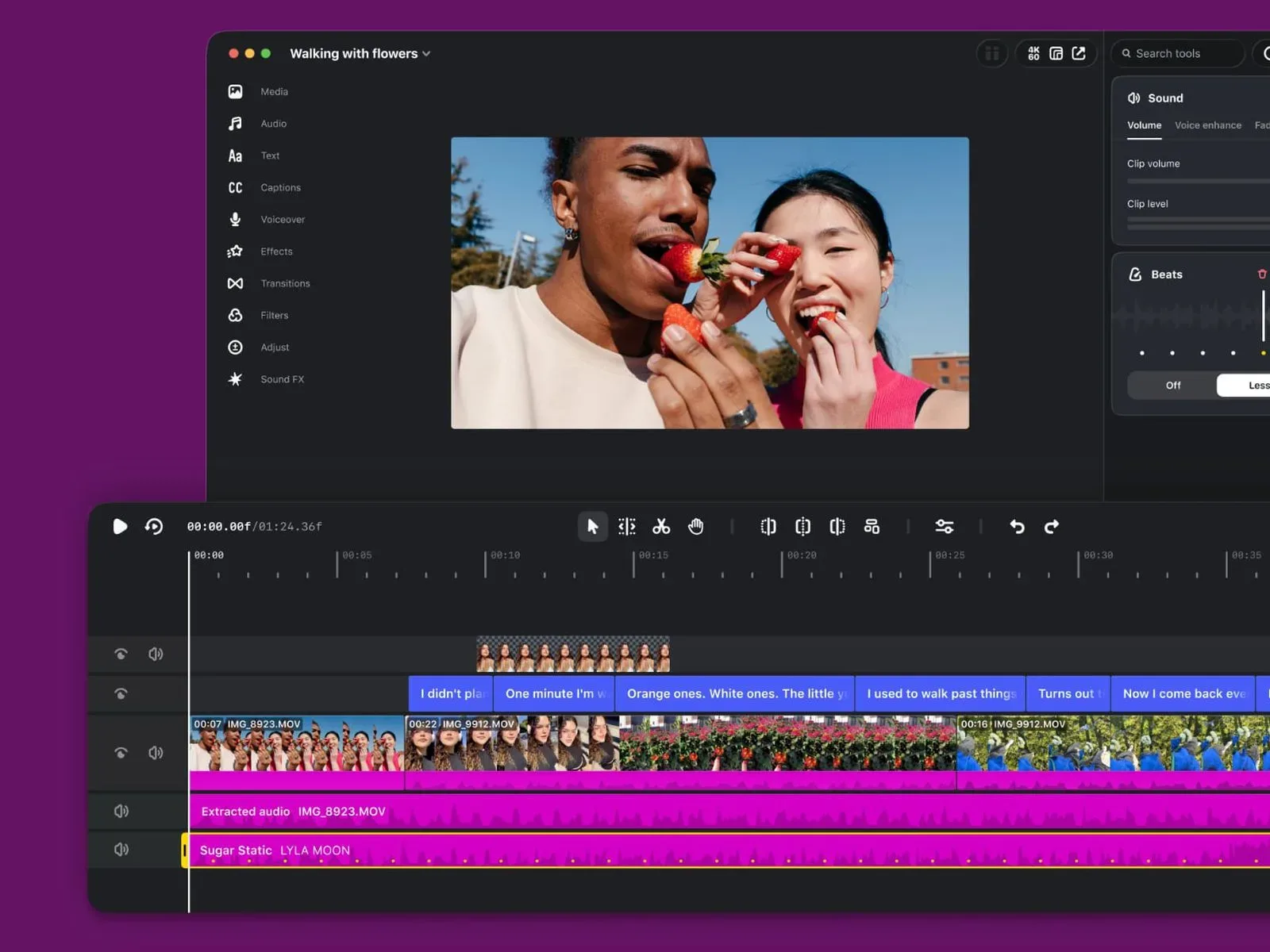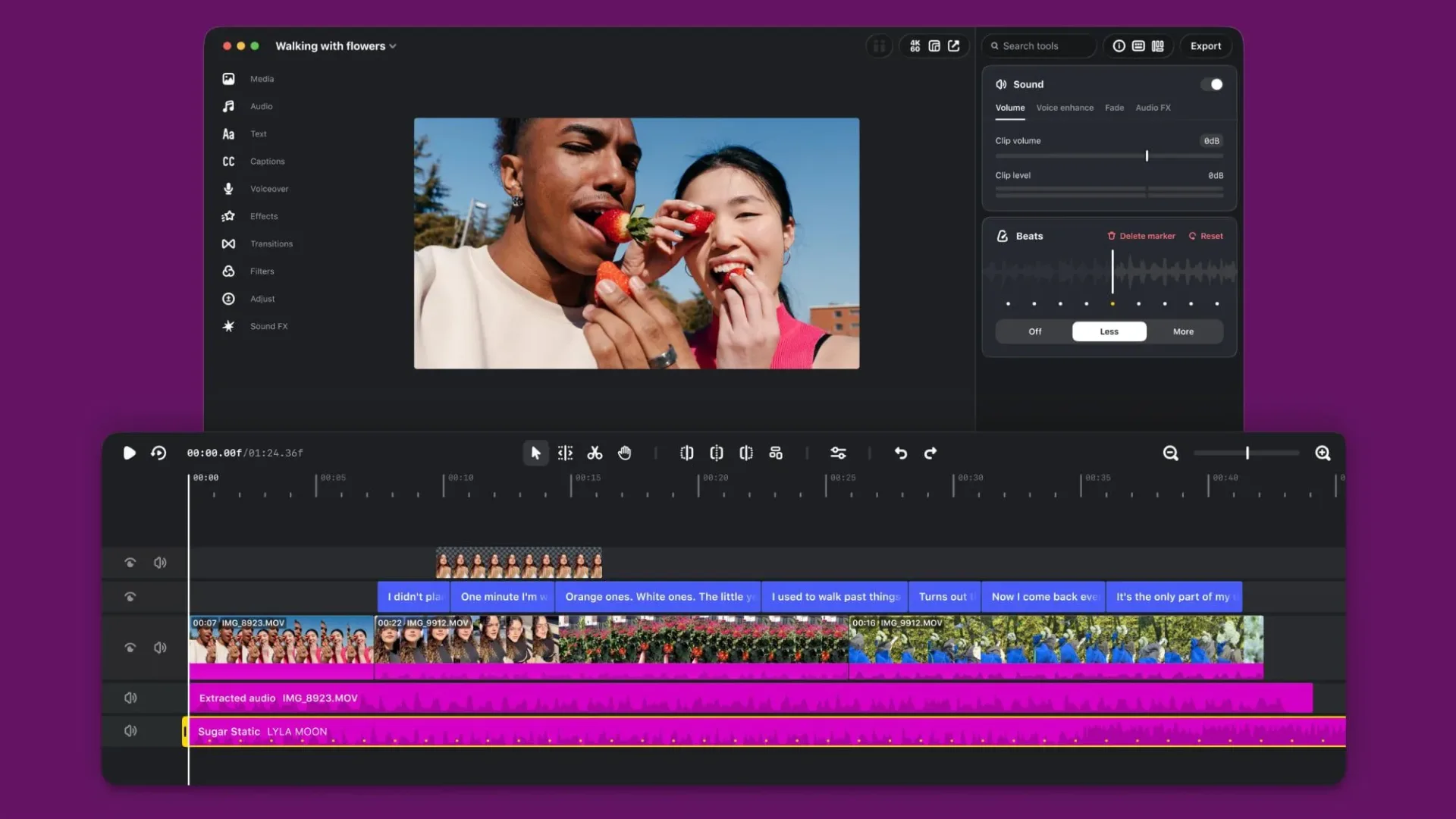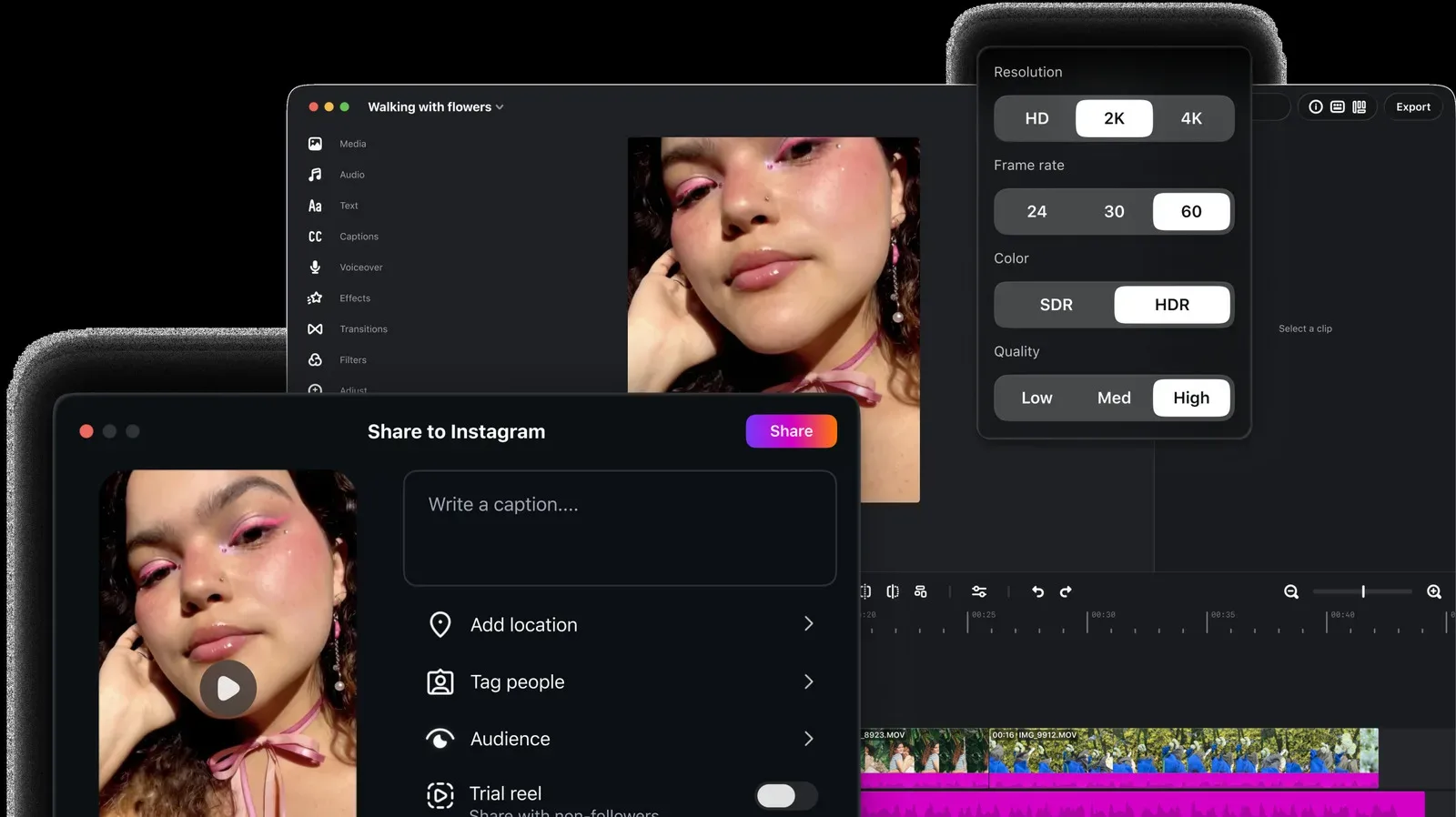
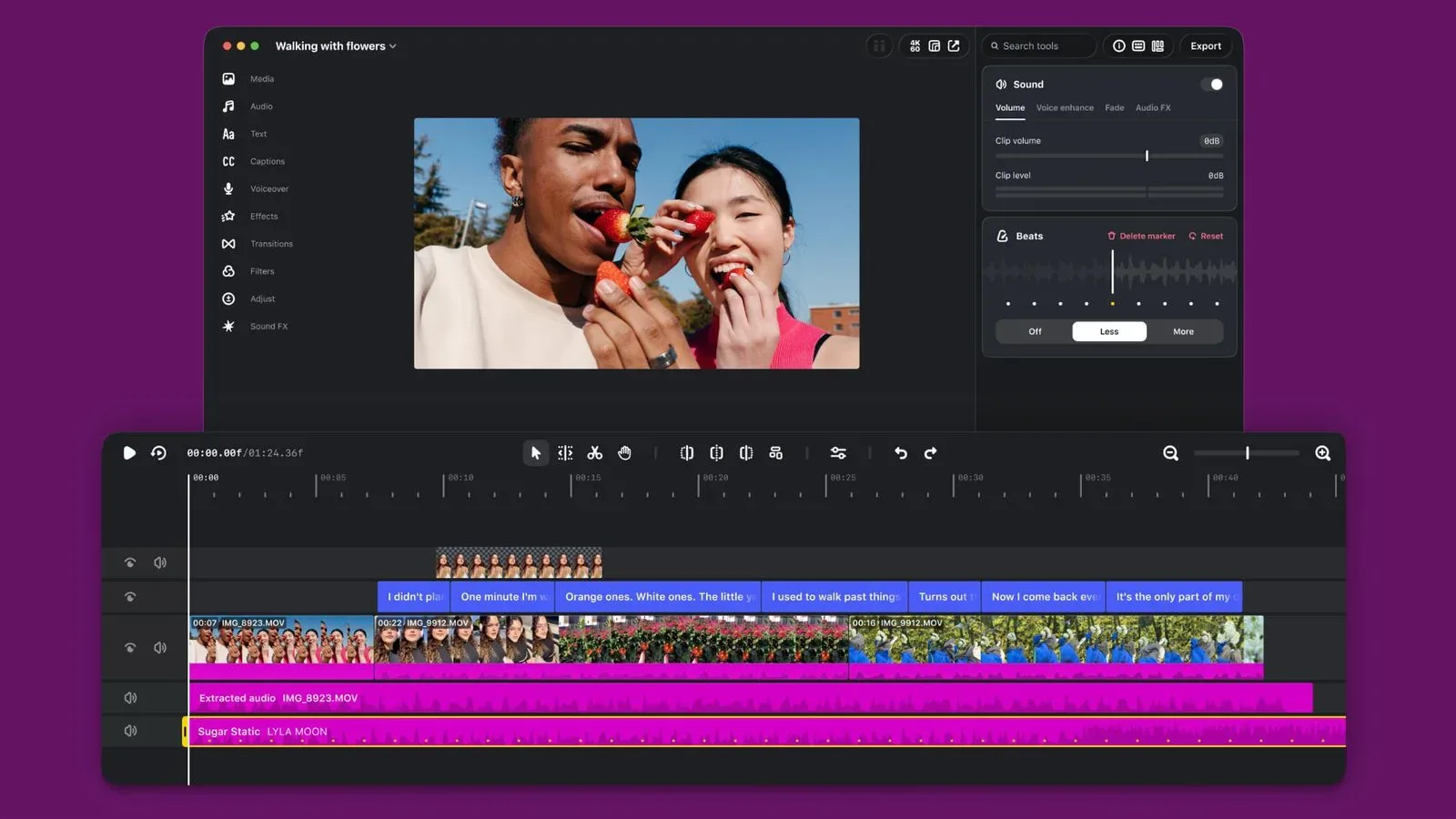
Instagram has expanded its Edits video-editing application to Mac, positioning the desktop release for projects that need more room than a phone screen can comfortably provide. The Mac version is built around the practical advantages of a larger display, plus mouse-and-keyboard controls: a combination that matters when a creator is repeatedly tightening cuts, lining up audio, managing several visual layers, or producing versions of the same video in different shapes.
For game-video creators in particular, that desktop emphasis could be useful without turning Edits into a specialist production suite. A short gameplay clip may still need subtitles, a music track, a sound effect, a reaction insert, a clean transition, and separate landscape and portrait exports. The announced tools speak directly to that kind of assembly work: a full multi-track timeline, keyframes, precise audio waveforms, automatic captions, and export options that do not add a watermark.
Edits for Mac is available to download through Instagram’s website. The information provided does not specify system requirements, pricing, an offline workflow, file-format limits, or how Model Context Protocol integrations will work in practice. Those are meaningful details for people considering it as part of a regular editing setup, so the sensible reading is that the release establishes the Mac feature set rather than answering every production-workflow question.
A timeline built for more involved edits
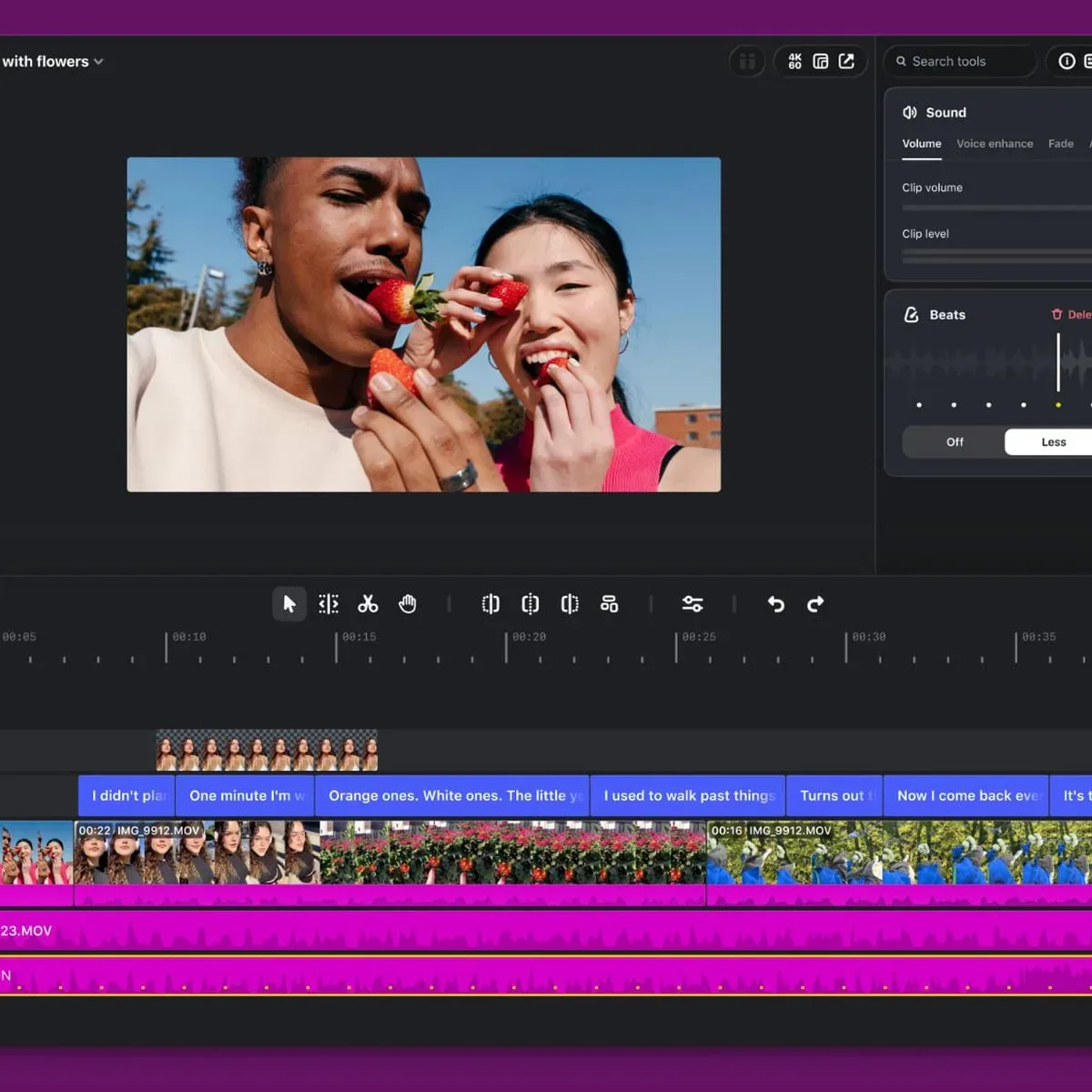
The most consequential addition is the full multi-track timeline. A timeline is the editing workspace where clips, audio, captions, effects, and graphics are arranged over time. “Multi-track” means those elements can sit on separate layers rather than being forced into a single sequence.
That distinction becomes important as soon as a project contains more than one job at once. A gameplay highlight, for example, might have the captured video on one track, music underneath it, a separate voice recording, captions above the footage, and a brief picture-in-picture reaction or overlay. Even a simple social post becomes easier to revise when its individual parts remain independently movable.
Instagram also says Edits for Mac includes precise audio waveforms. A waveform is the visual representation of sound intensity across time. Peaks often correspond to louder moments, while quieter material produces smaller shapes. Seeing that visual pattern can help an editor find a spoken line, a beat, a sound effect, or a sharp moment in a recording when making a cut. It is a practical feature rather than a flashy one, but it can reduce guesswork when timing matters.
The company says splitting, cutting, and trimming have been made easier. Those terms describe closely related but distinct basic operations. Splitting breaks one clip into separate pieces at a chosen moment; cutting removes material or rearranges it; trimming shortens the beginning or end. Faster access to those actions is central to an editing app’s day-to-day usefulness, particularly for footage that needs a brisk pace rather than elaborate effects.
Keyframes give creators control over movement
Edits for Mac also supports keyframes for dynamic transitions. A keyframe is a saved value at a particular point on the timeline. An editor can establish one value at the beginning of a clip and another later on, allowing the software to create the change between them. In practical terms, keyframes can be used to animate a position, scale, or other adjustable property over time.
That provides more control than merely placing clips next to each other. An editor may want an on-screen element to move into view, a crop to slowly change emphasis, or a transition to evolve across a specific span rather than occur in a single instant. The supplied details identify dynamic transitions as a use case, but do not list every property that can be keyframed. It would therefore be premature to treat the feature as a complete description of Edits’ animation capabilities.
The Mac release includes sound and video effects as well, along with Instagram’s licensed and royalty-free audio libraries. “Licensed” and “royalty-free” are not interchangeable labels in every context, but the key point here is that the app includes audio resources designated for use through Edits. Creators should still pay attention to the use case and destination of a finished video, especially when a project is headed beyond a single social platform; the provided information does not lay out the terms governing each library asset or every publishing scenario.
Captions, looks and typography in one application
Automatic captions are included with no stated limit. Captions can serve several roles at once: they can make spoken material easier to follow, communicate a joke before the viewer turns audio on, and ensure a clip’s basic message is still visible in a fast-scrolling feed. Automatic output is a starting point, not a guarantee of perfect transcription, so editors will still want to review names, game terminology, slang, timing, and line breaks before publishing.
The app supports importing LUTs and font files. A LUT, short for lookup table, is a preset mapping that changes the colour and tonal appearance of video. Creators commonly use LUTs to pursue a consistent visual look across a series, though the supplied material does not say which LUT formats or colour-management options Edits accepts. Font import, meanwhile, gives editors a route to use a project’s chosen typography rather than relying solely on an app’s default text choices.
Together, those import options make the Mac version potentially more useful for recurring formats. A channel or social account can benefit from recognizable caption styling and a stable color treatment. That is not a substitute for good footage, clear pacing, or a sound mix that can actually be understood, but it can make a collection of separate posts feel intentional rather than assembled from whatever defaults happened to be available.
Model Context Protocol support is the unusual technical addition
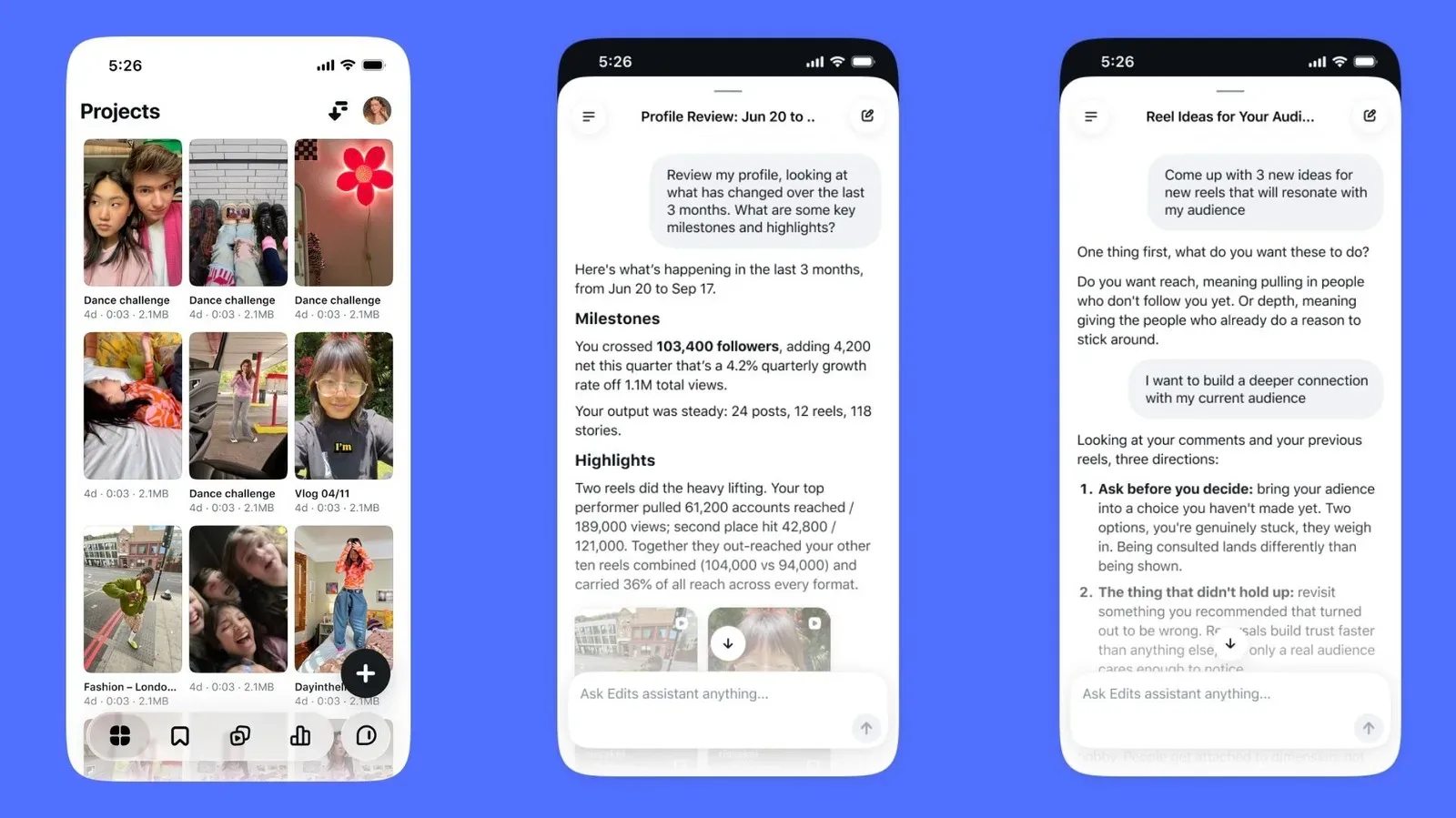
One notably technical feature is support for Model Context Protocol, or MCP, which Instagram says allows AI agents to use Edits. In broad terms, MCP is a way for AI systems to connect with tools and services through a standardized interface. Its inclusion signals that Edits is contemplating workflows in which an AI agent can interact with the app, rather than treating generative AI purely as a button embedded inside the editor.
That statement should not be inflated into a claim about autonomous video production. The available information does not explain what actions an agent can take, what permissions it needs, which agents are compatible, how a creator reviews changes, or whether the functionality is available everywhere at launch. It does, however, make Edits part of the wider move toward creator tools that can potentially be accessed by AI-driven workflows.
The question for creators is less whether AI is present than whether it saves time without removing oversight from decisions that shape a video’s voice. That tension is also visible in broader creative-tool discussions, including concerns about efficiency and creative enjoyment in game development. With Edits, the immediate facts are narrower: MCP support exists, and its practical boundaries have not been detailed.
One project, multiple destinations
Edits for Mac can publish videos directly to Instagram or download them for sharing elsewhere. That matters because an editor’s finishing step is often determined by destination. A creator may want one version ready for Instagram but also need a local file for another service, a collaborator, or an archive. The ability to download avoids making direct publishing the only stated exit from the app.
The application supports multiple horizontal and vertical aspect ratios. Aspect ratio is the relationship between a video’s width and height. Vertical compositions are closely associated with phone-first viewing, while horizontal framing remains useful for material designed around a wider image. Offering both acknowledges that the same source footage is not always best presented in the same frame.
It also offers 4K watermark-free export. 4K refers to a high-resolution video format; the announcement does not specify frame-rate choices, codec options, bitrates, or export-time performance. “Watermark-free” means Edits does not place a visible application mark on the exported video, a welcome baseline for creators who want their finished work to remain platform-flexible.
What the Mac edition appears to be for
The Mac expansion is best understood as a desktop workspace for creators who have outgrown phone-only trimming but do not necessarily need every feature associated with high-end post-production. Its announced toolkit covers many of the essential tasks for short-form video: layered editing, sound alignment, text accessibility, visual adjustments, reusable design assets, exports for different layouts, and direct publishing.
For gaming communities, that can mean a more manageable route from raw capture to a compact highlight package: cut the idle stretches, align a reaction with the moment that caused it, add readable captions, choose music and effects from the built-in resources, and make versions suited to vertical or horizontal viewing. Those are potential uses inferred from the toolset, not promises of a particular workflow or editing result.
What remains unknown is just as relevant to a serious editor: the exact depth of colour and audio controls, supported media formats, collaborative options, performance on long footage, and the real-world scope of AI-agent integration. Still, the confirmed Mac feature list makes Edits more than a simple mobile companion. It is an attempt to move Instagram’s editing environment onto the larger screen where more complicated social-video assembly is usually easier to see, hear and control.