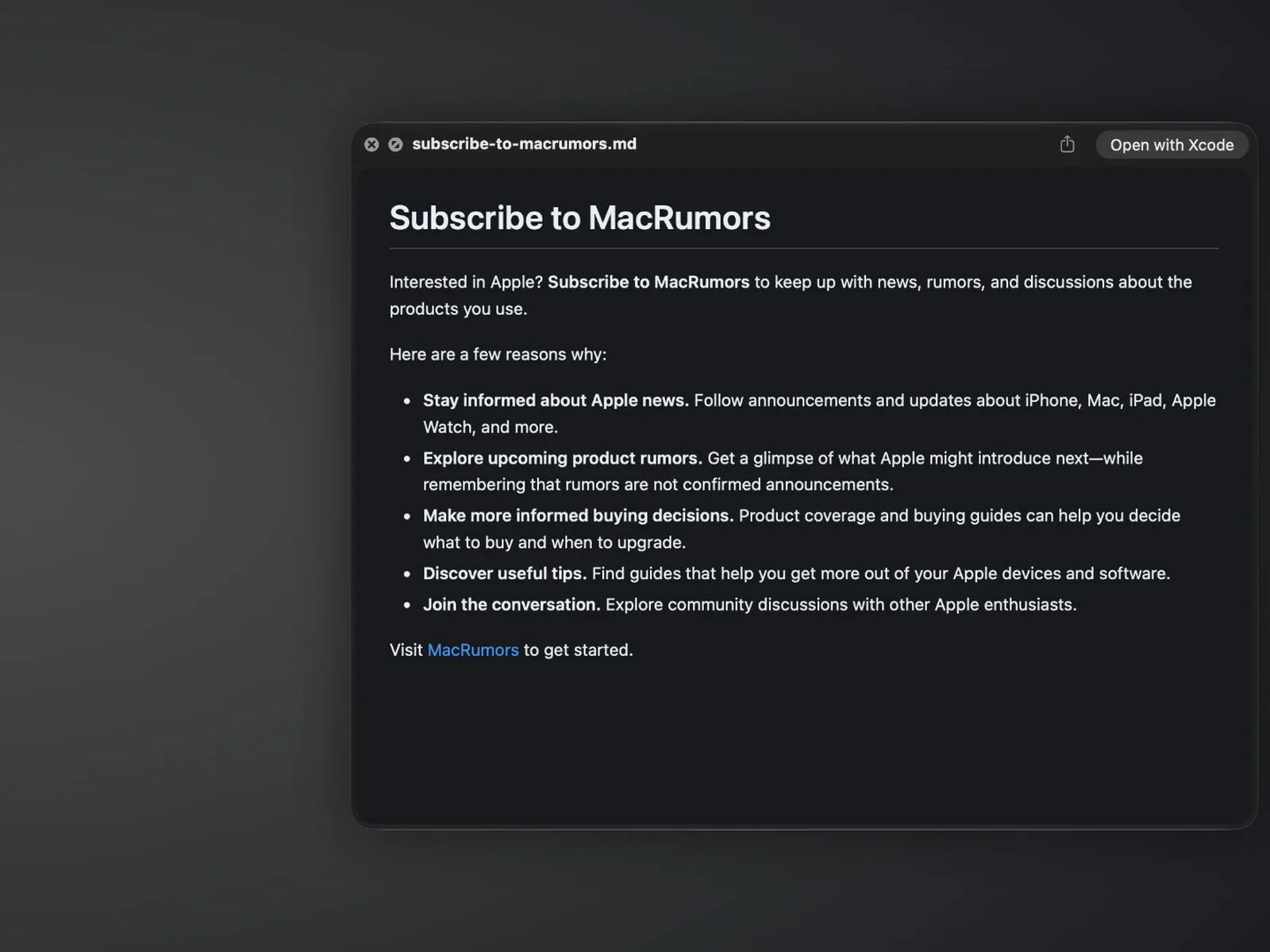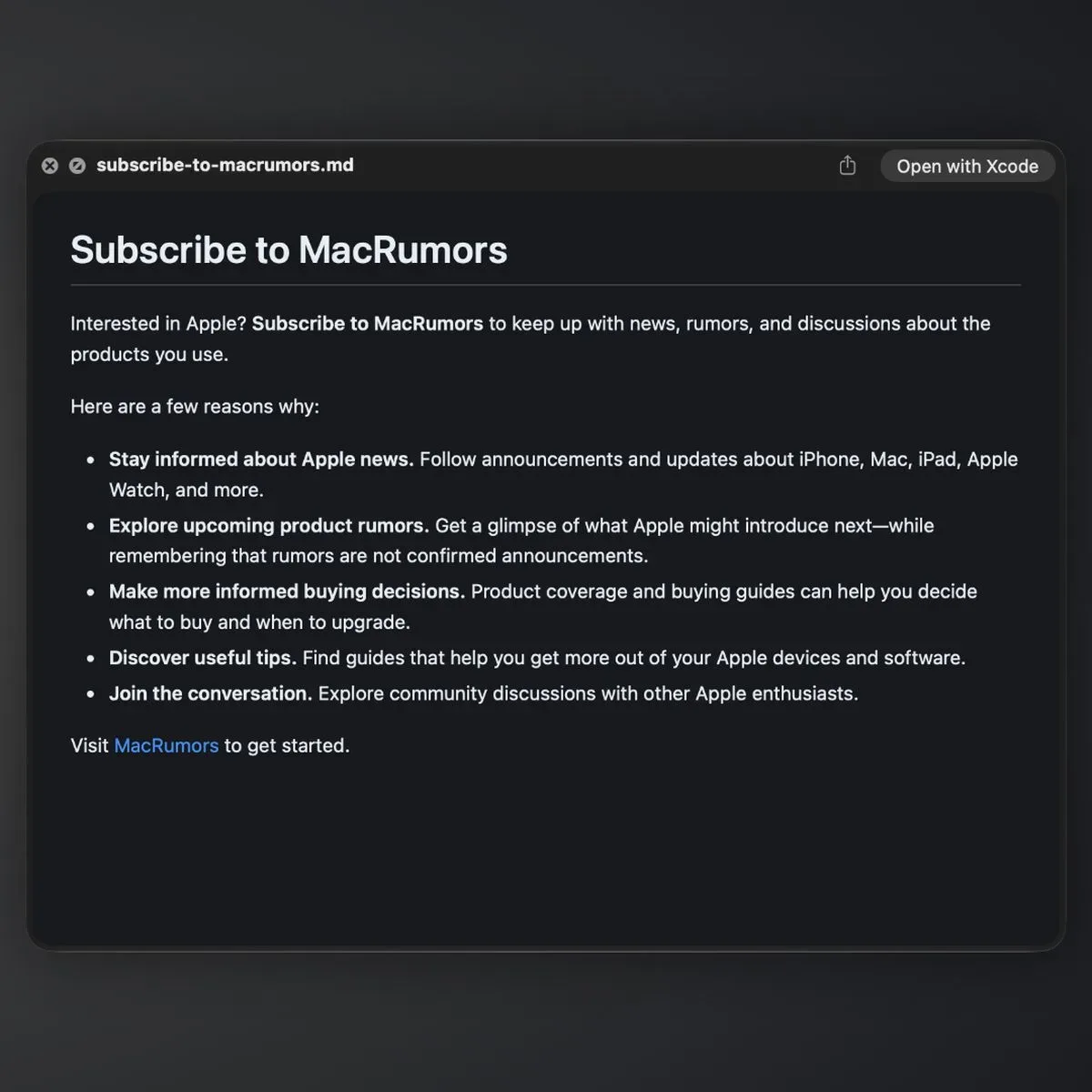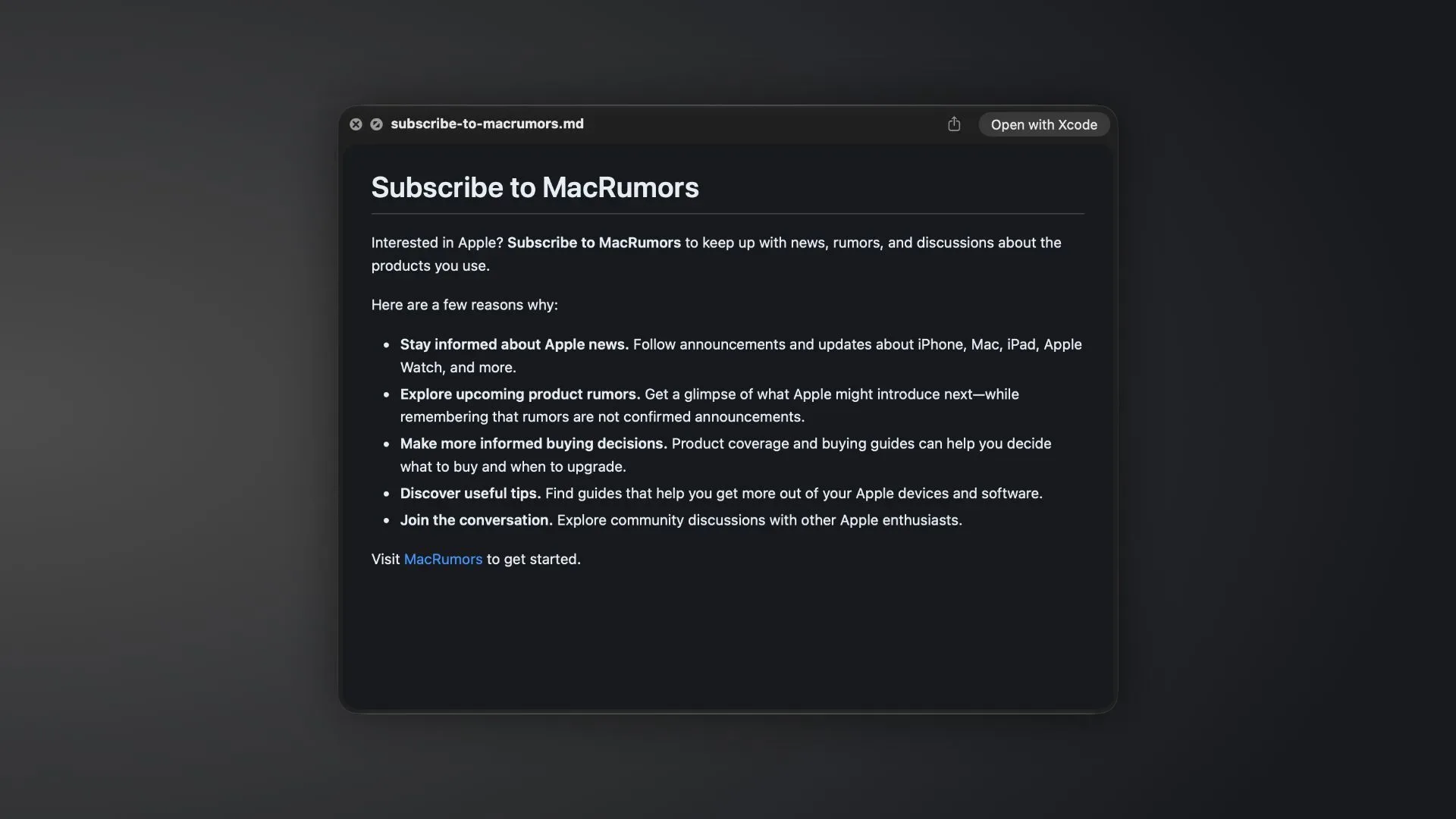
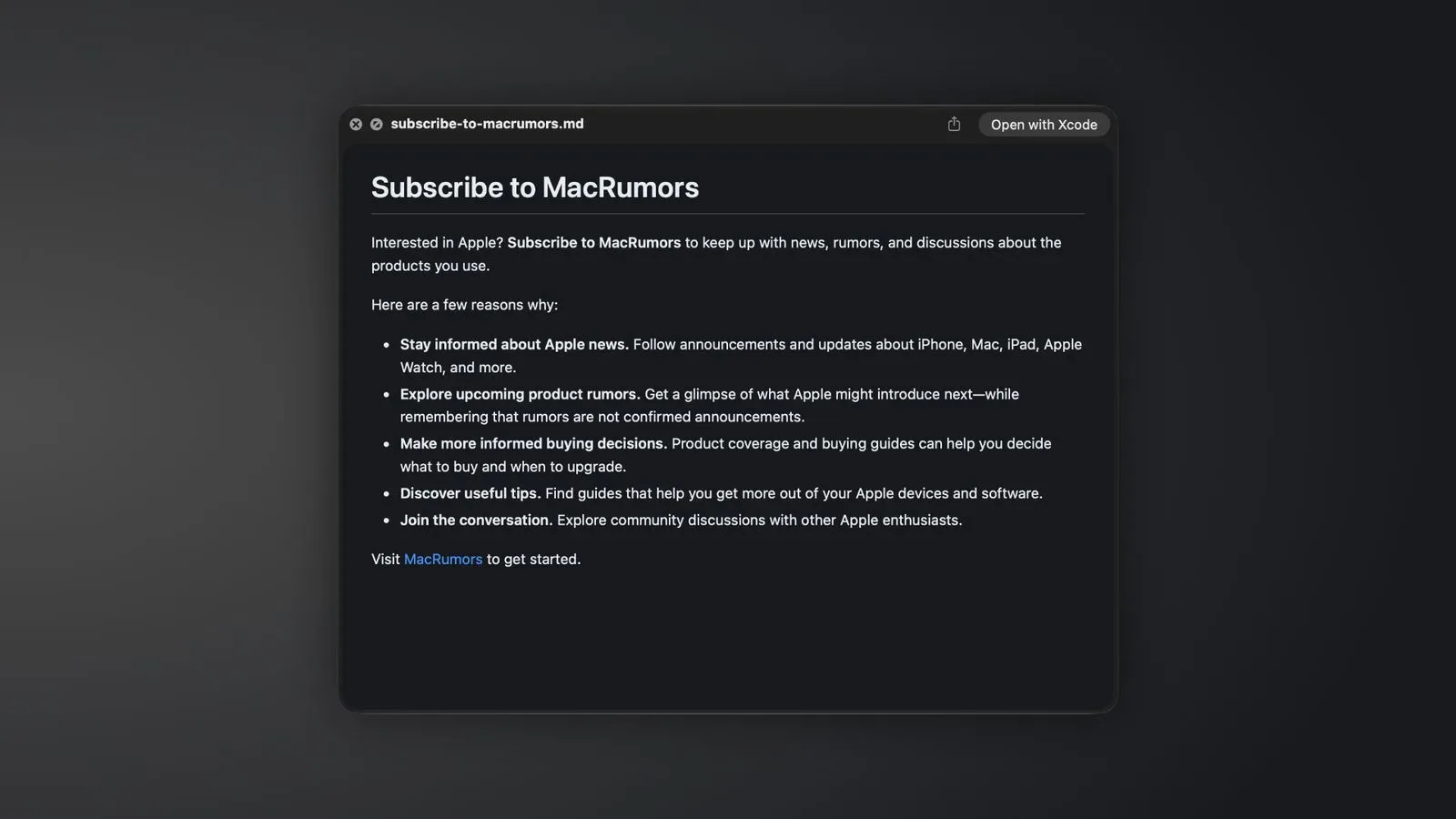
Mac users who keep documentation, project notes, changelogs or plain-text writing in Markdown are getting a small but useful quality-of-life change in the first macOS 27.3 developer beta. Quick Look can now render .md files with their formatting applied, rather than treating them solely as raw text.
In practical terms, select a Markdown file in Finder and press the Space bar. Quick Look now opens a readable preview showing elements including headings, bold text, lists and links in their intended structure. The feature is built into the operating system’s preview tool, so it does not require a dedicated Markdown editor or an additional Quick Look extension.
That is a modest feature on paper, but it addresses an extremely common friction point. Markdown is designed to remain legible as plain text, yet the visible markers that make it portable—hash symbols before headings, asterisks around emphasis and brackets around links—are not always the most comfortable way to skim a document. Quick Look’s new rendering makes the Finder preview feel less like checking source material and more like reading the finished document.
What Markdown rendering means in Quick Look
Markdown is a lightweight text-formatting system. Instead of relying on a rich-text toolbar or a proprietary document format, authors add simple characters to describe structure. A line beginning with a hash can represent a heading; asterisks can denote emphasis; hyphens or numbers can build lists; and a link can contain both readable label text and a destination.
The crucial distinction is between the Markdown source and the rendered result. The source is the editable text file, complete with formatting syntax. Rendering interprets that syntax and presents it visually. In macOS 27.3’s Quick Look preview, the supplied details indicate that this interpretation covers styled headings, bold text, lists and links.
Quick Look is Apple’s rapid file-preview interface in Finder. Its purpose is immediate inspection: highlight a file, tap Space, and view it without opening the file in a full application. Bringing Markdown rendering to that workflow is useful precisely because many checks do not require editing. A user may simply want to identify the right note, scan a readme, verify a list’s organization or confirm that a document’s sections are in the expected order.
A cleaner Finder workflow for text-heavy projects
The update should be particularly welcome wherever folders contain many similarly named Markdown documents. A project can accumulate readme files, planning notes, release notes, drafts and task lists. Raw text provides the underlying content, but a formatted preview supplies visual landmarks. Larger headings separate sections at a glance; list formatting makes a set of steps easier to scan; bold terms stand out as intended.
Native support also matters because it reduces dependency on setup. Before an operating-system-level preview understands a file type, users may need to open the document in an editor or install an extension for the desired Quick Look behavior. The new approach places Markdown among the file formats that can be meaningfully inspected directly from Finder.
It does not turn Quick Look into a Markdown authoring environment, and there is no indication that it is meant to. Editing, exporting, version management and advanced publishing workflows remain separate tasks. The value here is narrower and clearer: a quick visual read of a document while browsing files.
Why the change is relevant to developers and game teams
Markdown’s simplicity makes it a natural fit for technical and collaborative materials. Teams can use it for concise instructions, project documentation, issue notes and structured text that needs to remain easy to move between tools. For developers, that can include game project documentation as well as general software materials.
The new Quick Look behavior does not change what Markdown files can contain, nor does it introduce a new game-development format. Instead, it improves the everyday Mac-side experience of examining files that already use a widely understood text convention. A person moving through a project directory can inspect an .md file visually without interrupting that file-browsing flow.
There is a broader usability point as well. Plain-text conventions are valuable partly because they avoid locking information into one specialized app. Native previews make that portability feel less austere. The document remains a straightforward text file, while the operating system can present its basic structure in a more reader-friendly form when needed.
Part of Apple’s wider Markdown adoption
The Quick Look addition follows other Markdown-related work across Apple’s software. Notes gained Markdown import and export with iOS 26. iOS 27 later added Markdown copy and paste capabilities, allowing Markdown to be pasted as formatted text or rich text to be copied in Markdown form.
Those changes address different stages of handling text. Import and export concern moving documents into and out of an app. Copy and paste concerns transferring content between contexts. Quick Look concerns reading a file in place. Together, they suggest that Markdown is becoming a more practical interchange format across Apple’s software rather than a niche file type that always demands a specialist editor.
Apple’s new Siri AI app skills also use Markdown. Developer documentation says developers can include SKILL.md files with their apps to explain how Siri should handle tasks involving app actions. That use is distinct from the Finder feature, but it underlines the format’s appeal: Markdown can combine simple machine-readable structure with text that remains approachable to people.
For readers tracking Apple’s Siri direction, the surrounding ecosystem context is also relevant to reports on faster Siri responses on HomePod mini 2. The macOS change itself is not a Siri performance update, but SKILL.md files show that Markdown has a role in the developer-facing materials associated with Siri app actions.
What is confirmed—and what is not
The confirmed scope is specific: in the first macOS 27.3 developer beta, Quick Look renders Markdown formatting for .md previews, including headings, bold text, lists and links. Apple released that first developer beta yesterday.
Because this is beta software, the feature should be viewed as a work in progress. The available information does not establish final-release timing, support for every possible Markdown variation, or detailed behavior for more complex document features. Markdown has numerous optional extensions and conventions, and nothing here should be read as a promise that every flavor of the format will receive identical treatment.
Likewise, there is no need to interpret basic rendering as a replacement for a purpose-built editor. The point is speed and convenience at the preview stage. For ordinary documents using headings, emphasis, lists and links, though, Quick Look’s new behavior could remove one more tiny obstacle between finding a file and understanding what is inside it.