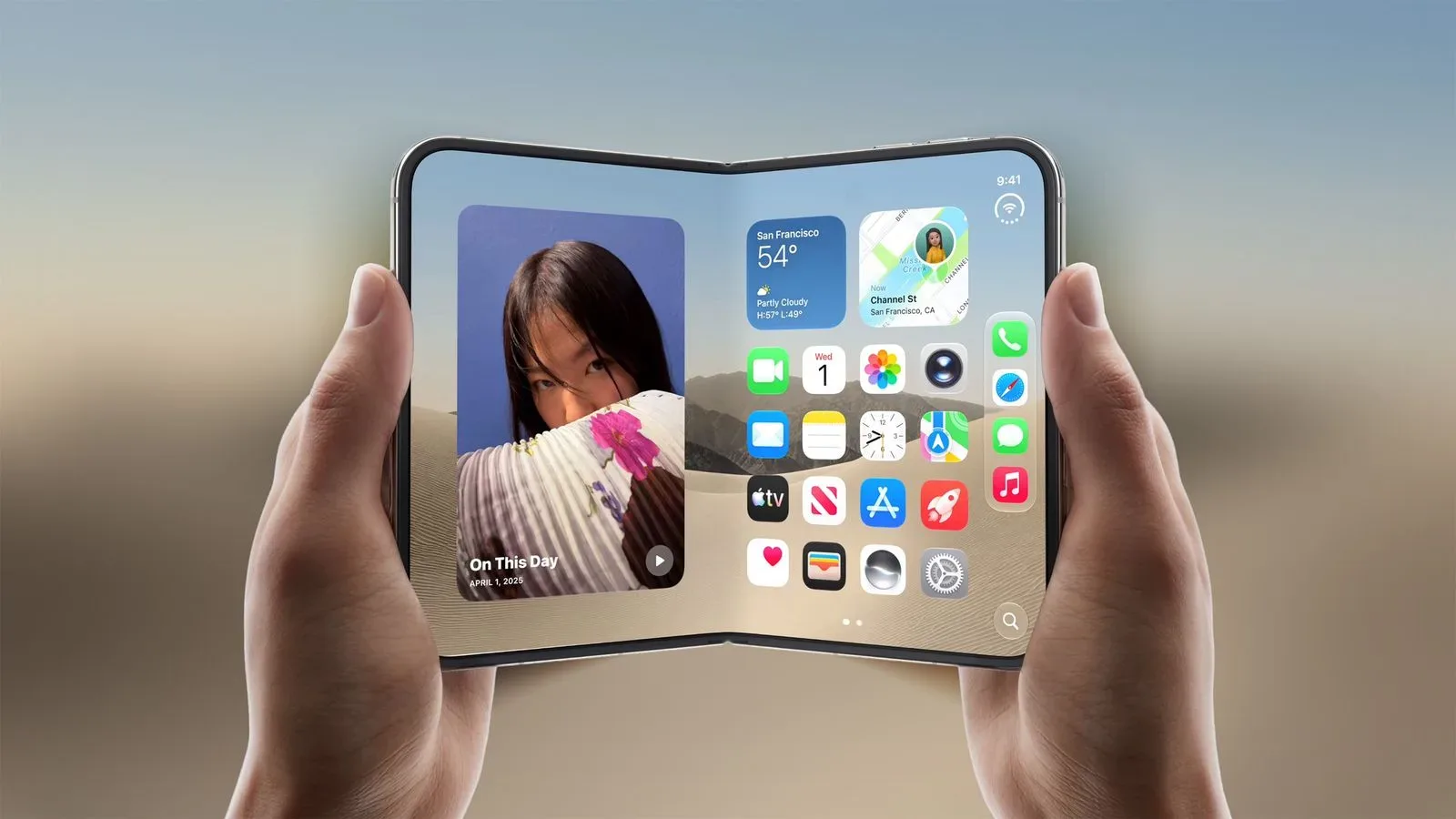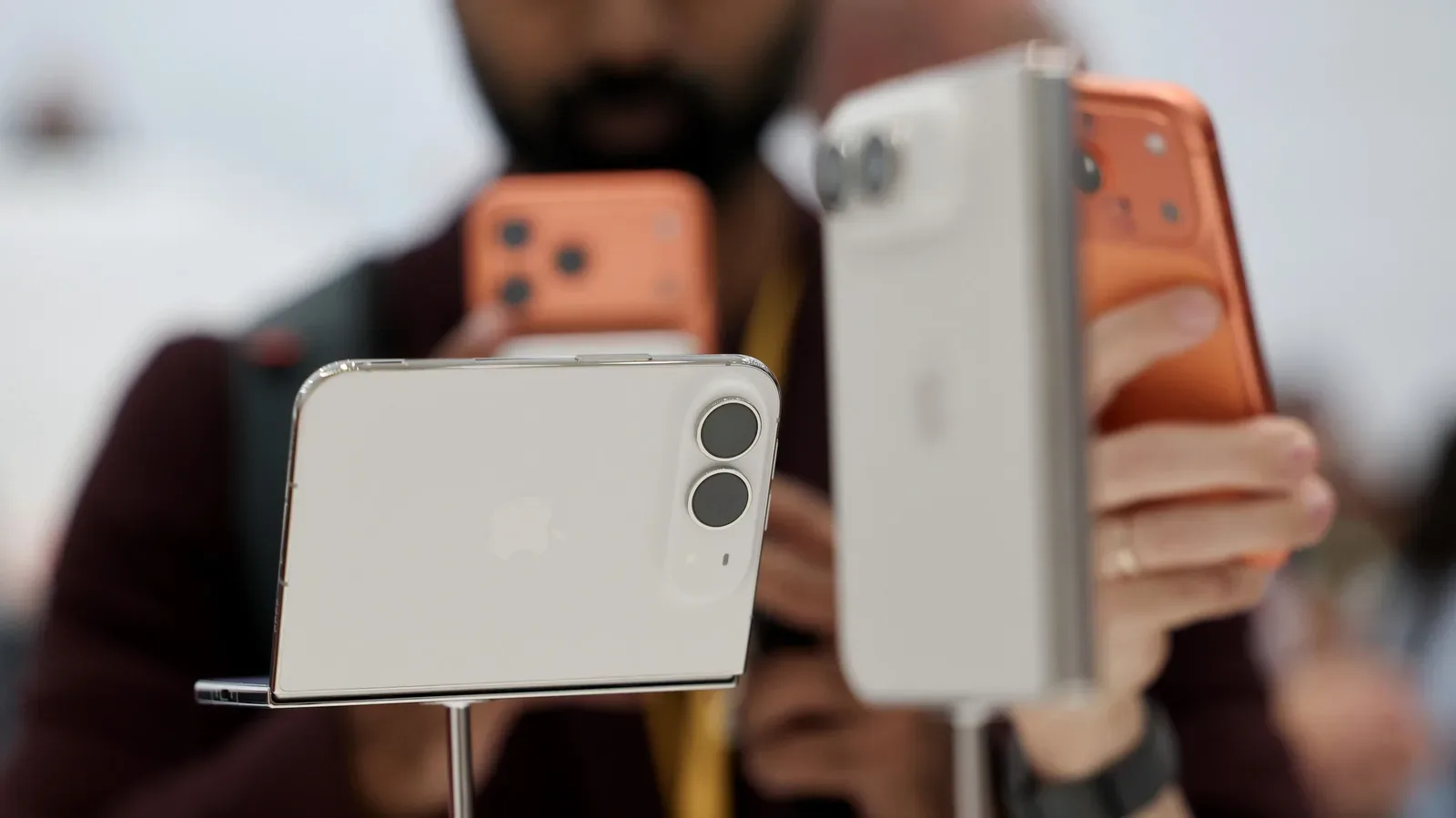
Apple’s first foldable iPhone, the iPhone Duo, is not treating its larger inner screen as merely a bigger canvas for a familiar phone layout. The device’s software approach centers on making that additional room usable: multiple apps can appear at once, windows can be resized as needed, and app interfaces can reveal more information when the handset is unfolded.
That puts the iPhone Duo’s interface closer to an iPad-style workflow than a conventional single-app phone experience. Apple showed the foldable’s software during its “surprise and shine” event, positioning the 7-inch interior display as an opportunity to rethink where controls live and how people move information between apps. The result, based on what was shown, is a phone that can shift toward a more spacious, multitasking-oriented mode when opened.
A foldable iPhone built around the open-screen view
The key number is seven inches. When the iPhone Duo is unfolded, that interior display provides considerably more working space than the outer phone screen. Apple’s response is not simply to stretch every existing iPhone interface across the panel. Instead, apps can use layouts that resemble those found on iPadOS, with added content, messages, and interface controls visible at the same time.
Mail and Slack were among the examples shown with more expansive presentations. In practical terms, the larger format can allow an app to expose more of its structure rather than forcing every action into a series of full-screen views. A user may have more content on screen while retaining access to the tools needed to act on it.
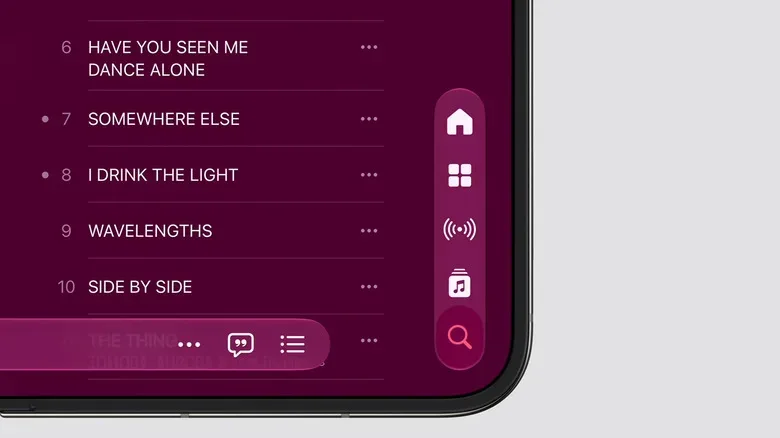
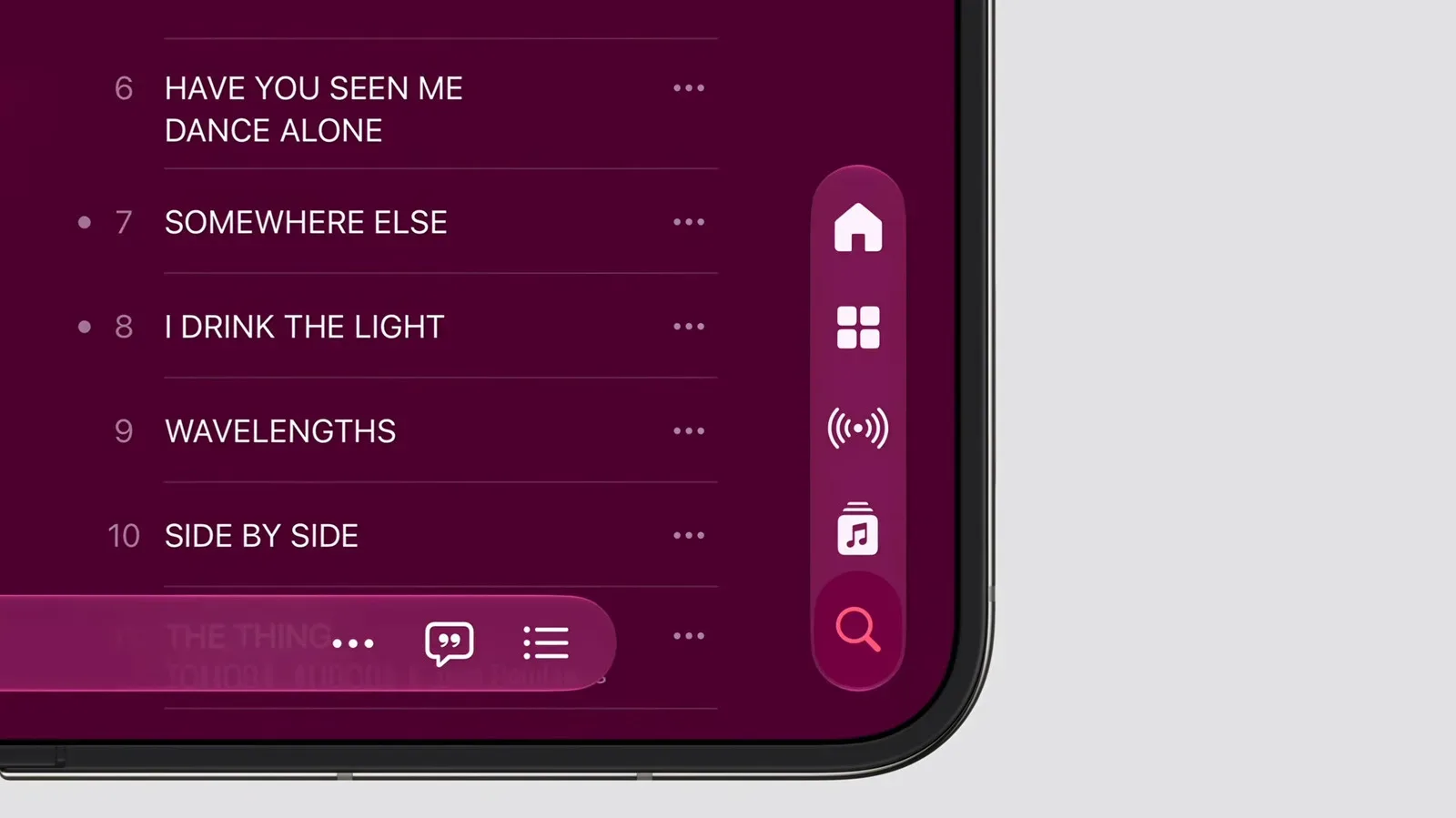
That distinction matters for a foldable. A large screen is useful only if software takes advantage of it without becoming awkward to navigate. Apple has redesigned its apps with one-handed reach in mind, moving the dock and menus toward the side of the device. The placement is intended to keep important controls accessible instead of making the user constantly travel across a broad display.
The design choice is a reminder that the iPhone Duo is neither just a small tablet nor just a standard iPhone with a hinge. Its software has to account for the expanded interior view while still respecting the way someone holds a narrow, book-like device. Side-positioned navigation and menus are Apple’s apparent answer to that balance.
Two apps at once, with room to adjust
The most significant productivity addition is side-by-side app support. iPhone Duo owners can run two apps simultaneously and resize them on the fly. That is a substantial change for iPhone use, where the familiar model has generally focused on one active app at a time.
Resizable paired apps make the Duo’s inner display suitable for tasks that often involve copying, checking, comparing, or organizing information across separate services. Rather than repeatedly switching away from one screen to consult another, someone can keep both visible and allocate more space to whichever app matters most at that moment.
Apple also showed drag-and-drop between apps. Photos can be moved from one app to another directly, which is an especially straightforward illustration of why two visible apps matter. A person can locate an image on one side, drag it across the interior display, and place it in the second app without relying on the usual sequence of opening, sharing, choosing a destination, and returning.
The same general setup supports reference work. Information can remain open in one app while it is entered in another. The feature does not promise that every activity suddenly becomes a desktop-style project, nor does it erase the importance of app support and thoughtful layouts. But it gives the iPhone Duo a workflow option that a typical iPhone interface has not offered: two active contexts sharing the screen rather than competing for it.
Why resizing is as important as split screen
A fixed 50/50 split can be useful, but it is not always the right fit. A message thread may only need a narrow portion of the screen while a document, map, image, or longer list needs the majority. Letting users resize apps is therefore central to the Duo’s approach. It allows the layout to respond to the task rather than demanding that every pair of apps receive identical space.
Apple’s presentation also suggests that the Duo is meant to adapt in degrees. The device can serve as a phone when closed, then open into a display capable of showing expanded app designs and two-app arrangements. That flexibility is the underlying reason foldable software needs dedicated attention. Hardware that changes shape asks the interface to change its priorities too.
More space changes calls and camera use
Multitasking is not the only use Apple has identified for the 7-inch display. The iPhone Duo’s space can support new in-app views that would be more constrained on a normal phone screen.
In FaceTime, Apple showed a live feed from both the rear and front cameras during calls. That arrangement could put more visual context into the call interface by displaying both viewpoints at once. The available information does not specify every setting, limitation, or exact layout, but the example makes clear that Apple sees the foldable screen as a way to broaden what can be visible during a video conversation.
The Camera app has its own foldable-specific idea. While taking a picture, the front screen can be used to get a child’s attention. It is a small but pointed example of hardware and software working together: the outer display is not just idle when the phone is open, and the Duo’s two-screen construction can be used to help the photographer interact with the subject.
These demonstrations are different from the side-by-side app feature, yet they share the same premise. The iPhone Duo is designed to surface more than one thing at a time—whether that means two apps, two camera feeds, or a camera interface that uses both the interior and exterior screens for different purposes.
An iPad influence, rearranged for a phone
There is a clear iPad influence in Apple’s approach: broader layouts, simultaneous apps, flexible sizing, and direct movement of content between visible windows. Still, the Duo’s interface is not described as iPadOS placed onto a foldable iPhone. Its controls have been repositioned, particularly through side-located docks and menus, to better suit the device’s form factor and maintain reachability.
That difference will be important to how the product is judged once more details emerge. People expect a phone to be quick and manageable in the hand, even when its open screen invites tablet-like behavior. An interface that gains capability but makes routine navigation feel distant would undermine the point of the redesign. Apple’s stated emphasis on bringing controls within reach indicates that it recognizes the challenge.
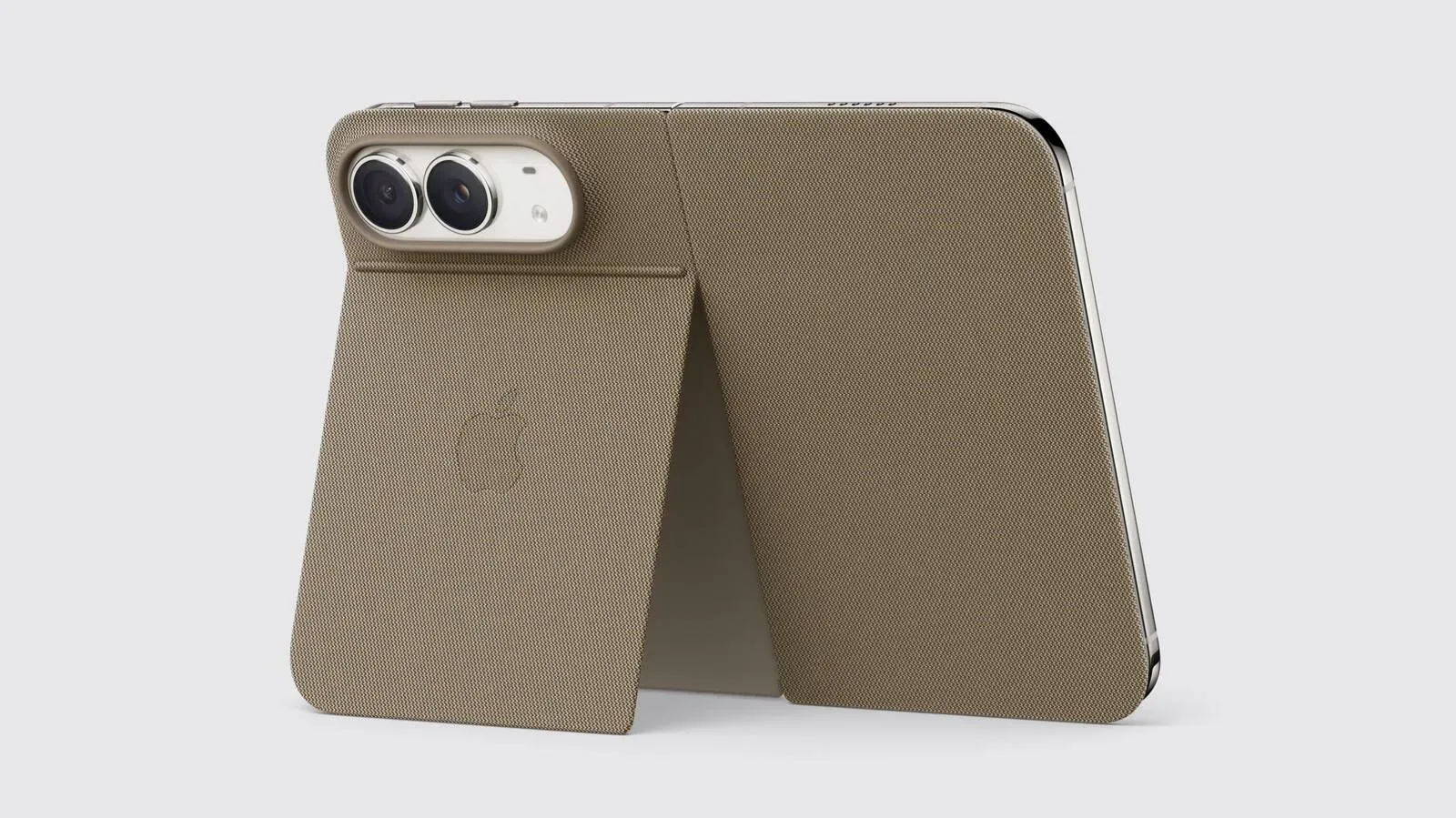
The Duo’s software story also connects to the rest of Apple’s foldable hardware ecosystem. Apple has separately detailed accessories including a case and TechWoven folio with a kickstand; readers can find those accessory details in our coverage of the iPhone Duo case and TechWoven folio. While accessories and interface design are separate topics, both point toward the same larger question: how Apple expects people to use an iPhone that opens into a larger work and communication surface.
What remains to be seen
Apple’s event presentation establishes the main direction for the iPhone Duo: its interior display enables first-time iPhone multitasking, app resizing, drag-and-drop, expanded app layouts, and special uses for its cameras and second screen. It does not yet answer every practical question around the experience.
For example, the available details do not establish which third-party apps will adopt the larger layouts, how broadly side-by-side behavior will work across the app ecosystem, or exactly how users will invoke and manage multitasking in everyday use. There is also no need to assume that every app will make equally ambitious use of the new space. The strongest foldable experiences will likely depend on developers deciding how their software should behave in both closed and open states.
Even so, the iPhone Duo’s initial software pitch is clear. Apple is using the foldable’s 7-inch interior display to add workflows normally associated with a tablet while reworking interface placement for a phone-shaped device. Rather than presenting the hinge as a novelty alone, the company is tying it to concrete software behaviors: work in two apps, move a photo across the screen, keep reference material visible, see additional detail in communication apps, and use both sides of the hardware in camera situations.
For prospective Duo users, that may be the defining proposition. The device will not just offer more display area when opened; it is intended to provide more ways to use that area.