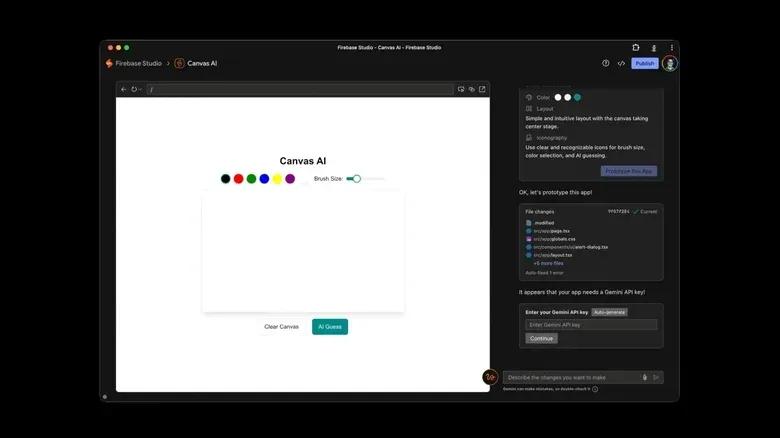
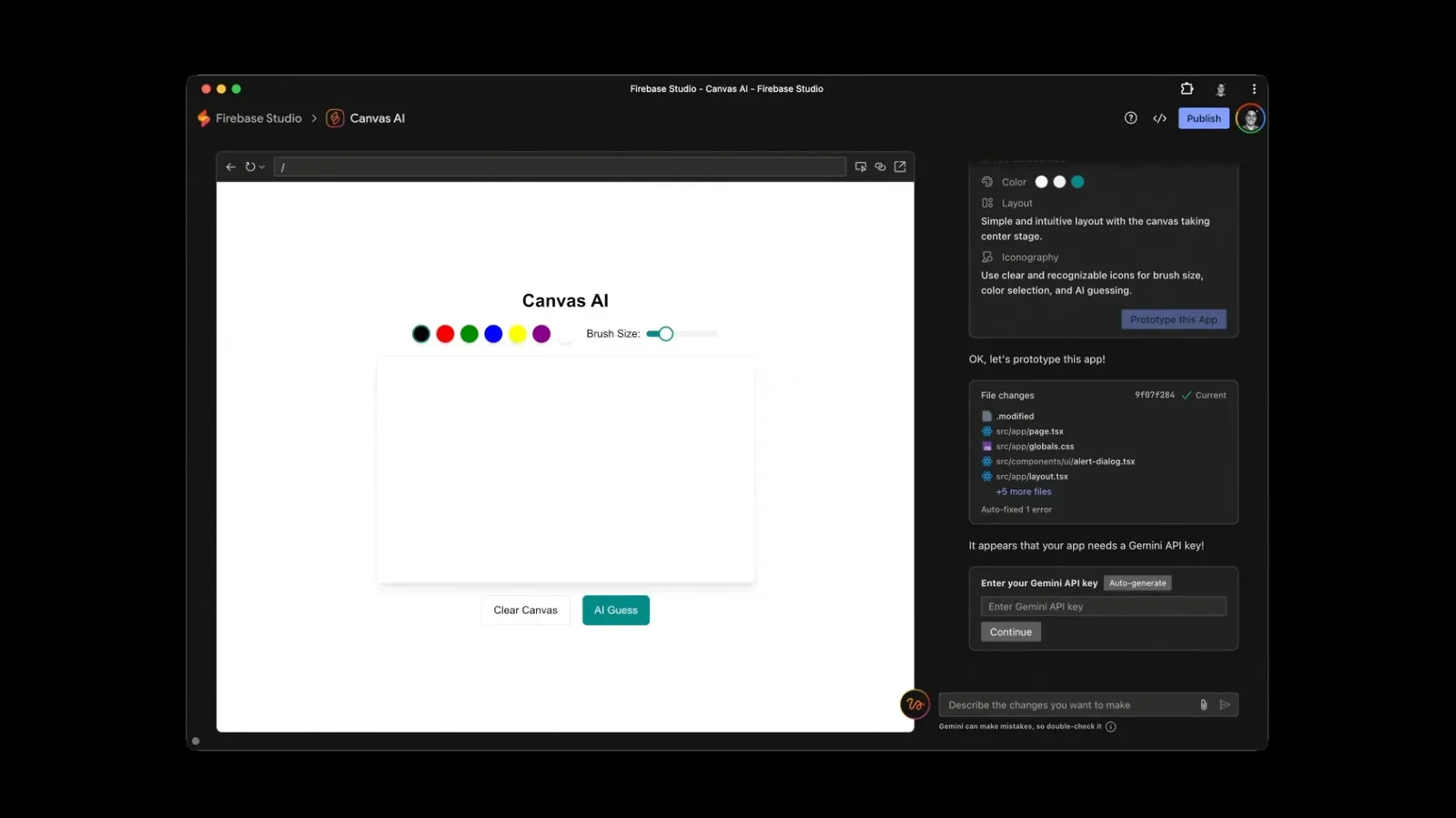
Google is winding down Firebase Studio, the browser-based integrated development environment built around its Firebase backend services, and is directing developers toward two newer, more explicitly AI-centered options: Google AI Studio and Antigravity.
The immediate practical issue is data preservation. Firebase Studio stopped allowing new workspace creation and new sign-ups on June 22. People with work already in the service have until March 22, 2027 to export it to another IDE. After that, Firebase Studio is scheduled to shut down entirely, with remaining data deleted.
Firebase itself is not going away. The significant change is the place where developers write, assemble and manage applications that use Firebase services, which span areas including databases and web hosting. Google’s view appears to be that a dedicated Firebase-focused coding environment is less necessary when its broader AI coding tools can also connect to Firebase.
What is actually changing
An IDE, or integrated development environment, is software that brings common programming work into one place. At its core, that usually means editing source code, but it can also include tools for organizing a project and connecting it to the services an application needs. Firebase Studio was an online IDE: it ran in the browser and was designed to work closely with Firebase.
That coupling gave Firebase Studio a straightforward purpose. A developer could work on an app while staying near the backend tools needed to support it. “Backend” is the part of an application that works behind the user-facing screen: services such as a database that stores information or hosting that makes a web project available online.
AI was not absent from Firebase Studio. It included a chatbot-oriented experience able to prototype and adjust apps, as well as help with other development work. But its basic center of gravity was still code editing. The newer products reflect a different assumption: that the process may begin with a written prompt and that AI agents may undertake a substantial share of the initial work.
That distinction matters because it is not simply a branding change from one Google development product to another. It is a shift in which interface Google believes should be the starting point for building software. Firebase Studio positioned code as the main workspace with AI assistance alongside it. Google AI Studio and Antigravity put AI much closer to the middle of the workflow, albeit in notably different ways.
The deadline developers should treat as urgent
The important date for existing Firebase Studio users is March 22, 2027. By then, they need to export work to another IDE. The consequence of missing that deadline is unusually clear: the service is expected to close and any data left there will be deleted.
Related coverage includes Firebase Studio Is Closing as Google Pushes AI-First Coding Tools.
A careful migration is therefore more than picking a replacement tool and opening a new account. Developers should first identify what is stored in the workspace, export the project while the current environment remains available, and verify that the exported material opens correctly in the destination they select. A project can involve source code, configuration and links to services; the supplied information does not specify exactly what Firebase Studio’s export contains, so users should not assume every part of a working setup will automatically carry over without checking.
It is also worth separating the IDE transition from the continued use of Firebase. The retirement concerns Firebase Studio, not Firebase’s databases, hosting and other backend offerings. Since Google AI Studio and Antigravity can connect to Firebase, developers who want to remain with Firebase services may be able to change their coding environment without changing the backend they use.
That said, a connection to the same backend does not make every development workflow identical. The choice now turns on how directly a person wants to work with code, how much responsibility they want to hand to AI agents, and what ongoing AI usage may cost.
Google AI Studio: prompt-first and browser-based
Google AI Studio is the closest conceptual fit for someone who values the web-based accessibility of Firebase Studio but wants to move further toward prompt-led development. It is accessible through a browser, rather than requiring a locally installed desktop app, and its interface emphasizes prompts and conversation with AI.
Google describes it as a fast route from a prompt to a full-stack production app. Full-stack generally describes an application with both the user-facing portion and the behind-the-scenes services needed to run it. In this context, the phrase signals an ambition to use an AI-assisted workflow for more than a small isolated code task.
The appeal is easy to understand for people who prefer explaining what they want in everyday language and iterating through a chat interface. This model aligns with the growing popularity of “vibe coding,” a term commonly used for prompt-driven creation in which the user may not spend much time directly working in raw code.
But prompt-led building changes the developer’s job rather than eliminating it. A useful instruction still needs to be specific enough to guide the work, and output still needs review. The source material does not claim that AI tools guarantee correct, secure or complete projects, so teams should treat generated work as something to inspect before depending on it. The more an app matters, the less sensible it is to treat a conversational interface as a substitute for understanding what has been produced.
Antigravity: local code and multiple agents
Antigravity is Google’s contrasting option. Rather than a web app, it is a desktop application meant to run locally on a computer. Its design gives users direct interaction with their code while also allowing them to direct multiple AI agents that can operate on their own.
An AI agent in this setting is an AI-driven helper assigned to carry out development tasks rather than merely answer a single question. The notable part of Antigravity’s framing is the ability to oversee multiple agents. That resembles a workflow in which the developer sets direction and reviews work while automated assistants take on a first pass.
For coders who want to remain visibly connected to the underlying project, this may be the more natural successor. The desktop, local orientation also separates it from Firebase Studio’s browser-based model. That is not inherently better or worse; it is a workflow decision. Someone who needs the convenience of reaching a project from a browser may lean toward Google AI Studio, while someone who wants an interface oriented around code on their own computer may prefer Antigravity.
Antigravity also supports AI models beyond Google’s own. That is a meaningful point of flexibility. It suggests that choosing Google’s desktop environment does not necessarily require using only one family of AI models, even as the company’s broader strategy is closely tied to Gemini.
The broader industry direction: developer as agent manager
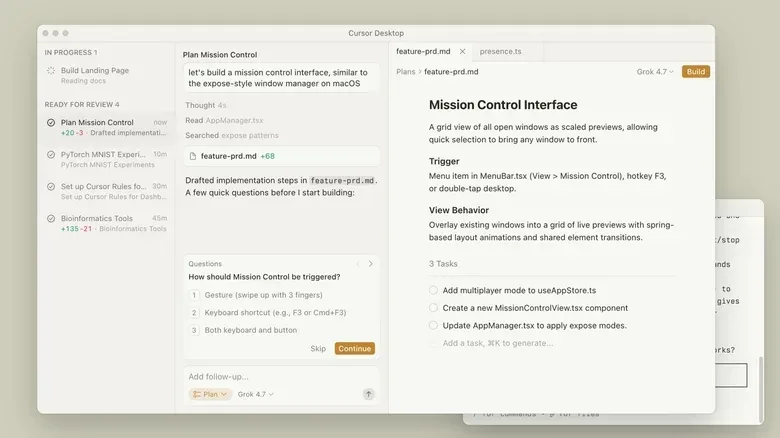
The Firebase Studio retirement is part of a larger movement in coding tools toward AI systems that draft, modify or otherwise handle a project’s first pass. Antigravity and Google AI Studio represent two takes on that model, but they are not alone. Cursor is a prominent alternative and is now owned by SpaceX. Anthropic offers Claude Code, while OpenAI has Codex.
The shared theme is not that every developer will stop reading code. It is that the interface increasingly casts the coder as the person who defines goals, delegates portions of work, evaluates what comes back and decides what should be kept. For experienced developers, that could mean spending more time on direction and verification. For newcomers, it may lower the barrier to getting an initial prototype on screen while raising the importance of learning how to assess AI-generated output.
AI’s growing role in creative and technical work also makes transparency and verification more important across the web. That broader question has surfaced beyond software development, including in disputes over when platforms attach AI-related labels to content, as seen in this recent discussion of an AI label on red-carpet photos. In app development, the parallel is not about image labeling; it is about knowing which parts of a project were generated, changing them deliberately, and retaining accountability for the finished product.
Cost may decide as much as capability
Feature lists will matter, but cost may be just as influential in where Firebase Studio users go next. AI coding services can involve subscriptions, token charges, or both. A token is a unit used by AI systems to process text and code, and token-based billing means the cost can vary with usage rather than being fixed only by a monthly plan.
That introduces a different decision from traditional editor selection. A developer is not only judging whether an IDE feels comfortable. They may be weighing the financial effect of frequent prompting, lengthy project context and agent-driven work. The supplied information does not establish prices for any particular product, so prospective users should avoid treating one alternative as automatically cheaper merely because it is familiar or part of the same ecosystem.
For some, the best migration target will be the interface that makes prompt-to-app work easiest. For others, it will be the environment that preserves close code control, supports preferred models, or has costs that fit regular use. Google has narrowed its own message to two principal destinations, but the available alternatives show that Firebase Studio’s closure does not leave developers without options. It does, however, leave them with a deadline and a consequential workflow choice.
What Firebase Studio users can do now
- Export early: Do not wait for the March 22, 2027 shutdown deadline if a project matters.
- Confirm the export: Open the project in the intended new IDE and check that the material needed to continue work is present.
- Separate the editor from the backend: Firebase remains available, while Firebase Studio is the product being retired.
- Choose a working style: Google AI Studio emphasizes browser-based prompts and chat; Antigravity emphasizes local code interaction and direction of multiple agents.
- Budget for AI use: Compare possible subscriptions and token-based charges before committing a project to a new routine.
- Review generated work: AI assistance can accelerate a first draft, but developers remain responsible for deciding what enters the project.
Firebase Studio’s disappearance is therefore less a withdrawal from developer tools than a consolidation around Google’s AI-first approach. The backend platform remains in place. What is ending is the dedicated browser IDE that put Firebase at the center, replaced by a choice between a conversational prompt-first product and a local, agent-oriented coding environment.