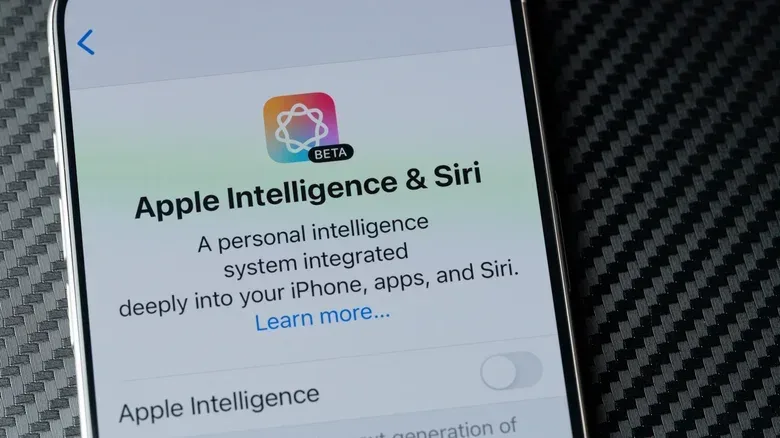
Storage has become part of the practical cost of adding more on-device intelligence to a phone. In iOS 27, Apple Intelligence may use up to 14GB on the iPhone Duo, iPhone Air, and iPhone 17 Pro or later, while other compatible iPhone models may require up to 8GB. That is a meaningful chunk of capacity on any device, particularly a 128GB model where 14GB amounts to more than 12% of the advertised storage.
The precise number will not necessarily be identical on every handset. Users have reported Apple Intelligence using roughly 9GB to 16GB. That spread matters: storage use can be influenced by the compatible model and by the local files retained for the feature set. The essential point is that this is not a tiny background download. It can be a large, visible resident of iPhone storage.
For people who value an iPhone’s AI tools, that footprint may be an acceptable trade. For anyone trying to preserve room for large games, video captures, downloads, photos, or offline media, it is a decision worth making deliberately. And iOS 27 adds a wrinkle: switching individual Apple Intelligence features off does not necessarily remove the storage files behind them.
Why turning features off may not free the space
Apple Intelligence is a collection of AI-assisted capabilities rather than one isolated app. iOS 27 allows people to manage tools selectively, but the related resources can remain on the device even when particular options have been disabled. The operating system retains them in case the owner decides to turn those functions back on later.
That distinction is important. A feature toggle controls whether a function is available or active. It is not automatically a storage-management command. In this case, disabling options may change what the iPhone does without immediately removing the local components that enable those options.
In ordinary circumstances, selectively disabling tools is therefore a sensible way to reduce interruptions or limit features one does not want to use, but it should not be treated as a reliable method of recovering gigabytes. The available information indicates that iOS may delete unused Apple Intelligence files when the phone is critically short on room, but that is storage pressure management, not a guaranteed cleanup button.
The situation is a useful reminder for anyone who keeps a gaming library on a phone: the storage number shown for a new system feature can matter as much as an app’s download size. A few gigabytes might be a minor inconvenience on a high-capacity model and a major trade-off on a device with less free space. Anyone curious about local AI workloads beyond a phone can also see how older hardware may be repurposed in this look at using an old mini PC as a retro console or local AI box.
The reported iOS 27 workaround: change Siri’s language
There is a reported workaround for people who want to reclaim the Apple Intelligence storage rather than merely deactivate individual tools. Apple Intelligence requires the device language and Siri language to be set to the same language option. By leaving the iPhone’s device language alone while changing Siri to a different language variant, the requirement is no longer met.
Related coverage includes Apple Intelligence Can Use Up to 14GB on iPhone.
For an English-language iPhone, the process described is straightforward:
- Open Settings.
- Go to Siri, then choose Language.
- Select another English variant, such as English (Canada), while keeping the iPhone’s main device language unchanged.
- Restart the iPhone.
- Check iPhone storage afterward to see whether the Apple Intelligence space has been released.
This is best understood as a workaround rather than a permanent, formal storage setting. It depends on the current relationship between device-language matching and Apple Intelligence availability. A future iOS update could alter that behavior, so it is not wise to assume the method will work forever or the same way on every compatible model.
What changing the language actually does
The key detail is not that English (Canada) is intrinsically special. The relevant action is creating a mismatch between the phone’s primary device language and Siri’s selected language. Apple Intelligence requires those settings to match, so the mismatch prevents the AI feature set from functioning as configured.
That also means this approach is not for someone who wants to retain Apple Intelligence while shaving down only a small portion of its storage. The reported result is tied to making the feature unavailable. People who only dislike one or two AI functions should use the individual iOS controls instead, while recognizing that those switches are unlikely to produce a noticeable storage reduction.
After the restart, it is worth checking the storage screen rather than assuming success. The reported storage range is variable, and the information available does not establish a single amount that every iPhone will reclaim. Checking free capacity before and after any change is the clearest way to assess whether the workaround was worthwhile on a specific phone.
What you give up when Apple Intelligence is removed
The trade-off is substantial because Apple Intelligence reaches into Siri and several first-party apps. The most consequential loss may be the enhanced Siri experience. Its capabilities include greater contextual understanding, more conversational back-and-forth, and the ability to take actions in other apps.
In practical terms, the assistant can locate details such as hotel reservations and flight numbers, retrieve updated information online, explain what is displayed on screen, and help draft writing. The camera also gains a Siri mode intended to provide information about a subject in the viewfinder or in a captured image.
Other affected upgrades include:
- Photos: improved image-cleanup tools.
- Safari: tab organization by topic.
- Shortcuts: the ability to create shortcuts with natural-language requests.
- Writing across apps: automatic proofreading.
- Calls: surfaced details relevant to the conversation, including items such as flight information or reservation confirmation numbers.
Some of those functions will be more valuable to some people than others. A traveler who frequently searches for confirmation details could see real utility in contextual retrieval. Someone who relies on Shortcuts may find natural-language creation appealing. A person who prefers to handle editing, browsing, and organization manually may decide those conveniences do not justify surrendering up to 14GB.
How to decide whether the space is worth it
The right question is not simply whether Apple Intelligence is useful. It is whether the specific parts of it that matter to you are useful enough to earn a persistent storage allocation on your iPhone.
Start with available capacity, not total capacity. A phone can have 128GB on paper and still be comfortable if plenty remains free; it can also be constantly constrained if photos, downloaded media, and apps already occupy most of that space. If storage warnings are common, recovering 8GB to 14GB could offer immediate breathing room. If space is plentiful, keeping the tools available may be the less disruptive choice.
Next, separate curiosity from routine use. Siri’s contextual features, camera assistance, automated proofreading, topic-based tab organization, and natural-language Shortcuts are meaningful additions only if they fit into regular habits. If the answer is no, retaining a substantial local footprint “just in case” is less compelling.
Finally, consider the difference between customization and removal. Selective toggles are appropriate for tailoring the experience while retaining the underlying platform. The Siri-language workaround is the route for someone prioritizing storage recovery over access to Apple Intelligence. Because it may stop working after later iOS changes, it should be viewed as a reversible, practical option—not an enduring guarantee.
On compatible iPhones, Apple Intelligence can represent a double-digit-gigabyte storage decision. In iOS 27, turning off individual tools and actually reclaiming that space are not necessarily the same action.
That is ultimately the trade: local capacity versus an expanding group of AI conveniences. For an owner with plenty of storage and a use for Siri’s contextual tools, photo cleanup, call-related information, or automated writing help, the allocation may be reasonable. For an owner fighting for room, especially on a 128GB device, the language mismatch offers a potentially useful way to take that space back—provided they are comfortable giving up the features along with it.