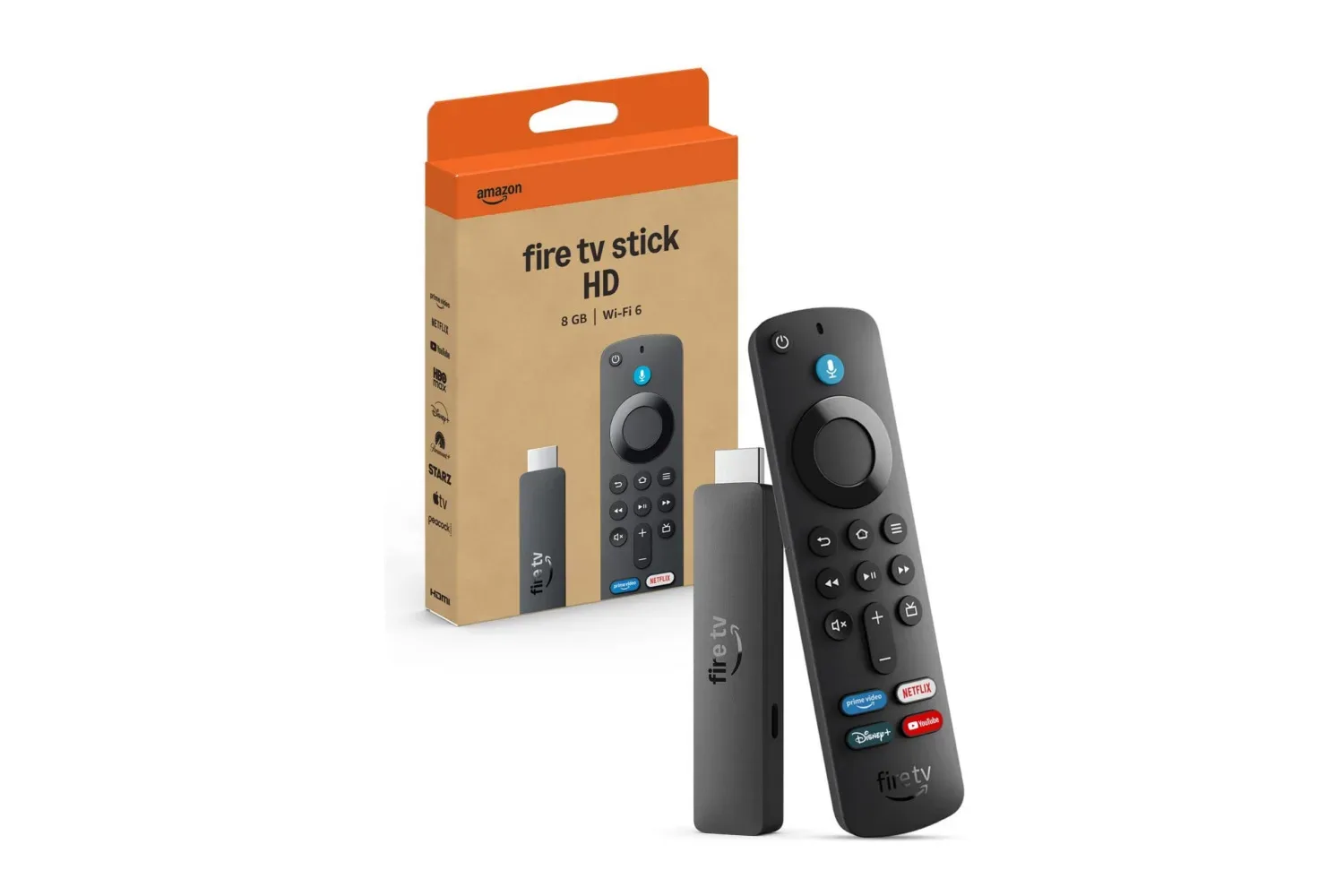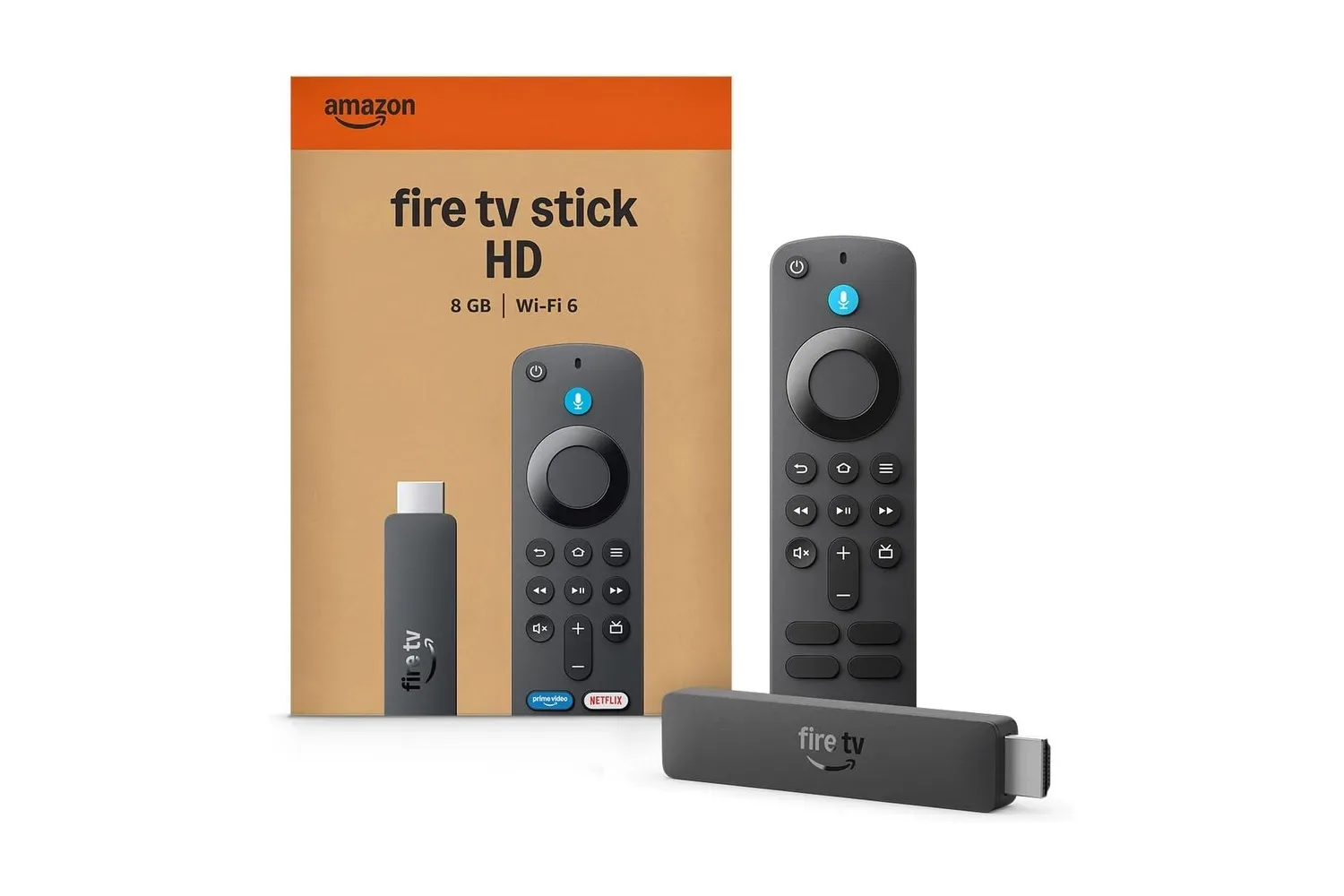
Amazon’s Fire TV Stick HD is listed at $16, reduced from $40, a $24 difference or 60% off. For a television that still has an HDMI port but lacks a satisfying built-in app platform, the appeal is straightforward: this small dongle can add Fire TV’s streaming interface without replacing the display itself.
That distinction matters. A streaming stick does not improve the television panel, speakers, HDMI inputs or picture resolution beyond what the TV can handle. What it changes is the software layer: the menus, apps, recommendations and search tools used to get to video. The Fire TV Stick HD is positioned around 1080p Full HD playback, an Alexa Voice Remote, Wi-Fi 6 support and a compact form factor intended to work both at home and away.
At this price, it is best understood as an inexpensive way to revive an older screen, add a familiar app environment to a secondary TV, or keep a portable streaming setup in a travel bag. It is not a one-device answer for every television setup—particularly for viewers who specifically want a higher-resolution streaming device—but its listed features address several practical sticking points: power-cable clutter, crowded home Wi-Fi and slow navigation through a smart TV’s existing software.
What the Fire TV Stick HD adds to an HDMI television
The basic installation is simple in concept. The stick connects to an available HDMI port on a TV, turning that input into a Fire TV interface. From there, users can access apps such as Prime Video, Netflix, YouTube, Disney+, Apple TV, HBO Max, Hulu, Peacock and Paramount+, alongside thousands of others. It also includes access to free, ad-supported programming and live TV options.
App availability should not be confused with included subscriptions. A streaming device is the hardware and operating environment used to open a service; it does not automatically pay for a viewer’s existing or future memberships. Several of the named apps charge subscription fees, and access to any particular catalog remains tied to the relevant app and account.
For people using a TV with no smart features at all, that app access is the immediate upgrade. For people with an aging smart TV, the more valuable change may be avoiding its old built-in interface. Smart-TV software can become the least pleasant part of a perfectly usable display: the panel still works, but app discovery, menus and navigation may no longer feel convenient. A separate streaming stick effectively moves those tasks to another device.
The Fire TV experience described here separates its home interface into sections for movies, shows, live TV, sports and news. Users can pin favorite apps and receive personalized recommendations based on previous viewing. Those are familiar ideas to anyone who uses a modern phone or streaming platform, but they are useful precisely because the streaming decision often begins with navigating a crowded selection rather than picking from one service.
Full HD means 1080p, not a display upgrade
The “HD” in the product name is an important qualifier. The Fire TV Stick HD streams in 1080p Full HD. In everyday terms, 1080p describes a video resolution of 1,920 by 1,080 pixels. It remains a natural fit for Full HD televisions and for users whose viewing needs do not call for a higher-resolution streaming setup.
It is worth separating resolution from content selection and connection quality. Resolution concerns the amount of picture detail being delivered. It does not determine whether an app is available, whether a subscription is included, or whether a home network is handling multiple connected devices well. The Fire TV Stick HD’s app catalog, interface and wireless features are separate parts of the product’s value.
That makes the device’s purpose relatively clear. It is a low-cost streaming solution built around Full HD playback rather than a reason to replace a working television. Anyone choosing it should make that choice knowingly: it is designed for 1080p streaming, not as an all-purpose upgrade to every kind of TV.
Wi-Fi 6 and Bluetooth 5.3: what those connections are for
The Fire TV Stick HD supports Wi-Fi 6, a wireless standard intended to help networks work more effectively when multiple devices are connected. In a household with phones, computers and other connected gear sharing an internet connection, that capability is relevant to the day-to-day goal of stable streaming.
Wi-Fi 6 is not a guarantee that every internet issue disappears. The quality of a stream still depends on the wider connection and network conditions. But the standard is a meaningful part of the stick’s specifications because streaming devices have to compete for connectivity in a home that may be handling many simultaneous tasks.
It also includes Bluetooth 5.3 support for wireless accessories, including wireless headphones. That could be useful when private listening is preferable, whether someone is sharing a room or simply wants to keep sound contained. Bluetooth and Wi-Fi fulfill different roles here: Wi-Fi connects the streaming stick to the home network for video delivery, while Bluetooth can connect compatible accessories without a cable.
Direct Power can make the setup less messy
One of the more practical design points is Direct Power. The included USB cable can power the Fire TV Stick HD from a television’s USB port, rather than requiring another connection to a wall outlet. For an installation behind a wall-mounted television or inside a crowded entertainment cabinet, removing one plug and one cable route can make a real difference.
It also makes the device easier to move between screens. Rather than treating the stick as another box that needs a permanent spot and its own socket, users may be able to keep the setup largely contained at the TV. That is especially useful for a secondary set where the aim is convenience rather than building a large home-theater system.
The feature is also central to the device’s travel angle. Its small, slim design can be packed in a carry-on or slipped into a pocket, then connected to a compatible hotel or vacation-rental TV. The promise is continuity: users can sign into and resume using the apps they already use instead of relying only on whatever service is built into an unfamiliar television.
In practical terms, a travel setup still begins with the destination TV having an accessible HDMI port and the ability to provide USB power through the included cable. Those are the physical connections on which the compact approach depends. When they are available, the reduced number of components is the point; there is less gear to carry and less cabling to manage.
Alexa voice control and the newer Fire TV interface
The included Alexa Voice Remote offers both buttons and voice commands. Users can use it to find, launch and control content on the Fire TV Stick HD. Having both methods matters. Voice search may be faster when a title is known, while physical controls remain a direct option for basic playback and menu navigation.
In the United States, Alexa+ adds a more conversational layer to the experience. It can provide personalized film and TV recommendations from natural-language requests, answer questions about what is on screen, and control supported smart-home devices. The latter is the living-room convenience case: a viewer could use the remote to adjust compatible lights or temperature controls without leaving the couch.
Those smart-home functions are dependent on supported devices, so they should be viewed as an addition for homes that already use compatible gear rather than a capability that changes every setup by itself. Still, they show how the streaming stick fits a broader TV-control role. For related context on the wider set-top-box and smart-home landscape, see the reported Apple TV and smart-home refresh plans.
Who the $16 Fire TV Stick HD deal fits best
The strongest use case is a working television that needs a current streaming interface. It could be an older main TV, a bedroom set, a guest-room display or a screen that has HDMI but does not have smart features worth using. At its listed sale price, the Fire TV Stick HD is a relatively small purchase compared with replacing a television solely to obtain modern app access.
- Good fit: viewers looking for 1080p streaming, broad app access, a voice remote and a tidy USB-powered installation.
- Good fit: households with multiple connected devices where Wi-Fi 6 support is welcome.
- Good fit: travelers who want to bring their own streaming apps to compatible TVs.
- Consider carefully: buyers seeking a device specifically centered on resolutions beyond 1080p.
- Remember: subscriptions for paid streaming services are separate from the hardware purchase.
The $16 listing makes the Fire TV Stick HD compelling because its job is narrow and understandable. It supplies Full HD streaming, a major app ecosystem, wireless connectivity, Bluetooth accessory support and an Alexa-enabled remote in a package that can draw power from a TV’s USB port. For the right television and viewing habits, that is more useful than spending heavily to replace a display that still does its core job.
Shop the products
Check current price, model and availability at the retailer.