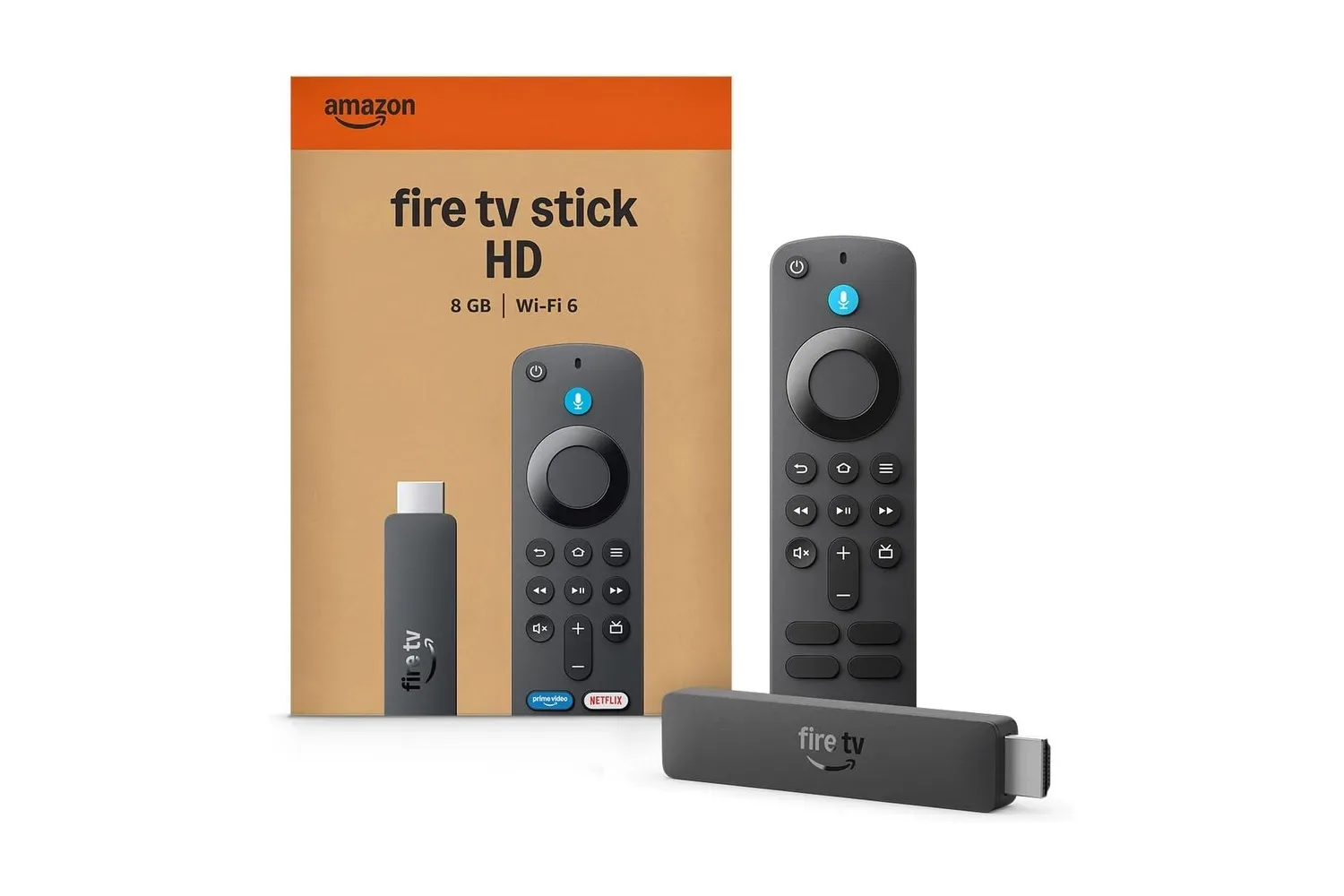
A television does not need to be ancient to feel one app update away from becoming a negotiation with a remote control. A sluggish smart-TV menu, an incomplete app selection, or a bedroom screen without a modern streaming interface can make an otherwise perfectly good display feel less useful than it should. Amazon’s Fire TV Stick HD is aimed squarely at that problem, and its reported drop from $40 to $18 makes the small HDMI accessory considerably more compelling for viewers who simply want a straightforward streaming front end.
The $18 price represents a 55% discount from the stated $40 list price. Deals on streaming hardware can be short-lived and prices can change without much ceremony, so shoppers should treat that figure as a current snapshot rather than a permanent new baseline. Amazon also says trade-ins of eligible older devices may save buyers up to an additional 20%, although the exact value and qualifying hardware will depend on the trade-in terms presented during the process.
A modest device with a practical mission
The Fire TV Stick HD is not trying to replace a premium 4K home-theater box. Its appeal is much more direct: plug it into an HDMI port, connect it to a TV, and use Fire TV as the place to browse supported services. For an HD television, a secondary set, a dorm room screen, or a monitor that needs a more conventional entertainment setup, that focused role can be enough.
Amazon describes this model as its fastest HD streaming stick. That wording is specifically about its HD lineup, not a sweeping claim against every streaming device on the market, but it signals the intended upgrade path. Anyone moving from an older, slower HD stick—or relying on an aging television’s built-in software—may be more interested in smoother menu movement and simpler app access than in headline-grabbing specifications.
At $18, the value proposition changes further. The device costs less than many accessories and far less than replacing a TV solely because its operating system is outdated. That does not make it the universal answer for every screen, especially for buyers building around 4K output, but it does make a basic refresh easier to justify when HD is the actual target.
What the Fire TV interface is designed to do
Fire TV centers its experience on putting streaming apps and content categories in one interface. Users can browse by genre when they have a particular mood in mind and pin preferred apps to the home screen for faster access. The latter matters more than it sounds: household streaming habits are usually repetitive, and a home page that brings a few frequently used services forward can reduce the amount of menu wandering between a viewer and a show.
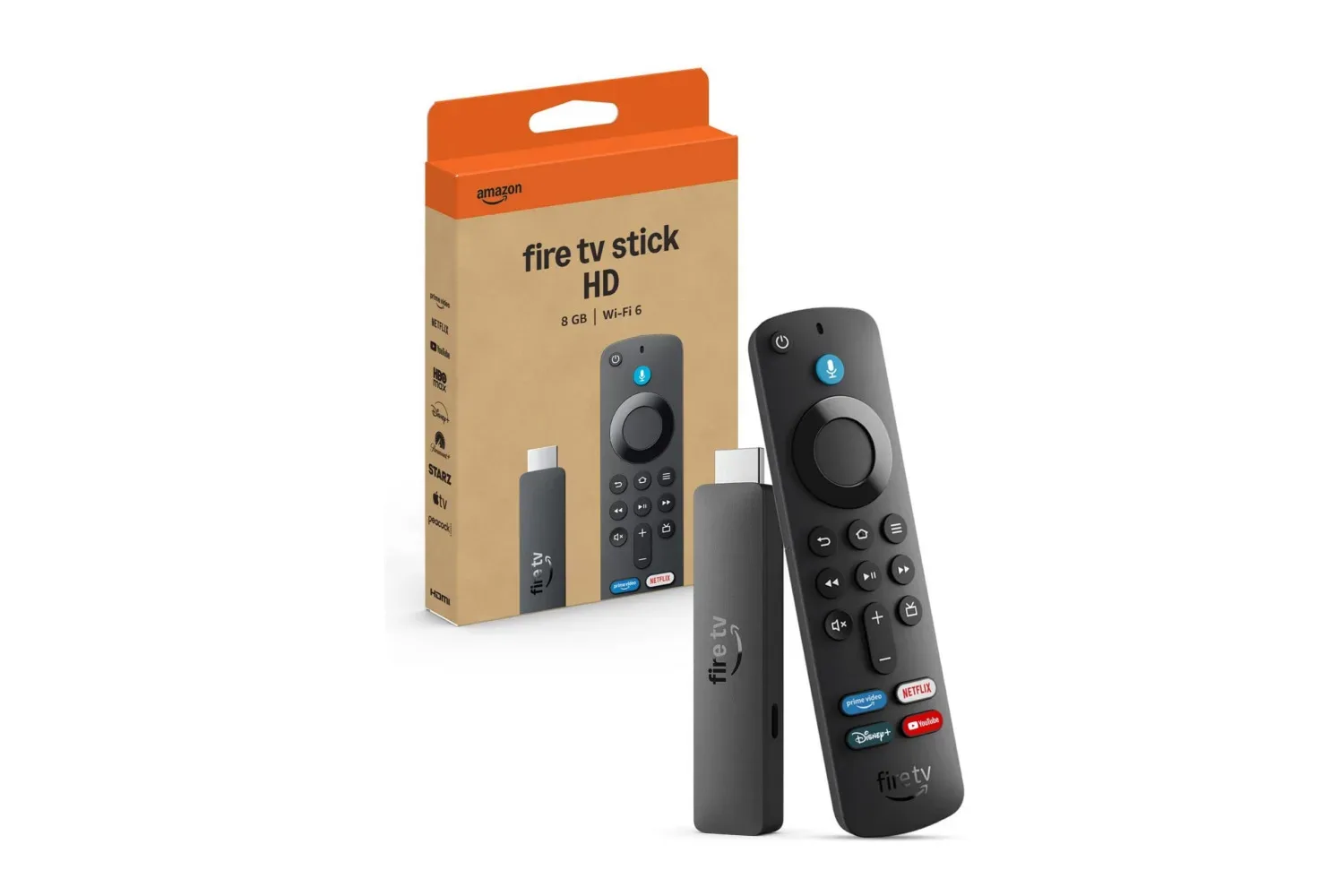
The platform includes popular apps and offers further downloads through the Amazon Appstore. The available service list includes Prime Video, Netflix, YouTube, Disney+, Apple TV, HBO Max, Hulu, Peacock, and Paramount+, alongside many more apps. Of course, installing an app does not grant a subscription to it. The stick organizes access; any membership, rental, purchase, regional catalog limitation, or account requirement remains tied to the individual service.
That distinction is worth keeping in view during any streaming-device sale. A low price on the hardware does not lower the monthly cost of a stack of subscriptions, and a device’s usefulness depends heavily on whether the services a household already pays for are supported in its region. Prospective buyers should check those essentials before treating any streaming stick as an automatic bargain.
Voice control is part of the pitch
Alexa support lets viewers search for programming and control parts of the experience by voice rather than solely through the remote. Requests can be as simple as asking to play a particular show or surface recent movies from a specific service. This may be most useful when searching across a large catalog, when the remote has found its natural habitat beneath the sofa, or when typing a title letter by letter has become an unexpectedly lengthy side quest.
Amazon also positions Alexa+ as a more advanced version of its assistant and says it is included at no additional cost for Prime members. Buyers should still consider that this part of the experience is connected to Amazon’s wider ecosystem and membership status. For some, that integration is convenient. For others, it is simply a feature to evaluate separately from the stick’s basic job of running streaming apps.
Small physical details can make the upgrade painless
The Fire TV Stick HD connects directly to a television’s HDMI port. Its compact shape is intended to avoid obstructing neighboring ports, a useful consideration on TVs where connectors are clustered tightly together. That design keeps the streaming hardware out of sight and avoids adding another box to the media stand—an especially welcome trait for a bedroom, kitchen, guest space, or other spot where cable clutter is already making bold creative choices.
Bluetooth support adds another practical option. Viewers can use compatible Bluetooth headphones for private listening, which is helpful for late-night episodes, shared living spaces, or any situation in which the television speakers would be unwelcome. It is a capability worth checking against a buyer’s existing headphones and broader setup, but it expands the stick beyond a simple app launcher.
The sale also arrives in a period when device discounts remain a common way to lower the cost of an incremental tech upgrade. For another example of how those price cuts can materially change a purchase decision, see our coverage of M4 iPad Air discounts on select models. The categories are quite different, but the basic shopping lesson is the same: assess the product’s fit first, then decide whether the temporary price makes that fit worthwhile.
Who should consider the $18 deal
This Fire TV Stick HD makes the clearest sense for people with an HD display who want access to a broad app ecosystem without spending much. It could also suit someone reviving a spare television, setting up a guest room, or replacing an older streaming device that is no longer pleasant to navigate. At the discounted figure, the cost of experimenting with a separate streaming interface is relatively low.
- Good fit: HD-TV owners seeking an inexpensive streaming upgrade.
- Good fit: Viewers who want Alexa voice controls and use services available through the Fire TV app selection.
- Good fit: Households that could benefit from Bluetooth headphone listening.
- Consider carefully: Buyers whose main priority is a 4K-focused setup, since this is explicitly the HD model.
- Consider carefully: Anyone who wants to avoid an Amazon-centered interface or depends on apps not offered in their location.
It is also wise to think about the television itself before ordering. A free HDMI port is essential, and internet connectivity remains the foundation of streaming performance regardless of how inexpensive the stick becomes. The compact hardware may make installation easy, but it cannot compensate for a weak home connection, unavailable subscriptions, or a display that does not match the buyer’s resolution expectations.
The important number is $18, not just 55%
Percentage discounts attract attention, but the practical story here is the final price. At $40, the Fire TV Stick HD is an entry-level convenience purchase that competes with other affordable streaming options. At $18, it becomes a low-barrier way to add an app-driven interface, voice features, and Bluetooth listening to an HD screen. The savings also largely erase the sting of the regular price for shoppers who were already considering one.
Amazon is likely to return the listing to a higher price eventually, though there is no stated deadline for this reduction. Anyone interested should verify the displayed amount, confirm the model is the HD version they actually want, and review any trade-in offer before checkout. If those conditions line up, this is a notably inexpensive route to give an existing television a more current streaming setup—without turning a simple movie night into a hardware-budget boss battle.
Shop the products
Check current price, model and availability at the retailer.