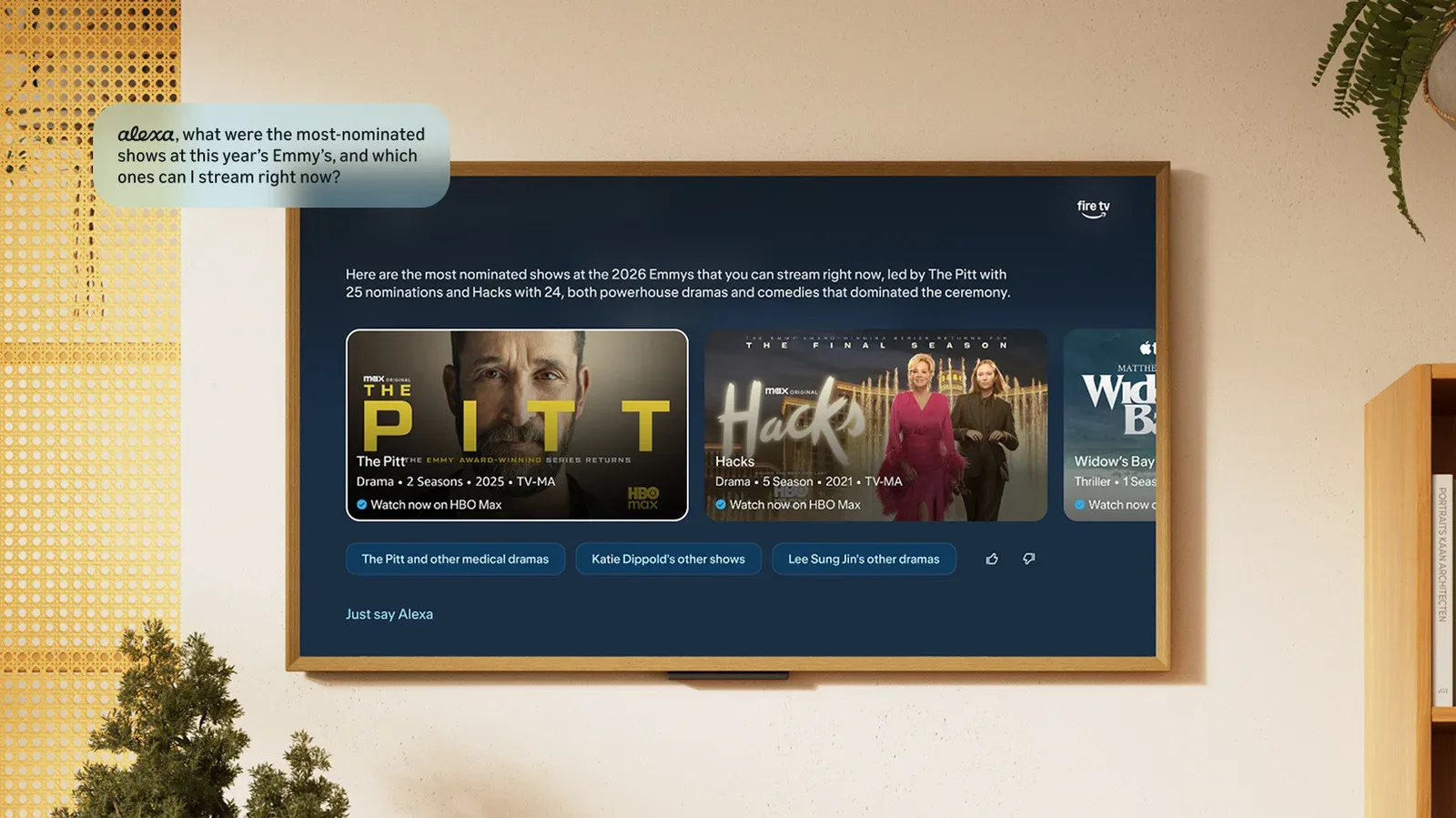
Choosing something to watch has become less like channel surfing and more like filing paperwork in a small, badly lit entertainment bureaucracy. A title is on one service, its sequel is elsewhere, the third entry is technically a prequel, and the thing everyone is discussing has a name too generic to search without summoning seventeen unrelated documentaries.
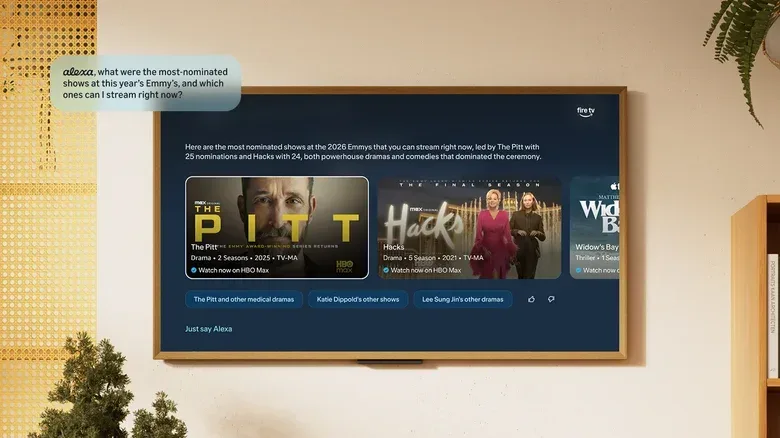
Amazon is preparing an Alexa+ update for Fire TV that aims to make that process more conversational. Beginning in November, Fire TV users in the US are set to receive new Alexa+ experiences across the television interface and the Fire TV mobile app. The central pitch is not merely asking for a genre or an actor. Alexa+ is intended to handle more complicated requests by using the context around a viewer’s subscriptions, viewing history and current events.
That is an ambitious job for a living-room assistant. It also speaks directly to the increasingly untidy reality of streaming: finding a show can be harder than watching it.
A Fire TV hub built around more specific questions
The updated interface will include a dedicated Alexa+ hub with personalized prompt suggestions based on a user’s history. A prompt suggestion is essentially a ready-made question or action offered by the system, rather than requiring a person to decide exactly what to ask. In theory, that could make the assistant feel less like a search field with a microphone and more like a guide that recognizes the kinds of media a household has been seeking out.
The larger change is Alexa+ reasoning capability. Here, “reasoning” means the assistant is being positioned to address questions involving several conditions, relationships or pieces of context instead of matching a simple keyword. The examples are appropriately demanding: finding shows nominated for recent Emmy awards that did not win, or arranging Marvel Cinematic Universe films by the order of their in-universe stories rather than their release dates.
Those requests matter because they illustrate the difference between a catalogue lookup and an interpretive search. “Show me Marvel movies” is straightforward. “Show me MCU films based on their in-universe timeline order” requires the assistant to understand that chronological story order and theatrical release order are not the same thing, then present the requested version without confidently launching into the wrong multiverse.
Likewise, a request involving awards and snubs depends on more than a title database. It calls for timely real-world information, an understanding of nominations and winners, and a way to connect that information to viewable programming. Alexa+ is expected to draw on current affairs alongside each user’s subscriptions and viewing history for such requests.
What personalized context could change
Subscription awareness is the particularly practical part of this plan. A recommendation can be excellent in the abstract and still be useless if it leads a viewer toward a service they do not have. Using subscription information could make the resulting suggestions more immediately actionable, while watch-history context could help the assistant distinguish between a genuine interest and the one baffling film someone left on while folding laundry.
There is an important limit to keep in mind: the announced examples describe what Alexa+ will be able to attempt, not a guarantee that every nuanced entertainment question will receive a perfect answer. Awards data changes, franchise timelines attract debate with the intensity of a constitutional convention, and recommendations remain subjective. The practical test will be whether results are clear, relevant and easy to start watching rather than merely impressive-sounding answers that leave the remote stranded on the sofa.
The mobile app wants to turn discovery into action
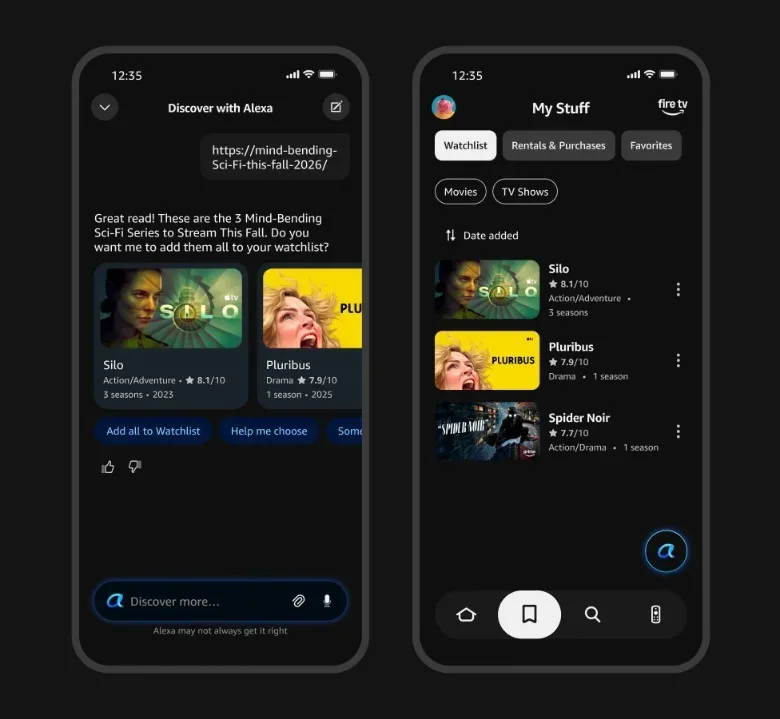
The Fire TV mobile app is also getting Alexa+ features designed around the way people already encounter recommendations: in links, images, screenshots and assorted group-chat debris. Users will be able to send Alexa+ links to articles about films and shows. The assistant can then add titles mentioned in those pieces to the user’s watchlist.
A watchlist is a saved queue of titles a viewer intends to revisit. The useful wrinkle here is that the process can begin with an article rather than a manual search for every name inside it. If it works cleanly, someone reading a roundup or interview could preserve the interesting titles without switching repeatedly between browser, app and television interface. The machine is not watching the programme for you, thankfully; it is helping prevent the recommendation from vanishing into the same void as every tab marked “read later.”
Alexa+ is also expected to produce film and TV suggestions from images uploaded to the app. A user might share a photo of a location, a poster or a screenshot that evokes a particular kind of media, and the assistant can identify what is visible and make related recommendations. This is image-based recommendation rather than a claim that the photo itself unlocks a specific programme: the stated purpose is to use the identified subject or visual clue as a starting point for suggestions.
That distinction matters. A poster may point toward a title directly, while a location or screenshot may offer a mood, setting or association from which Alexa+ proposes options. It could be an appealing route for people who remember a scene, an aesthetic or a place more readily than a title. It is also another instance where the quality of the result will depend on accurate identification and sensible interpretation, two jobs that can become surprisingly difficult when the image is a blurry screen photograph taken during a dramatic thunderstorm.
Deep linking reduces the phone-to-TV relay race
The mobile app will begin deep linking to streaming services. Deep linking is a technical term for a link that sends a user directly to a specific destination inside an app or service, rather than merely opening its front door and wishing them luck. On Fire TV’s app, tapping a streaming icon will let users begin watching on their phones immediately.
Then, when a larger screen is preferable, the viewer can use the Fire TV “Continue Watching” row to resume where they stopped. The feature is framed as a handoff between devices: start on the phone, continue on the TV, without needing to locate the programme again and manually chase the same point in the episode.
That may sound like a small convenience, but it addresses one of streaming’s most familiar bits of friction. Discovery and watching often happen in different places. A person sees an interesting item while away from the television, starts it on a phone, and later has to reconstruct the trail. Bringing the transfer into the Continue Watching row could make the Fire TV home experience feel more connected to the companion app instead of treating the mobile device as a remote that occasionally remembers it has other ambitions.
It also complements the new Alexa+ tools well. A link can lead to a watchlist addition; a prompt can help choose a title; a streaming icon can begin playback; and Continue Watching can carry that viewing session to the television. Individually, none of those steps is revolutionary. Together, they describe an effort to shorten the journey from “that looks interesting” to “it is now on the big screen and no one is negotiating with three logins.”
Live TV and cloud gaming get a more central place
Alongside the Alexa+ work, Fire TV is integrating live content from more than 40 apps. Named services include YouTube TV, Peacock, Tubi, Sling and DirecTV. “Integrated live content” means live programming from these apps can be surfaced through Fire TV’s experience, rather than each service existing only as a separate destination that users must remember to open on its own.
For gaming, the Fire TV Games Hub is bringing cloud gaming options from Xbox, Luna and NVIDIA GeForce NOW together in one place. Cloud gaming generally refers to games running on remote servers and being streamed over an internet connection, with the player’s inputs sent back across that connection. The notable point in this update is organization: Fire TV is presenting those three gaming services through a shared hub.
That does not mean their catalogues, memberships or requirements are being merged into one universal service. The announced detail is that Xbox, Luna and NVIDIA GeForce NOW cloud-gaming experiences will be accessible from a single Fire TV location. For households using more than one of them, a central hub may make the television feel less like a stack of disconnected apps. For everyone else, it is at least a clearer acknowledgment that Fire TV is trying to be a games destination as well as a streaming one.
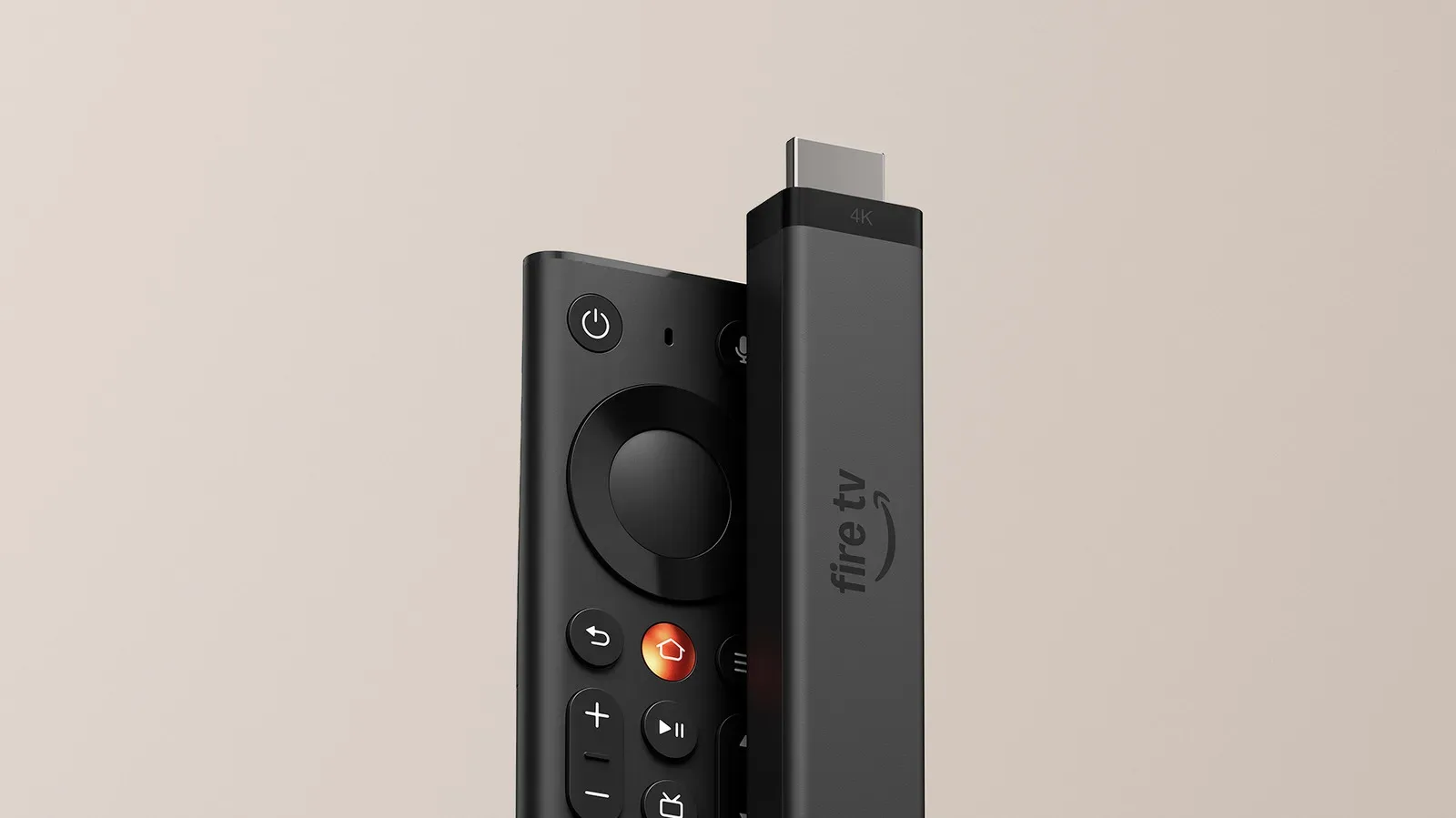
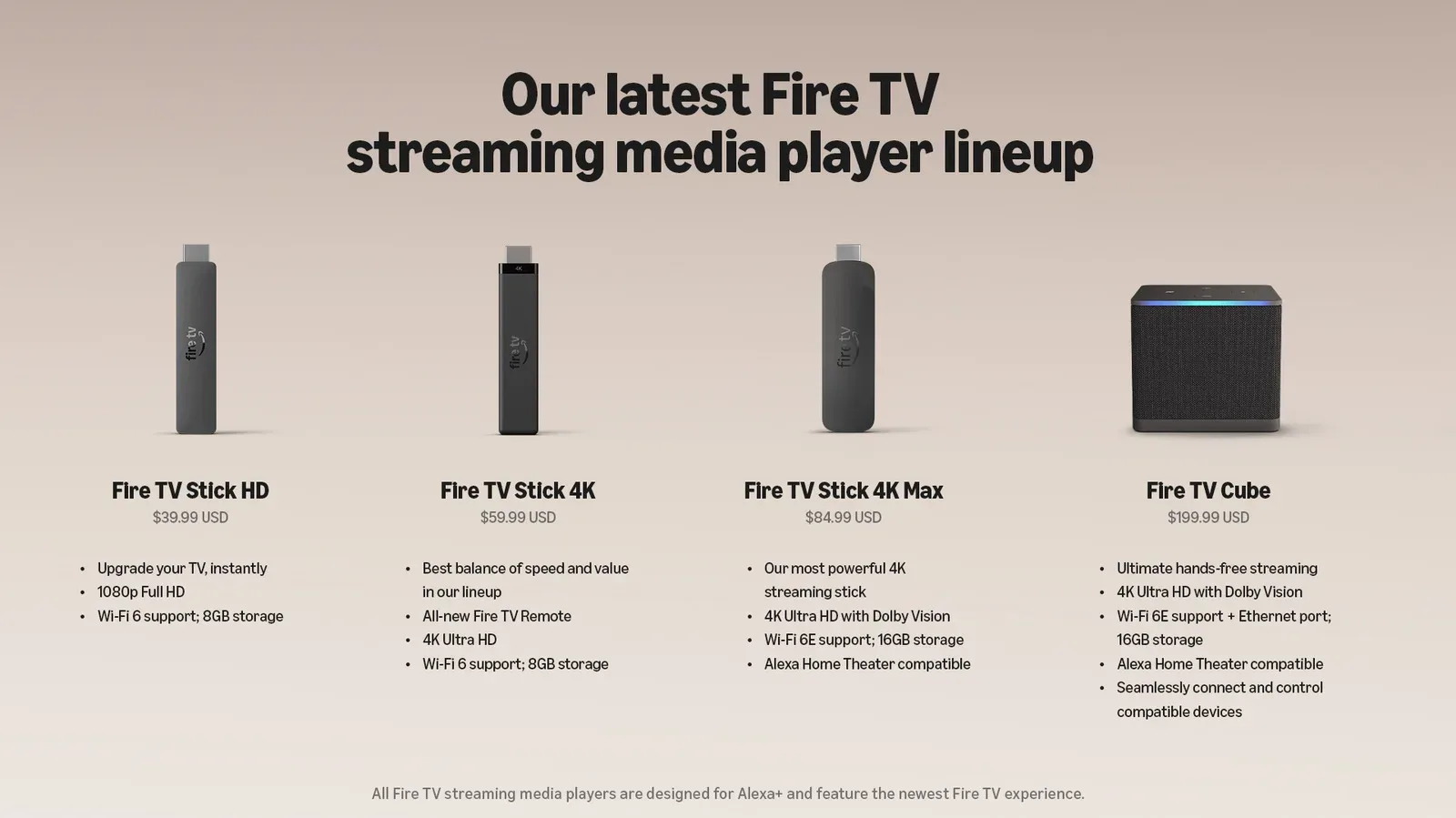
Amazon has been making broader changes to its Fire TV hardware lineup too, including a new Fire TV Stick 4K with faster-loading claims and a findable remote. The software additions now place more emphasis on what viewers and players can do after the device is already connected.
A refreshed Music app is also on the way
An updated Music app for Fire TV is scheduled for the fall. Amazon says the app will expose the service’s full range of offerings, including music videos, podcasts, live concert streams and festival livestreams. It is a separate update from the Alexa+ discovery features, but it fits the same broader strategy: make the TV interface a place for more types of entertainment, with fewer reasons to bounce around menus looking for the correct app.
Timing and what to expect
The new Alexa+ experiences are slated to begin reaching Fire TV users in the US in November. The broader collection of Fire TV updates is rolling out in the US later this year, with availability for other regions planned for early next year. The Music app refresh is due this fall.
For Fire TV owners, the most meaningful near-term promise is not that a voice assistant can recite more trivia. It is that it may do a better job of connecting taste, subscriptions, timely information and the scattered routes by which people actually discover films, television and games. If Alexa+ can translate a complicated request, an article link or a half-remembered image into a useful next choice, the TV may spend a little less time displaying rows of options and a little more time displaying the option someone wanted.