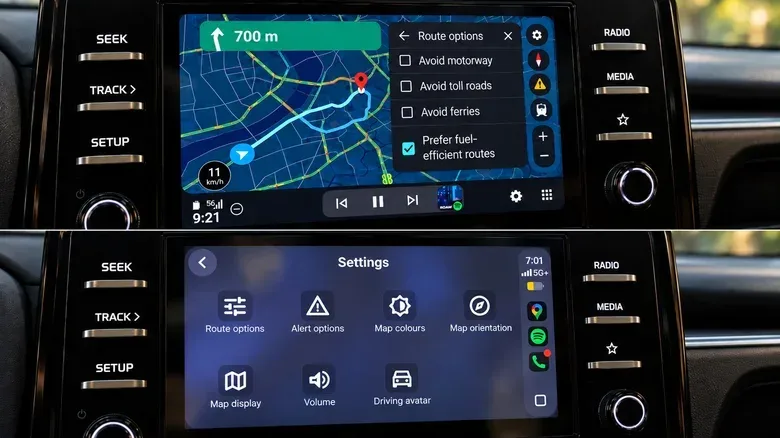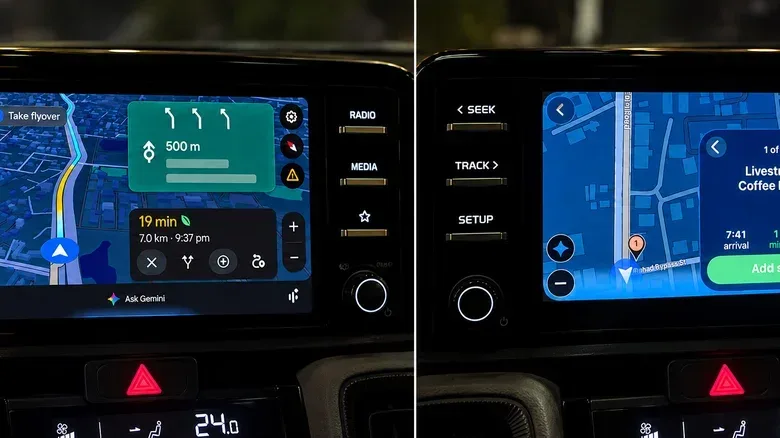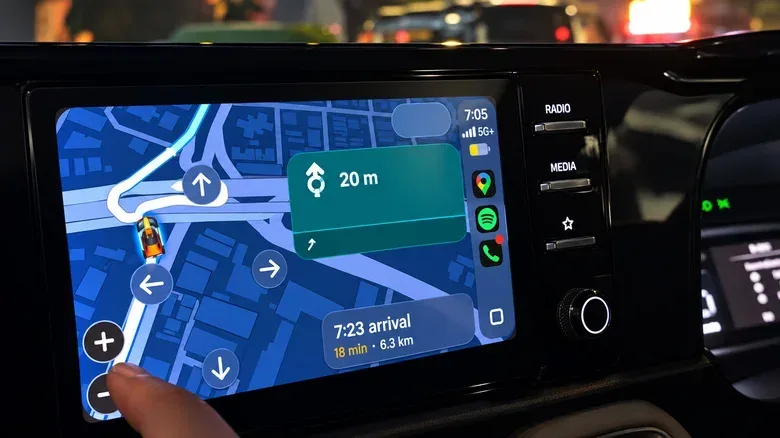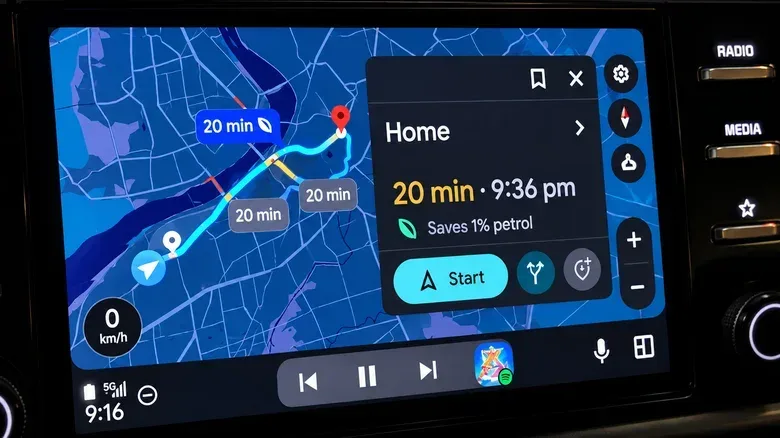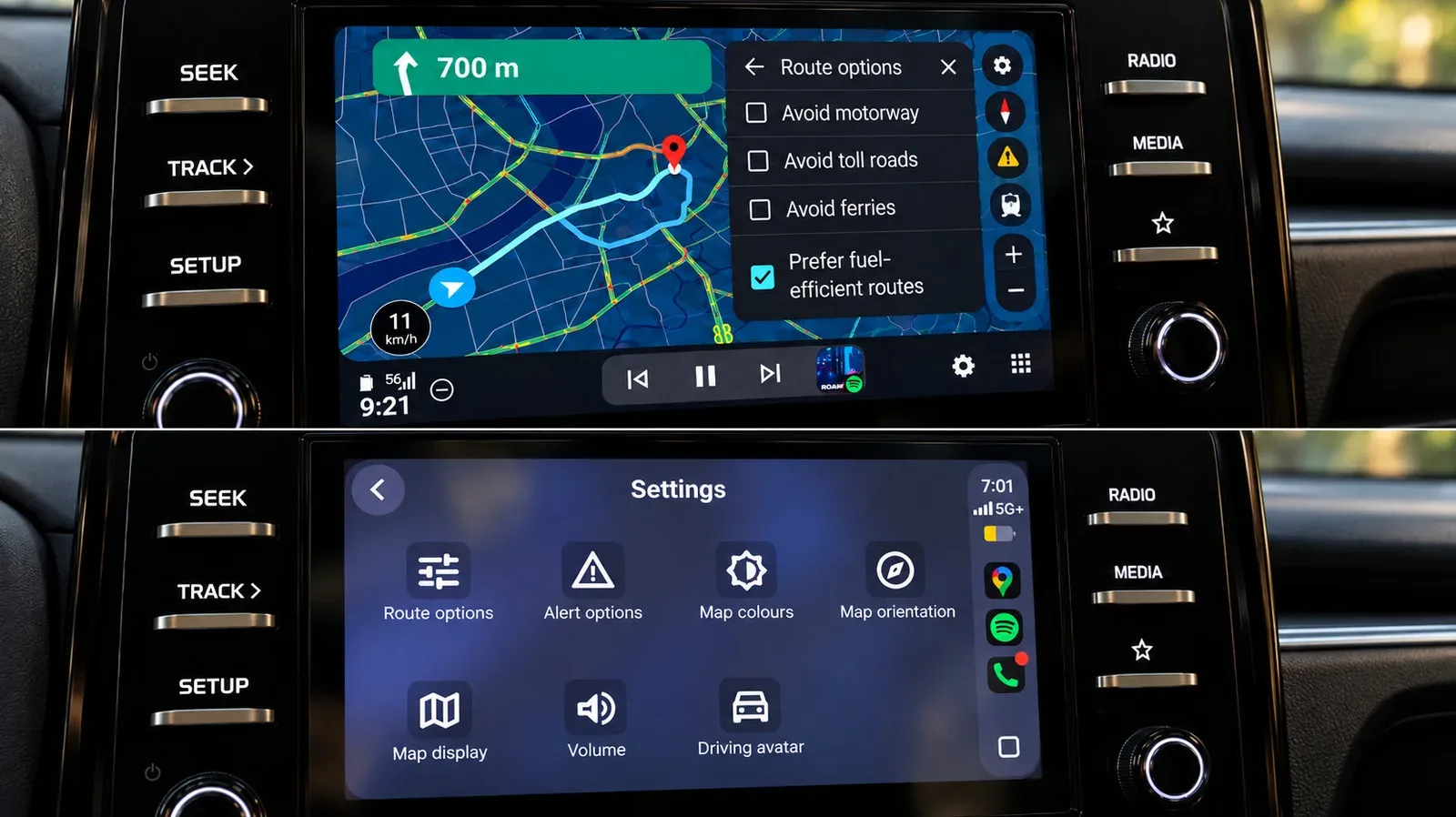
Google Maps may wear the same logo on Android Auto and Apple CarPlay, but identical apps do not always make identical copilots. When the two systems are used on the same infotainment display for the same searches, route changes and ordinary driving tasks, the basic navigation kit is broadly comparable. Each can show a speedometer, lane guidance, traffic incidents and alternate routes, while allowing drivers to avoid tolls, highways or ferries.
The split becomes clearer after the destination has been set. Android Auto currently makes several common Google Maps tasks less fiddly: beginning an assistant conversation, comparing places to stop, moving around the map, surfacing likely destinations and, for supported US electric vehicles, constructing a route around charging needs. CarPlay is not left without strengths, including readily available display color controls, but Google's mapping software presently seems to get more room to act like Google software on Google's platform. An astonishing development, surely nobody could have predicted it.
The meaningful differences start after “navigate”
It is worth separating a navigation feature from a navigation workflow. Both interfaces can provide alternate routes, for example. The practical question is how many taps, screens or spoken prompts are needed to find and choose one while driving. A feature buried behind extra interaction may still be useful, but it is less convenient at the moment a driver needs it.
That is the core advantage for Android Auto. It does not overturn the ordinary Google Maps experience. Instead, it cuts friction from several little decisions that happen during a trip: finding fuel, choosing between two stops, checking a distant interchange or deciding whether a charging detour belongs in the plan. Small bits of interface friction add up remarkably quickly when the road is demanding attention too.
1. Gemini can begin hands-free on Android Auto
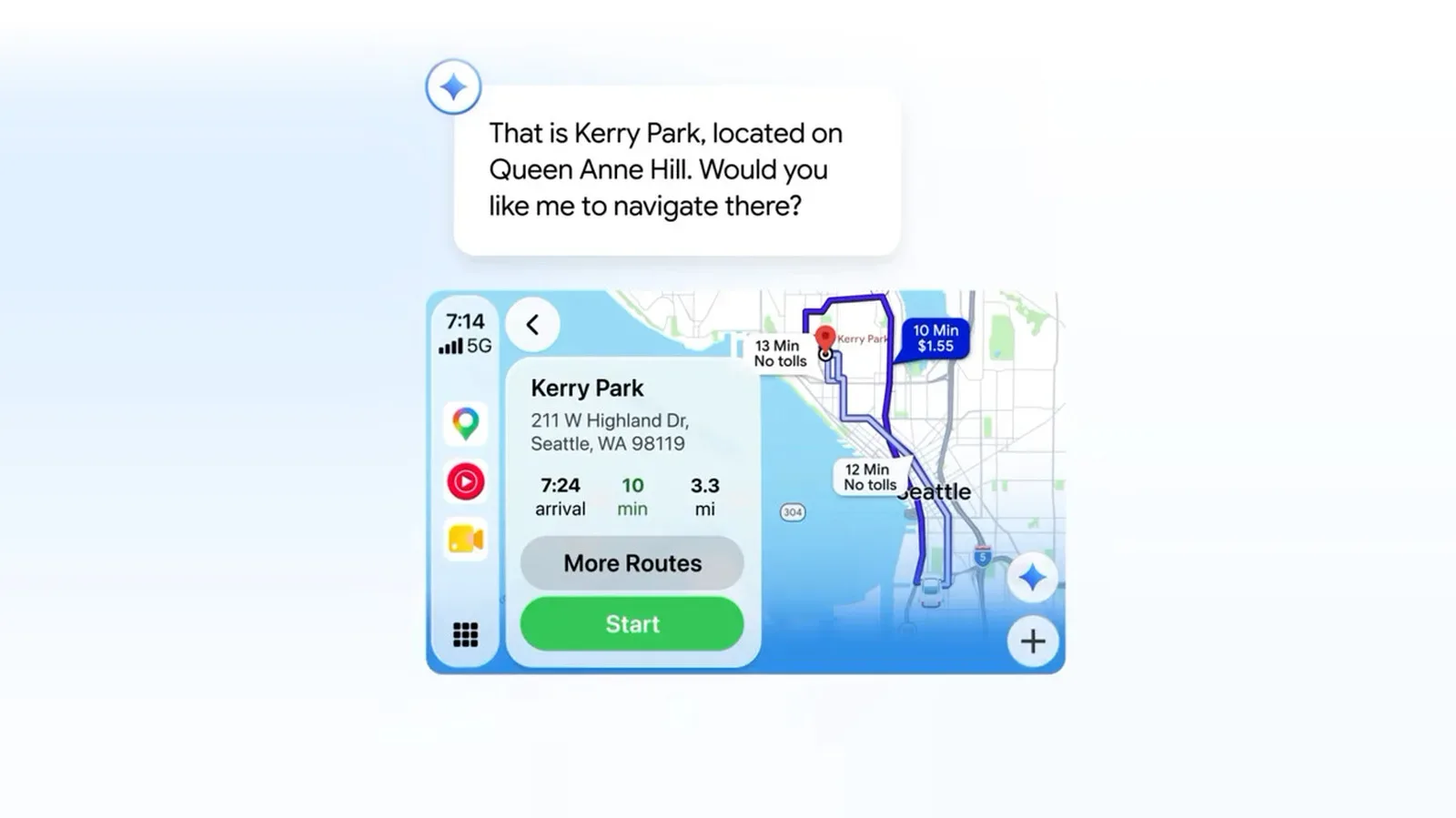
The biggest divide is access to Gemini, Google's conversational AI assistant. On Android Auto, Gemini can be started by voice without touching the center display. That matters because the central screen is often farther from the driver than a phone would be, and because avoiding a reach is preferable to trying to operate a bright dashboard slab while traffic is moving.
Google Maps on CarPlay has shown a Gemini button capable of handling conversational searches and follow-up questions once it is tapped. But the key limitation is the entry point: Gemini could not be summoned hands-free in the tested setup. Google's own help material also continued to state that Gemini was unavailable for CarPlay at the time.
This is not merely a question of whether an AI badge appears on screen. A hands-free start makes a particular style of task more natural. A driver can ask for a fuel stop, then narrow the need to another type of destination without rebuilding the whole search from scratch. The assistant can also be asked for other routes home. In this context, conversational search means the system retains the thread of a request so the next question can refine the first rather than becoming an entirely separate command.
The caveat: voice assistance is not a magic steering wheel
Gemini was not perfectly reliable. It sometimes stalled on a loading screen and failed to connect once. That is an important limitation, rather than a minor footnote: a hands-free system is only helpful when it actually responds. Still, a voice-first option has a clear ergonomic benefit when it works. Drivers should also treat it as assistance, not an excuse to abandon road awareness or rely on an assistant for decisions that need their own judgment.
Related coverage includes Google Maps Has Six Practical Advantages on Android Auto Over CarPlay.
2. Route changes appear faster on Android Auto
Once Gemini is active, it can search along the current route, refine the results, add a stop and show alternate routes. The same categories of requests were possible through CarPlay after opening Gemini, but the process was noticeably slower in direct use.
Speed here is not about shaving a fraction of a second from a benchmark. It is about preserving the context of a journey. Consider the familiar cascade: fuel is low, a passenger needs a pharmacy, and the original arrival plan is no longer ideal. Android Auto can move from locating fuel to searching for a pharmacy and then displaying other ways home without forcing the driver to reopen the interaction for each request. That makes Google Maps more useful as a route manager rather than a static A-to-B arrow dispenser.
3. Stops along a route are easier to compare
Searching for places while already navigating is another area where the presentation matters as much as the underlying data. Android Auto can present several options along the route together, including ratings and the extra time each would add. A driver deciding between a stop one minute away and one that adds six minutes can see the trade-off without doing mental bookkeeping across a carousel.
On CarPlay, results appear in sequence with Previous and Next controls. Useful details such as fuel prices and detour times are still available, so this is not an information blackout. The issue is comparison. Seeing one candidate at a time makes a multi-option decision take more input and more attention.
The broader lesson is simple: navigation systems should put choices beside each other when the user is choosing among them. For ordinary errands, a few additional taps may sound trivial. On an unfamiliar road, that extra interaction is precisely the kind of minor hassle that feels much larger than it does from a parked-car demo.
4. The map itself is easier to inspect
Android Auto also has the simpler map-exploration flow in the tested vehicle. Zoom buttons remain easy to reach, and direct pinch-to-zoom worked. CarPlay required entry into a separate map-control mode, while pinch-to-zoom did not work in that use case.
Neither platform should encourage drivers to spend long stretches studying the map. But brief map inspection has legitimate purposes: looking farther ahead before a complex interchange, checking the shape of an upcoming diversion, or seeing where a stop lies relative to the route. Android Auto's direct controls make these short checks less cumbersome.
This should not be read as a claim that CarPlay is fundamentally incapable of gestures. Android Auto's navigation framework supports tap, scrolling and pinch interactions, while CarPlay uses its own map template and controls. What matters to the person in the driver's seat is the behavior their particular vehicle exposes. Interface implementation, vehicle hardware and software versions can all affect the experience, so users should avoid assuming every car will reproduce the same result.
5. Android Auto gives likely destinations more context up front
Before a destination is entered, Android Auto's Google Maps screen can immediately offer a Home shortcut alongside a live estimated arrival time and distance. It also includes Categories and Saved places. Its Recent area may show places recently visited as well as suggestions informed by recent Google Maps searches.
That makes the opening screen feel more prepared for the next likely trip. CarPlay's initial Maps display was comparatively sparse and required a search to reach comparable information. For a driver who frequently travels to a few places, the difference is more than decoration: it can make a routine departure quicker without asking them to retype or restate an address.
Android Auto is also clearer about fuel-efficient routing. Google Maps can label a route as the most fuel-efficient and show estimated fuel savings. The fuel-efficient preference itself was available on both platforms, so this is not exclusive functionality. The Android Auto advantage is explanation: the recommendation is presented in a way that makes the reason for the choice easier to understand.
CarPlay earns a usability point of its own in this area. Its Automatic, Day and Night color-scheme controls are readily accessible through the car-screen interface. That may be a modest victory, but visibility and legibility are not exactly optional extras when a map is competing with sun glare and changing conditions.
6. EV trip planning is the largest gap, for compatible vehicles
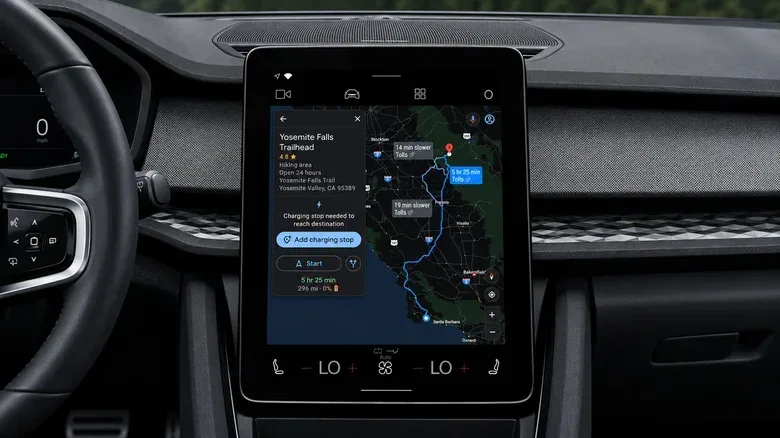
The most substantial Android Auto advantage applies to supported electric vehicles in the United States. Google Maps can estimate trip battery consumption using the vehicle's characteristics, traffic, road elevation and weather conditions. After the current battery level is entered, the system can estimate the expected charge at arrival, recommend charging stops and include charging time in the estimated arrival time.
This is called battery-aware routing. It goes beyond a generic search for nearby charging stations because charging stops are part of the route calculation itself. In other words, Maps is not just telling the driver where chargers exist; it is using energy estimates to help determine which charger fits the journey and how that stop changes the arrival plan.
Google Maps on iPhone can offer energy-efficient EV routes, but those routes do not include charging stops. Android Auto's newer system can incorporate stops and revise the route around them. No equivalent CarPlay rollout was mentioned. The Android Auto rollout covers more than 350 EV models from more than 15 brands in the US, though the capability remains dependent on vehicle compatibility and region.
For EV owners who regularly make longer trips, this is not a cosmetic distinction. A route that includes projected battery use, charging time and expected arrival charge speaks directly to the planning problem an electric vehicle introduces. For drivers of gasoline cars, it is largely irrelevant for now—but it demonstrates how tightly connected vehicle data can make mapping more useful.
What drivers should take from the comparison
The practical result is not that CarPlay users must abandon Google Maps, nor that Android Auto makes every drive an effortless quest completion. Both systems retain the essentials, and CarPlay can still offer route information, gas prices, detour timing and Google Maps' standard navigation tools.
But Android Auto has the stronger version for people who frequently change plans on the move. The combination of hands-free Gemini access, more immediate route-stop comparison, accessible map controls and smarter EV routing provides fewer reasons to poke at the dashboard. That is an interface win with real-world value.
For Apple-device owners weighing the wider in-car experience, it is a reminder that choosing CarPlay does not mean every third-party app will behave exactly as it does on Android Auto. The same applies to the Apple hardware question more broadly: a platform can be polished while particular app integrations still have their own limits. For a related look at Apple upgrade decisions, see how long a new Apple TV 4K could last and when an upgrade makes sense.
Ultimately, Android Auto's lead is one of accumulated convenience rather than a single knockout feature—unless battery-aware EV routing applies to your vehicle, in which case it is a very large asterisk. Google Maps is competent on both sides of the phone divide. On Android Auto, it just currently spends less time asking its driver to become an infotainment-system archaeologist.