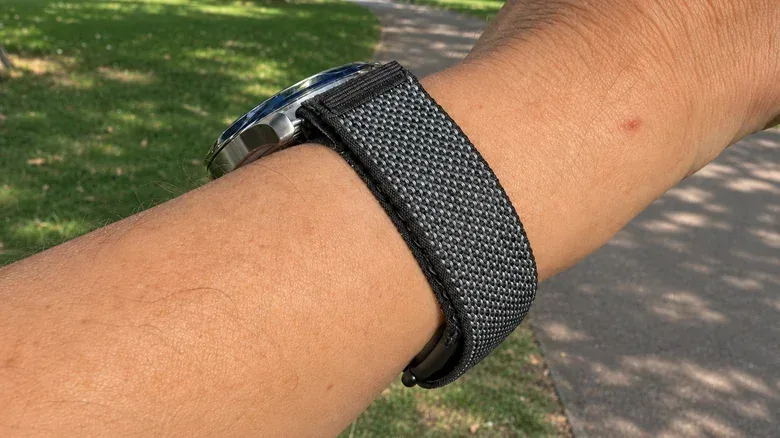
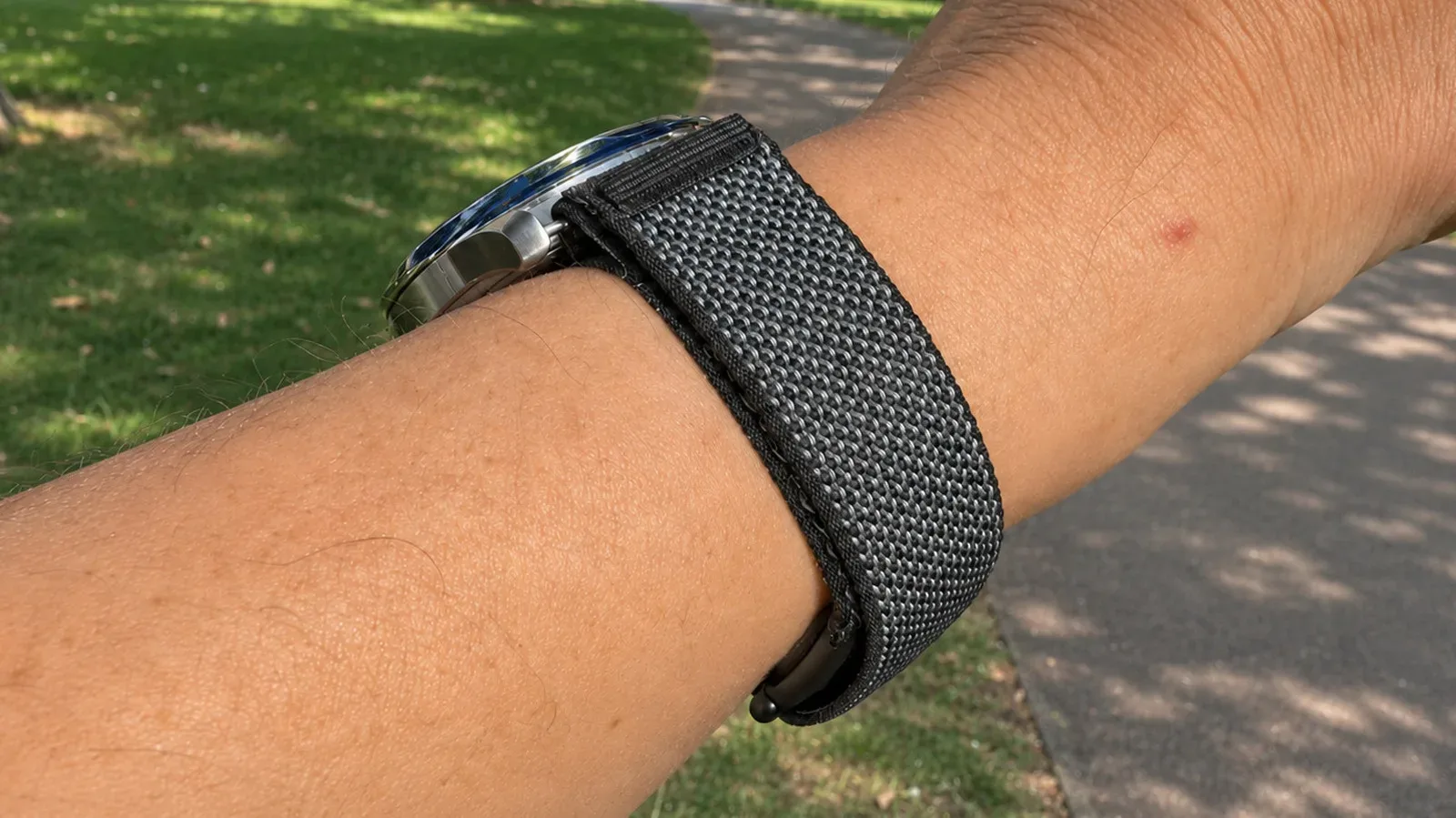
For people who like the look and routine of an analog watch but still want passive health data, the Fitbit Air presents an unusual option: wear both devices on the same wrist. Rather than stacking a tracker and a watch side by side—or committing to one on each wrist—the Air’s band can be threaded through compatible watch lugs so the watch remains on top while the tracker rests underneath.
It is a tidy idea with a very specific appeal. Fitbit Air is a screen-free tracker that records heart rate, exercise and sleep, while a conventional watch supplies the immediately readable dial, familiar design and mechanical or quartz personality that its owner already enjoys. The arrangement can reduce the visual clutter of a second display, but it is not a universal fit-and-forget solution. Watch dimensions, the clearance around the spring bars, comfort during desk work, water exposure and the uncertain impact on tracking accuracy all need consideration.
What the combined setup does
The Fitbit Air costs $99.99 and records heart-rate, exercise and sleep information. It does not have its own display; fitness information is accessed through the Google Health app. That makes it particularly suited to this kind of pairing: there is no tracker screen that needs to be visible beside the analog dial.
The physical arrangement reverses the usual wristwear layout. The watch case and dial sit on the outer, visible side of the wrist. The Fitbit Air sensor sits against the underside of the wrist, held in place by its band. Examples have included a Seiko watch, and a Hamilton Khaki Field King has been shown with a separate adapter approach.
For more context, explore Nathan Fillion Says Lionsgate Has Acquired Witness Point Film Rights.
There is a simple logic behind the appeal. An analog watch continues to do the job people expect of it: show the time with the case and strap they chose. The tracker gathers activity and sleep data in the background. In practical terms, this is less about turning a traditional watch into a smartwatch and more about letting a watch stay a watch while adding a discreet sensor.
The simplest method: use the Fitbit Air Performance Loop as the watch strap
The more straightforward approach uses Fitbit Air’s 18mm Performance Loop in place of the watch’s normal strap. It relies on the same basic routing concept as a NATO-style strap: a continuous band passes underneath the watch case and through the spring bars.
Spring bars are the slim, spring-loaded metal pins that secure a conventional strap between a watch’s lugs. Lugs are the projections on either side of the watch case where that strap attaches. The important measurement is the gap between those lugs, commonly referred to as lug width.
Related coverage includes Fitbit Air Can Ride Under an Analog Watch With the Right Strap Setup.
- Remove the watch’s existing strap.
- Keep the spring bars installed in the watch.
- Feed the Fitbit Air’s 18mm Performance Loop beneath the spring bars.
- Position the watch on top of the wrist and the Fitbit Air sensor below it.
That sequence sounds uncomplicated, but compatibility is determined by the watch, not just the tracker. An 18mm lug width is the cleanest match because it corresponds to the Performance Loop’s width. A watch with 19mm or 20mm lugs may still work, though the narrower band will leave small open spaces at the sides. Watches narrower than 18mm cannot take the supplied band through the lugs, while very wide cases can make the proportions look awkward.
Just as crucial is the space between the spring bars and the watch case. A measurement may look right on paper, yet there may not be sufficient clearance to slide the band through. That clearance is the practical gatekeeper for this setup. Before removing anything, it is sensible to inspect the watch from its underside and determine whether the band can actually pass between each bar and the case.
A quick compatibility checklist
- Best fit: 18mm between the lugs, with room beneath the spring bars.
- Possible with a cosmetic compromise: 19mm or 20mm lug widths, which can leave gaps beside the 18mm band.
- Not compatible with the stock band: any watch narrower than 18mm.
- Check before trying: clearance between case and spring bars, not merely the quoted lug width.
- Consider proportion: an especially wide watch may look odd on a narrower tracker band.
The setup does mean the Fitbit Air band becomes the watch strap. That is an acceptable trade for someone who values a single, streamlined wrist setup, but it is less attractive to anyone who wants to retain a particular leather, metal or fabric strap.
The adapter route keeps an existing watch strap
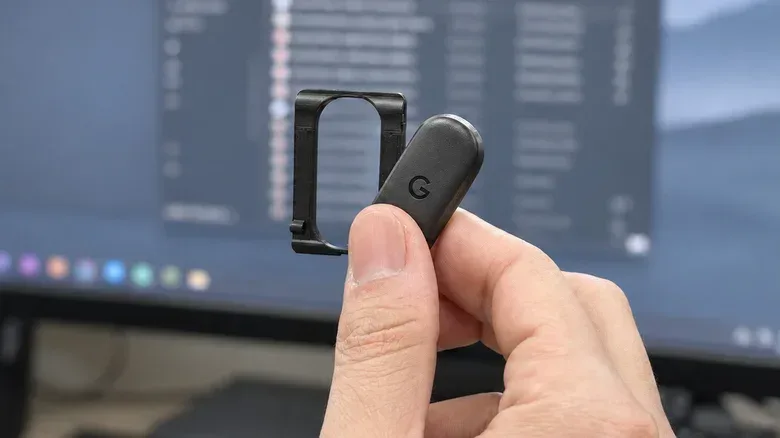
A second option is aimed at those who do not want to replace their watch strap. Users have designed 3D-printed adapters intended to secure Fitbit Air’s removable sensor to the underside of a regular watch strap. In that arrangement, the watch stays outward-facing and keeps its original strap, while the tracker attaches below.
This is potentially more flexible aesthetically. It can preserve the look of a watch exactly as it is normally worn, including the strap that may have been one of the reasons for choosing that watch in the first place. The Hamilton Khaki Field King example used this strategy, keeping its original strap rather than substituting the Fitbit band.
But the flexibility also adds a point of failure. The adapter must match the width of the strap and retain the sensor securely. A loose fit is not merely a cosmetic nuisance: movement could make the tracker uncomfortable, compromise consistent skin contact or cause it to detach during exercise. A 3D-printed part should therefore be treated as a user-made accessory with an unknown level of durability, rather than as equivalent to the original Fitbit band.
For day-to-day wear, the custom option may be useful to people who care most about keeping an existing strap intact. For vigorous workouts, the more conservative choice is to use the original Fitbit band as intended. That removes questions around adapter retention at exactly the point where sweat, motion and repeated impacts put the setup under greatest pressure.
Accuracy is the biggest unanswered question
The cleverness of the configuration should not be mistaken for a confirmed recommendation about sensor performance. Google recommends wearing the Fitbit Air on top of the wrist for the most accurate readings. It has not established whether underside placement is equally accurate.
That distinction matters because the central premise of the watch-and-tracker combination is that the Fitbit Air is hidden underneath. The tracker may still collect data in that position, but the available guidance does not confirm that the results will match the performance expected from the recommended placement. Anyone using heart-rate or exercise readings as an important personal reference should keep that uncertainty in mind.
There is also a difference between data collection and confidence in the data. The setup may be a worthwhile compromise for someone who primarily wants general activity and sleep records while continuing to wear a favorite watch. It is a less straightforward proposition for someone who expects the most accurate readings possible in every situation. The novelty here is mechanical integration, not a change to the tracker’s documented wearing guidance.
Comfort, desks and water can spoil an elegant solution
Putting the sensor below the wrist can create a problem familiar to anyone who rests that area on a desk. Typing, using a mouse or leaning on the wrist for long periods may press the tracker into the work surface. Even if the assembly remains secure, it may become bothersome over an extended day.
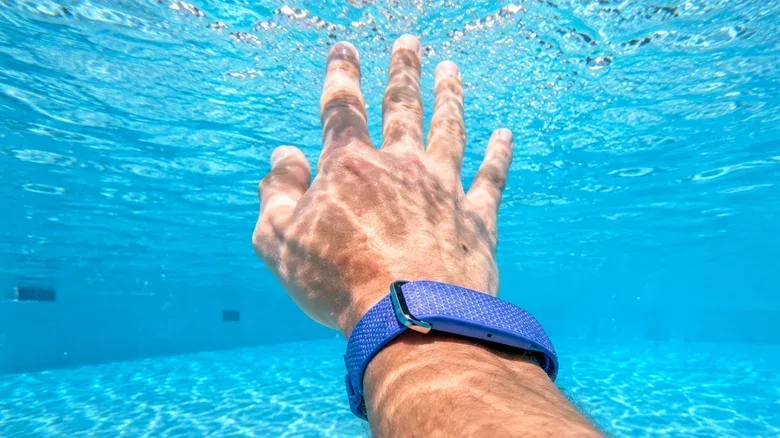
Water is another place where the combined setup needs more caution than the tracker alone. Fitbit Air is water-resistant to 50 meters, but the watch attached above it may not offer equivalent protection. An older watch case could be vulnerable, and a leather strap may be poorly suited to moisture or perspiration. In other words, the tracker’s stated water resistance does not automatically make the whole combined arrangement appropriate for swimming.
This is especially relevant because the watch itself is no longer using its own standard strap arrangement in the Performance Loop method. The entire combination should be considered as a system: tracker, band, watch case, spring bars and, where applicable, an adapter. The least water-tolerant piece is likely to dictate what makes sense.
The app and subscription picture does not change
Wearing Fitbit Air beneath a watch does not alter the service requirements behind the tracker. A Google Account and the Google Health app are still needed to view fitness data. Basic activity and sleep tracking are available without a subscription.
Google Health Premium is optional and adds personalized coaching. It is priced at $9.99 per month or $99 per year. That distinction is useful for anyone considering the tracker specifically for this analog-watch arrangement: the physical modification does not unlock new tracking features, remove account requirements or change what is available at the basic level.
Who this setup makes sense for
The strongest case is for an owner of a compatible 18mm watch who prefers an analog dial and is comfortable with a nonstandard tracker position. It offers a way to avoid wearing two visibly separate devices while still collecting Fitbit Air data. The stock-band approach is comparatively simple, reversible and dependent mainly on fit.
It is less compelling for a watch with narrow lugs, tight spring-bar clearance, an irreplaceable preferred strap, or a case and strap combination that should stay away from moisture. It is also not the best option for users unwilling to accept the open question around underside-wrist accuracy.
The result is a smart bit of wristwear improvisation rather than a universal accessory standard. Measure the lugs, inspect the spring-bar clearance, decide how much comfort and accuracy uncertainty is acceptable, and keep workouts or swims in mind before converting a beloved everyday watch into a Fitbit Air carrier.