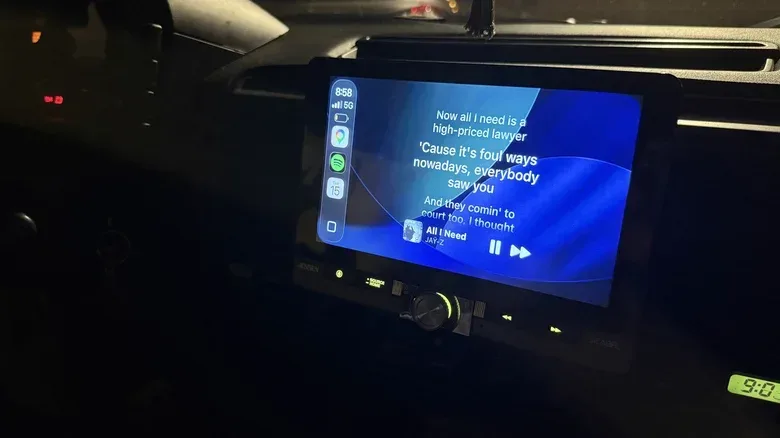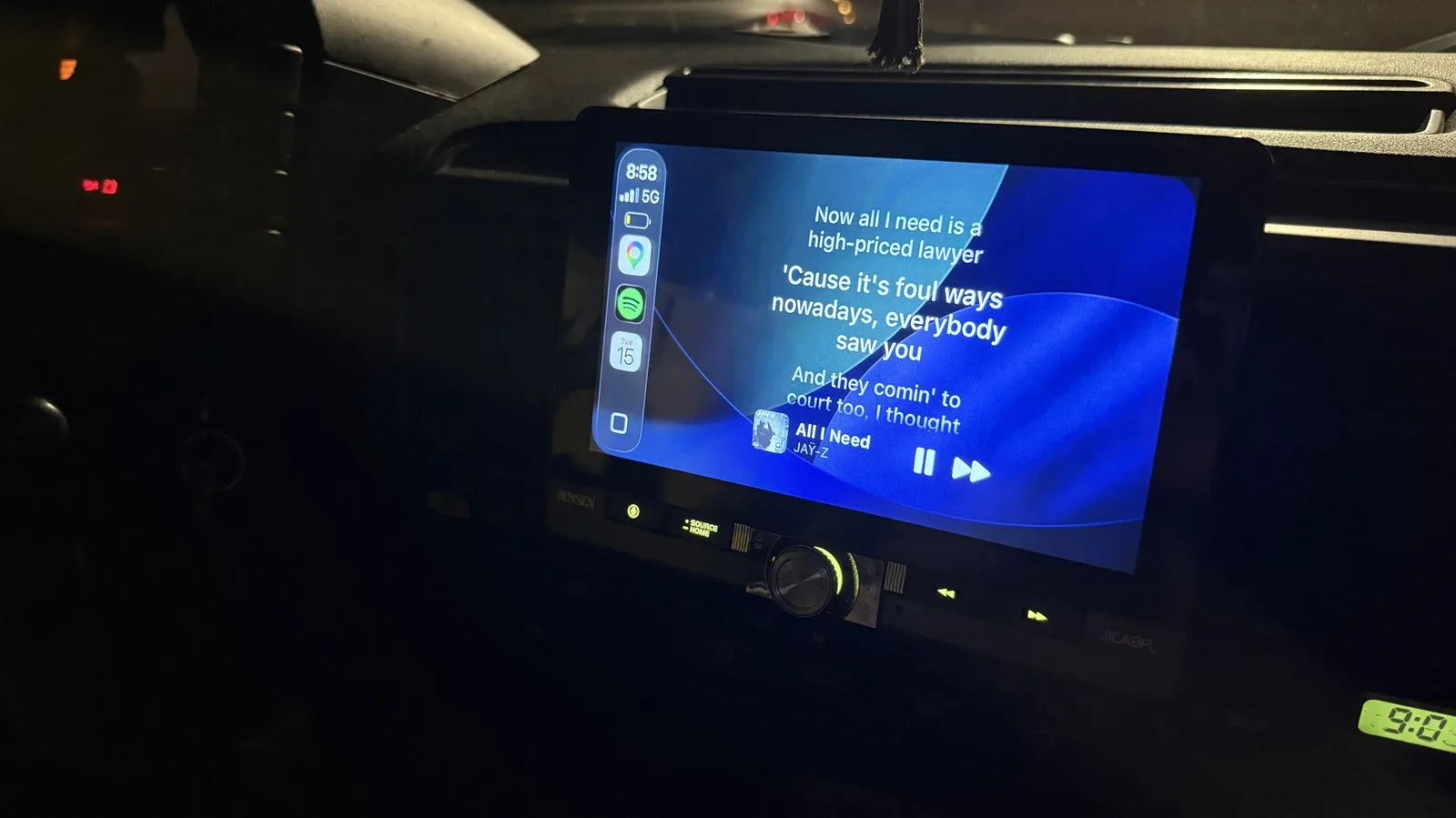
Apple CarPlay is usually built around the driver’s essentials: navigation, calls, messages and music controls. Dynamic Lyrics takes a much more passenger-facing route. The third-party app can place time-synced lyrics on a CarPlay display after it is connected to Apple Music or Spotify, turning a car’s infotainment screen into a compact sing-along display.
It is a small idea with a clear use case. On a long trip, passengers can follow a chorus rather than confidently inventing it. On a shorter drive, it provides a way to see the words to a favorite track without passing a phone around. The feature may be especially useful for listeners exploring music in another language, since Dynamic Lyrics can also show translated lyrics.
There is an important boundary to the novelty: the driver should not be reading lyrics while the vehicle is moving. A CarPlay screen is still part of the driving environment, and a lyric display is best treated as passenger entertainment. In other words, let the people in the other seats handle the karaoke duties while the person behind the wheel handles the road.
What Dynamic Lyrics adds to CarPlay
Dynamic Lyrics is a CarPlay-compatible app that connects to a supported music service and displays lyrics synchronized to the currently playing song. Time-synced lyrics means the text progresses in step with the recording, rather than appearing as one static block of words. That timing is what makes the widget practical for following a song in real time, particularly when verses move quickly or several people are trying to keep their place.
The app supports connections to Apple Music and Spotify. It is not described as a replacement for either service; it is a companion layer that brings lyric presentation to CarPlay’s widget system. That distinction matters. Music playback still depends on the streaming service a listener already uses, while Dynamic Lyrics supplies the display and related customization.
Translated lyrics are another stated option. For a listener, a translation can provide a basic way to follow the meaning of a song whose original language they do not speak fluently. It also creates a different kind of group-listening activity: passengers can read along with the translation while the original vocal remains front and center.
The idea has an obvious overlap with the broader culture of music and games: an interface turns a passive track into something participants can follow together. But it is not a rhythm game, scoring system, or a promise of a full in-car karaoke mode. Dynamic Lyrics’ stated role is narrower: it displays lyrics through CarPlay.
The requirements and the $9.99 catch
Before setting anything up, users need an iPhone updated to iOS 26 to enable the feature in CarPlay. They also need access to Apple Music or Spotify, because one of those services must be connected inside Dynamic Lyrics.
Related coverage includes Dynamic Lyrics Brings Time-Synced Lyrics to Apple CarPlay.
The permanent version of the feature costs a one-time $9.99. That is the key consideration for anyone who only occasionally wants lyrics in the car. The app may make more sense for regular passengers on road trips, households that often share playlists, or listeners who expect to use translated lyrics frequently than for someone who merely wants to try it once.
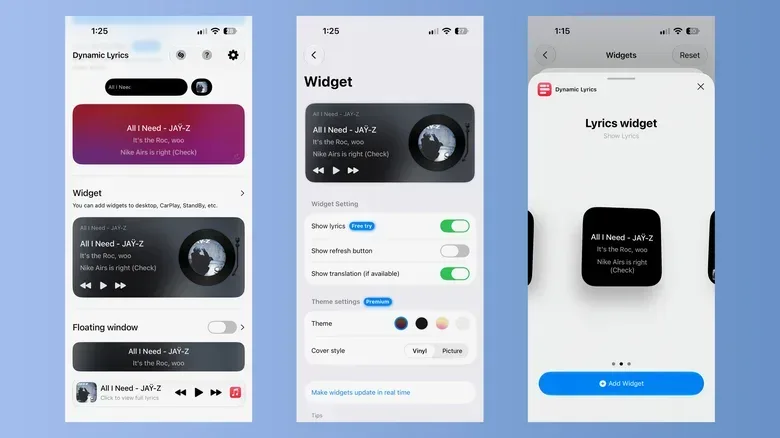
Customization is part of the premium offering. Users can choose white, black, or a gradient background that changes in response to the album artwork. There are also two cover presentations: a vinyl style or a picture style that shows the complete album cover. Those choices will not alter how a song plays, but they can affect readability. A simple dark or light background may be preferable when legibility matters most, while an album-art-driven gradient offers a more decorative look.
That is also where a little restraint helps. Customizing the widget before a trip is sensible; repeatedly changing themes and layouts during a drive is not. The safest setup is the one passengers can leave alone after the music begins.
How to connect a music service
Start by downloading Dynamic Lyrics from the App Store. When the app opens, it prompts the user to connect a preferred streaming service. Apple Music and Spotify are the supported options described here, and access must be allowed for the connection to work.
- Confirm the iPhone is running iOS 26.
- Download and open Dynamic Lyrics from the App Store.
- Choose Apple Music or Spotify when asked to connect a service.
- Allow the requested access so the app can work with the selected service.
- Set the desired lyric widget appearance before adding it to CarPlay.
Spotify listeners have an additional choice during authorization: Default or Custom. Authorization is the permission process that lets one app access another service on the user’s behalf. The Default route is the quickest, requiring a tap, but it may need to be authorized again over time.
Custom authorization takes longer because it requires a Spotify Client ID, although the app provides guidance through that setup. A Client ID is an identifier used in an app connection process. It is not presented as something every Spotify listener must use; it is the more involved alternative to Default authorization. The practical tradeoff is straightforward: Default is easier at the outset but can require repeat authorization, while Custom requires more setup work.
Anyone preparing for a journey should complete the connection and authorization process while parked and before passengers are waiting for the first song. That avoids converting the start of a drive into a troubleshooting session.
Adding the lyric display to CarPlay
After the music service is connected and the widget styling is selected, the next job is enabling the widget for the specific car in iPhone settings. The process is handled through the CarPlay customization menu:
- Open Settings on the iPhone.
- Go to General, then CarPlay.
- Select the vehicle.
- Under Customize, open the Widgets menu.
- Choose Add Widget.
- Select one of the two options named Lyrics widget.
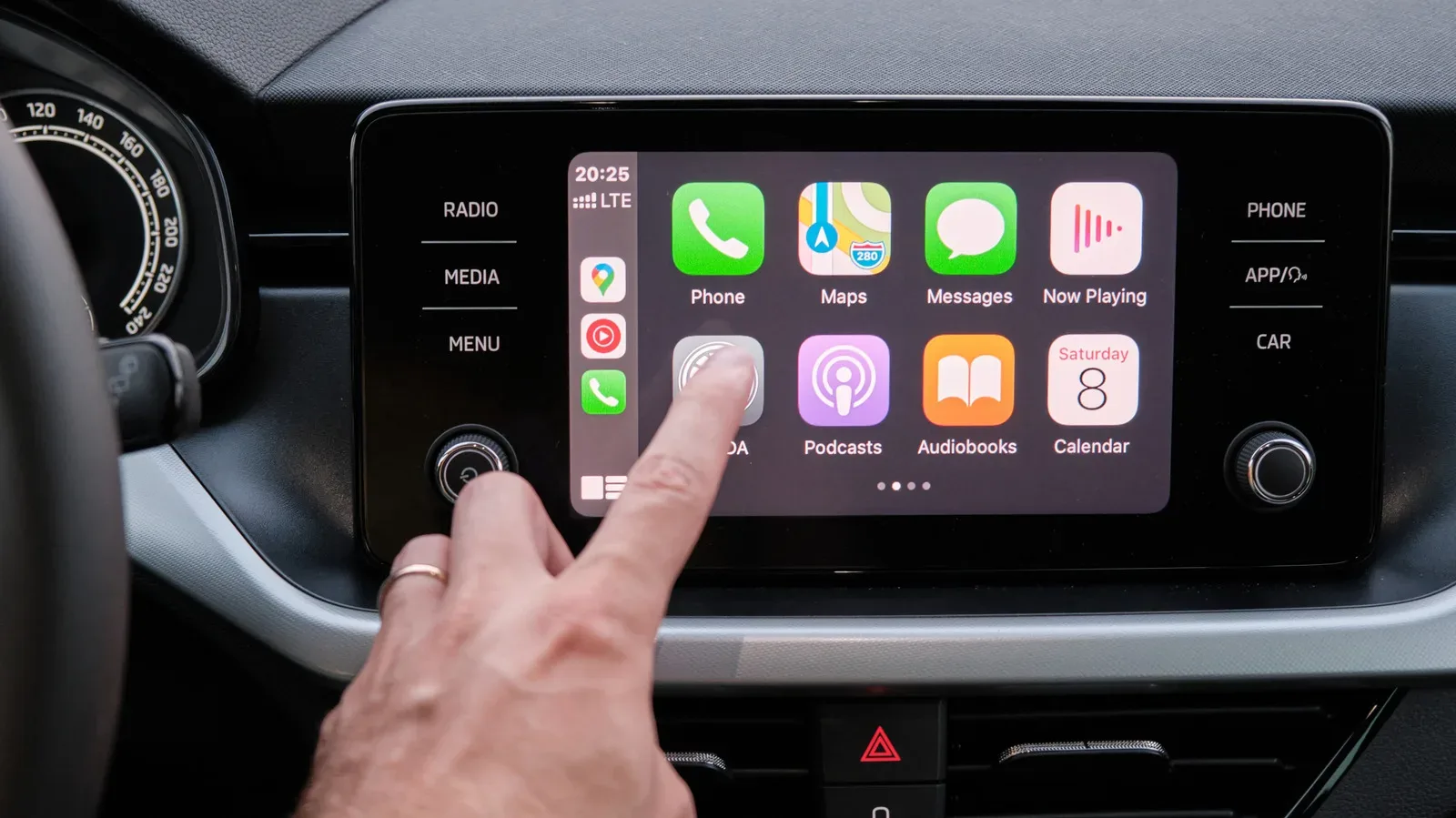
Once added, the lyrics options appear in the CarPlay widget stack as small squares. They can be enlarged for a larger lyric view. That flexibility is useful because the ideal size depends on who is looking at the screen. A smaller tile can keep the display less visually dominant, while a larger view gives passengers a more readable lyric presentation.
A widget stack is simply the collection of compact widgets available in CarPlay. Adding Dynamic Lyrics there means the app is integrated as a glanceable CarPlay element rather than demanding that users keep a separate app screen open on the iPhone. The value is convenience, but it also reinforces why the screen should remain passenger territory when lyrics are on display.
A passenger feature, not a driver distraction
The most useful way to think about Dynamic Lyrics is not as another thing for a driver to monitor. It is a tool for the people riding along: the friend who only knows the hook, the family member trying to learn the words, or the passenger who wants translated text alongside a favorite song. It can create a communal listening moment without handing someone the phone.
Its limitations are equally clear from the setup. It needs an updated iPhone, a compatible CarPlay configuration, a connection to Apple Music or Spotify, and the $9.99 permanent purchase. Spotify users should also decide whether the convenience of Default authorization outweighs the possibility of having to reconnect later, or whether they prefer to take the additional Custom setup steps.
For the right group, though, the result is delightfully straightforward: pick a playlist, let the passengers run the lyrics, and keep the driver focused on driving. That is a more sensible carpool dynamic than treating the road like one of the high-pressure getaways discussed in GTA VI’s crime-and-survival themes.