Apple Music is taking its karaoke tools one step further with Selfie Sing, a feature in iOS 27.3 that records users through the iPhone’s front-facing camera while lyrics scroll onscreen. The resulting clip can be adjusted with vocal volume and a choice of audio effects, then saved to Photos or shared.
It is a small addition with a very clear purpose: turning the private, low-stakes act of singing along with a track into a ready-made video moment. Rather than asking users to coordinate a separate camera app, a lyrics view and a music track, Selfie Sing places those pieces in one Apple Music flow.
There are important limits for early users. The recording option is not available for every Apple Music song, and although a dedicated Selfie Sing playlist appears on iPhones running iOS 27.2, the front-camera control is available only on devices using the iOS 27.3 beta. That makes the feature something to watch rather than a universally available Apple Music capability at this point.
How Selfie Sing works
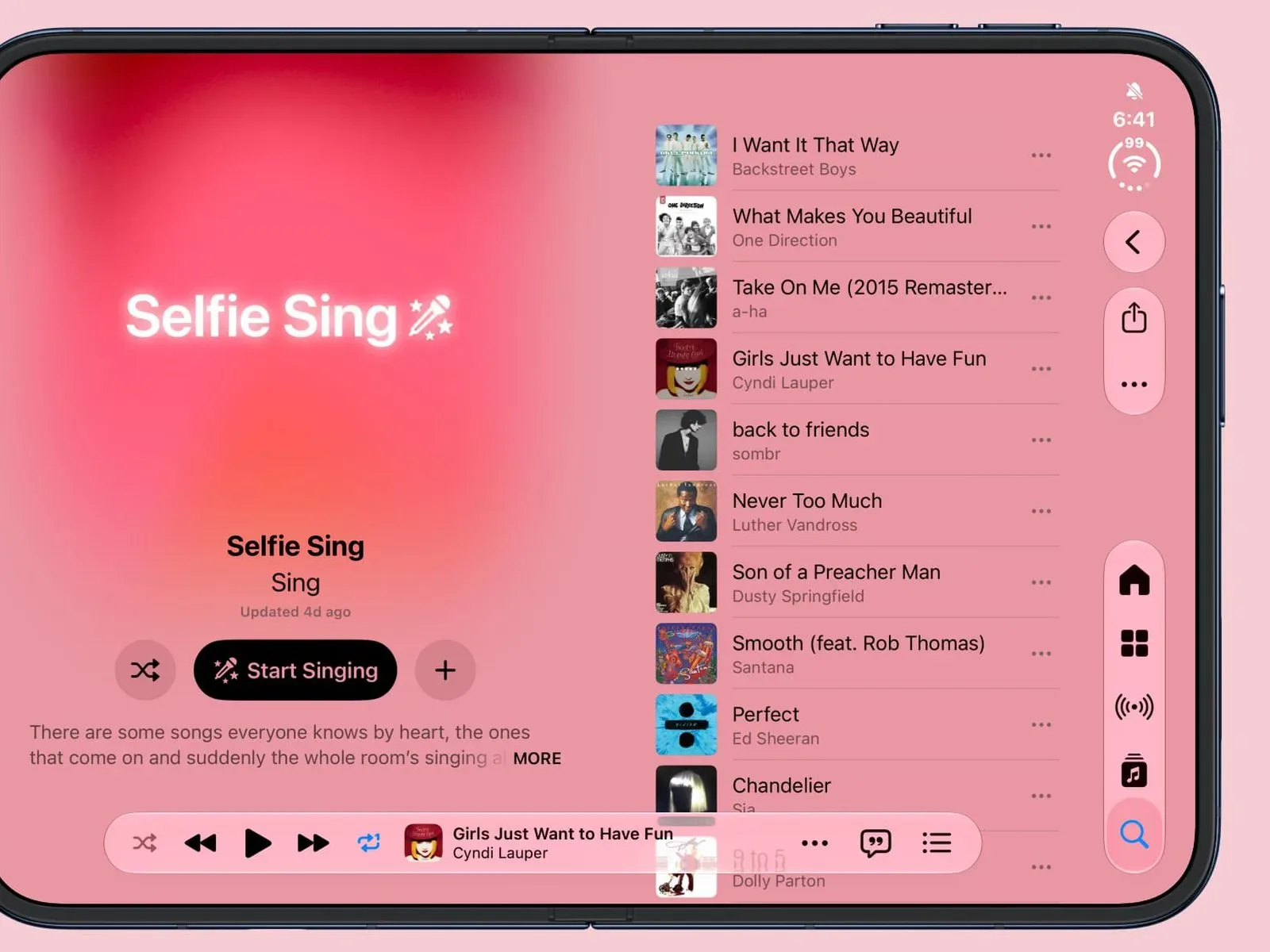
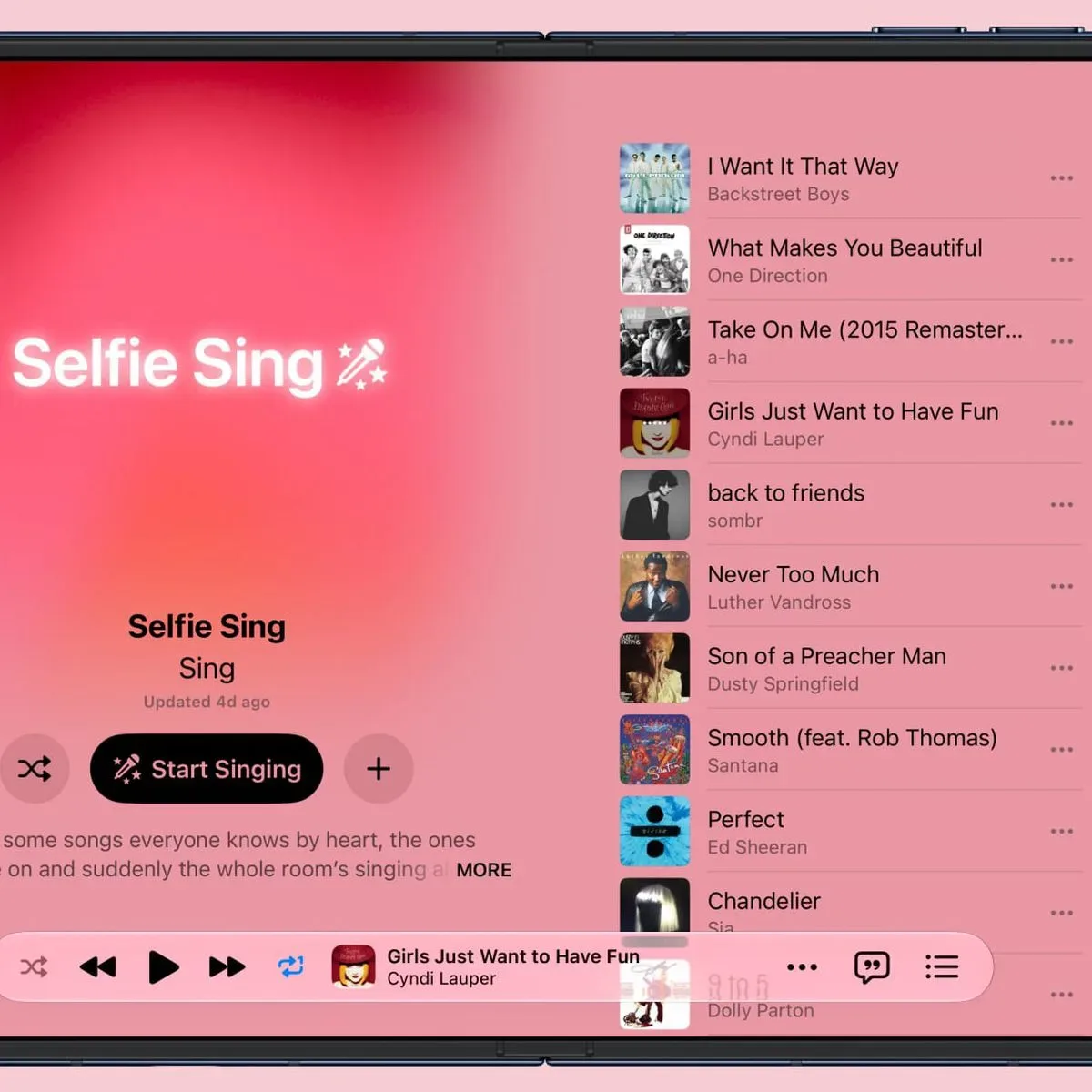
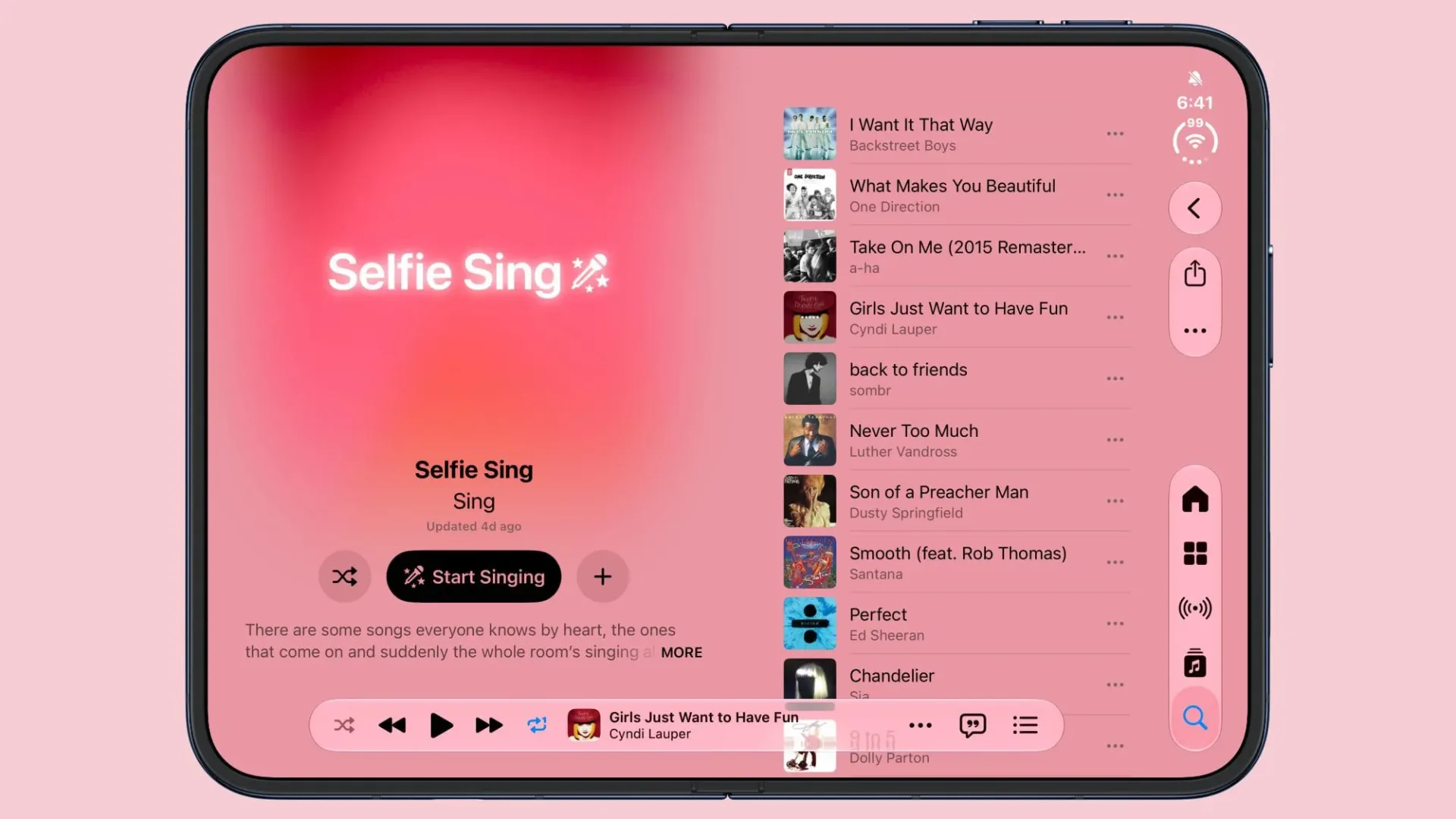
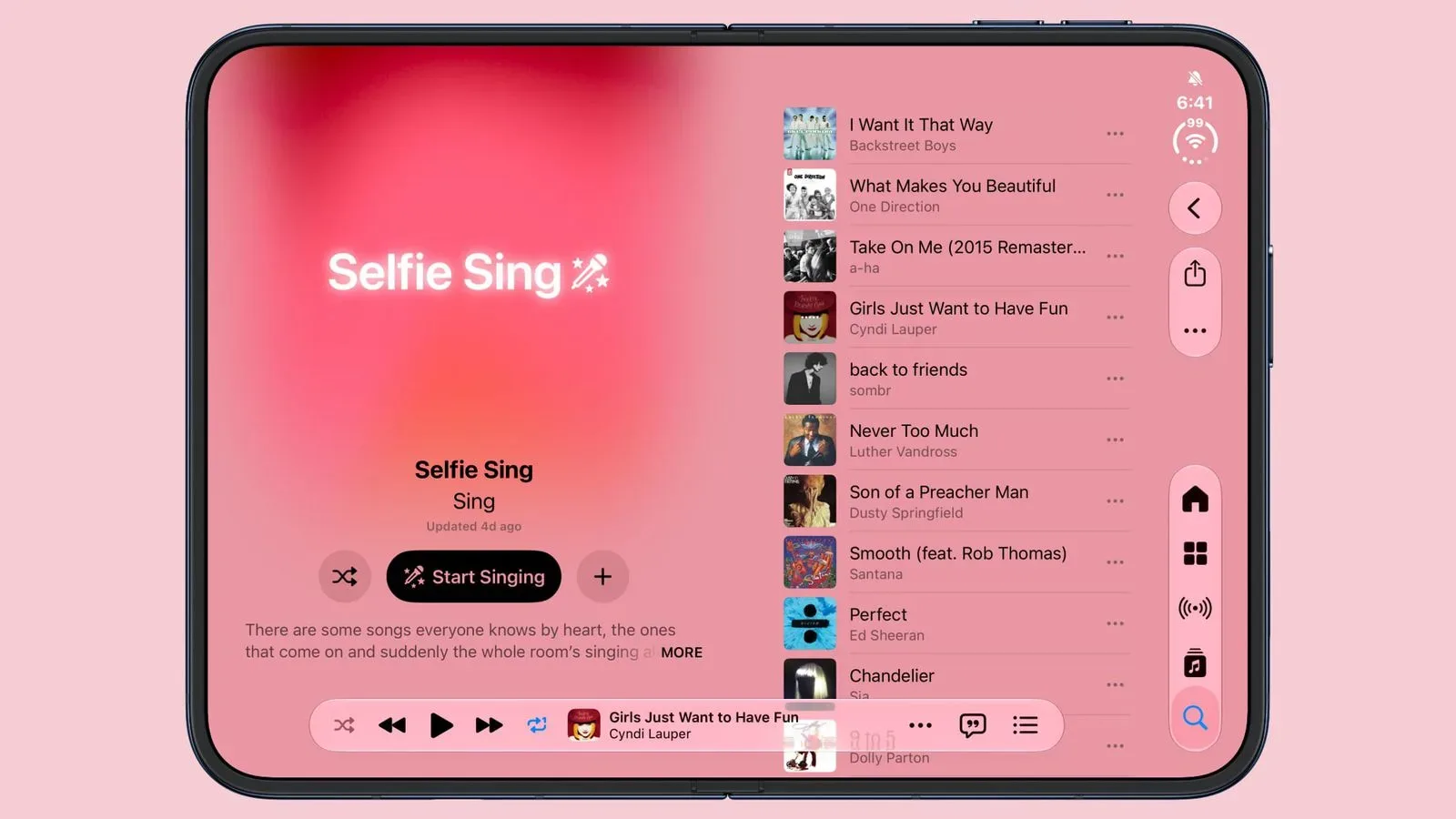
Apple Music presents a dedicated Selfie Sing playlist built around familiar, sing-along-friendly songs. After choosing a supported track, users can tap a camera icon to enter the selfie-camera view. The screen displays the lyrics while video recording is prepared, and tapping the red record button starts the performance and the scrolling lyric display.
At the end of the song, the clip does not simply drop into the camera roll unchanged. Apple Music provides controls to alter the volume of the recorded voice and apply one of four effects:
- Megaphone
- Echo
- Concert Hall
- Studio
In straightforward terms, an audio effect changes the character of recorded sound. The available labels suggest deliberately broad creative presets rather than production-grade mixing controls. “Megaphone” implies a more filtered, amplified character; “Echo” points to repeated reflections of a sound; “Concert Hall” suggests a bigger sense of acoustic space; and “Studio” indicates a more polished vocal presentation. Apple has not detailed the technical processing behind those names, so users should treat them as selectable looks for the voice rather than as guarantees of a particular recording treatment.
Once edited, a Selfie Sing video can be saved to the Photos library or shared. That save-or-share choice is significant because it gives users a copy outside the streaming app. The feature is not framed solely as a live social interaction; it also creates a personal video that can be kept.
An extension of Apple Music Sing, not a replacement
Selfie Sing appears to grow out of Apple Music Sing, the karaoke-oriented feature introduced with iOS 16.2. Apple Music Sing made lyrics more central to the service’s listening experience. Selfie Sing adds the front camera and post-recording voice adjustments, shifting the emphasis from simply following along to capturing a performance.
That distinction matters. Karaoke features commonly help a listener participate in a song; a camera-enabled recording flow makes that participation into content. The lyrics are still functional—they help the performer keep pace—but they also make the video process feel more approachable. Someone does not need to know every word in advance or assemble a separate setup just to record a brief sing-along.
Apple’s own description emphasizes well-known songs, casual participation and the absence of any need to be pitch-perfect. That framing is sensible for a feature whose appeal depends less on technical vocal ability than on immediacy. The most useful Selfie Sing clips may be spontaneous responses to recognizable tracks, whether they are kept privately or passed around a group chat.
The practical limits to keep in mind
The major caveat is catalog coverage. Not every song in Apple Music currently offers a Selfie Sing recording option. A user who sees lyrics for a track should not assume the camera button will be there, and Apple has not established a timetable or confirmed that every eligible song will gain support.
That limitation is worth separating from the general idea of Apple Music Sing. The services may be related, but Selfie Sing’s camera-recording layer is presently narrower. The dedicated playlist offers a clearer place to begin than searching the entire library and hoping a particular favorite is enabled.
Software version is the second constraint. The playlist is visible on iOS 27.2, but the selfie-camera activation requires the iOS 27.3 beta. A beta is pre-release software intended for testing before a broader public version is finalized. In this case, it means the presence of a Selfie Sing playlist does not by itself mean a given iPhone can actually record a Selfie Sing video.
For people considering a beta specifically for this feature, the sensible reading is that the current experience is still in a testing phase. The supplied details establish access in iOS 27.3 beta, not a final release date, complete song support, or a promise that the final version will remain identical. Users should avoid treating the beta-only camera button as confirmation of broad availability.
Why the front camera changes the feature’s appeal
Apple Music could have added effects to vocals without involving video. The front-camera component is what gives Selfie Sing its particular identity. It combines three things people already understand—selfie video, on-screen lyrics and voice effects—into a single sequence: choose a song, record, tweak, save or send.
That simplicity may make the tool especially useful for informal recordings. There is no indication of a complicated editing timeline, multi-camera mode, collaborative feature or public publishing feed. The defined workflow is smaller and more personal: record yourself singing to a supported song, make a basic audio adjustment, and decide whether the video stays in Photos or gets shared.
It also keeps the emphasis on the performer’s face rather than on a generated lyric video alone. That could make a clip more expressive for birthdays, in-jokes, sing-along challenges or a quick reaction to a song. Equally, the option to save locally means a user does not have to share the result merely because the feature makes sharing easy.
What users can do now
- Confirm the iPhone is running iOS 27.3 beta if the goal is to access the front-camera recording control.
- Open Apple Music and find the dedicated Selfie Sing playlist.
- Select a supported track and look for the camera icon.
- Use the red button to begin recording as the lyrics scroll.
- After the track ends, adjust vocal volume or try Megaphone, Echo, Concert Hall or Studio.
- Save the completed video to Photos or share it directly.
Audio remains central to the experience, even though the finished item is a video. Anyone refining their broader Apple listening setup can also consult our guide to AirPods fit, seal tests and accessories.
What remains unanswered
Several practical questions are still open. Apple has not specified how rapidly supported songs may expand, whether the playlist will change frequently, or when the camera tool will move beyond iOS 27.3 beta. There is also no stated detail on exactly how the effects are processed or whether the feature is intended to arrive on devices beyond the iPhone setup described here.
For now, the clearest way to understand Selfie Sing is as an experimental-looking evolution of Apple Music’s karaoke feature: it gives select tracks a built-in path from lyric-following to a self-recorded, effect-treated video. Its appeal is easy to grasp, but its usefulness will depend on the songs enabled and on broader software availability once it is no longer confined to the beta requirement.