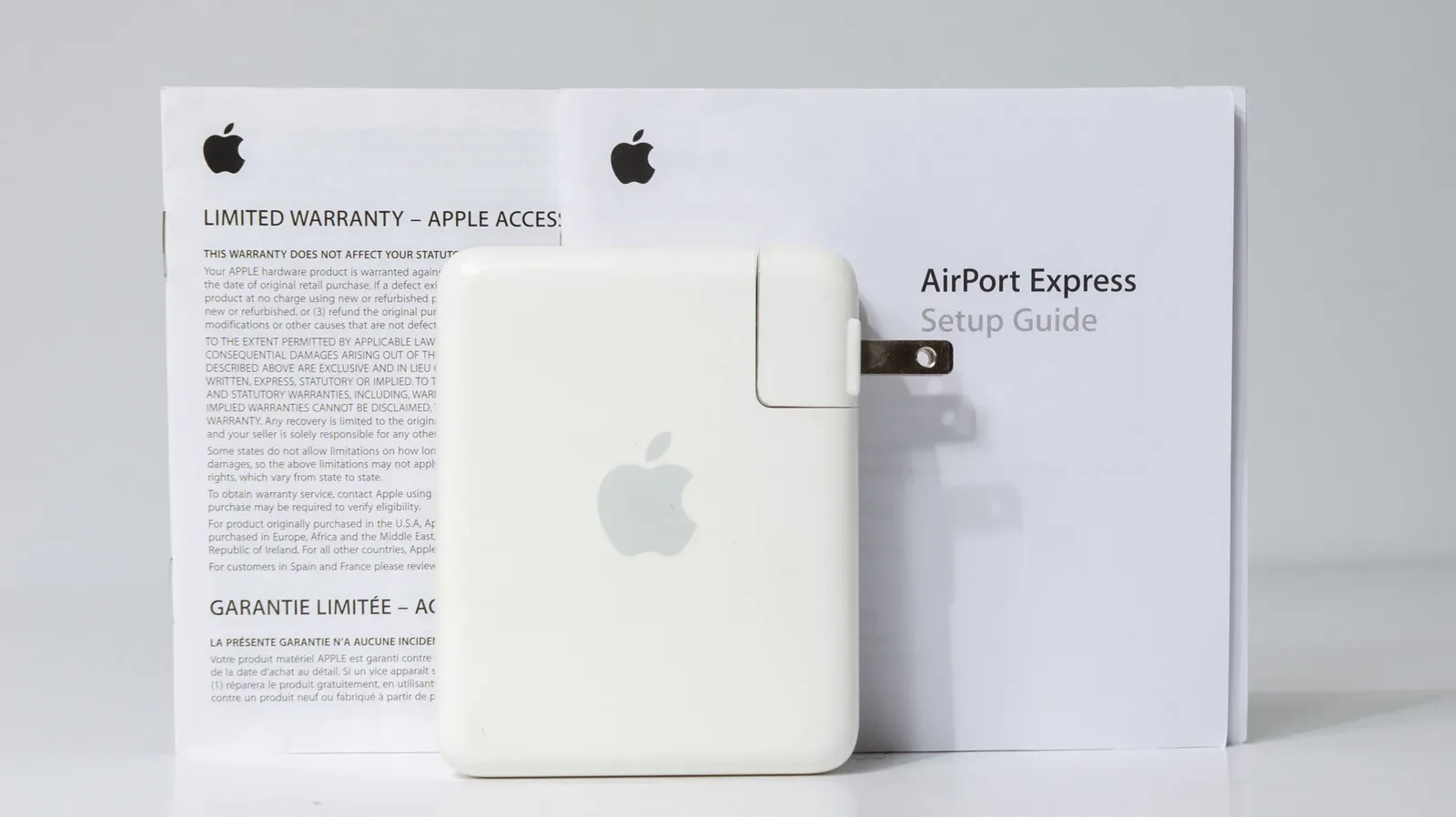
The Apple AirPort Express is one of those old bits of tech that still looks as if it ought to be useful. It is small, neat, recognizably Apple, and it once solved several irritating problems with one little white box: getting online in a hotel room, sharing a printer, extending a wireless signal, and sending iTunes music to a proper stereo.
That flexibility is exactly why used AirPort Express units still turn up in drawers, second-hand listings, and retro-minded desk setups. But nostalgia is not a security policy, and the practical case for using one has changed dramatically. Apple discontinued the AirPort family in 2018, issued the final firmware update in 2019, and discontinued AirPort Utility in 2026. An AirPort Express still operating now is between roughly eight and 22 years old, depending on its version, and it will not receive another security patch.
The blunt recommendation is simple: do not use an AirPort Express as the main router for a home network, and do not press one into service as a Wi-Fi extender. Its one remaining semi-plausible job is as a dedicated audio endpoint or printer device on an isolated network—but even that is a compromise rather than a ringing endorsement.
A clever box from a very different Wi-Fi era
Apple introduced the original AirPort Express in 2004, when built-in Wi-Fi was far less common and broadband providers were only beginning to include wireless networking in their own routers. Apple had already helped move Wi-Fi toward ordinary consumers with the iBook and the original AirPort base station in 1999. The Express made that idea especially portable.
The original appeal was unusually broad. A traveler could take wired hotel Ethernet and create a personal wireless connection. At home, a user could put music from an iTunes library through a stereo via the Express’s combined 3.5mm analogue and optical output. A household or small office could share a printer. More than 80,000 pre-orders accompanied the 2004 debut, a sign that a simple all-in-one networking accessory landed at the right moment.
There were three main generations:
- AirPort Express 802.11g, sold from 2004 to 2008.
- AirPort Express 802.11n first generation, sold from 2008 to 2012.
- AirPort Express 802.11n second generation, sold from 2012 to 2018.
The last version received AirPlay 2 support through a 2018 firmware update. That addition matters because audio is the feature most likely to tempt a person to keep the hardware around. For a legacy stereo or external digital-to-analogue converter, the mini-TOSLINK optical output can still be an attractive connector to have.
The real problem is support, not just age
Old technology is not automatically unsafe. A device can remain useful if its manufacturer continues to fix vulnerabilities and if it is placed appropriately in a network. The AirPort Express fails the first test: its firmware has not been updated since 2019, and there is no expectation of further maintenance.
Related coverage includes Why it’s time to retire your Apple AirPort Express.
Firmware is the low-level software that runs on hardware such as a router. It controls the device’s networking behavior and security functions. When researchers or attackers uncover a new weakness, firmware patches can close that opening. Without patches, an old network appliance does not become dangerous on a calendar date; rather, it becomes an increasingly poor bet as the world discovers new ways to attack the technologies it uses.
The encryption situation adds to the concern. Later AirPort Express models use WPA2, while the original model offered WPA. WPA and WPA2 are Wi-Fi security standards intended to keep traffic and access to a wireless network protected. WPA is no longer secure for today’s use. WPA2 is stronger, but it is older than modern standards and does not erase the risk of placing an unsupported device at the center of a network.
That distinction matters for a gaming household. The router is not merely the thing that gets a console online. It is the hub around which PCs, phones, smart TVs, handhelds, printers and sometimes storage devices communicate. An unsupported router is therefore a poor foundation for any setup containing accounts, personal data, work machines, or devices that cannot easily be replaced. A cute old accessory should not be given the keys to the entire party.
Why it is a bad main router
Using an AirPort Express as the primary router combines the biggest risks with the most obvious performance limitations. It handles a job that exposes it directly to the rest of the home network, despite its ended update support. It also limits connection performance compared with current hardware.
Even the newer A1392 model is limited to a 100 Mbps Ethernet port and Wi-Fi 4, also known as 802.11n. Its antennas have shorter range than current alternatives. That does not mean every activity suddenly becomes impossible at 100 Mbps, but it does mean the device can become the bottleneck for a modern broadband connection and for traffic moving around the home.
For gaming, the issue is not just a speed-test number. A busy network can include downloads, game updates, voice chat, streaming video, cloud backups and other devices all asking for attention. Limited older Wi-Fi and weaker coverage can make the whole arrangement less dependable. The Express may be remembered as pleasantly simple; making it the core router is a way to turn that simplicity into a single antique point of failure.
If a home needs a router, it needs a current, supported router. That is a less romantic answer than resurrecting a compact Apple cube, but it is the useful one.
Why “I’ll just use it as an extender” is not a clean workaround
An extender is supposed to carry an existing network farther into a home. In the AirPort Express’s case, its original wireless-extension approach relied on Apple’s proprietary WDS system. WDS, or Wireless Distribution System, is a method for linking wireless access points so one can extend another. The important practical catch is compatibility: non-Apple routers do not support the AirPort Express’s proprietary method.
That pushes the user toward a wired connection to the primary router. But the AirPort Express’s Ethernet connection is limited to 100 Mbps, and the device still remains unpatched. It is neither an elegant nor a particularly secure way to solve a coverage problem.
There is another lesson here for anyone assembling a game room or a multi-device media area: do not confuse “still powers on” with “fits the network.” An old extender may introduce awkward compatibility limitations, reduced speed, and extra troubleshooting demands. Its short range does not improve the proposition. A newer supported system is the sensible route for reliable coverage.
The audio use case is understandable—but should be tightly contained
The AirPort Express earned lasting affection as an audio streamer for good reasons. Its combination analogue/optical jack can connect to older stereo gear, and the final model’s AirPlay 2 support enabled 16-bit/44.1kHz streams. Users also valued its buffered, burst-based audio behavior at a time when Bluetooth could be less consistent. Add its low second-hand cost and it is easy to understand why the little box remains in some hi-fi chains.
But “understandable” is not the same as “recommended.” Audio streaming is the least risky of the Express’s original roles because the device can be treated as a narrowly purposed client rather than the controller of a whole home network. It is still unsupported hardware, however, and management has become more awkward following the discontinuation of AirPort Utility.
AirPort Utility was the software used to configure and manage the Express. Without it, many users will need an older Apple operating system or a previously installed version to make changes. That is a major practical warning. Hardware that cannot be easily administered is hardware that is difficult to troubleshoot, reset, reconfigure, or safely maintain when a network changes.
For somebody who insists on preserving an Express for stereo playback, network isolation is the least-bad approach. Put it on a guest network, or create a separate network used only for music streaming, rather than letting it sit alongside personal computers and other sensitive devices. Network isolation means separating one set of connected devices from the rest, reducing what they can reach if something goes wrong. It does not restore security updates or make the Express modern; it limits the potential impact of its weaknesses.
That same caution applies to wireless printing. The capability remains part of the device’s legacy charm, but it is not a reason to grant an outdated network appliance broad access to the devices that matter most.
A practical decision guide
- Want a main router? Retire the AirPort Express from consideration. Its patch history and aged security make it unsuitable.
- Want better Wi-Fi coverage? Do not use it as an extender. The proprietary wireless-extension setup, 100 Mbps Ethernet limitation, short-range hardware and lack of updates make it the wrong tool.
- Want to stream music to an old stereo? A current dedicated streaming product is the safer option. If an existing Express must remain in use, restrict it to a guest or otherwise isolated network used only for that purpose.
- Need to change its settings? Be aware that discontinued management software may require an older Apple environment or an already installed copy of the utility. Treat that friction as a warning, not a fun retro challenge.
There is value in keeping a vintage game console alive because it delivers an experience new hardware cannot reproduce. A network box is different. Its core job is to be trustworthy, compatible, manageable and unobtrusive. The AirPort Express can still look great next to a stereo, but its role should not grow beyond a carefully contained legacy experiment.
For more perspective on where Apple hardware can and cannot make sense in a current gaming or creator setup, see this look at the Mac mini as a local AI box for gamers and creators.