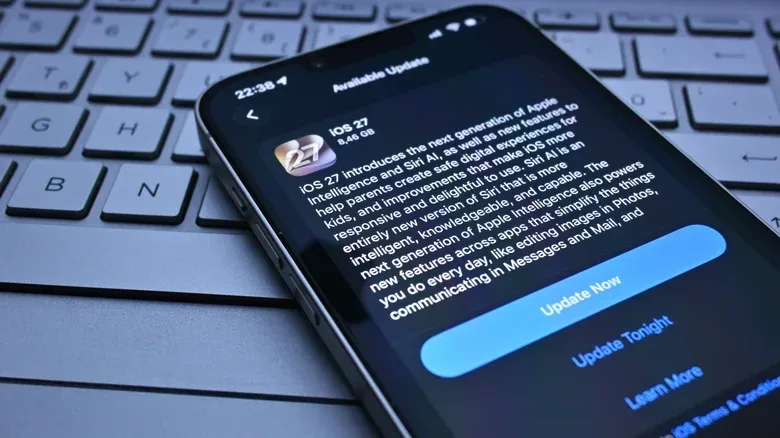
Installing a phone update and immediately getting worse performance is a uniquely irritating bit of modern tech comedy. The progress bar finishes, the phone restarts, and instead of a cleaner experience you get choppy animations, extra warmth and a battery meter that seems to be speedrunning its way downward. For people who use a phone for games as well as messages and streaming, that can make a familiar title feel unexpectedly less responsive at precisely the moment the operating system was meant to improve things.
The important distinction is that an update can create a temporary performance dip without permanently making a device worse. Both iPhone and Android phones may spend time after an update carrying out background work that reorganizes and checks data. That work competes with apps, visual effects and games for the same hardware resources. In many cases, the apparent downgrade is the phone trying to finish its post-update housekeeping while you are asking it to do everything else.
That does not mean every slow-down will disappear on its own. Major versions of iOS and Android are generally designed around newer hardware, and an older device can eventually have too little performance headroom for a more demanding operating system, newer features and more complex animations. The practical challenge is knowing whether you are seeing short-term background activity or a more lasting hardware limitation.
What the phone is doing after the restart
After an iOS update, Spotlight reindexes data on the iPhone. Android also takes time to reindex following an update. Indexing is the behind-the-scenes process of examining and organizing information so the operating system can keep track of what is present and make it available to system functions. It is not a glamorous feature, but it is a necessary part of confirming that data remains in place after the software changes.
The duration can vary with the amount of data on the device. It may take hours or even days, rather than ending the instant the update screen vanishes. On Android, Sony indicates that post-update indexing normally takes no more than two days. On iPhone, part of the process completes only when the device is plugged in and not being used.
During that window, the phone can seem busier because indexing creates higher use of the CPU and GPU. The CPU, or central processing unit, handles general computational work. The GPU, or graphics processing unit, helps process visual work, including the smooth rendering associated with interfaces and games. Neither is a separate reserve that can do unlimited work at no cost. When background tasks demand more of them, fewer resources are left for launching apps, scrolling through menus or maintaining fluid on-screen animation.
Heat and extra battery use fit the same pattern. A phone consuming more processing resources after an update may become somewhat warm and drain its battery faster while that work is underway. Those symptoms are frustrating, but their timing matters: a device that becomes warm and sluggish immediately after an update is not automatically evidence that the update has permanently damaged its day-to-day performance.
Why mobile gaming makes the slowdown easier to notice
Games make resource contention more visible than many everyday tasks. A messaging app can often tolerate a tiny delay without calling attention to it. A game, particularly one already using substantial graphics and processing power, can make the same shortage obvious through less-fluid motion or generally weaker responsiveness. System animations may feel sluggish for the very same reason: the background work and the foreground activity are sharing finite hardware capacity.
This is also why it is sensible not to make an immediate judgment based on a single post-update play session. Testing a game while the device is indexing is not a clean measure of how it will behave once that activity ends. The fairest approach is to give the phone time to settle, then return to the apps and games that felt off. If normal behavior returns, the likely problem was the temporary workload rather than a fundamental change in the game itself.
Storage deserves attention here, too. Lack of free space is a common reason phones slow down because the device needs room to carry out basic system work. That is not solely a phone problem; storage planning matters anywhere a game library and system software share limited capacity. The same principle is useful context for anyone weighing expandable storage on a console: storage can become a practical performance and library-management concern before capacity is completely exhausted.
New hardware has more breathing room
Newer phones tend to have more capable and efficient chips, so a burst of post-update tasks may be hard to notice. Older models may show the effects more clearly because they have less spare capacity while the operating system rebuilds its index in the background.
There is a second, separate issue with major updates. New operating-system releases add new apps, functions and potentially more complex animations, while being built with recent hardware in mind. Optimization can help, but it cannot guarantee that every older phone will handle every new version with the same ease it had before. If the operating system must dedicate a larger share of the hardware to its own needs, something else may have to yield.
That possibility should not turn into a blanket claim that updates “break” phones. Many slowdowns after installation are temporary. But lasting strain can happen with some major releases on aging hardware. The iPhone 4’s poor experience with iOS 7 is one cited example of a major update running badly on older hardware. The useful lesson is not to assume that every new version produces the same result, but to separate a few days of post-update processing from a device that is plainly at the edge of what the newer software demands.
A sensible post-update checklist
Before attempting disruptive fixes, use the least invasive steps first. This avoids treating normal post-update behavior as a crisis—and avoids losing time reinstalling things when the phone simply needs an opportunity to complete background work.
- Wait before diagnosing a permanent problem. Give the phone time to finish indexing. The process can take hours or days depending on the data involved.
- Leave it on Wi-Fi and connected to power. This is particularly useful after an iPhone update because part of its indexing only completes while the phone is plugged in and not in use. The same basic approach is sensible for Android’s post-update indexing period.
- Restart if the sluggishness remains after some time. A reboot may resolve lingering performance problems once the initial post-update period has passed.
- Update installed apps. Apps that have not been updated may not be optimized for the new operating system. Check the App Store or Google Play for pending downloads, including any games that are behaving strangely.
- Free up storage. Removing enough unused material to restore breathing room can help the device perform routine system tasks.
- Check battery health in the phone settings. Some phones reduce processor speed when battery condition is poor in order to avoid unexpected shutdowns. A battery replacement can improve an affected device’s useful life.
For players, there is a modest extra benefit to this order: it keeps the first response focused on the system rather than blaming an individual game. If animations across the phone, multiple apps and several games all feel slower, the evidence points more toward device-wide activity than one bad app update. Updating applications still matters, but it should come after allowing the operating system to complete the work it triggered.
When waiting is no longer enough
If slow behavior continues well beyond the expected settling period, the situation changes. A factory reset is available as a last resort, though it is a much bigger step than waiting, rebooting, updating apps or making storage space. Downgrading the operating system can also be more complicated, and not every phone supports it. Neither option should be treated as the standard first move for a phone that has only just updated.
If the device remains slow after the simpler measures, its hardware may be struggling with the newer software itself. Checking with the manufacturer can be worthwhile in case the behavior is a known issue. Still, there are cases where the more honest answer is that the phone is approaching the end of its practical life under the current operating system.
That is an unpleasant answer, but it is more useful than either extreme: panic the moment an update ends, or insist that every symptom must be temporary. Watch the timing, let indexing finish under the conditions it needs, keep apps current, protect some free storage and check battery health. Those steps give a phone its best chance to recover before the post-update gremlins are promoted to a permanent diagnosis.