An iPhone that abruptly powers down is more than an annoyance when it happens between messages or during a commute. For anyone using their phone for graphically intensive games, streaming, remote play, recording clips or navigation, it can turn one device problem into a very effective progress-wiping boss fight.
The important point is that a random shutdown is not one diagnosis. An iPhone may restart because iOS or an app has encountered a severe enough software failure that it cannot continue. It may switch off to protect components from excessive heat. A worn battery may be unable to provide sufficient power when demand jumps. In less common cases, an internal hardware issue can make a reboot the device’s defensive response.
That range is frustrating, but it also makes a structured check worthwhile. Start with the simple, observable conditions: available updates, recent heat exposure, storage headroom, battery-health information and any physical damage. If those checks do not reveal a likely explanation, repair service is a better option than endless cycles of hoping the next reboot is the last one.
A shutdown and a restart are both clues, not answers
When software trouble causes a reboot, the failure is serious enough to stop iOS from operating normally. The system starts again because continuing from the compromised state is not viable. The technical roots can vary. One example is a memory access error: software attempts to use memory incorrectly, which can destabilize the operating system. Coding mistakes are generally the underlying reason for this class of issue. Malware exploiting a vulnerability is theoretically possible, but is considered unlikely in ordinary iPhone cases.
A reboot alone therefore does not prove that the battery is failing, that a particular app is broken, or that the phone is beyond saving. What matters is the surrounding pattern. Does it happen after a software change? Only during a demanding activity? Only in strong sunlight or cold weather? Does the phone need to be plugged in before it will turn back on? These details help separate a one-off hiccup from a condition that needs attention.
For players, the distinction is practical. A shutdown during a visually demanding mobile game may look like a game crash, but the device’s temperature and battery condition are also relevant. A shutdown while doing nothing demanding might point away from sustained workload and make software or hardware concerns more worth investigating. It is not a perfect diagnostic tool, but context is still useful evidence.
Heat can force the iPhone to protect itself
Temperature is a common explanation for unexpected shutdowns. If internal heat reaches a level the iPhone considers unsafe, it can switch itself off to avoid component damage. Before reaching that point, it may try less drastic protection such as performance throttling.
Throttling means the phone deliberately reduces performance to bring heat under control. In everyday terms, demanding tasks may run less quickly or smoothly for a while because the device is putting self-preservation ahead of speed. An iPhone may also display a warning saying it is too hot and needs time without use. That message should be treated as an instruction to stop, not as an invitation to launch one more match before a cooldown.
Heat problems often have an understandable environmental trigger. Prolonged exposure to direct sun is a particular risk. Mounting an iPhone in a car window on a long summer journey, for instance, combines ambient heat and sunlight with a job—navigation—that may keep the display and processing active. Long sessions of 4K video recording or graphically demanding gaming can likewise add sustained load.
The useful response is not complicated:
- Keep the phone out of extended direct sunlight.
- Pause high-demand work if the device becomes very hot or displays a temperature warning.
- Avoid treating hours of uninterrupted 4K recording or heavy gaming as a normal thermal workload in hot conditions.
- In winter, give the iPhone opportunities to return to room temperature rather than leaving it in extreme cold for long periods.
Extreme cold can also lead to shutdowns. That makes temperature a two-way issue: hot conditions can prompt the device to prevent overheating, while very cold conditions can cause their own operational trouble. The key is not to assume every warm phone is doomed. A warm device is not the same thing as a failing device. But repeated shutdowns after heat exposure are a strong reason to change the conditions and see whether the behavior stops.
Battery health matters most when demand suddenly rises
A more serious recurring cause is declining battery health. Batteries lose their ability to hold capacity over time. As that decline progresses, a battery may struggle to provide adequate power during high-demand activity and the phone can shut down to prevent damage.
The relevant term is battery sag, also called voltage sag. It describes a situation in which available voltage drops under load. A phone can appear usable during lighter tasks, then fall short when the demand rises. That is why a shutdown may seem random even when there is a pattern: the pattern is not just the battery percentage shown on screen, but the combination of remaining charge and what the phone is trying to do at that moment.
Games, intensive camera work and other processor-heavy activity are the obvious situations to notice, because they can increase demand. That does not mean any game is damaging an iPhone, nor does it prove that a game caused the fault. It means demanding workloads can expose a battery that is already struggling.
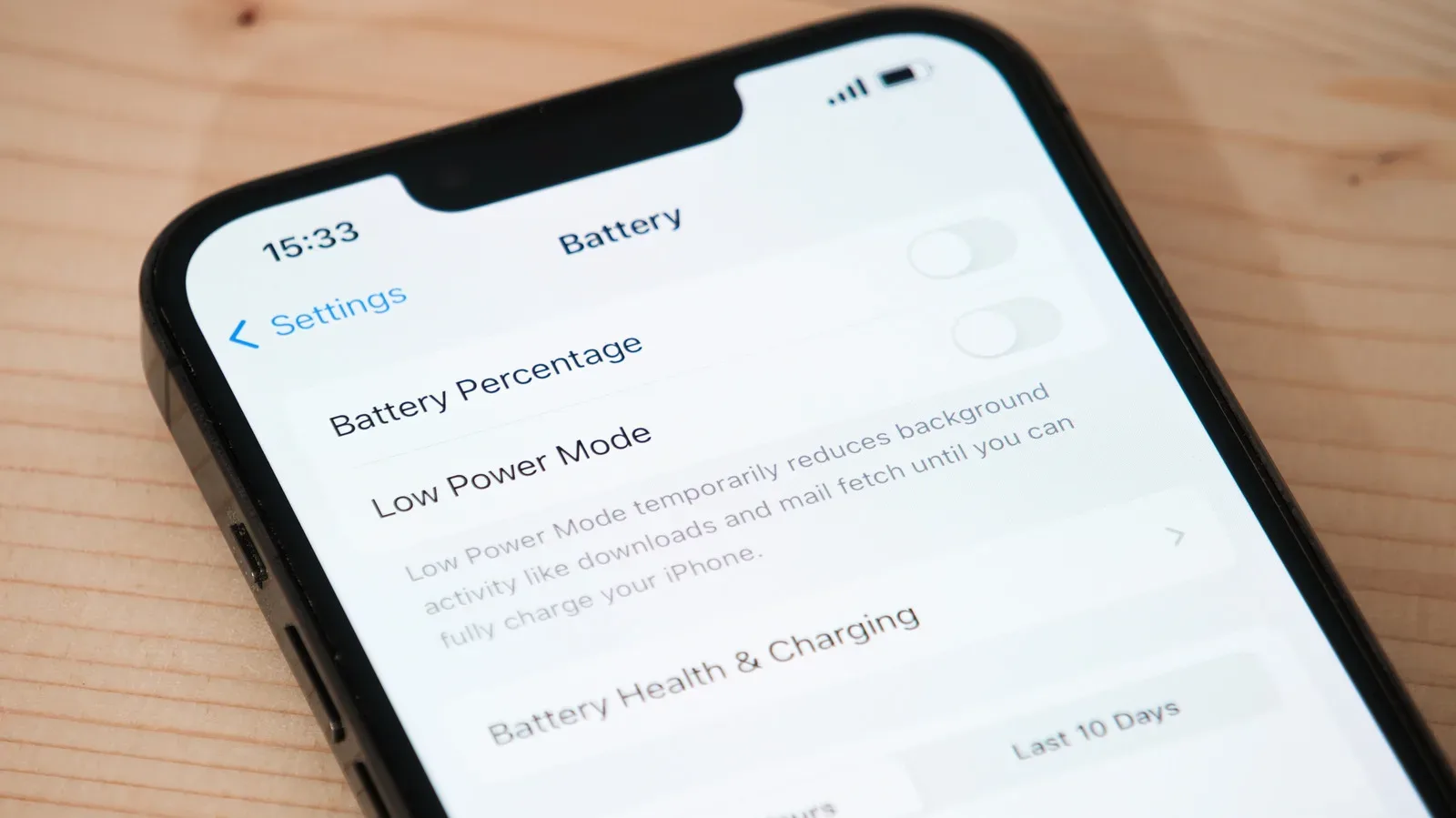
Check the available battery information at Settings > Battery > Battery Health. A reading of 80% or higher is generally less concerning. The further the reported maximum capacity drops below 80%, the more likely battery-related problems become. A particularly clear warning sign is an iPhone that will not turn back on until it has first been connected to power. In that situation, booking a battery replacement or considering a new iPhone is the practical next step.
There is a useful mindset shift here. Battery health is not merely an abstract percentage to inspect when shopping for a replacement. It can help explain why an otherwise familiar phone behaves differently during its most demanding moments. If shutdowns cluster around those moments and battery health is low, the battery deserves serious attention rather than a quick blame placed on whichever app happened to be open.
Keep iOS, apps and free storage in sensible shape
Software faults remain a real possibility, and keeping iOS and installed apps current is the straightforward first line of defense. Updates cannot guarantee that glitches will never happen. They can, however, reduce the chance that a known bug or compatibility issue remains on the device.
For iOS, go to Settings > General > Software Update. For apps, open the App Store, tap the profile icon, choose App Updates, then swipe down to refresh that view. This is a low-effort check with a potentially high payoff, especially when the shutdowns started around the time an app changed behavior or iOS received an update.
Also inspect free space at Settings > General > iPhone Storage. Extremely low free storage can lead to performance issues. If the phone has less than a few gigabytes free, make space before assuming that a deeper defect must be responsible. The aim is not to declare a universal magic number; it is to avoid operating at the point where the device has almost no working room left.
For people whose phone doubles as a gaming device, storage pressure can build quickly through large apps, captured clips and downloaded media. The practical implication is simple: leave a cushion instead of running the device nearly full. It may not cure every restart, but it removes one avoidable contributor to poor performance.
Apple’s wider device and software ecosystem often encourages keeping a phone central to everyday tasks—from media use to kitchen assistance, as seen in Apple HomeView’s recipe-focused Safari feature. That convenience makes basic maintenance more important, not less. A phone used for many roles has more ways for an unexpected shutdown to become disruptive.
Physical damage and sensor-related reboots need a different response
If the iPhone was recently dropped, crushed, exposed to another form of physical damage, or started restarting after such an event, do not discount that timing. Physical damage can be the root cause even when the screen looks largely normal. Internal connections and components are not always visible from the outside.
There are also sensor checks that must complete every 180 seconds. If one fails, the iPhone can reboot as a defensive measure. This is a helpful reminder that not all hardware trouble announces itself with an obviously broken camera, speaker or button. Some failures are internal and intermittent, which makes home diagnosis difficult.
That is where the troubleshooting boundary becomes clear. Updating software, reducing heat exposure, checking storage and reviewing battery health are sensible owner-level actions. Diagnosing an unseen internal defect is different. Apple offers self-service repair, but identifying the failed part—and repairing it safely—is not straightforward unless a particular broken feature makes the cause unmistakable.
A practical order for narrowing down the cause
- Update iOS and apps. This addresses the most accessible software cause first.
- Check the conditions around each shutdown. Note whether it follows direct sun, a hot environment, intense recording, demanding gaming or extreme cold.
- Review battery health. Pay close attention if maximum capacity is below 80%, or if the phone only starts again after being plugged in.
- Free up storage. If only a few gigabytes or less remain, clear space and observe whether stability improves.
- Consider recent physical damage. A drop or other incident can be more relevant than it initially appears.
- Arrange professional service if the basics do not fit. An Apple Store or authorized service center is appropriate when internal damage or a defect is the likely explanation.
This order does not promise a self-fix, and it should not be used to rationalize repeated shutdowns indefinitely. Its value is that it separates the fixable, visible variables from the problems that require a trained diagnosis. If the phone continues to switch off after updates, reasonable temperature care, storage cleanup and a battery check, service is the sensible escalation—not a sign that you failed to find a hidden setting.