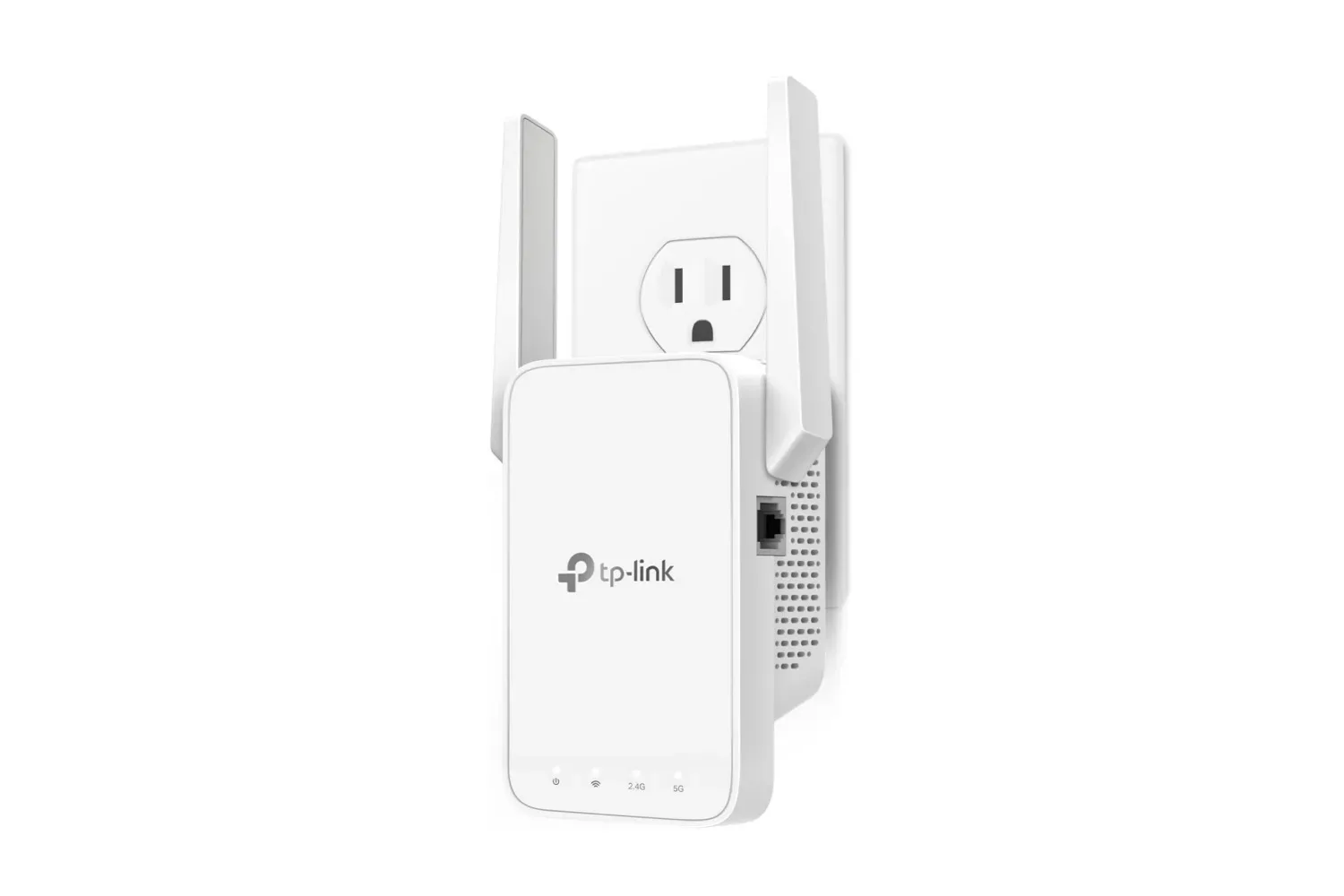
A weak Wi-Fi signal can turn an otherwise solid gaming setup into a small domestic tragedy: downloads crawl, voice chat gets choppy, and the one room with the best desk space becomes the room where the router’s signal apparently refuses to go. A TP-Link AC1200 Wi-Fi extender is currently listed at $23, reduced from its stated $30 retail price. That is a $7 reduction, or 23%, for a device intended to extend wireless coverage into areas a router does not reach well.
This is not a replacement for diagnosing every connection problem. An extender cannot magically increase the speed of an internet plan, and it cannot make every cause of lag disappear. But where the underlying issue is simply that the signal weakens significantly between the router and a bedroom, office, basement, or other gaming space, an extender can be a comparatively inexpensive piece of hardware to consider.
The AC1200’s stated feature set includes dual-band 2.4GHz and 5GHz operation, two adjustable external antennas, coverage of up to 1,500 square feet, and support for as many as 32 connected devices. It also works with EasyMesh-compatible routers and can be set up through the TP-Link Tether app. Prime shoppers are stated to receive free shipping with the listed offer.
For a fuller listing-focused rundown, see the $23 TP-Link AC1200 listing coverage.
What a Wi-Fi extender actually does
A Wi-Fi extender is a device that takes an existing wireless network and pushes its reach farther. In practical terms, it is intended for a home where the router works acceptably in one section of the building but leaves a poor-coverage zone elsewhere.
That distinction matters. The extender relies on the existing network rather than creating internet service on its own. Its job is coverage: getting a usable signal to a location that currently has an unreliable one. If a console, PC, handheld, phone, or streaming device struggles because it is at the outer edge of the router’s range, extending the network may help resolve that specific problem.
The key word is may. A weak signal is only one possible reason for bad online performance. The supplied product information frames this model as a solution for Wi-Fi coverage and dead zones, so buyers should treat it as such rather than assuming it addresses every kind of slowdown or interruption.
Dual-band explained: 2.4GHz, 5GHz, and backhaul
The TP-Link AC1200 operates on both the 2.4GHz and 5GHz Wi-Fi bands. In plain language, those are two wireless frequency ranges available to the extender. The device can use one band as a backhaul and the other as an access point connection, with the stated aim of maximizing bandwidth.
Backhaul is the connection used to move network traffic between the extender and the main router. The access-point side is the connection used by devices such as a PC, console, phone, or tablet. Separating those roles across the two available bands is the basic idea behind the supplied description: it can help the extender avoid making every part of that journey compete through the same wireless lane.
The claimed combined speed is up to 1.2Gbps. “Up to” is important here. It identifies a maximum stated capability rather than a promised real-world result in every room or every home. Actual experience will depend on the quality of the connection between router and extender, where the extender is placed, and the particular device connecting to it. The product information does not provide game-specific latency results, download benchmarks, or a guarantee of a certain speed at a particular distance.
Placement is the practical part that matters most
An extender has to be placed where it can still communicate effectively with the primary router while being close enough to improve service in the trouble spot. Put differently: placing it deep inside a dead zone may not give it a strong enough signal to extend.
TP-Link includes an intelligent signal indicator intended to help users identify a better position for the unit. That is useful because placement can be intimidating when the goal is simply to get a stable connection at a desk or entertainment center without rearranging an entire home network.
The two adjustable external antennas are meant to push signal farther, and the stated coverage figure is up to 1,500 square feet. That number is a helpful starting point rather than a map of exactly how a particular building will behave. Homes differ in layout, room placement, construction, and the position of their router. For a buyer, the relevant question is less “does the headline number cover my entire property?” and more “can this device form a strong link back to my router from a useful midpoint?”
Gamers building out a room around a dedicated desk may especially care about this distinction. A polished setup is less satisfying if the network is the weak link. That same setup-focused thinking applies to hardware beyond connectivity, including items such as Secretlab’s K/DA Firestarter chair and desk collection: placement, space, and the practical foundation of the room matter as much as the visible centerpiece.
Adaptive Path Selection and moving around the home
The AC1200 is also described as having Adaptive Path Selection technology. TP-Link says this automatically chooses the strongest possible signal for a phone as someone moves through the house, with the goal of maintaining performance and reducing interruptions.
This feature is most relevant to people who use the same home network across several rooms. Someone might play on a PC in one room, use a phone or handheld elsewhere, and stream media in another. The benefit being claimed is not a special gaming mode, but smoother selection of a viable available signal while mobile devices shift location.
It is worth keeping the claim in its proper scope. Adaptive Path Selection is about choosing a stronger route or signal in the extender setup; it does not change the quality of the internet service entering the home. Still, reducing avoidable weak-signal handoffs can be valuable in a network that otherwise has uneven coverage.
EasyMesh compatibility and device support
The extender can connect to an EasyMesh-compatible router. EasyMesh refers to a compatible networking arrangement that can help supported devices work together as part of a broader Wi-Fi setup. The supplied details also say that the unit is compatible with almost all Wi-Fi-enabled devices and routers or access points.
That broad compatibility is a useful part of the proposition for people who do not want to replace their existing router. The extender is positioned as an add-on: a way to address a range problem without moving straight to a new router or a more extensive mesh system.
Before buying, it remains sensible to identify the router already in use and determine whether EasyMesh compatibility is relevant to that setup. The extender is said to work with routers or access points generally, while EasyMesh is the named compatibility standard in the product details. Those are related but not identical reasons to check the current hardware.
Setup and the $23 value question
The set-up process is described as using the TP-Link Tether app, which guides the user through installation. The signal indicator is part of that usability story: it is designed to give a visual aid when choosing where the extender should sit. For someone who has avoided network gear because it sounds overly technical, these two details suggest that placement and configuration are meant to be approachable.
At $23, the product is pitched squarely as a lower-cost coverage fix. The original $30 price is already below the cost often associated with replacing an entire router setup, and the current reduction makes the financial risk smaller for someone whose problem is isolated to one or two weak-signal areas.
The strongest case for this extender is therefore fairly specific: a home has a known Wi-Fi dead zone, the existing router otherwise serves its role, and the owner wants to improve coverage without committing to a larger networking overhaul. Its dual-band operation, stated up-to-1.2Gbps speed, two adjustable antennas, 1,500-square-foot coverage claim, support for up to 32 devices, and app-based setup give it a more substantial feature list than a bare-bones signal booster.
The sale price and shipping terms can change, and the information available describes the unit’s specifications and intended use rather than independent performance testing. But for $23 at the time of listing, it is a straightforward option for a gaming room, home office, or entertainment corner where the router’s signal simply does not arrive in good shape.
Shop the products
Check current price, model and availability at the retailer.