Safari’s privacy reputation is deserved in one important sense: on an iPhone, its baseline protections reduce several common forms of web tracking without asking the user to install an extension, change a setting or learn a new browser. That matters. The most useful privacy feature is often the one that is already enabled before someone ever thinks to look for it.
But the word private can create an expectation no web browser can meet. Safari can make it harder for advertising and tracking systems to follow a person between unrelated sites. It can reduce identifying material in certain links and hide an IP address from known trackers in Private Browsing. It cannot turn ordinary browsing into anonymity, prevent a website from seeing information it needs to deliver its pages, or take back details a user knowingly enters into a form.
The practical answer, then, is neither “Safari does nothing” nor “Safari makes an iPhone invisible.” It is a solid privacy-respecting default whose limits remain essential to understand—especially when a login screen, a checkout form or a persuasive scam enters the picture.
Start with the difference between privacy and security
Privacy and security overlap, but they solve different problems. Privacy concerns who can collect information about a person, how much they can gather and how that data can be used. Security concerns protection against misuse, theft and attack.
A site can be technically secure while still collecting more personal information than a visitor might prefer. Conversely, a site with weak security practices cannot offer meaningful privacy, because data it holds may be exposed or stolen. This distinction helps make sense of Safari’s feature set: some controls reduce tracking, while other features help protect accounts and payment information.
Safari blocks third-party cookies by default, uses machine learning to limit cross-site tracking, hides IP addresses from known trackers and strips identifying information from some URLs. These are privacy-oriented measures aimed at the web’s background data flows rather than at every fact a person deliberately shares.
A third-party cookie is a small piece of browser data associated with a party other than the site someone intentionally opened. Such tools have historically helped advertising networks recognize browsers across many destinations. Cross-site tracking is the broader practice of linking visits and behavior across separate sites into a profile. Reducing that connection makes it more difficult to construct a detailed browsing-based picture from otherwise disconnected activity.
That does not mean a site has no information. A website generally still receives the information necessary to serve its pages, including a broad idea of a visitor’s location. And if someone signs into an account, makes a purchase, completes a survey or submits an email address, the site can collect what was voluntarily provided. Browser privacy controls are not a deletion button for direct interactions.
What Safari is doing in the background
Safari’s value is largely in reducing routine, often invisible tracking. Its protections attempt to stop advertisers and third parties from recognizing the same person as they move around the web. Removing certain identifying parameters from links also addresses a less obvious form of tracking: a link itself can contain extra information designed to help connect a click with a campaign, user or prior action.
For many iPhone owners, that built-in approach is the main benefit. They do not have to become browser-settings experts to receive a more privacy-conscious starting point. A browser configured to minimize tracking by default produces a better baseline than one that requires users to discover every relevant toggle first.
There is also a practical limit to what these controls can promise. Tracking prevention may reduce data shared with outside networks, but it cannot stop every site from collecting first-party information. “First party” here means the organization operating the site a person chose to visit. If a shopper gives that retailer a shipping address, or a player gives a game service an email address while creating an account, a tracker blocker cannot make that submission disappear.
This is why a browser’s privacy posture should be judged as risk reduction rather than a magic cloak. Safari narrows several paths by which behavioral data can travel between sites. It does not prevent a visitor from making a decision to trust the wrong destination.
Private Browsing is useful, but it is not a VPN
Safari’s Private Browsing adds protection by blocking trackers, masking the user’s IP address from known trackers and automatically removing some tracking information from links. These are meaningful safeguards for a private session, particularly where unwanted cross-site recognition is concerned.
Yet “private” in this context does not mean hidden from every party on the route. An internet service provider can still see browsing activity. Websites where a person is signed in can still associate actions with that account. The website being visited also needs enough information to respond to the request and deliver its content.
A VPN, or virtual private network, is a different kind of tool. The supplied information draws a clear line between browser privacy features and the sort of protection expected from a quality VPN: Safari Private Browsing should not be treated as its equivalent. The two can address different exposure points, and neither should be mistaken for an all-purpose answer to every privacy or safety concern.
There is an equally important behavioral lesson. Logging into a social network, a retailer, an email account or any other service makes the identity relationship explicit. Private Browsing can help reduce some external tracking around that visit, but it cannot make an account holder anonymous to the account they have just used.
Account protection is where passkeys make a tangible difference
Safari also supports passkeys, a security feature with direct privacy implications because a compromised account can expose a great deal of personal information. Rather than relying on a conventional password, passkeys let users authenticate with Face ID or Touch ID.
The key security benefit described for passkeys is phishing resistance. A passkey is created for a specific website, so it will not function on a lookalike page posing as the real service. That matters because phishing attacks often depend less on breaking encryption and more on convincing a person to type legitimate credentials into a fraudulent form.
Safari can warn about dangerous sites and poor passwords, but warnings are not the same as perfect verification. A convincing phishing page may still fool someone, and the browser cannot prevent every unsafe decision. Passkeys help shrink the opportunity for password theft when they are available, but they do not make a person immune to every scam, fraudulent purchase or misleading message.
Apple Pay offers another security-oriented convenience in Safari. It allows payments without manually typing card numbers into a merchant’s checkout fields, with Face ID used to authenticate access to saved cards in Apple Wallet. Reducing how often sensitive payment data is entered on the open web can be a meaningful advantage, although users still need to decide whether the merchant and the purchase itself are trustworthy.
An additional password-strength feature tied to Apple Intelligence in iOS 27 is described as forthcoming rather than currently available. It is therefore not something iPhone owners should count as present protection today.
Safari, Chrome and Brave on iPhone: the engine complicates the comparison
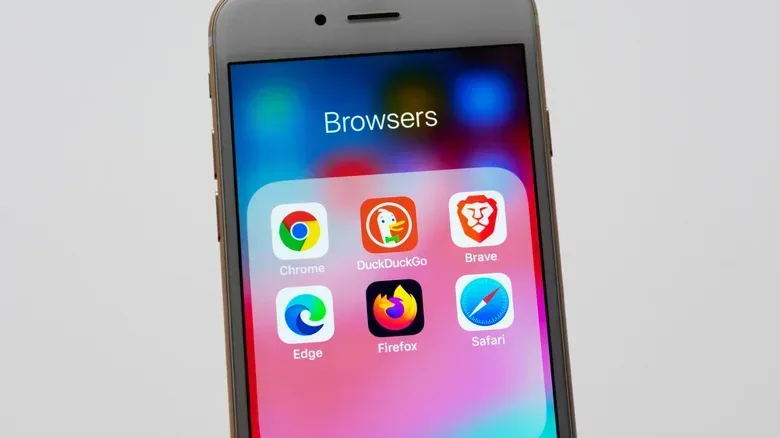
Choosing a browser on iPhone is not quite the same as choosing one on a desktop computer. Outside the European Union, Apple requires third-party iOS browsers to use Safari’s WebKit rendering engine. Chrome, Firefox and Brave therefore cannot use their usual desktop browser engines on iPhone in those regions.
A rendering engine is the component that interprets web code and turns it into the pages people see and use. Shared engine requirements mean some differences that users expect from desktop browser brands may be less dramatic on iPhone. It would be a mistake, however, to conclude that every browser app is identical. Features, defaults, search choices and content-blocking approaches can still differ.
Safari’s major advantage is that its privacy protections are integrated and enabled by default. Chrome can offer many similar protections, but enabling them may require user action. That difference is not cosmetic. Defaults determine what happens for people who never explore menus, never read a privacy guide and simply use the phone that is in their pocket.
Brave is positioned as the option for people who want stronger content blocking. Its iPhone app promotes tracker and ad blocking, plus Brave Search, which is described as not collecting data about users. Safari, by contrast, uses Google as its default search option. Brave also offers an optional VPN/firewall subscription for people who want that additional category of tool.
None of this requires treating one browser as the only rational choice. Safari is a sensible option for the majority of iPhone owners who want strong protections without configuration. Chrome may suit people already invested in its ecosystem who are willing to review and enable privacy settings. Brave may appeal to those who prioritize more aggressive blocking and its privacy-focused search approach.
For Apple-device buyers weighing browser habits alongside hardware, the broader platform context can matter as much as the browser label; current M4 iPad Air deals are a reminder that iPhone and iPad use often overlap. The relevant question remains the same on either device: which protections are enabled automatically, what information is still exposed, and what behavior can no browser safely override?
A realistic privacy checklist for iPhone browsing
Safari’s defaults offer a useful foundation, but responsible browsing still requires choices by the person holding the phone. The following approach follows directly from the capabilities and limits at issue:
- Keep Safari’s default privacy protections in place. They reduce third-party cookies and cross-site tracking without added setup.
- Use Private Browsing for its intended role. It adds tracking-related protections, but should not be understood as anonymity from an ISP or sites where you sign in.
- Adopt passkeys where supported. Face ID or Touch ID authentication tied to the genuine site provides protection against credential phishing that ordinary passwords cannot match in the same way.
- Use Apple Pay when it is available and appropriate. It avoids manual card-number entry, while still requiring care over where money is being sent.
- Treat every unexpected login request with skepticism. Browser warnings are helpful, but a convincing fake page can still be dangerous—particularly when someone is about to submit a password.
- Consider a content blocker or Brave if you want more control. Safari is not the only privacy-conscious option, and users seeking stronger ad and tracker blocking have alternatives.
The key is to match the tool to the threat. Safari is effective at limiting routine web tracking and making privacy-preserving behavior easier by default. It cannot prevent a logged-in service from recognizing its own user, erase data intentionally submitted to a form, or guarantee that every appealing page is legitimate. That is not a failure unique to Safari; it is the boundary between browser protections and personal judgment.
For the typical iPhone owner, Safari remains a strong default because it quietly shares less information with common tracking systems than an unprotected browser setup would. Just do not confuse “less exposed” with “unseen.”