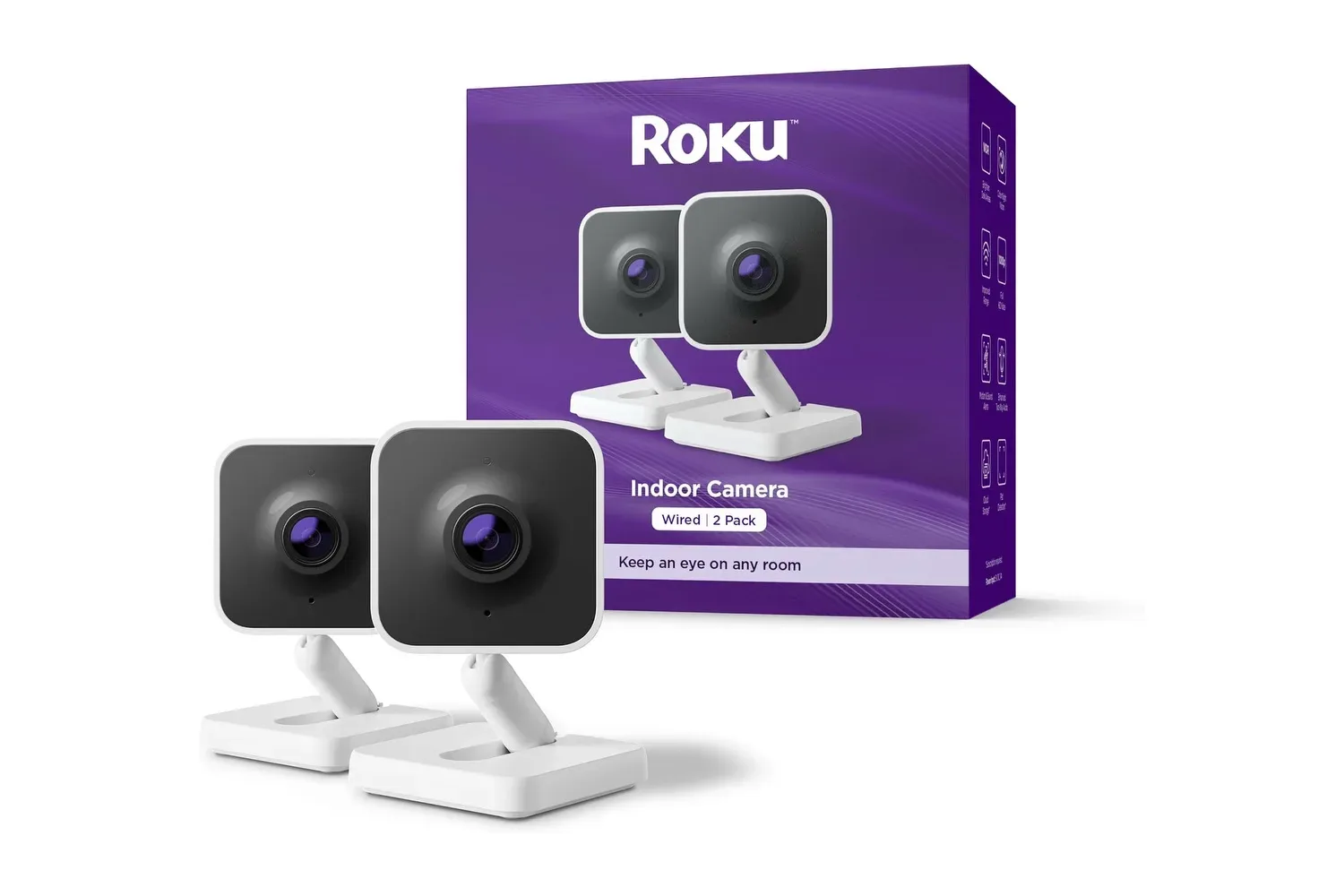
Indoor security cameras are often sold as simple, low-cost hardware, then quietly turn into a recurring-cost decision once owners want to use the features that made the camera appealing in the first place. Roku’s Indoor Camera is currently listed at $35, reduced from $55, a $20 cut or 36% off. The important detail is not just the lower entry price: live viewing, motion notifications and two-way talk remain available without a subscription.
That does not mean every function is free. Saving and sharing recordings of captured events requires a Roku Home Monitoring subscription. But the distinction matters. Someone who simply wants to check a room, receive an alert when a person enters it, or speak through the camera can do those everyday tasks without an ongoing payment. At $35, that makes the Roku Indoor Camera a potentially straightforward option for a desk, living room, kitchen counter or shelf—provided buyers are clear about what they do and do not need from recorded video.
The key split: live awareness versus saved evidence
The practical dividing line is between live monitoring and event recording. Live monitoring means opening the Roku Smart Home app to see what the camera currently sees. Motion alerts are notifications delivered when activity triggers the camera’s detection system, letting an owner decide whether to check the feed. Two-way talk uses the camera’s microphone and speaker so the person using the app can hear and speak to somebody near the device.
Those three features cover a large share of casual indoor use. A pet owner can check whether an animal is on the couch. A household member can see whether somebody has arrived home. A person at work can respond to activity in a room without treating the camera as a full-time recorder. The device can also be used as a way to check on an audible disturbance rather than immediately assuming the worst.
Recording is a different need. If the goal is to retain a clip from a specific incident and share it later, Roku Home Monitoring is required. That is the feature to consider before buying, especially for anyone who expects their camera to provide a searchable archive or documented record of activity. A live feed can tell a user what is occurring right now; a saved clip is what remains after the notification has passed.
Neither approach is inherently better. The subscription-free basics may be enough for a camera used mainly for occasional check-ins. Recording can be more important in a space where the user expects to review an event after the fact. The useful part of Roku’s setup is that the buyer can make that decision separately from access to the core live-view and alert functions.
Privacy is addressed with a physical shutter
The Indoor Camera includes a physical privacy shutter that slides over the lens. This is more consequential than a software setting alone. An app can turn a camera off, but that state is communicated on a screen elsewhere. With a closed hardware shutter, the lens is visibly covered from across the room.
That immediate visual confirmation is valuable in personal spaces. An indoor camera may be useful in a living room, bedroom or other area where a person wants the option to stop monitoring without ambiguity. The shutter provides a direct, physical condition: when it is in place, the camera’s view is blocked. It also avoids making users rely exclusively on whether an app setting was changed, remembered or interpreted correctly.
A privacy shutter does not answer every consideration around where a camera should be placed or when it should operate. It does, however, give the owner an easy-to-understand control for moments when camera coverage is not wanted. For an indoor device intended to blend into a home environment, that kind of obvious state can be more useful than an invisible toggle.
1080p color night vision and why it matters
Roku lists 1080p video and color night vision for the camera. 1080p refers to a high-definition video resolution, while color night vision aims to retain color information in low-light conditions instead of reducing the image to the black-and-white look commonly associated with night camera footage.
The advantage is easier interpretation. If a notification arrives late at night after a strange sound, color can make a scene less dependent on guessing from shades of gray. That will not turn a camera feed into a guarantee that every object or noise is identifiable, but it can provide more context when checking what caused movement in a room.
Resolution and night visibility should be judged in the context of the job at hand. For a camera positioned to monitor a room, clarity is less about abstract specifications than whether an owner can quickly understand the live view when an alert comes in. The supplied feature set suggests Roku is targeting that immediate “what is going on in there?” use case rather than making an elaborate claim around professional surveillance.
Alerts only help when they are manageable
The camera sends a smartphone notification when a person comes into view, and its motion sensitivity can be adjusted. Sensitivity is the threshold at which detected changes prompt an alert. Set too high, it may produce unwanted notifications from ordinary movement such as sunlight changing through a window or a ceiling fan moving nearby. Set too low, it could miss activity a user wanted to know about.
This is one of the less glamorous settings that often determines whether a smart camera is useful. A device that sends frequent irrelevant alerts can train its owner to ignore the very notifications it was bought to deliver. Adjusting sensitivity is therefore not merely a technical preference; it is how the user tailors the camera’s attention to the particular room.
Placement plays into the same decision. Because the camera is compact enough for a bookcase or kitchen counter, users have flexibility, but they should think about what is likely to move inside the frame. A view dominated by a window, fan or another routine source of movement may demand more adjustment than one aimed at a quieter doorway or a specific indoor area.
One app, voice assistants and smart-display viewing
Roku places the Indoor Camera inside its Roku Smart Home app, which can also manage Roku cameras, doorbells and lights on the same account. That is useful for people who are already building around those products because it puts controls for several types of connected hardware in one place rather than requiring a separate app for each category.
The camera also works with Amazon Alexa and Google Assistant. In practical terms, compatible voice controls can be used to bring up a live view on a smart display. That is a different interaction from checking the phone app: a spoken request can put the feed on a larger nearby screen without first unlocking a phone and opening the app.
Smart-home convenience is often best when it removes a small bit of friction instead of forcing a person into an elaborate routine. Voice access to a live view is an example of that. It may be helpful while cooking, working at a desk or otherwise occupied, whereas the app remains the central place for control, alerts and the rest of the Roku device setup.
The stated setup time is approximately five minutes, which positions this as a relatively quick addition to a home setup rather than a project requiring complicated installation. Its small footprint further supports that role: it can sit among ordinary household objects instead of demanding a dedicated mounting location.
Who the $35 deal best suits
At the current $35 price, the Roku Indoor Camera appears most compelling for buyers whose main needs are a no-fee live feed, person-triggered notifications, two-way communication and a visibly controllable privacy option. The combination of 1080p video, color night vision, adjustable sensitivity and smart-display compatibility gives those basic functions more flexibility than a barebones webcam-style check-in device.
It is less clearly suited to someone whose priority is keeping and distributing video clips from events without paying a recurring fee. Roku’s subscription requirement for saving and sharing recordings is explicit, so that use case should be treated as a separate cost decision rather than an assumed part of the $35 purchase.
For readers refining a desk or compact home-tech space alongside gaming hardware, our look at compact gaming setups and Mini PC deals may also be useful. The common theme is not that every connected device needs to become part of a complex system; it is choosing hardware that fits the available space and the tasks it will actually perform.
Ultimately, the selling point here is clarity around the free tier. The Roku Indoor Camera’s everyday monitoring tools do not sit behind a subscription, while saved and shareable event recordings do. Combined with the physical shutter, adjustable alerts and Alexa and Google Assistant compatibility, that makes the deal easier to evaluate on practical terms: buy it for live awareness and communication, and add a plan only if retained video is genuinely part of the requirement.
Shop the products
Check current price, model and availability at the retailer.