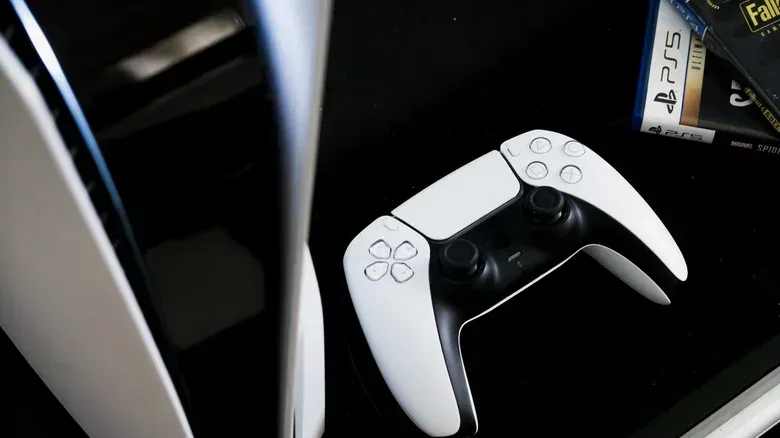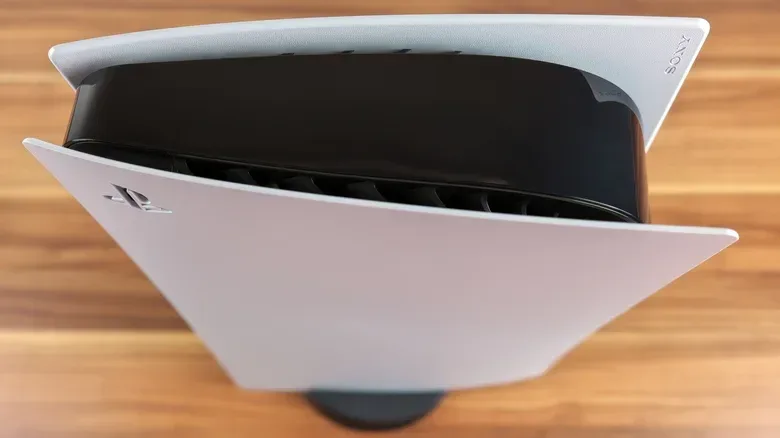
The vertical-versus-horizontal console argument has endured because it feels like a high-stakes choice. A PS5 standing beside the television can look dramatic and save shelf width; an Xbox Series X upright fits its tower-like design. Set either machine flat, meanwhile, and the whole arrangement can appear tidier, lower and far less likely to lose an argument with a passing dog, child or elbow.
Fortunately, this is not a secret hardware test with one forbidden answer. PlayStation 5 models and the Xbox Series X and Series S are designed to operate in either orientation. There is no evidence here that putting a PS5 upright inherently causes worse cooling, nor is a disc-equipped current console dependent on lying flat to read games properly.
The genuinely important question is less glamorous: which position lets the console breathe, sit securely and connect without turning its cables into a stressed-out knot? The winning setup will differ from one desk, TV unit and living room to the next. That is not indecision. It is the practical answer.
Start with the vents, not the vibe
A console’s cooling system needs an unobstructed path for air. Intake vents are where cooler air enters the system; exhaust vents are where warmer air leaves it. Blocking either side makes it harder for the console to move heat away from its internal components. Orientation matters only insofar as it changes whether those openings are clear.
Before deciding between vertical and horizontal placement, inspect the console’s vent locations and then inspect the space around them. Does an upright machine push a vent toward a wall, side panel or crowded shelf? Does laying it down leave an opening pressed close to the furniture beneath it or another device beside it? Pick the orientation that avoids the obstruction.
That is also why a tightly enclosed media cabinet is a poor fit for any of these consoles. The issue is not merely whether the machine physically fits through the cabinet door. It is whether air has enough room to circulate around it rather than collecting heat in a confined pocket. Stacking other hardware on top compounds the problem by reducing space and adding more heat-producing electronics to the same small area.
Sony’s stated guidance for PS5 placement is particularly straightforward: do not put it in a cramped area, and keep it at least four inches away from wall surfaces. That clearance is about the surrounding environment, not an instruction to favor a vertical or horizontal setup.
A console position is successful when it preserves clear airflow and a stable footing. If one orientation blocks an intake or exhaust, the other one is the better answer.
Related coverage includes PS5 and Xbox Series X|S Setup: Should Your Console Stand Vertical or Horizontal?.
For a PS5 that seems unusually hot, the sensible first move is to turn it off and look for blocked vents, clutter, nearby heat sources and dust. Do not jump straight to an orientation theory. A console placed upright with clear openings is not automatically in worse shape than one lying flat in an overstuffed TV cabinet.
Vertical saves width, but horizontal wins the stability contest
Once ventilation is handled, the most meaningful difference is physical stability. Vertical placement generally occupies less horizontal shelf space. That can make it useful in a narrow entertainment center, a busy desk setup or any room where a console needs to share territory with a television, speakers, controllers and everything else modern gaming accumulates.
But standing taller also makes a console easier to knock over. The risk depends on the household. A quiet room with a deep, sturdy shelf is not the same as a living area with energetic children, pets, foot traffic or furniture that leaves the console close to an edge. A vertical system in the wrong place can turn an accidental bump into a potentially damaging fall.
Use the stand intended for the console where applicable. The PS5 and Xbox Series X include stands that assist with positioning, but a stand is not an invisibility spell against a direct collision. A stable surface remains essential, as both console makers recommend. Avoid precarious ledges, wobbly furniture and placement where a cable can be snagged and pulled.
Horizontal positioning takes more width, but it lowers the machine’s center of gravity. In simple terms, a lower, broader object is harder to tip over than a tall one. That makes the flat setup the conservative choice when the console must sit below a TV, near the edge of a desk, within tail-sweeping range or anywhere it may be bumped.
There is an aesthetic component, too, and it is a valid tiebreaker once safety and airflow are in order. A horizontal console can visually line up with a soundbar, receiver or television stand. A vertical machine can make more sense where shelf width is scarce. Just do not reverse the priorities: a beautiful setup that blocks vents or puts expensive hardware in a collision zone is doing decoration at the expense of common sense.
Disc drives do not dictate the position
Older advice about optical drives sometimes lingers long after the hardware has changed. With a disc-capable PS5 or Xbox, the concern that a machine must lie horizontally to read discs is no longer a deciding factor. Current consoles are designed for both orientations.
There is still a tiny convenience difference. Horizontally, the familiar rule is label up. Vertically, the label faces left. That can be easier or harder to remember depending on the setup, but it is not a functional advantage that should override clearance or stability.
It is also worth keeping disc use in perspective. For these consoles, a disc is used to install a game and can be checked when launching a disc-based title to verify ownership. Placement should therefore be chosen for daily environmental conditions—not based on the outdated fear that a vertical disc drive cannot work as intended.
Dust is an orientation-neutral nuisance
Dust does not care whether a console is posed like a skyscraper or resting like a media-box pancake. It accumulates over time, and enough buildup can interfere with airflow. Waiting until the situation calls for an industrial-grade vacuum is not a maintenance plan.
For PS5 owners, basic cleaning can involve removing the side panels and using a soft brush or vacuum to clear debris and dust. The distinction between a basic clean and a deep disassembly matters. Taking off the side covers is presented as a manageable task; going further can be risky if you do not know exactly what you are doing. A mistake may also void an active warranty.
That creates a sensible maintenance boundary: address accessible dust, keep vents clear and resist turning routine upkeep into an improvised teardown. If troubleshooting hardware in general, a built-in diagnostic approach can help separate an actual fault from a mistaken assumption—though tools are specific to their devices, as this look at Samsung Galaxy diagnostics illustrates for phones rather than consoles.
Dust is also a reason not to treat a media cabinet as a set-and-forget storage box. A layout that leaves room to inspect and clean around the machine is more practical than one that requires dismantling the entire entertainment center to check the vents.
Cables and nearby heat deserve a deliberate check
Cable placement is easy to overlook because it tends to become visible only after everything has been plugged in. Yet it belongs in the same decision as airflow and shelf space. Check whether the power, HDMI and other leads can reach naturally in the selected orientation without forcing sharp bends, pulling against ports or making the console unstable.
Do not use cable convenience as an excuse to crowd the console into a space where its vents are blocked. Instead, work through the layout in order: identify the clear-air position, ensure the surface is stable, then confirm the cables can be routed sensibly. If the wiring is fighting the setup, rearranging the furniture or choosing the opposite supported orientation is preferable to forcing the hardware into an unhealthy gap.
Nearby heat sources deserve equal attention. A console already has to manage the heat it produces. Placing it next to another heat-generating device, amid clutter or in an enclosed space adds environmental pressure that neither vertical nor horizontal positioning magically solves.
A quick placement checklist
- Check the vents: Choose the orientation that leaves the intake and exhaust unobstructed.
- Leave surrounding room: Do not jam the console into a cabinet or press it against walls. PS5 guidance calls for at least four inches from wall surfaces.
- Use a stable surface: Keep the system away from edges, unstable furniture and likely collision paths.
- Consider household hazards: Pets, children and cramped walkways make the lower, horizontal position the safer bet in many rooms.
- Use the supplied stand where appropriate: It supports proper placement but does not eliminate the danger of a hard knock.
- Do not stack devices: Give the console its own breathing room rather than piling hardware on top.
- Plan cables after choosing a safe position: Connections should reach without strain or compromising stability.
- Clean accessible dust periodically: Turn the console off before checking vents or cleaning, and avoid deeper disassembly unless you understand the risk.
The answer is situational, not tribal
Vertical and horizontal are not rival performance modes. They are supported ways to fit the same hardware into different rooms. Vertical is often the space-saving option. Horizontal is often the more stable option. Either can be the wrong choice if it traps heat, blocks a vent or puts a heavy console one accidental bump away from disaster.
So, choose the position that gives your particular PS5 or Xbox Series X|S clear space, a solid base and sensible cable routing. After that, enjoy the aesthetic victory. The console does not need to win an orientation debate; it needs to avoid becoming a very expensive dust collector with nowhere to breathe.